Makali WordPress Theme
by Plaza-Themes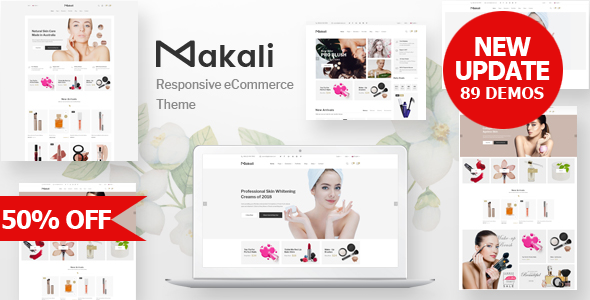
Stuck on your Makali WordPress theme? Let's fix it.
No endless back-and-forth. Just send us the details and we'll get it done.
No obligation · Replies within 1 hour · Quote within 1 day
Setup · Customization · Bug fixes · WooCommerce integration
About Makali WP Theme
Makali is a premium WordPress theme by Plaza-Themes, built for creative agencies, portfolios, and small businesses that need a clean, image-forward layout without a lot of setup overhead. It ships with a drag-and-drop page builder, multiple homepage layouts, and a header builder that gives you real control over navigation structure.
The theme is translation-ready and WooCommerce-compatible, so it works for shops as well as service-based sites. Performance is reasonable out of the box, with lightweight assets compared to many multipurpose themes. It follows current WordPress coding standards and integrates well with popular plugins like Yoast SEO and Contact Form 7.
Makali suits designers and developers who want a flexible starting point without stripping out a bloated framework first. It is also approachable enough for business owners who want to manage their own content after initial setup.
Get matched with a Makali developer in under one day
Tell us about your Makali project. Small fixes, Makali theme customization, or a full website build, whatever you need, we've got it covered.
We'll connect you to the right Makali developers, define the scope, and get everything 100% clear.
You'll get one estimate, hire your preferred developer, and start collaborating.
Most Makali problems come down to one thing: changes made without understanding how the theme’s structure works. A small edit to the wrong template file breaks three other pages. Customizer settings get overwritten by a plugin update.
FoxyConcept connects you with vetted Makali developers through Codeable, a platform built specifically for WordPress professionals. Every developer has been screened. You get a free estimate before any work starts, and you only move forward if the scope and price make sense for your project.
Pros
- Clean, minimal design that works well for portfolios and agencies without heavy modification
- Built-in header builder gives real layout control without requiring a separate plugin
- WooCommerce-ready with styled product pages included out of the box
- Multiple pre-built demo layouts that can be imported with one click
- Lightweight codebase compared to bloated multipurpose themes, easier to optimize
Cons
- Documentation from Plaza-Themes is sparse and often lags behind theme updates
- Support response times from the theme author can be slow, especially for complex issues
- Some layout options are only accessible through shortcodes, which is not ideal for non-developers
- Limited third-party tutorials available compared to more widely adopted themes
- Header and footer builder options, while useful, have fewer styling controls than dedicated plugins
Who is Makali for?
Creative Agency Website
Makali’s grid-based layouts and project showcase sections make it a practical choice for agencies presenting client work. The header builder handles multi-level navigation cleanly, and the homepage sections can be rearranged to prioritize services, case studies, or team profiles depending on the agency’s focus.
Freelance Portfolio
For freelancers who need a portfolio that loads fast and looks professional without a lot of plugin bloat, Makali covers the basics well. Portfolio post types, filterable grids, and clean single-project pages are all included. It is easy to maintain without technical help once the initial build is done.
Small Business Services Site
Service businesses need clear calls to action, easy contact forms, and fast load times. Makali’s pre-built sections for services, testimonials, and contact areas handle this without custom development. It integrates with Contact Form 7 and WPForms, so lead capture is straightforward to set up.
WooCommerce Store
Makali’s WooCommerce compatibility extends to product archive pages, single product layouts, and the cart and checkout flow. The theme’s styling applies consistently across shop pages. For stores that need custom product filtering, bundle displays, or subscription products, additional development work is recommended.
Photography or Visual Arts Site
Image-heavy sites benefit from Makali’s full-width layout options and masonry grid support. Photographers can use it to build galleries with lightbox support and project-based portfolios. The minimal UI keeps the focus on the images rather than competing design elements on the page.

Customizing Makali
Makali exposes most of its design options through the WordPress Customizer, covering typography, colors, header layout, and footer structure. You can switch between predefined style kits or build your own from scratch using the included visual editor.
For more advanced work, like custom post types, ACF field groups, conditional layouts, or WooCommerce template overrides, you need someone who knows the theme inside out. A Makali expert can handle that without breaking existing styles or creating technical debt.
Custom child themes, unique section layouts, and third-party plugin integrations are all common Makali customization requests. Whether you need a one-time build or ongoing adjustments, working with a developer who has hands-on Makali experience saves significant time and avoids trial-and-error changes that can cascade into layout problems.
Recommended plugins for Makali
Makali works well with WooCommerce for product listings and checkout pages. It also integrates with Elementor and WPBakery, depending on the version, so you are not locked into a single page-building approach.
For better results in search, pairing Makali with a proper SEO setup is worth doing early. See our WordPress SEO service for structured implementation. If your site is getting slow under image-heavy pages, a targeted audit through our WordPress performance service can identify exactly what needs fixing without guessing.
Not sure which plugins to use? This WordPress plugins directory covers the most popular options with reviews and setup guides.
Makali common issues
Makali theme header not displaying correctly after update
Header display issues after a Makali update are usually caused by cached styles or a conflict between the header builder settings and an updated template file. Start by clearing your site cache and browser cache. If the problem persists, check whether a child theme is in use and whether its header template overrides the parent. A developer can compare the old and new template files to identify exactly what changed. See our WordPress bug fixing service for fast resolution.
Makali page builder layout broken on mobile
Broken mobile layouts in Makali are typically tied to custom column settings that do not have responsive breakpoints defined, or to a page builder row that has fixed pixel widths set instead of percentage-based values. Open the affected section in the editor and check the column width settings for mobile view. If the builder’s responsive controls are overriding the theme’s CSS, a targeted stylesheet fix in the child theme resolves it cleanly.
Makali WooCommerce product page styling missing
Missing WooCommerce styles in Makali usually happen when the theme’s WooCommerce support is not declared, or when a plugin update changed the template structure and Makali’s overrides are now out of sync. Check the WooCommerce system status for outdated templates. If Makali’s product templates in the woocommerce folder haven’t been updated to match the current WooCommerce version, those files need to be refreshed against the plugin’s current templates.
Makali demo import not working or incomplete
Failed or partial demo imports in Makali are almost always caused by PHP memory limits, execution time limits, or a missing required plugin. Before importing, ensure the required plugins listed in the demo are installed and activated. Increase max_execution_time and memory_limit in your PHP configuration or wp-config.php. If the import still stops midway, try importing content in stages rather than all at once through the one-click importer.
Makali FAQ
Plaza-Themes updates Makali periodically to maintain WordPress compatibility, but update frequency is not always consistent. Before updating WordPress core, check the theme’s changelog and the Plaza-Themes support forum for any reported conflicts. Testing on a staging site before updating your live site is the safest approach, especially for major WordPress releases.
Makali is compatible with Elementor in most configurations. The theme’s own page builder and Elementor can conflict on the same page, so most developers choose one or the other per project. Elementor works reliably for building page content within Makali’s header and footer structure. Some users run Elementor for content areas and use Makali’s native header builder for navigation.
Creating a Makali child theme follows the standard WordPress process. Create a new folder in wp-content/themes/, add a style.css with the correct Template: makali header, and include a functions.php that enqueues the parent theme’s stylesheet. Activate the child theme from the WordPress dashboard. All customizations should go into the child theme to survive parent theme updates.
Yes, Makali includes WooCommerce support with styled templates for product archives, single product pages, cart, and checkout. It handles standard WooCommerce features well. For complex store setups involving subscriptions, variable product bundles, or custom checkout flows, some additional development work is typically needed to ensure consistent styling.
Your content, pages, and posts stay in the WordPress database regardless of which theme you use, so switching to Makali does not delete content. However, any layout built with a previous theme’s page builder will not transfer visually. You will need to rebuild page layouts using Makali’s tools. For a smooth transition, see our WordPress migration service.
Hire a Makali Expert Developer
If you need Makali set up properly, customised beyond the defaults, or fixed after something broke, a specialist is faster and more reliable than working through it yourself. FoxyConcept delivers Makali development through Codeable’s vetted developer network. You get a free estimate with no obligation to hire. Post your project and get a free estimate today.
You'll need a free Codeable account so developers can ask questions and send their quotes.