Mato WordPress Theme
by ypromo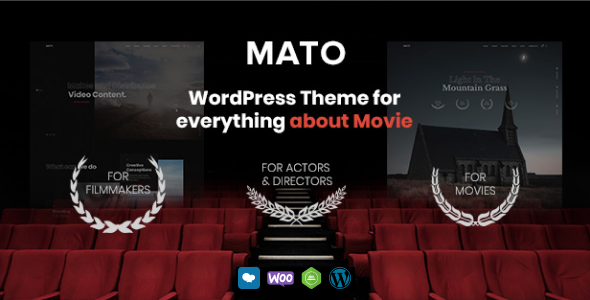
Stuck on your Mato WordPress theme? Let's fix it.
No endless back-and-forth. Just send us the details and we'll get it done.
No obligation · Replies within 1 hour · Quote within 1 day
Setup · Customization · Bug fixes · WooCommerce integration
About Mato WP Theme
Mato is a WordPress theme developed by ypromo, built for creative agencies, freelancers, and portfolio-focused businesses. It ships with a clean, modern layout and strong visual hierarchy that puts your work front and center.
The theme is built on a solid page builder foundation, giving you drag-and-drop flexibility without requiring custom code for most tasks. Mato includes pre-built demo templates, multiple header styles, and smooth scroll animations that work out of the box.
Typography and color controls are accessible from the WordPress Customizer, so adjusting the look to match your brand takes minutes rather than hours. WooCommerce compatibility is included, making Mato a practical option for creative businesses that also sell products or services directly from their site.
Get matched with a Mato developer in under one day
Tell us about your Mato project. Small fixes, Mato theme customization, or a full website build, whatever you need, we've got it covered.
We'll connect you to the right Mato developers, define the scope, and get everything 100% clear.
You'll get one estimate, hire your preferred developer, and start collaborating.
Most Mato problems come down to one thing: the theme can do more than the documentation shows, but finding the right approach takes time you probably don’t have. FoxyConcept works through Codeable, a vetted network of WordPress specialists. You post your project, get a clear estimate within 24 hours, and only move forward if the scope and price make sense. No retainers, no risk. Just a developer who knows what they’re doing with Mato from day one.
Pros
- Clean, minimal design that works well for portfolios and agency sites without heavy customization
- Pre-built demo content imports quickly and gives a realistic starting point for most projects
- WooCommerce integration is built in, not bolted on, so shop pages follow the theme's visual style
- Customizer controls cover color, typography, and spacing globally, reducing the need for per-page overrides
- WPML compatible, making it a workable choice for multilingual business or portfolio sites
Cons
- Demo templates look polished but diverge significantly from each other, making it hard to mix and match sections cleanly
- Page builder dependency means the theme's layouts can be difficult to edit without the bundled builder active
- Documentation is thin in places, particularly around custom post types and advanced header configuration
- Mobile menu behavior on complex nav structures occasionally needs CSS fixes to work properly across all devices
- Update cadence from ypromo has been inconsistent, which can create compatibility concerns with newer WordPress versions
Who is Mato for?
Creative Agency Portfolio
Mato’s project grid layouts and full-width image sections make it a strong fit for agencies showcasing client work. The visual hierarchy pulls attention to case studies and portfolio pieces without cluttering the page. A developer can wire up custom post types for project categories so filtering works exactly the way you need it.
Freelance Designer Website
Freelancers need a site that loads fast, looks sharp, and is easy to update. Mato handles all three reasonably well out of the box. The Customizer gives enough control to personalise colors and fonts without touching code, and the demo templates give a credible starting point that won’t take weeks to customise.
Photography Studio Site
Full-width galleries, clean white space, and minimal UI chrome make Mato a practical choice for photographers. The theme doesn’t compete with the images. You will want to configure lazy loading and compress images properly to keep page speed in check, which a developer can set up as part of the initial build.
Small Business with WooCommerce Store
Mato’s native WooCommerce support means product pages follow the same visual style as the rest of your site. Shop, cart, and checkout pages inherit the theme’s typography and color settings. For businesses selling a focused product range alongside service content, this keeps the experience consistent without custom development.
Digital Marketing Consultancy
Consultancies need clear service pages, strong calls to action, and credibility signals like testimonials and case studies. Mato’s section-based layout system handles all of this well. With the right configuration, you can build a site that converts visitors without it looking like every other WordPress consultancy template online.

Customizing Mato
Mato gives you a solid starting point, but getting it to match your brand precisely takes real configuration work. The Customizer handles global colors, fonts, and spacing, while the bundled page builder manages layout. Getting these two systems to work together consistently is where most people hit friction.
Header layouts, mega menus, footer widgets, and custom post type displays all need careful setup. If you want custom animations, unique section layouts, or anything outside the demo designs, you will need to write CSS or modify templates directly.
A Mato expert can handle all of this without trial and error. At FoxyConcept, our developers know the theme’s structure well enough to build on it cleanly rather than fighting it. Whether it’s a single layout fix or a full custom build on top of Mato, we scope and deliver it properly.
Recommended plugins for Mato
Mato works with the major plugin ecosystem without much friction. Contact Form 7 and WPForms slot in cleanly. WPML support makes multilingual builds straightforward. For WooCommerce stores, the theme’s shop templates hold up well with most payment and shipping plugins.
If site speed is a concern, pairing Mato with a caching plugin and an image optimization tool makes a measurable difference. Our WordPress performance service can audit and tune your Mato site specifically. For organic traffic, structured metadata and schema markup added through a dedicated plugin works well with the theme. See our WordPress SEO service for details.
Not sure which plugins to use? This WordPress plugins directory covers the most popular options with reviews and setup guides.
Mato common issues
Mato theme not displaying correctly after WordPress update
WordPress core updates sometimes break theme functionality, particularly around block editor compatibility or deprecated functions. First, check if ypromo has released a Mato update that addresses the issue. If the theme hasn’t been updated recently, the problem may require manual fixes to template files or functions.php. Switching to a child theme before making any edits is essential to avoid losing changes on the next update. Our WordPress bug fixing service can diagnose and resolve this properly.
Mato page builder content showing as shortcode text on frontend
This usually happens when the bundled page builder plugin is deactivated or not installed on the new environment. Mato relies on a specific builder to render its visual layouts. If the plugin is missing, raw shortcodes appear instead of formatted content. Reinstall and activate the correct version of the builder plugin. If you migrated your site, confirm the plugin was included in the transfer. Check our bug fixing service if the issue persists after reinstallation.
Mato theme slow loading on mobile devices
Mato loads several CSS and JavaScript files that can slow mobile performance, especially on budget hosting. Start by auditing what scripts are loading on each page type and defer or remove anything non-critical. Image sizes are often the bigger culprit. Make sure you’re serving correctly sized images for mobile viewports. A caching plugin and a CDN will also help. For a thorough fix, our WordPress performance service covers full audits and implementation.
Mato header menu not working on mobile
Mobile menu issues in Mato are often caused by JavaScript conflicts with other plugins or a missing script dependency after a plugin update. Open the browser console and look for JS errors first. If a conflict is confirmed, try deactivating plugins one by one to isolate the cause. CSS issues with the hamburger icon or dropdown behavior are separate and usually fixed with targeted overrides in a child theme stylesheet. If you’re not comfortable in the browser console, get a developer to look at it directly.
Mato FAQ
Mato has partial block editor support. Most of its layout functionality runs through a bundled page builder rather than the native Gutenberg editor. You can use blocks for basic post and page content, but the visual sections that define Mato’s design are managed through the builder. Full Gutenberg-native workflows are not the intended use case for this theme.
Yes. Mato includes built-in WooCommerce support with styled shop, product, cart, and checkout pages. The theme’s typography and color settings carry through to the shop templates. For more complex store setups with custom product types or advanced filtering, a developer can extend the WooCommerce templates within a child theme to keep everything consistent.
Mato’s demo import is handled through the theme options panel. After installing the theme and its required plugins, navigate to the import section and select the demo you want. A one-click import loads pages, settings, and sample content. Note that images are often placeholder files. You will need to replace them with your own after the import completes.
Mato is listed as WPML compatible, meaning core theme strings can be translated and page builder content can be managed across languages using WPML’s interface. Setup still requires proper configuration of language switchers and translated page structures. For a clean multilingual build, having a developer configure WPML alongside Mato saves significant trial and error time.
Yes, you can migrate an existing site and apply Mato as the new theme, but it requires more than just switching themes. Your current content structure may not map neatly onto Mato’s layouts. Pages built in another page builder will need to be rebuilt. Our WordPress migration service can handle the technical transfer, and our development team can rebuild your key pages inside Mato properly.
Hire a Mato WordPress Developer
If your Mato site needs custom layouts, performance work, or a full build from a demo template, we can scope it accurately and deliver it cleanly. FoxyConcept provides fixed estimates before any work starts. You know exactly what you’re getting and what it costs before you commit.
Describe your project and get a free estimate today. No obligation, no pressure. Most estimates come back within 24 hours through the Codeable platform.
You'll need a free Codeable account so developers can ask questions and send their quotes.