Medical Directory WordPress Theme
by DirectoryThemes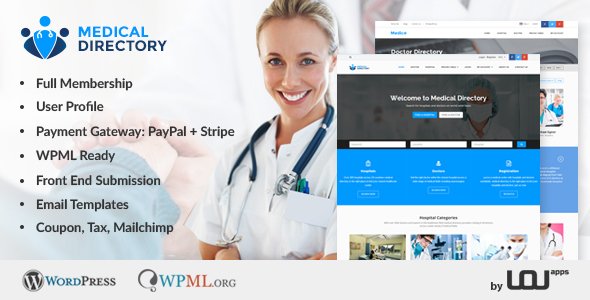
Stuck on your Medical Directory WordPress theme? Let's fix it.
No endless back-and-forth. Just send us the details and we'll get it done.
No obligation · Replies within 1 hour · Quote within 1 day
Setup · Customization · Bug fixes · WooCommerce integration
About Medical Directory WP Theme
Medical Directory is a WordPress theme built by DirectoryThemes specifically for healthcare listing sites. It gives you a structured way to list doctors, clinics, dentists, hospitals, and other medical professionals with dedicated profile pages, search filters, and category sorting out of the box.
The theme is built on a custom directory framework that handles listings, reviews, and geolocation search without requiring a separate plugin stack. Front-end submission forms let practitioners add or claim their own profiles. It ships with a clean, professional design suited to health-focused audiences who expect credibility and clear navigation.
If you are building a local doctor finder, a specialist referral network, or a regional clinic directory, Medical Directory gives you a working foundation without starting from scratch.
Get matched with a Medical Directory developer in under one day
Tell us about your Medical Directory project. Small fixes, Medical Directory theme customization, or a full website build, whatever you need, we've got it covered.
We'll connect you to the right Medical Directory developers, define the scope, and get everything 100% clear.
You'll get one estimate, hire your preferred developer, and start collaborating.
Medical Directory has a specific feature set that takes time to learn. Customizing it without breaking core functionality requires someone who has worked with the DirectoryThemes framework before.
Through Codeable, you get access to vetted WordPress developers who have hands-on experience with directory themes and healthcare listing sites. No guesswork, no junior developers learning on your project. Post your project and get a matched estimate within 24 hours.
Pros
- Built specifically for healthcare directories, so listing fields and search filters are already structured for medical use cases
- Front-end submission forms allow practitioners to add or claim profiles without admin access
- Geolocation search is built in, letting visitors find nearby doctors or clinics by radius
- Supports ratings and reviews on practitioner profiles, useful for patient-facing directories
- Category and specialty filtering works out of the box without additional plugin configuration
Cons
- The DirectoryThemes framework is not as widely documented as mainstream themes, so troubleshooting takes longer
- Default design looks dated compared to modern medical site templates and needs styling work
- Paid listing and monetization features require WooCommerce integration, which adds setup complexity
- Limited third-party page builder compatibility makes custom layouts harder to manage without code
- Support from DirectoryThemes can be slow, and the community forum is small compared to larger theme ecosystems
Who is Medical Directory for?
Local Doctor Finder
Medical Directory is a practical fit for city or regional doctor finder sites. Geolocation search, specialty filtering, and profile pages with contact details cover the core requirements. Custom fields can be added for insurance accepted, appointment availability, and languages spoken to make the directory more useful to patients searching locally.
Dental Clinic Directory
Dental directories benefit from Medical Directory’s front-end submission system, which lets individual practices add their own listings. You can configure categories for general dentistry, orthodontics, oral surgery, and pediatric dentistry. Adding a review system gives patients a way to evaluate options before booking, which improves engagement on the site.
Mental Health Therapist Listings
Therapist and counselor directories have specific requirements around specialization, session format, and sliding scale fees. Medical Directory’s custom field options can be configured to capture these details. Combined with a clear search interface, it becomes a useful referral tool for people looking for mental health support in a specific area or with a specific focus.
Hospital and Urgent Care Locator
For hospital networks or urgent care chains, Medical Directory can power a facility locator with opening hours, services offered, and map-based search. Multiple locations for a single organization can be listed as separate entries with linked profiles. This works well for regional health systems that want a patient-facing search tool without building a custom solution.
Allied Health Professional Network
Physiotherapists, occupational therapists, dietitians, and similar allied health professionals can be listed within a structured directory that separates them by discipline and location. Medical Directory supports this through custom categories and profile fields. It is a practical option for professional associations wanting to offer a public-facing member directory.

Customizing Medical Directory
Out of the box, Medical Directory covers the basics, but most production sites need adjustments. Custom listing fields for insurance providers, languages spoken, or telehealth availability are common requests. The default search filters often need reconfiguring to match specific specialty types or geographic structures.
A Medical Directory expert can handle deeper changes like custom profile layouts for different practitioner types, tiered membership plans for paid listings, or integration with booking plugins like Amelia or Simply Schedule Appointments.
Color schemes, typography, and homepage layouts can all be adjusted through the theme options panel, but anything beyond surface-level styling typically requires custom CSS or child theme development. Getting a developer involved early saves time and avoids broken customizations later.
Recommended plugins for Medical Directory
Medical Directory works well with plugins that extend its core listing functionality. WooCommerce can be added for paid listing upgrades or featured placement. Elementor or WPBakery can help build custom landing pages outside the directory structure.
For site speed, caching and image optimization matter especially on large directories with hundreds of profile pages. See our WordPress performance services for optimization work on listing-heavy sites.
If search visibility is a priority, structured data markup for medical professionals and local SEO setup can make a real difference. Our WordPress SEO service covers schema implementation for directory sites.
Not sure which plugins to use? This WordPress plugins directory covers the most popular options with reviews and setup guides.
Medical Directory common issues
Medical Directory search filters not working after update
Filter breakage after a theme update usually points to a conflict between the updated theme files and customizations made directly in the theme rather than in a child theme. Check whether custom code was overwritten. If you are using custom taxonomies for search, confirm they are still registered correctly. Plugin conflicts with caching or query modifier plugins can also disrupt filter behavior. Deactivate plugins one by one to isolate the cause. If the issue persists, a developer review of the theme’s filter hooks is the fastest path to resolution. See our WordPress bug fixing service.
Medical Directory listings not showing on map
Map display issues in Medical Directory usually come down to a missing or incorrectly configured Google Maps API key, or listings that have not been geocoded properly. Check the theme settings for your API key and verify it has the Maps JavaScript API and Geocoding API enabled in Google Cloud Console. If listings were imported rather than entered manually, the latitude and longitude fields may be empty. Bulk geocoding tools or manual coordinate entry can fix this for existing records.
Front-end submission form not sending email notifications
When front-end submission forms stop triggering email notifications, the most common cause is the WordPress default mail function being blocked by the hosting environment. Install WP Mail SMTP and configure it with a transactional email service like Mailgun or SendGrid. Also check that the notification email address in the theme’s submission settings is correct and not filtered into spam. If forms were recently modified, confirm the email trigger hooks were not accidentally removed during the edit.
Medical Directory theme slow to load on listing pages
Directory listing pages are slow when each page loads unoptimized images, runs uncached database queries for listing data, and pulls in multiple scripts per profile card. Start with a caching plugin configured to handle query strings correctly, since directory URLs often include filter parameters that bypass standard page caching. Lazy load images, limit listings per page, and defer non-critical scripts. For persistent performance issues on large directories, a developer audit of the query load is worth doing. Our WordPress performance service covers this.
Medical Directory FAQ
Yes, Medical Directory is purpose-built for healthcare listing sites. It includes specialty categories, geolocation search, practitioner profiles, and front-end submissions. It works well for doctor finders, clinic directories, and specialist referral sites. Some customization is typically needed to match your specific listing fields and search requirements, but the core structure is already in place.
Paid listings are possible but require WooCommerce integration. Medical Directory does not include a built-in monetization system. You would need to set up WooCommerce with a listing upgrade product, then connect it to the directory’s submission flow. This is a common setup but requires developer work to configure properly, especially if you want tiered packages or featured placement options.
Elementor can be used alongside Medical Directory for building standard pages like the homepage, about page, or contact page. However, the core listing templates and directory archive pages are controlled by the theme’s own framework, not Elementor. Editing listing layouts with Elementor is limited. For deeper design control over profile and search pages, custom CSS or PHP template edits are typically needed.
Medical Directory supports CSV import for bulk listing uploads through its admin panel. Your CSV needs to match the expected column format, including fields for title, category, address, and any custom fields you have configured. Geocoding may not run automatically on import, so you may need to trigger it manually or use a geocoding plugin. Test with a small batch first before importing a full dataset.
Migrating an existing directory to Medical Directory is possible but involves mapping your current listing data to the new theme’s field structure. If your current site uses a different directory plugin or theme, the data export and import process will need careful handling to avoid losing custom fields or images. Our WordPress migration service can manage the transfer and ensure listings carry over correctly.
Hire a Medical Directory Developer
Need a Medical Directory expert to set up, customize, or fix your healthcare listing site? Whether you need custom listing fields, a paid membership structure, or a full site build, a specialist can get it done properly.
Get a free estimate through FoxyConcept. Your project is posted to Codeable, matched with a vetted developer within 24 hours, and you have no obligation to hire. 100% risk-free.
You'll need a free Codeable account so developers can ask questions and send their quotes.