Medical Plus WordPress Theme
by GoodLayers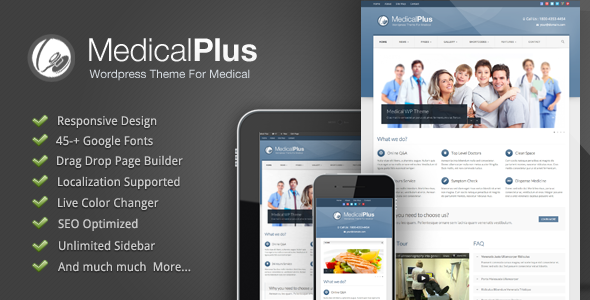
Stuck on your Medical Plus WordPress theme? Let's fix it.
No endless back-and-forth. Just send us the details and we'll get it done.
No obligation · Replies within 1 hour · Quote within 1 day
Setup · Customization · Bug fixes · WooCommerce integration
About Medical Plus WP Theme
Medical Plus is a WordPress theme built by GoodLayers, designed specifically for hospitals, clinics, private practices, and healthcare providers. It ships with a purpose-built page builder, appointment booking support, doctor profile layouts, and department pages out of the box.
The theme uses GoodLayers’ own GDLR page builder, which predates Gutenberg but still handles complex medical site layouts well. It includes pre-built demo content for multiple clinic types, making initial setup relatively fast. Retina-ready design, WooCommerce compatibility, and WPML support round out the core feature set. It’s a well-established option in the medical niche, with a large install base and active ThemeForest presence.
Get matched with a Medical Plus developer in under one day
Tell us about your Medical Plus project. Small fixes, Medical Plus theme customization, or a full website build, whatever you need, we've got it covered.
We'll connect you to the right Medical Plus developers, define the scope, and get everything 100% clear.
You'll get one estimate, hire your preferred developer, and start collaborating.
GoodLayers themes have their own ecosystem — custom post types, shortcodes, and a proprietary page builder that doesn’t behave like standard WordPress. If something breaks or you need a custom feature, generic WordPress advice often doesn’t apply.
The developers available through Codeable have worked with Medical Plus and other GoodLayers themes directly. They know where the theme stores its options, how the builder outputs HTML, and how to extend it without breaking updates. No guesswork, no trial and error on a live clinic site.
Pros
- Includes dedicated medical content types: doctors, departments, and services are built-in post types, not page builder workarounds
- Multiple clinic demo packs cover hospitals, dental practices, and physiotherapy sites with realistic starter content
- WPML-compatible out of the box, making it a solid choice for multilingual healthcare providers
- WooCommerce integration works cleanly for selling supplements, consultation packages, or health products
- GoodLayers provides reasonably consistent theme updates and maintains ThemeForest support channels
Cons
- The GDLR page builder is not Gutenberg-native, which creates a learning curve for users accustomed to block editing
- Page load times can be heavy without caching and script optimisation due to the builder's asset loading behaviour
- Demo import occasionally requires manual cleanup — images, dummy content, and plugin dependencies don't always resolve automatically
- Medical schema markup is not built in, requiring additional plugin setup or custom code for SEO-rich results
- Heavily dependent on the GDLR builder, which makes migrating content to another theme more complex than with block-based themes
Who is Medical Plus for?
General Practice and GP Clinics
Medical Plus suits GP practices well. Doctor profile pages, appointment request forms, and surgery location details all fit the built-in content types cleanly. A Medical Plus developer can configure the booking flow to match practice-specific requirements, whether that’s linking to an external patient management system or handling enquiries via form submission.
Dental Practices
The theme’s service and department layouts work well for listing dental treatments — from routine check-ups to cosmetic procedures. A Medical Plus specialist can set up individual treatment pages, before-and-after galleries, and team profiles for each dentist. WooCommerce integration also allows online payment for consultations or dental plans if needed.
Private Hospitals and Specialist Centres
For larger healthcare providers with multiple departments and medical staff, Medical Plus handles the volume well. Department archive pages, specialist profiles, and service directories all scale cleanly. A Medical Plus expert can build custom filtering for doctor specialisms and integrate with external appointment or patient portal systems as required.
Physiotherapy and Rehabilitation Clinics
Physiotherapy clinics benefit from the theme’s clean service page layouts and team profile functionality. Condition-specific pages — back pain, sports injury, post-surgical rehab — fit naturally into the department structure. A Medical Plus developer can configure structured content and local SEO elements to help the practice rank for condition and location-based searches.
Mental Health and Therapy Practices
Mental health practices need a calm, trust-building design alongside clear service information. Medical Plus provides that tone. A Medical Plus specialist can tailor the colour palette, remove unnecessary clinical elements, and set up therapist profiles and session booking in a way that reflects the practice’s approach and meets patient expectations online.

Customizing Medical Plus
Medical Plus gives you visual control over colours, fonts, headers, and footers through its theme options panel. However, the GDLR page builder has a steeper learning curve than Elementor or Gutenberg, and recreating the demo layouts from scratch takes time if you’re not familiar with the system.
A Medical Plus expert can accelerate this significantly. Custom doctor profile templates, department archive pages, appointment form integrations, and custom post type setups all require hands-on theme knowledge. If your site needs anything beyond the demo — custom booking flows, branded colour schemes tied to a practice identity, or schema markup for medical professionals — working with a Medical Plus specialist is the practical route rather than reverse-engineering the builder yourself.
Recommended plugins for Medical Plus
Medical Plus works with most major WordPress plugins. For appointment booking, it pairs well with Amelia or Bookly. Contact Form 7 and WPForms handle enquiry forms cleanly within its layouts.
For clinics focused on organic search, pairing the theme with proper technical SEO setup matters — structured data for doctors and medical services doesn’t come built-in. See our WordPress SEO optimisation service for that. If the theme feels slow due to the GDLR builder’s asset loading, a targeted performance audit can resolve most of it. Our WordPress performance service covers script optimisation, caching configuration, and image delivery for Medical Plus sites specifically.
Not sure which plugins to use? This WordPress plugins directory covers the most popular options with reviews and setup guides.
Medical Plus common issues
Medical Plus demo import not working or stuck loading
Demo import failures in Medical Plus are usually caused by server memory limits, PHP timeout settings, or missing required plugins not activated before import. Increase WP_MEMORY_LIMIT to at least 256MB and set max_execution_time to 300 seconds in your PHP configuration. Always activate all required plugins before running the demo importer. If it still fails, a manual import using the WordPress importer and theme options JSON is more reliable. For persistent issues, our WordPress bug fixing service can resolve this without data loss.
Medical Plus page builder elements not showing on frontend
When GDLR page builder elements render in the editor but not on the frontend, the usual cause is a JavaScript conflict with another plugin or a caching layer serving a stale page without the builder’s CSS. Disable caching plugins temporarily and test. Check the browser console for JS errors pointing to a conflicting script. If the issue appeared after a plugin update, isolate by deactivating plugins one at a time. Our WordPress bug fixing service handles these conflicts quickly without disrupting your live site.
Medical Plus doctor profiles not displaying correctly
Doctor profile display issues in Medical Plus typically come from one of three sources: the custom post type not being assigned to the correct page template, missing featured images causing layout shifts, or shortcode parameters not matching the current theme version. Check that each doctor post has a featured image set, that the page template is set to the Medical Plus doctors archive template, and that any shortcode used for output matches the current version’s syntax. GoodLayers does occasionally update shortcode parameters between versions.
Medical Plus theme slow loading on mobile
Medical Plus can be slow on mobile due to render-blocking scripts from the GDLR builder, unoptimised images, and multiple Google Fonts requests. Start by enabling a caching plugin like WP Rocket or LiteSpeed Cache, serve images in WebP format, and use a plugin to limit font variants loaded. Lazy loading for images below the fold helps significantly on mobile. For deeper gains, a dedicated performance audit targeting the theme’s specific asset loading patterns will produce better results than generic caching alone.
Medical Plus FAQ
Yes, as of the most recent ThemeForest update history, GoodLayers continues to maintain Medical Plus with periodic updates covering WordPress compatibility and security. That said, the GDLR page builder it relies on is not being developed into a Gutenberg-native system, so its long-term trajectory is worth keeping in mind if you’re planning a site intended to last five or more years.
Medical Plus is built around GoodLayers’ own GDLR page builder and does not natively support Elementor or Gutenberg blocks. You can use Gutenberg for basic post content, but the theme’s templates and layout options are tied to the GDLR system. Forcing Elementor into a Medical Plus site typically causes conflicts. If you want an Elementor-based medical site, a different theme is a better starting point.
Yes. Medical Plus is WPML-compatible, which is the standard for professional multilingual WordPress sites. String translation, page translation, and language switcher integration all work within the theme. A Medical Plus developer can configure WPML correctly from the start, which saves significant time compared to retrofitting multilingual support after content has been built out.
Medical Plus does not include a built-in booking engine. It’s designed to integrate with third-party booking plugins. Amelia and Bookly are the most commonly used options and both embed cleanly into Medical Plus page templates. For more complex requirements — multiple practitioners, service-specific availability, or payment on booking — a Medical Plus specialist can configure the integration and style it to match your theme.
Medical Plus itself is a theme and does not handle data processing directly, so GDPR compliance depends on the plugins you use — contact forms, booking systems, analytics tools, and cookie consent. You’ll need a compliant cookie consent plugin, a privacy policy page, and proper data handling agreements with any third-party services used. For healthcare sites, this is especially important given the sensitivity of patient enquiries and health-related data.
Hire a Medical Plus Developer for Your Healthcare Site
Whether you need a Medical Plus expert to build a clinic site from scratch, fix a broken layout, or add custom functionality, you can get matched with a vetted developer within 24 hours. Post your project through Codeable, receive a free estimate, and only move forward if it makes sense. No commitment required.
Get a Free Estimate and describe what you need — setup, customisation, bug fixing, or ongoing support.
You'll need a free Codeable account so developers can ask questions and send their quotes.