Medina WordPress Theme
by ypromo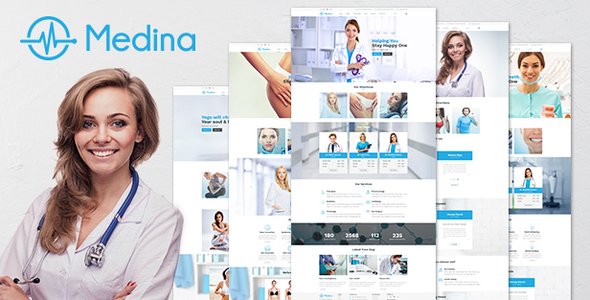
Stuck on your Medina WordPress theme? Let's fix it.
No endless back-and-forth. Just send us the details and we'll get it done.
No obligation · Replies within 1 hour · Quote within 1 day
Setup · Customization · Bug fixes · WooCommerce integration
About Medina WP Theme
Medina is a premium WooCommerce theme by ypromo, built for fashion, clothing, and lifestyle stores. It ships with a clean, minimal design that puts products front and center. The layout is grid-based and responsive, making it a solid starting point for apparel or accessories shops that want a polished look without heavy customization out of the box.
The theme includes multiple homepage layouts, a fullscreen slider, AJAX cart functionality, and a built-in wishlist. It supports product quick view, layered navigation, and integrates with popular WooCommerce extensions. Page speed is reasonable on a clean install, and the HTML structure is straightforward for developers who need to modify templates. Medina works well for shops that prioritize visual merchandising and need a theme that feels intentional without being overbuilt.
Get matched with a Medina developer in under one day
Tell us about your Medina project. Small fixes, Medina theme customization, or a full website build, whatever you need, we've got it covered.
We'll connect you to the right Medina developers, define the scope, and get everything 100% clear.
You'll get one estimate, hire your preferred developer, and start collaborating.
Getting Medina to perform exactly the way your store needs often takes more than the Customizer allows. A vetted WordPress developer can handle template overrides, custom WooCommerce loops, performance fixes, and third-party plugin integration without introducing technical debt. Through Codeable, you get matched with a screened developer who has hands-on experience with themes like Medina. No generalist freelancers, no guesswork. Just a developer who knows what they’re doing and can deliver a clean result.
Pros
- Clean, minimal design that works well for fashion and lifestyle stores without needing heavy styling changes
- Multiple homepage layouts included, reducing the need for a separate page builder plugin
- AJAX cart and quick view features built in, which keeps the shopping experience smooth
- WooCommerce template structure follows standard conventions, making customization predictable for developers
- Responsive grid adapts well across screen sizes with minimal layout breakage on mobile
Cons
- Theme options panel can feel limited for stores that need granular control over product page layout
- Some bundled plugins are outdated and need manual updating after install
- Typography customization is restricted to a small font selection unless you add a Google Fonts plugin separately
- Child theme is not included by default, which creates problems when the parent theme updates
- Demo import can be unreliable on shared hosting due to large media files in the demo package
Who is Medina for?
Fashion and Clothing Stores
Medina’s grid layouts and fullscreen slider were built with clothing stores in mind. Product images display prominently, category pages are easy to scan, and the overall aesthetic suits brands that rely heavily on visual appeal. The AJAX cart keeps the buying flow clean, which matters for stores with higher average order values.
Accessories and Jewelry Shops
Jewelry and accessories stores benefit from Medina’s ability to display small, detail-heavy products cleanly. The quick view feature lets shoppers inspect products without leaving the category page. Custom product page layouts can be added by a developer to highlight materials, sizing, or care information in a structured way.
Lifestyle and Home Decor Brands
Home decor brands need a theme that handles varied product sizes and aspect ratios without breaking the grid. Medina handles this reasonably well. A developer can refine the image crop settings and adjust the column count per category to keep the catalog looking intentional across different product types.
Multi-Category Boutique Stores
Boutiques that carry multiple product categories need a homepage that communicates range without feeling cluttered. Medina’s multiple homepage layouts give you enough flexibility to feature categories, highlight bestsellers, and run promotional banners simultaneously. Custom widget areas can extend this further.
Streetwear and Niche Apparel Labels
Niche apparel labels often have strong brand identities that need more than a default theme can offer. Medina provides a clean base, and a Medina developer can add custom fonts, brand-specific color schemes, and unique product page structures that match the label’s visual identity without rebuilding from scratch.

Customizing Medina
Medina ships with a WordPress Customizer panel that covers colors, fonts, header layouts, and footer options. Most visual changes can be made without touching code. That said, anything beyond surface-level adjustments, like restructuring the homepage sections, modifying WooCommerce templates, or building out a custom product page layout, will require PHP and CSS work.
A Medina expert can wire up custom product filters, adjust the grid behavior for specific catalog sizes, or rework the mobile navigation if the default doesn’t suit your store. Child theme development is recommended before any template overrides. If you need Medina configured exactly to your brand spec, working with a dedicated Medina developer saves significant time compared to trial and error in the Customizer alone.
Recommended plugins for Medina
Medina pairs well with several WooCommerce extensions. YITH Wishlist and YITH Quick View integrate cleanly with the theme’s existing feature set. For stores that need better filtering, FacetWP or YITH WooCommerce Ajax Product Filter slot in without major template conflicts.
For stores focused on growth, pairing Medina with proper WordPress SEO optimisation and WordPress performance tuning will make a measurable difference in organic traffic and conversion rate. Contact Form 7 and Mailchimp for WooCommerce also work reliably with this theme for post-purchase flows.
Not sure which plugins to use? This WordPress plugins directory covers the most popular options with reviews and setup guides.
Medina common issues
Medina theme slider not working after update
Slider issues after a theme update usually come down to a JavaScript conflict or a deprecated slider plugin that hasn’t been updated alongside the theme. Start by checking the browser console for JS errors. Deactivate plugins one at a time to isolate the conflict. If the slider uses a bundled plugin like Revolution Slider or LayerSlider, make sure that plugin is updated to a version compatible with the current theme release. If the issue persists, a WordPress bug fixing service can trace the conflict quickly.
Medina WooCommerce product images not displaying correctly
Product image display problems in Medina are often caused by incorrect image sizes set in WooCommerce or a mismatch between the theme’s expected dimensions and the uploaded file sizes. Go to WooCommerce > Settings > Products and review the image size settings. After updating them, run the Regenerate Thumbnails plugin to reprocess existing uploads. If images are still cropping incorrectly, the theme may need a custom image size registered in the functions file.
Medina theme mobile menu not opening
A non-functional mobile menu in Medina is typically a JavaScript error or a conflict with a caching plugin. Clear your site cache first, then test in a private browser window. If the menu still won’t open, check for JS errors in the browser console. A missing or broken jQuery dependency is a common cause. Disable any script optimization plugins temporarily to confirm. If you’re on a child theme, verify that the mobile menu scripts are being enqueued correctly and haven’t been accidentally removed.
Medina demo content not importing properly
Medina demo import failures are common on shared hosting due to PHP memory limits and execution time restrictions. Before importing, set max_execution_time to at least 300 and memory_limit to 256MB in your PHP configuration. Use the theme’s one-click importer rather than the default WordPress importer. If the process still times out, try importing content in stages by unchecking media files first, then importing them separately. A WordPress maintenance plan can help keep your environment configured correctly from the start.
Medina FAQ
Medina was built for WooCommerce and generally stays compatible with recent releases. That said, ypromo’s update frequency can lag behind major WooCommerce version jumps. Always test theme and WooCommerce updates on a staging site first. If you’re running a version of Medina that hasn’t been updated in over a year, there may be template deprecation warnings or checkout issues that need a developer to resolve.
Medina is not a page builder theme, but it can work alongside WPBakery if the plugin is installed separately. Elementor compatibility is less reliable since Medina’s layout system can conflict with Elementor’s full-width sections. Most developers working with Medina recommend using its native Customizer and WooCommerce templates rather than layering a page builder on top, which tends to create maintenance headaches over time.
Medina does not ship with a pre-built child theme. You need to create one manually or use a plugin like Child Theme Configurator. A basic child theme requires a style.css with the correct theme header and a functions.php that enqueues the parent stylesheet. Any template overrides or custom CSS should go into the child theme to survive future parent theme updates without being overwritten.
Medina is listed as WPML-compatible by ypromo. In practice, multilingual setups require careful configuration of string translations and WooCommerce currency settings. The theme’s dynamic strings need to be registered in WPML’s String Translation module. For stores with complex multilingual requirements, having a developer handle the WPML setup alongside Medina is strongly recommended to avoid display issues across language variants.
Yes, migrating an existing WooCommerce store to Medina is possible. Products, orders, and customer data transfer independently of the theme. The main work involves rebuilding homepage layouts, reconfiguring widget areas, and adjusting WooCommerce template overrides to match your previous setup. A WordPress migration specialist can handle the transition cleanly and ensure nothing breaks during the switch.
Hire a Medina WordPress Developer
If your Medina store needs custom development, bug fixes, or a full build from scratch, we can match you with an expert who knows the theme inside out. Work is handled through Codeable, so every developer is vetted before they touch your site. Get a free estimate with no obligation to hire. You’ll have a developer matched to your project within 24 hours and a clear scope before any work begins.
You'll need a free Codeable account so developers can ask questions and send their quotes.