Mediso WordPress Theme
by GoodLayers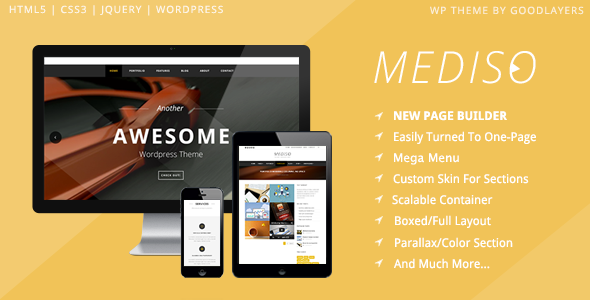
Stuck on your Mediso WordPress theme? Let's fix it.
No endless back-and-forth. Just send us the details and we'll get it done.
No obligation · Replies within 1 hour · Quote within 1 day
Setup · Customization · Bug fixes · WooCommerce integration
About Mediso WP Theme
Mediso is a medical and healthcare WordPress theme built by GoodLayers. It ships with the GDLR Core plugin, which powers most of its layout and section controls. The theme targets clinics, hospitals, dental practices, and individual practitioners who need a clean, professional site without building from scratch.
GoodLayers has been producing WordPress themes since 2012. Mediso reflects that experience with a structured page builder, pre-built demo content, and a layout system designed specifically for medical content types like doctor profiles, departments, appointment forms, and service listings.
Installation is straightforward if you follow the one-click demo import. The real work starts when you try to adapt the demo layouts to your specific clinic structure or brand. That is where most users run into friction.
Get matched with a Mediso developer in under one day
Tell us about your Mediso project. Small fixes, Mediso theme customization, or a full website build, whatever you need, we've got it covered.
We'll connect you to the right Mediso developers, define the scope, and get everything 100% clear.
You'll get one estimate, hire your preferred developer, and start collaborating.
GoodLayers themes have their own conventions. If you have not worked inside GDLR Core before, the learning curve is real. Small changes that should take minutes can take hours without knowing where to look.
Our developers on Codeable have worked with GoodLayers themes including Mediso across clinic, hospital, and specialist practice sites. They know the framework, the common breakpoints, and the plugin conflicts to watch for. You get a fixed estimate before any work starts, and no obligation to proceed. That removes the risk from bringing in outside help.
Pros
- Purpose-built for healthcare with doctor profiles, departments, and service sections included
- Multiple pre-built demo layouts covering clinics, hospitals, and specialist practices
- GoodLayers page builder gives detailed section control without needing a third-party builder
- One-click demo import gets a working site up quickly
- Regular updates from GoodLayers with an active support forum
Cons
- GDLR Core plugin creates dependency that complicates switching themes later
- Page builder markup can generate bloated HTML compared to block-based alternatives
- No native appointment booking system built in, requires a separate plugin
- Documentation is functional but thin on edge cases and advanced customization
- WooCommerce compatibility exists but feels bolted on rather than designed in
Who is Mediso for?
General Medical Clinic
Mediso suits small to mid-size GP clinics well. The doctor profile post type, service listing sections, and contact forms cover the core pages most clinics need. Adding a booking plugin like Amelia gives patients a working appointment flow. The demo import gives you a usable starting point within an hour.
Dental Practice
Dental practices benefit from Mediso’s clean layout options and service grid modules. You can list treatments, add before-and-after image sections, and set up team profiles for each dentist. The theme’s white-heavy design works well for dental branding. A booking form integration handles new patient enquiries.
Private Hospital or Multi-Department Facility
Larger facilities with multiple departments can use Mediso’s department post type and nested page structures. It takes more configuration than a single-practice site, but the layout tools handle it. Custom development is usually needed to wire up department-specific doctor filtering and contact routing.
Individual Specialist or Consultant
A solo consultant or specialist needs a focused site: bio, credentials, services, and a contact or booking form. Mediso handles this cleanly with minimal setup. The risk is over-engineering it with demo sections that do not apply. A developer can strip the layout back to exactly what one practitioner needs.
Physiotherapy or Allied Health Practice
Physio and allied health practices need a site that communicates trust and lists specific treatment areas clearly. Mediso’s service modules and team sections work for this. The theme does not have condition-specific filtering out of the box, but that can be added with custom work or a directory plugin.

Customizing Mediso
Mediso gives you control over colors, fonts, header styles, and section layouts through the GoodLayers page builder and the WordPress Customizer. You can build doctor profile pages, service grids, and appointment sections using the built-in shortcodes and modules.
In practice, customization gets complicated quickly. The GDLR Core plugin has its own logic, and pushing Mediso beyond the demo layouts often means writing custom CSS or editing template files directly. Things like custom post type structures, booking system integrations, or non-standard department layouts require real development work.
A Mediso expert can make those changes cleanly without breaking the theme’s update path. If you want a layout that the demo does not show out of the box, working with someone who knows the GoodLayers framework saves significant time and avoids messy workarounds.
Recommended plugins for Mediso
Mediso works with standard WordPress plugins but has tighter integration with GDLR Core and GoodLayers’ own tools. For appointments, most practices add a plugin like Bookly or Amelia on top of the theme. Contact Form 7 and WPForms both slot in without issues.
For performance, the GoodLayers page builder can generate heavier page loads than block-based alternatives. Pairing Mediso with a caching solution and image optimization is worth doing early. See our WordPress performance service for specifics. If SEO is a priority, structured content and schema markup for medical practices need attention beyond what the theme handles alone. Our WordPress SEO service covers that.
Not sure which plugins to use? This WordPress plugins directory covers the most popular options with reviews and setup guides.
Mediso common issues
Mediso demo import not working
Demo import failures in Mediso usually come from server timeout limits or missing required plugins. Make sure GDLR Core and all required plugins are installed and activated before importing. Increase the PHP max_execution_time and memory_limit in your server configuration. If the import still fails partway through, import the XML content file manually via Tools > Import and then apply the Customizer settings file separately.
Mediso page builder sections not displaying correctly
Section display problems in the GoodLayers builder are often caused by plugin conflicts or missing GDLR Core assets. First, clear your cache and check whether the issue persists with all other plugins deactivated. If a section shows blank or misaligned, check the browser console for JavaScript errors pointing to a conflicting script. CSS conflicts from other plugins are also common. Our WordPress bug fixing service can isolate the cause quickly.
Mediso slow loading speed after setup
Mediso pages can get heavy due to the GoodLayers builder output and unoptimized images from demo content. Start by running a GTmetrix or PageSpeed test to identify the largest contributors. Enable caching through a plugin like WP Rocket, compress images, and consider a CDN. The theme does not lazy-load images by default in older versions, so check whether your version handles this or whether a plugin needs to fill the gap.
Mediso plugin conflict with booking or form plugins
Conflicts between Mediso and booking plugins like Bookly or Amelia often show up as broken styling on form fields or JavaScript errors on the booking step. This usually comes from CSS or script loading order. Try loading the booking plugin scripts in the footer and check whether the GoodLayers builder is stripping scripts on certain page templates. Isolate the conflict by testing the booking page with a default WordPress theme to confirm the source.
Mediso FAQ
GoodLayers updates Mediso regularly and the theme maintains WordPress compatibility through major releases. That said, compatibility with the latest WordPress and PHP versions depends on running the current version of both Mediso and the GDLR Core plugin. Always check the changelog before updating on a live site, and test updates on a staging environment first.
Not really. The GoodLayers GDLR Core plugin powers most of Mediso’s layouts and post types. Removing it would break the majority of the theme’s front-end output. If you want to build with a different page builder, Mediso is not the right starting point. You would be better served by a block-based or Elementor-compatible medical theme instead.
No. Mediso does not ship with a native booking system. It includes contact forms and layout sections styled for appointment calls-to-action, but actual booking functionality requires a separate plugin. Bookly, Amelia, and Simply Schedule Appointments all work alongside Mediso with some configuration.
Migrating content from an existing site to Mediso is possible but involves rebuilding page layouts in the GoodLayers builder. Text and image content can be moved, but the visual structure needs to be reconstructed using Mediso’s modules. Our WordPress migration service handles this and ensures content and SEO settings carry over correctly.
Mediso includes a Doctor custom post type managed through the GoodLayers system. Go to your WordPress dashboard, find the Doctors section in the menu, and add a new entry. You can set the doctor’s name, specialty, photo, bio, and linked department. The post type displays using the theme’s built-in doctor archive and single templates, which you can adjust through the page builder.
Hire a Mediso Developer
Whether you need a Mediso setup from scratch, a customization that the demo does not cover, or a fix for something that broke, we match you with a vetted developer who knows the GoodLayers framework. Work is delivered through Codeable, so you get a clear estimate and a developer accountable to a professional platform.
Get a free estimate with no obligation to hire. Most projects get matched within 24 hours.
You'll need a free Codeable account so developers can ask questions and send their quotes.