MinimogWP – The High Converting eCommerce WordPress Theme WordPress Theme
by ThemeMove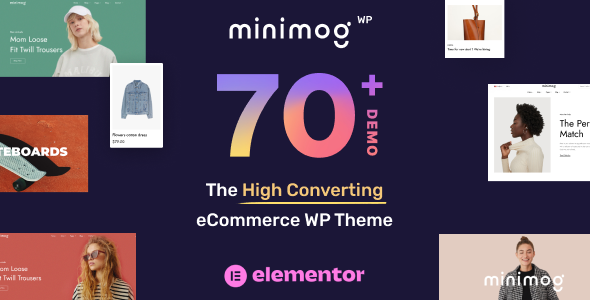
Stuck on your MinimogWP – The High Converting eCommerce WordPress Theme WordPress theme? Let's fix it.
No endless back-and-forth. Just send us the details and we'll get it done.
No obligation · Replies within 1 hour · Quote within 1 day
Setup · Customization · Bug fixes · WooCommerce integration
About MinimogWP – The High Converting eCommerce WordPress Theme WP Theme
MinimogWP is a WooCommerce-focused WordPress theme built by ThemeMove. It ships with over 60 pre-built demo stores, a drag-and-drop page builder, and a dedicated eCommerce toolkit that covers product filtering, wishlist functionality, quick-view modals, and cart drawers out of the box.
The theme is built on top of Elementor and includes ThemeMove’s own Foxkit plugin, which adds conversion-focused widgets like countdown timers, stock counters, and upsell popups. Performance is a priority too, with lazy loading and optimized asset delivery baked into the core. It targets store owners who want a polished, feature-rich shop without building from scratch.
Get matched with a MinimogWP – The High Converting eCommerce WordPress Theme developer in under one day
Tell us about your MinimogWP – The High Converting eCommerce WordPress Theme project. Small fixes, MinimogWP – The High Converting eCommerce WordPress Theme theme customization, or a full website build, whatever you need, we've got it covered.
We'll connect you to the right MinimogWP – The High Converting eCommerce WordPress Theme developers, define the scope, and get everything 100% clear.
You'll get one estimate, hire your preferred developer, and start collaborating.
MinimogWP has a steep learning curve once you move past the demo content. Foxkit settings, custom CSS scope, and WooCommerce hook conflicts take time to untangle. The developers on Codeable work with MinimogWP regularly and can handle everything from layout customization to complex WooCommerce integrations without breaking your existing setup.
Pros
- 60+ pre-built WooCommerce demo stores covering fashion, electronics, furniture, and more
- Foxkit plugin included free, adding conversion tools like countdown timers, stock alerts, and upsell popups
- Deep Elementor integration with custom eCommerce widgets not available in the free Elementor tier
- Built-in AJAX product filtering, wishlist, compare, and quick-view without requiring third-party plugins
- Actively maintained with regular updates and a responsive ThemeMove support team
Cons
- Heavy out-of-the-box feature set increases page weight if unused modules are not disabled
- Foxkit plugin is tightly coupled to the theme, making future theme migration more complex
- Some demo layouts require importing dummy data that can conflict with existing store content
- Advanced customization options are scattered across Elementor, the Customizer, and Foxkit settings with no single unified interface
- Support response times can slow during peak release periods and complex bugs sometimes require developer-level troubleshooting
Who is MinimogWP – The High Converting eCommerce WordPress Theme for?
Fashion and Apparel Stores
MinimogWP includes lookbook layouts, size guide support, and color swatch variations that fashion stores need. The built-in wishlist and quick-view features reduce friction in the browsing experience. A MinimogWP developer can configure these for your specific catalog structure and integrate with your inventory or ERP system.
Electronics and Tech Retailers
The theme handles complex product specifications well, with flexible tabs and comparison tables. Tech stores benefit from the stock counter and urgency widgets in Foxkit. A MinimogWP specialist can build custom attribute-based filtering so customers can narrow by specs like RAM, storage, or screen size without plugins that break the layout.
Home Decor and Furniture Shops
Full-width product images, room scene galleries, and editorial-style category pages make MinimogWP a solid fit for furniture and decor. The Elementor integration lets you build immersive landing pages per collection. A MinimogWP expert can set up custom product page templates that highlight dimensions, materials, and delivery information clearly.
Health and Beauty eCommerce
Health and beauty brands need clean layouts, trust signals, and ingredient or usage detail sections. MinimogWP’s flexible tab system and sticky add-to-cart bar help here. A MinimogWP developer can add custom review displays, before-and-after image sections, and subscription product flows using WooCommerce Subscriptions.
Multi-Vendor Marketplaces
When combined with Dokan or WCFM, MinimogWP can power a multi-vendor marketplace. The theme’s flexible header and product card system adapts to vendor-specific branding requirements. A MinimogWP specialist can configure vendor dashboards, commission structures, and store-within-a-store layouts that keep the experience consistent.

Customizing MinimogWP – The High Converting eCommerce WordPress Theme
Customizing MinimogWP goes well beyond swapping colors. The theme gives you granular control over product card layouts, header styles, mega menus, and checkout page design. Foxkit adds conditional popups, size guides, and advanced badge systems that most themes require separate plugins to handle.
That said, the sheer number of options can be overwhelming, and some store-specific requirements sit outside what the theme panel allows. A MinimogWP – The High Converting eCommerce WordPress Theme expert can extend the theme properly using child themes and custom hooks, so your modifications survive updates and don’t break core functionality.
Recommended plugins for MinimogWP – The High Converting eCommerce WordPress Theme
MinimogWP integrates cleanly with WooCommerce extensions like Subscriptions, Bookings, and Points & Rewards. It also supports popular SEO and performance plugins. Pairing it with a solid caching and image optimization stack is straightforward, and you can find guidance on that in the WordPress performance section.
If organic traffic matters to your store, structured data and proper schema markup need attention beyond what the theme provides by default. The WordPress SEO optimisation service covers that gap.
Not sure which plugins to use? This WordPress plugins directory covers the most popular options with reviews and setup guides.
MinimogWP – The High Converting eCommerce WordPress Theme common issues
MinimogWP product page not loading after update
Product page failures after a MinimogWP update usually trace back to Foxkit version mismatches or Elementor template cache issues. First, clear all caches and regenerate Elementor CSS. Then check that the Foxkit plugin version matches the theme release notes. If a custom template is involved, re-save it in Elementor. If the problem persists, the WordPress bug fixing service can diagnose theme-level conflicts quickly.
Foxkit popup not showing on MinimogWP store
Foxkit popups rely on specific display conditions and cookie logic. If a popup is not triggering, check that the condition rules are saved correctly and that no caching plugin is serving a cached page before the popup script loads. Disabling page-level caching for the affected URL usually resolves it. Also verify the popup is set to active and not in draft mode inside the Foxkit panel.
MinimogWP AJAX filter returning no results
MinimogWP AJAX filtering breaks most often when a caching plugin intercepts the AJAX request or when a permalink change has not been flushed. Go to Settings > Permalinks and re-save without changing anything. Also check that the product attribute taxonomy is assigned to the correct filter widget. WooCommerce lookup table regeneration under WooCommerce > Status > Tools sometimes resolves missing results.
MinimogWP checkout page layout broken on mobile
Broken checkout layouts on mobile are commonly caused by conflicting CSS from third-party plugins or custom styles added to the wrong scope. Use browser DevTools to identify which rule is overriding the checkout grid. MinimogWP’s checkout styles sit inside the Foxkit stylesheet, so adding overrides to a child theme style.css with the correct specificity is the cleanest fix. Avoid editing theme files directly.
MinimogWP mega menu not working
Mega menu issues in MinimogWP are usually tied to the menu location assignment or a missing Elementor template link. Open the header builder, locate the nav element, and confirm the correct menu is selected. If the mega menu dropdown was built in Elementor, check that the template is published and the correct template ID is referenced in the menu item settings. JavaScript console errors can also block the dropdown from rendering.
WooCommerce cart drawer not opening in MinimogWP
The cart drawer in MinimogWP depends on Foxkit’s cart module being active. Check the Foxkit settings panel to confirm the side cart is enabled. If it is enabled but not opening, a JavaScript conflict with another plugin is likely. Deactivate plugins one at a time to isolate the conflict, or use a script blocker test in the browser console. The WordPress bug fixing service can trace JS conflicts fast.
MinimogWP demo import fails or gets stuck
Demo import failures in MinimogWP are usually caused by PHP memory limits, execution time limits, or server-side upload restrictions. Set memory_limit to at least 256MB and max_execution_time to 300 in your php.ini or wp-config.php. If importing via the theme panel, try the manual XML import method instead. Large demo packs sometimes need to be broken into smaller batches to complete successfully.
MinimogWP product images not displaying correctly
Image display problems in MinimogWP typically stem from incorrect WooCommerce image size settings or thumbnail regeneration not having been run after switching themes. Go to WooCommerce > Settings > Products > Display and verify the image dimensions match your active theme settings. Then use a plugin like Regenerate Thumbnails to rebuild all product images. If specific image positions are broken, check the product card template in Elementor.
MinimogWP wishlist button not working
If the MinimogWP wishlist button does nothing on click, the Foxkit wishlist module may be disabled or the required REST API endpoint is being blocked. Confirm the wishlist feature is toggled on in Foxkit > Wishlist. If it is active, check that your server is not blocking REST API requests, as some security plugins do this by default. Also verify there are no JavaScript errors in the console tied to the wishlist script.
MinimogWP slow page speed on product category pages
Category page slowness in MinimogWP often comes from unoptimized product images, excessive Foxkit widgets loading on every page, or unindexed database queries triggered by AJAX filtering. Start by auditing which Foxkit modules are active on category pages and disabling any not in use. Combine that with an object cache and proper image compression. Detailed guidance is available in the WordPress bug fixing service for performance-related fixes.
MinimogWP – The High Converting eCommerce WordPress Theme FAQ
Yes. MinimogWP is built specifically for WooCommerce and includes features like product filtering, cart drawers, wishlist, quick-view, and upsell tools without requiring extra plugins. It is one of the more complete WooCommerce themes available on ThemeForest and suits stores that want conversion-focused features from day one.
MinimogWP is built on Elementor and includes custom eCommerce widgets that extend beyond what standard Elementor offers. All page templates, product layouts, and headers are built and edited inside Elementor. You do need Elementor installed and active for the theme to function as designed.
Foxkit is ThemeMove’s companion plugin for MinimogWP. It adds conversion-focused features including countdown timers, stock alerts, upsell popups, size guides, and a side cart. It is included free with the theme and tightly integrated, so most MinimogWP features depend on it being active and up to date.
Yes, you can build a MinimogWP site from scratch without importing demo content. However, the pre-built demos are useful starting points. If you skip the import, you will need to set up your header, footer, and page templates manually inside Elementor, which takes more time but gives you a cleaner starting codebase.
Create a child theme folder in wp-content/themes/, add a style.css with the correct Template: minimog header, and enqueue the parent theme stylesheet in a functions.php file. Activate the child theme from the WordPress dashboard. All custom CSS and PHP overrides should go into the child theme to survive MinimogWP updates.
MinimogWP does not include built-in multi-currency switching. For that you need a WooCommerce plugin like Aelia Currency Switcher or CURCY. MinimogWP’s header builder can accommodate a currency switcher widget once a compatible plugin is active. A MinimogWP developer can integrate it cleanly into your header layout.
MinimogWP is listed as WPML compatible on ThemeForest. Polylang also works with some configuration. Translating Foxkit elements and custom Elementor templates requires additional setup. For full multilingual store builds, working with a MinimogWP specialist is recommended to avoid broken layouts across language versions.
MinimogWP licenses from ThemeForest are per-domain. A regular license covers one end product or site. If you need the theme on multiple stores, you need separate licenses for each domain. Extended licenses apply to products sold to multiple end users. Check ThemeForest’s license terms for your specific use case.
Yes, migrating an existing WooCommerce store to MinimogWP is possible. Products, orders, and customer data carry over through WooCommerce itself. The work involves rebuilding your page templates, category layouts, and header in MinimogWP’s system. See the WordPress migration service for help with complex store migrations.
Out of the box, MinimogWP loads more scripts than a minimal theme because of Foxkit and Elementor. With proper configuration, disabling unused Foxkit modules, and a good caching and image optimization setup, it performs well. A default install without optimization will score poorly on Core Web Vitals, so performance tuning is worth doing early.
Hire a MinimogWP – The High Converting eCommerce WordPress Theme Developer
Whether you need a custom product page layout, a conversion-focused checkout flow, or a full store build on MinimogWP, a vetted developer can get it done right. Post your project and receive a free estimate with no obligation to proceed. Get a Free Estimate and get matched with a MinimogWP specialist within 24 hours.
You'll need a free Codeable account so developers can ask questions and send their quotes.