MINIMUM WordPress Theme
by QODE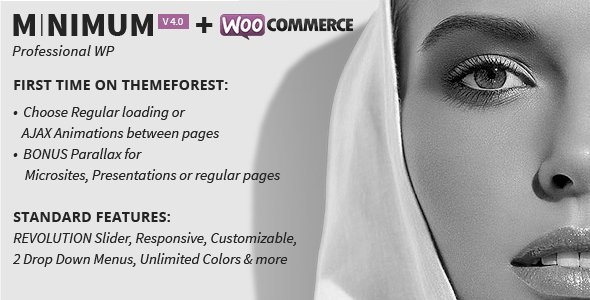
Stuck on your MINIMUM WordPress theme? Let's fix it.
No endless back-and-forth. Just send us the details and we'll get it done.
No obligation · Replies within 1 hour · Quote within 1 day
Setup · Customization · Bug fixes · WooCommerce integration
About MINIMUM WP Theme
MINIMUM is a clean, portfolio-focused WordPress theme built by QODE Interactive. It strips back the noise and puts your work front and centre, making it a popular choice for photographers, designers, and creative agencies who want a refined presentation without visual clutter.
The theme is built on QODE’s own framework and ships with a solid set of pre-built demos, a drag-and-drop page builder, and portfolio post types that cover grid, masonry, and full-screen layouts. Retina-ready assets, smooth transitions, and full-width sections give it a polished feel out of the box.
It handles most standard creative portfolio requirements well. Where it gets more demanding is when clients want to push it into something more custom, whether that means tighter brand control, WooCommerce integration, or advanced filtering and animation work.
Get matched with a MINIMUM developer in under one day
Tell us about your MINIMUM project. Small fixes, MINIMUM theme customization, or a full website build, whatever you need, we've got it covered.
We'll connect you to the right MINIMUM developers, define the scope, and get everything 100% clear.
You'll get one estimate, hire your preferred developer, and start collaborating.
Getting MINIMUM to behave exactly how you want it often comes down to knowing the QODE framework rather than WordPress in general. A developer who has worked with MINIMUM specifically will move faster, break less, and know which customisations are safe long-term.
Through Codeable, you can post your project and get matched with a vetted MINIMUM developer within 24 hours. Every estimate is free and there’s no obligation to hire. It’s a straightforward way to get the right person on your project without guesswork.
Pros
- Clean, distraction-free design that puts portfolio work front and centre
- Multiple portfolio layout options including grid, masonry, and full-screen
- Retina-ready assets and smooth scroll transitions built in
- Ships with multiple pre-built demos that cover common creative portfolio needs
- Good WooCommerce compatibility for creatives who also sell products or prints
Cons
- Built on QODE's proprietary framework, which creates dependency on their update cycle
- Theme options panel can be confusing to navigate without prior QODE experience
- Heavily demo-dependent, deviating from demo layouts often requires custom code
- Page load times can suffer without proper optimisation due to bundled scripts
- Limited community support outside QODE's own forums compared to larger themes
Who is MINIMUM for?
Photography Portfolios
MINIMUM’s full-screen image layouts and minimal UI make it a strong fit for photographers. The theme steps back and lets the imagery lead. A MINIMUM specialist can configure gallery post types, set up client-facing password-protected galleries, and optimise image delivery so large photo files don’t slow the site down.
Graphic Design Studios
Designers need a portfolio that reflects their eye for detail. MINIMUM’s grid and masonry layouts handle case study presentation well. A MINIMUM developer can build custom project pages that go beyond the default template, incorporating process documentation, video embeds, and client testimonials in a clean structure.
Architecture and Interior Design Firms
Architecture and interior design work needs space to breathe. MINIMUM’s full-width sections and quiet typography suit high-resolution project photography. A MINIMUM expert can configure project filtering by type or location, set up enquiry forms tied to specific projects, and keep the overall experience fast and focused.
Creative Agencies
Agencies often need MINIMUM to do more than a solo portfolio, covering team pages, service breakdowns, and client case studies alongside the work itself. A MINIMUM developer can extend the theme to handle these requirements while keeping the visual language consistent with the core design direction.
Freelance Illustrators and Artists
Illustrators and artists often need a shop alongside their portfolio. MINIMUM’s WooCommerce compatibility handles print sales, digital downloads, and commission enquiries. A MINIMUM specialist can set up the shop to match the portfolio aesthetic so the transition between browsing work and buying feels natural.

Customizing MINIMUM
MINIMUM ships with a theme options panel that covers typography, colour schemes, header styles, and portfolio display settings. For straightforward visual changes, most users can handle this without touching code. But the theme has real limits once you move past surface-level adjustments.
Customising MINIMUM beyond its defaults, such as building non-standard portfolio layouts, adjusting mobile breakpoints, or integrating third-party plugins cleanly, typically requires someone who knows the QODE framework well. A MINIMUM expert will understand how the theme structures its shortcodes, how its CSS is layered, and where custom PHP needs to go to avoid conflicts with theme updates.
If you need a layout that doesn’t match an existing demo, or you’re trying to combine MINIMUM with a membership plugin or custom post type, working with a MINIMUM developer saves time and avoids the kind of patchwork fixes that break on the next update.
Recommended plugins for MINIMUM
MINIMUM pairs well with several tools that extend its core functionality. On the performance side, its full-width images and portfolio assets can add up quickly, so pairing it with a proper caching and image optimisation setup matters. See our WordPress performance services if your MINIMUM site is loading slowly.
The theme doesn’t include built-in SEO tooling, so adding a structured SEO plugin and configuring it correctly for portfolio post types is important for visibility. Our WordPress SEO optimisation service covers exactly this. WooCommerce, contact form plugins, and WPML for multilingual setups are all common additions that a MINIMUM specialist can configure without breaking the existing design.
Not sure which plugins to use? This WordPress plugins directory covers the most popular options with reviews and setup guides.
MINIMUM common issues
MINIMUM theme portfolio page not showing posts
This usually comes down to a missing portfolio page template assignment or the portfolio post type not being linked to the correct page in theme settings. Check that the page is using the Portfolio page template under Page Attributes, and verify the portfolio list shortcode is present in the page content. If posts are still missing, check whether the portfolio category is correctly assigned and that the post count isn’t set to zero in the shortcode parameters. Our WordPress bug fixing service can diagnose and resolve this quickly.
MINIMUM WordPress theme slow loading on mobile
MINIMUM loads several scripts and large image assets by default, and without optimisation these stack up on mobile connections. Start by enabling lazy loading for images, deferring non-critical JavaScript, and running assets through a minification plugin. If the theme is loading full-desktop scripts on mobile, a developer may need to conditionally dequeue scripts for smaller viewports. Check Google PageSpeed for specific resource blocking issues. Our WordPress bug fixing service handles performance-related issues like this.
MINIMUM theme header not sticking or disappearing on scroll
MINIMUM has several header behaviour settings inside the theme options panel under Header and Navigation. Make sure the sticky header option is enabled and that no custom CSS is overriding the position property. On some page templates, particularly full-screen hero sections, the header transparent mode can conflict with sticky behaviour. If the issue appeared after a theme update, check whether QODE changed the relevant CSS classes and update any custom CSS rules accordingly.
MINIMUM theme layout broken after WordPress update
QODE themes occasionally have compatibility issues following core WordPress updates, particularly around the block editor or REST API changes. First check whether the issue is theme-related or plugin-related by temporarily deactivating all plugins. If the layout recovers, reactivate plugins one by one to isolate the conflict. If it’s theme-specific, check QODE’s changelog for a patch release. Avoid editing theme files directly; use a child theme for any custom CSS or PHP changes so updates don’t overwrite your work.
MINIMUM FAQ
Yes, MINIMUM is well suited to photography portfolios. Its full-screen layout options, minimal chrome, and retina-ready design let images carry the page. It supports multiple gallery presentation styles and handles large image sets cleanly when optimised correctly. A MINIMUM specialist can configure it for client proofing, password-protected galleries, or print sales through WooCommerce.
MINIMUM is compatible with WooCommerce. You can run a shop alongside your portfolio, which works well for selling prints, digital downloads, or merchandise. The default WooCommerce templates will inherit some MINIMUM styling, but a MINIMUM developer will typically need to do some CSS work to make the shop pages match the portfolio design closely.
MINIMUM uses Google Fonts and has a font selector inside the theme options panel. For fonts outside the Google Fonts library, you’ll need to upload the font files via your theme’s custom CSS or a font plugin and declare the @font-face rule manually. If you want the custom font applied across specific elements only, targeted CSS in the Additional CSS section of the Customiser handles this without touching theme files.
MINIMUM uses QODE’s own page builder framework and is not built around Elementor or Gutenberg natively. You can use the classic editor with QODE shortcodes, or use Elementor as an alternative builder, but expect some styling conflicts that need resolving. For tightly controlled layouts, sticking with QODE’s native tools usually produces cleaner results than mixing builders.
Costs vary depending on the scope of work. Small fixes or configuration tasks might take a few hours. Full custom builds or complex integrations can run into several days of work. Through Codeable, you get a free estimate specific to your project before committing to anything. Rates reflect the developer’s experience with MINIMUM and the QODE framework specifically.
Hire a MINIMUM WordPress Developer
Whether you need a layout built from scratch, a bug squashed, or a full MINIMUM setup configured for your business, working with a specialist makes the difference. Our developers know the QODE framework, have built on MINIMUM before, and can scope your project accurately from day one.
Get a Free Estimate and tell us what you need. No commitment, no generic quotes, just a clear answer from someone who knows the theme.
You'll need a free Codeable account so developers can ask questions and send their quotes.