Mint WordPress Theme
by tvdathemes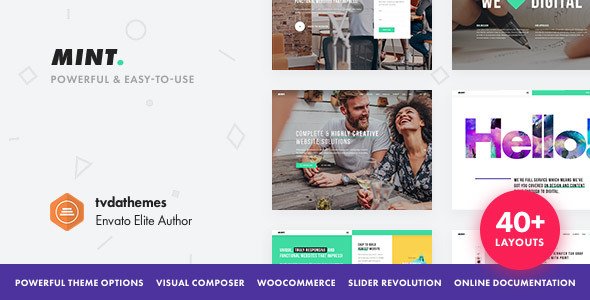
Stuck on your Mint WordPress theme? Let's fix it.
No endless back-and-forth. Just send us the details and we'll get it done.
No obligation · Replies within 1 hour · Quote within 1 day
Setup · Customization · Bug fixes · WooCommerce integration
About Mint WP Theme
Mint is a WordPress theme built by tvdathemes, designed with clean aesthetics and a focus on content-first layouts. It suits blogs, portfolios, and small business sites that need a polished look without unnecessary bloat.
The theme ships with a minimal codebase, page builder compatibility, and a customizer-driven setup that keeps things manageable for site owners who want control without touching code. Typography is well-considered, spacing is consistent, and the default color palette lives up to the name — fresh and understated.
tvdathemes has built a reputation for lightweight themes that load fast and stay out of the way. Mint follows that pattern. It is not a theme packed with 50 demo sites and a dozen sliders. It does one thing well: gives your content a clean stage to perform on.
Get matched with a Mint developer in under one day
Tell us about your Mint project. Small fixes, Mint theme customization, or a full website build, whatever you need, we've got it covered.
We'll connect you to the right Mint developers, define the scope, and get everything 100% clear.
You'll get one estimate, hire your preferred developer, and start collaborating.
Mint looks simple, but getting it to behave exactly as a client expects still takes real WordPress knowledge. Customizer options run out quickly, and that is where most site owners get stuck. A dedicated Mint developer through Codeable gives you access to vetted professionals who have worked with tvdathemes builds before. No generalists, no guessing. You post your project, get matched within 24 hours, and receive a free estimate before any commitment is made.
Pros
- Lightweight codebase keeps page load times fast without extra optimization work
- Clean typographic defaults that work well for content-heavy blogs and editorial sites
- Customizer-driven setup means non-technical users can manage basic design changes
- Compatible with Gutenberg and Elementor without major styling conflicts
- tvdathemes maintains the theme with regular updates and security patches
Cons
- Limited built-in demo content makes initial setup slower for beginners
- WooCommerce styling requires custom CSS work for anything beyond a basic product grid
- Fewer layout options compared to multi-purpose themes like Astra or GeneratePress
- Documentation is sparse, which makes child theme development harder without experience
- No built-in mega menu support, requiring a third-party plugin for complex navigation
Who is Mint for?
Personal Blog
Mint’s reading-focused layout and strong typography make it a solid pick for personal bloggers. Post content sits cleanly without competing visual noise. Sidebar and widget options let you add an author bio, recent posts, or newsletter signup without disrupting the reading experience. It is a theme that stays out of the reader’s way.
Creative Portfolio
Designers, photographers, and illustrators can use Mint as a clean backdrop for portfolio work. The minimal layout puts images front and center. A Mint developer can extend this with custom post types for project case studies, filterable galleries, and a contact page that matches the overall aesthetic without using a bulky portfolio plugin.
Small Business Website
Service-based businesses that need a professional web presence without complexity do well with Mint. A homepage with a clear value proposition, services section, and contact form covers most small business needs. The theme avoids the visual clutter that heavier business themes often introduce, keeping visitor attention on conversion actions.
Food and Lifestyle Site
Food bloggers and lifestyle content creators benefit from Mint’s image-friendly post layout and readable body text. Recipe content, photo-heavy posts, and category archives all display cleanly. With some customization, a Mint developer can add recipe card plugin compatibility and Pinterest-optimized image formatting to improve social sharing performance.
Digital Magazine
Sites publishing high volumes of articles across multiple categories can use Mint as a foundation for a digital magazine. The theme handles archive pages and category listings well. A developer can build out a custom homepage grid, featured post sections, and author profile pages that give the site a structured editorial feel without switching to a heavier news theme.

Customizing Mint
Out of the box, Mint handles basic customization through the WordPress Customizer. You can adjust colors, fonts, header layout, and widget areas without writing a line of code. That covers most surface-level changes.
When you need something beyond the defaults — custom post templates, modified archive layouts, WooCommerce styling, or a header rebuilt to match a brand — you need a Mint expert who knows how tvdathemes structured the theme files. Child themes are the right approach here, and knowing which hooks and filters Mint exposes saves hours of trial and error.
More complex work like custom Elementor or Gutenberg block styling, schema markup integration, or multisite setups requires hands-on WordPress development experience specific to how Mint handles its template hierarchy and enqueued assets.
Recommended plugins for Mint
Mint works well with popular WordPress plugins without heavy conflicts. WooCommerce integration is functional for simple shop setups. Elementor and the block editor both work, though Elementor requires some CSS adjustments to match Mint’s native spacing system.
For SEO, pairing Mint with Yoast or Rank Math is straightforward. If SEO optimization is a priority, a developer can fine-tune the theme’s schema output and heading structure. On the performance side, Mint’s lightweight base is a good starting point, but a proper performance audit can push Core Web Vitals scores significantly higher with image optimization, caching, and font loading adjustments.
Not sure which plugins to use? This WordPress plugins directory covers the most popular options with reviews and setup guides.
Mint common issues
Mint theme header not displaying correctly after update
Header display issues after a Mint update usually come from cached CSS conflicting with updated stylesheets. Start by clearing your caching plugin and server-side cache. If you have a child theme, check whether any custom header template files need updating to match the parent theme’s revised structure. If the issue persists, a WordPress bug fix from a developer familiar with tvdathemes builds can isolate the problem quickly.
Mint WordPress theme mobile menu not working
A broken mobile menu in Mint is often caused by a JavaScript conflict with another plugin or a missing script dependency. Open your browser console and look for JS errors on mobile. Deactivate plugins one by one to isolate the conflict. If the issue appeared after adding a page builder or script optimization plugin, those are the first suspects. A developer can audit the enqueued scripts and resolve the conflict without disabling features you need.
Mint theme slow loading on mobile devices
Mint is lightweight by default, but slow mobile performance usually points to unoptimized images, render-blocking scripts, or Google Fonts loading synchronously. Run a PageSpeed Insights test to identify the specific bottlenecks. Common fixes include converting images to WebP, enabling lazy loading, and using a font-display swap setting. A proper WordPress performance audit can identify every issue and implement fixes in priority order.
Mint theme WooCommerce product page layout broken
WooCommerce uses its own template files, and Mint may not override all of them with styled versions. A broken product page layout typically means WooCommerce updated its template structure and Mint’s overrides are outdated, or no override exists at all. The fix involves creating or updating WooCommerce template overrides in a child theme. Avoid editing core plugin or theme files directly, as updates will overwrite your changes.
Mint FAQ
Mint by tvdathemes is available as a free theme through the WordPress.org repository. tvdathemes may offer premium add-ons or a pro version with extended features, but the core theme is free to download and use. Always check the tvdathemes website for the most current licensing details before starting a commercial project.
Yes, Mint is compatible with Elementor. The page builder loads without major conflicts, though some spacing and padding values from Elementor’s default styling may need CSS adjustments to align with Mint’s native design. A developer can set up a consistent design system that makes Elementor and Mint work together cleanly across all page templates.
To create a child theme for Mint, create a new folder in your themes directory, add a style.css file with a Template header pointing to the Mint parent theme, and create a functions.php file that enqueues the parent stylesheet. Activate the child theme from the WordPress dashboard. All customizations then go in the child theme, keeping your changes safe through updates.
Mint supports WooCommerce for basic shop setups. Simple product listings, cart, and checkout pages function correctly. For stores with complex layouts, custom product page designs, or heavy filtering requirements, additional development work is needed. If ecommerce is a core function of your site, consider whether a more WooCommerce-specific theme might serve you better long term.
tvdathemes releases updates to keep Mint compatible with current WordPress versions. Before updating either WordPress or the theme on a live site, test in a staging environment first. If you are running a heavily customized version of Mint without a child theme, updates can overwrite your changes. Always use a child theme and keep regular backups in place.
Hire a Mint WordPress Developer
Whether you need a layout rebuilt, a plugin conflict fixed, or a full site built on Mint from scratch, working with a specialist saves time and avoids costly mistakes. Our developers know tvdathemes themes inside out. Get a free estimate today — no obligation, no upfront payment, 100% risk-free. Describe your project and get matched with a qualified Mint developer within 24 hours through Codeable’s vetted network.
You'll need a free Codeable account so developers can ask questions and send their quotes.