Motor – Cars, Parts, Service, Equipments and Accessories WooCommerce Store WordPress Theme
by Stockware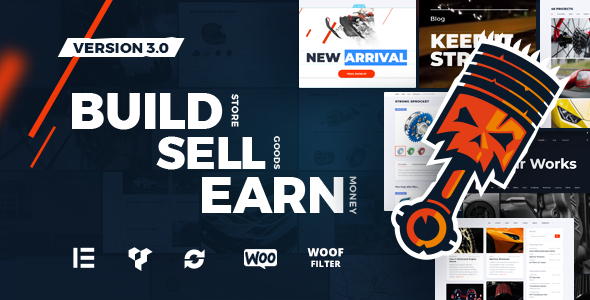
Stuck on your Motor – Cars, Parts, Service, Equipments and Accessories WooCommerce Store WordPress theme? Let's fix it.
No endless back-and-forth. Just send us the details and we'll get it done.
No obligation · Replies within 1 hour · Quote within 1 day
Setup · Customization · Bug fixes · WooCommerce integration
About Motor – Cars, Parts, Service, Equipments and Accessories WooCommerce Store WP Theme
Motor is a WooCommerce theme built specifically for automotive businesses. Developed by Stockware, it covers the full range of car-related commerce: vehicle sales, spare parts catalogs, service bookings, workshop equipment, and accessories. The theme ships with a parts compatibility filter, letting customers search by make, model, and year before they buy. This alone saves a lot of support headaches for store owners.
Built on WooCommerce, Motor handles large product catalogs without breaking down. The layout is dense and category-focused, which suits stores with hundreds of SKUs across multiple product types. The demo content is realistic and usable, so getting a working store up takes hours rather than days. If you sell cars, run a garage, or ship auto parts, this theme was designed with your workflow in mind.
Get matched with a Motor – Cars, Parts, Service, Equipments and Accessories WooCommerce Store developer in under one day
Tell us about your Motor – Cars, Parts, Service, Equipments and Accessories WooCommerce Store project. Small fixes, Motor – Cars, Parts, Service, Equipments and Accessories WooCommerce Store theme customization, or a full website build, whatever you need, we've got it covered.
We'll connect you to the right Motor – Cars, Parts, Service, Equipments and Accessories WooCommerce Store developers, define the scope, and get everything 100% clear.
You'll get one estimate, hire your preferred developer, and start collaborating.
Motor has a lot of moving parts, and small misconfigurations cause real problems: broken fitment filters, checkout errors, or slow product pages. Getting it right the first time saves money. FoxyConcept works through Codeable, a vetted WordPress developer network where every developer is screened before taking client work. You get a free estimate, no obligation to hire, and a developer who has worked inside WooCommerce themes like this one. See our full WordPress development services for what we can help with.
Pros
- Built-in vehicle parts compatibility filter (make, model, year) reduces customer errors at checkout
- Covers multiple automotive niches in one theme: sales, parts, service, equipment, and accessories
- Realistic demo content makes initial setup and content population faster
- WooCommerce-native structure means full compatibility with the wider plugin ecosystem
- Category-heavy layout handles large SKU counts without visual clutter
Cons
- The default parts compatibility system requires manual data entry and doesn't sync with external fitment databases automatically
- Heavy demo content and multiple sliders can slow the site if performance isn't optimized early
- Some layout sections are difficult to rearrange without editing theme files or using a child theme
- Multilingual support requires additional plugin setup and isn't straightforward for first-time users
- Theme updates occasionally conflict with customizations made directly to template files
Who is Motor – Cars, Parts, Service, Equipments and Accessories WooCommerce Store for?
Used Car Dealerships
Dealerships can list individual vehicles as WooCommerce products with custom fields for mileage, year, transmission, and fuel type. The Motor theme supports gallery-heavy product pages, which works well for showcasing multiple vehicle photos. Inquiry forms replace direct checkout for high-value listings, keeping the sales process off-platform while still capturing leads.
Auto Parts Retailers
Parts retailers benefit most from Motor’s fitment filter. Customers select their vehicle before browsing, reducing wrong-part purchases and return rates. Large catalogs with hundreds of SKUs stay organized through the theme’s category and attribute structure. Pairing it with a bulk import tool gets existing inventory live quickly without manual entry for every product.
Car Service and Repair Garages
Garages can use Motor to sell service packages as WooCommerce products, with a booking plugin handling appointment scheduling. The theme’s service-focused page templates make it easy to list oil changes, MOTs, or custom workshop jobs with pricing. Combined with a local SEO strategy, this turns the theme into a lead generation tool for nearby customers.
Workshop Equipment Suppliers
Suppliers of lifts, diagnostic tools, compressors, and garage equipment need a theme that handles both B2C and trade pricing. Motor’s WooCommerce base supports wholesale pricing plugins without major rework. Product pages can accommodate technical specifications and downloadable manuals, which is standard for equipment buyers making larger purchasing decisions.
Car Accessories and Aftermarket Stores
Aftermarket and accessories stores selling things like seat covers, dash cams, or performance parts fit naturally into Motor’s layout. The fitment filter remains useful here, letting customers confirm compatibility before buying. Upsell sections and related product widgets encourage multi-item orders, which is important for accessories stores where average order value drives profitability.

Customizing Motor – Cars, Parts, Service, Equipments and Accessories WooCommerce Store
Out of the box, Motor gives you a solid foundation, but most automotive businesses need specific adjustments before going live. You might need a custom vehicle fitment lookup, a service booking form tied to a specific calendar plugin, or a parts catalog that filters by multiple attributes at once. These changes require a developer who understands how Motor is structured.
Hiring a Motor – Cars, Parts, Service, Equipments and Accessories WooCommerce Store expert means you get someone who knows the theme’s template files, its WooCommerce hooks, and how to extend the built-in compatibility system without breaking updates. Brand colors, custom header layouts, and homepage section reordering are straightforward for an experienced developer. More complex builds, like multi-vendor setups or VIN lookup integrations, need careful planning from someone who has done it before.
Recommended plugins for Motor – Cars, Parts, Service, Equipments and Accessories WooCommerce Store
Motor pairs well with several plugins depending on your business model. YITH WooCommerce Ajax Product Filter improves the parts search experience significantly. For service bookings, Bookly or WooCommerce Bookings connects directly to the service pages. If page speed is a concern with large image-heavy catalogs, targeted WordPress performance optimization makes a measurable difference. Stores focused on local search rankings benefit from structured WordPress SEO work targeting vehicle-specific queries. Choose extensions based on what your customers actually need, not what looks good on a feature list.
Not sure which plugins to use? This WordPress plugins directory covers the most popular options with reviews and setup guides.
Motor – Cars, Parts, Service, Equipments and Accessories WooCommerce Store common issues
Motor theme vehicle compatibility filter not showing results
This usually happens when vehicle data hasn’t been assigned to products correctly, or when the compatibility taxonomy terms don’t exactly match what the filter expects. Check that each product has the correct make, model, and year terms attached under the theme’s fitment settings. If the filter stopped working after an update, a JavaScript conflict is likely. Use your browser console to identify the error, then test with plugins disabled to isolate the source. A WordPress bug fixing service can trace this faster if you’re not comfortable in the console.
Motor WooCommerce theme slow on product catalog pages
Large image catalogs and multiple active sliders are the most common causes. Start by running a GTmetrix or PageSpeed Insights test to see what’s actually loading slowly. Compress product images before upload and enable lazy loading if it isn’t already active. Caching plugins like WP Rocket or LiteSpeed Cache help significantly. For deeper issues like unoptimized database queries from filtering plugins, you need server-level tuning. See our WordPress performance service for structured fixes.
Motor theme checkout not working after plugin update
Plugin conflicts are the most common cause of broken WooCommerce checkouts. Start by deactivating all non-essential plugins and testing checkout. Re-enable them one at a time until the problem returns. Also check that your WooCommerce version is compatible with the current Motor theme version. Sometimes a theme update is required to match WooCommerce’s latest changes. If the issue appeared after a specific plugin update, rolling that plugin back temporarily gives you time to find a proper fix without taking the store offline.
Motor theme parts search returning wrong products
Incorrect search results usually come from product attributes being set up inconsistently. Part numbers, categories, and fitment terms need to be applied the same way across all products. If some products use different spelling or capitalization for the same make or model, the filter treats them as separate entries. Audit your product data first. For large catalogs, use WooCommerce’s bulk edit tools or a plugin like WP All Import to standardize attribute values across the board without editing each product manually.
Motor – Cars, Parts, Service, Equipments and Accessories WooCommerce Store FAQ
Yes. Motor was built with parts retailers in mind. It includes a vehicle compatibility filter that lets customers search by make, model, and year before seeing matching products. This reduces wrong purchases and returns. For stores with large catalogs, the theme’s category structure and attribute-based filtering hold up well. You’ll want to ensure your product data is clean and consistently formatted for best results.
Yes, Motor includes a built-in vehicle fitment system. You assign makes, models, and years to each product, and customers can filter the catalog by their vehicle before buying. It’s a manual system, meaning you enter the data yourself rather than pulling from an external fitment database. For very large catalogs, a bulk import process is the practical way to populate this data without entering each product individually.
Yes. Dealerships can list vehicles as individual WooCommerce products with custom fields for mileage, year, engine, and transmission. The theme supports image galleries and custom inquiry forms, which work better than direct checkout for high-value vehicle sales. Some customization is usually needed to match a specific dealership’s workflow, particularly around lead capture, finance calculators, or stock management integrations.
Motor doesn’t include a native booking system. You need a plugin like WooCommerce Bookings, Bookly, or Simply Schedule Appointments. These integrate with WooCommerce product pages, so you can create service products that customers book and pay for at checkout. A developer familiar with Motor can wire this up cleanly without it looking like a bolt-on addition. The service page templates in Motor are designed to support this kind of setup.
Compatibility depends on the version of Motor you’re running. Stockware releases updates to maintain WooCommerce compatibility, but if your theme is several versions behind, conflicts are likely. Always check the theme changelog before updating WooCommerce on a live store. Test updates on a staging site first. If you’re running a heavily customized version of Motor, work with a developer before applying major WooCommerce version updates.
Hire a Motor – Cars, Parts, Service, Equipments and Accessories WooCommerce Store Developer
Whether you need a full store build, a specific feature added, or something fixed that stopped working after an update, we can help. FoxyConcept delivers Motor theme development through Codeable, so you work with a screened WordPress developer, not a generalist. You get a clear scope, a fixed estimate, and no surprises. Get a free estimate and describe what you need. There’s no obligation to hire.
You'll need a free Codeable account so developers can ask questions and send their quotes.