Music Club WordPress Theme
by BoldThemes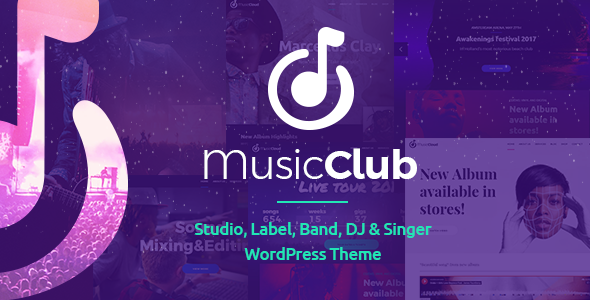
Stuck on your Music Club WordPress theme? Let's fix it.
No endless back-and-forth. Just send us the details and we'll get it done.
No obligation · Replies within 1 hour · Quote within 1 day
Setup · Customization · Bug fixes · WooCommerce integration
About Music Club WP Theme
Music Club is a WordPress theme by BoldThemes built specifically for music venues, bands, DJs, music schools, and event promoters. It ships with pre-built demo content covering gigs, artists, ticketing, and discography layouts, so you can get a working site up quickly without starting from scratch.
The theme uses BoldThemes’ own Bold Page Builder and includes custom post types for events, artists, and albums. It supports WooCommerce for selling tickets or merchandise, and the event calendar integration makes scheduling straightforward. Responsive across devices, it handles the typical needs of a music-focused site without requiring a developer for basic setup. That said, once you move beyond the demo content and want something tailored, the customization depth can get technical fast.
Get matched with a Music Club developer in under one day
Tell us about your Music Club project. Small fixes, Music Club theme customization, or a full website build, whatever you need, we've got it covered.
We'll connect you to the right Music Club developers, define the scope, and get everything 100% clear.
You'll get one estimate, hire your preferred developer, and start collaborating.
Music Club looks polished out of the box, but the gap between a demo install and a finished, client-ready site is where most people get stuck. A vetted Music Club developer on Codeable knows BoldThemes’ codebase, understands how to extend the theme cleanly without hacking core files, and can turn around accurate estimates fast. Whether you need a full build, a single fix, or ongoing work, Codeable connects you with developers who have done this before. No guesswork, no junior freelancers, no wasted time.
Pros
- Ships with niche-specific demo content for bands, venues, DJs, and music schools, reducing setup time significantly
- Custom post types for events, artists, and albums are built in, no extra plugin needed for core music site functionality
- WooCommerce compatibility works well for selling tickets, merchandise, or digital downloads directly from the theme
- Bold Page Builder gives non-developers drag-and-drop control over layouts without requiring Elementor or other third-party builders
- Regular updates from BoldThemes mean compatibility with current WordPress versions is generally maintained
Cons
- Bold Page Builder creates shortcode dependency, making it hard to switch themes later without losing all page content
- The theme options panel is large and can be overwhelming for beginners unfamiliar with BoldThemes products
- Event management is basic compared to dedicated plugins like The Events Calendar, limiting complex scheduling needs
- Audio player styling can conflict with third-party podcast or music player plugins without custom CSS fixes
- Demo import can be unreliable on certain hosting environments, requiring manual content setup as a fallback
Who is Music Club for?
Music Venues and Clubs
Music Club handles venue sites well. The event post type lets you list upcoming gigs with dates, ticket links, and artist details. The calendar view gives visitors an easy way to browse what’s on. Pair it with WooCommerce and you can sell tickets directly, keeping transactions on your own site rather than paying third-party booking fees.
Bands and Solo Artists
For bands or solo acts, Music Club covers the essentials: discography pages, tour date listings, a music player, and a contact section for booking enquiries. The artist post type works for multi-member band profiles too. You can showcase album artwork, embed streaming links, and connect a mailing list to build your fanbase over time.
DJs and Electronic Music Producers
DJ sites need strong visual impact and audio previews. Music Club supports both. You can build out a mix archive, embed SoundCloud or Spotify tracks, and create a slick one-page layout using Bold Page Builder. The event section handles residency listings and one-off dates, keeping your calendar accurate without manual HTML editing.
Music Schools and Tutors
Music schools need pages for instructors, timetables, and course details. Music Club’s artist post type adapts to teacher profiles, and WooCommerce can handle lesson bookings or course purchases. A dedicated contact form routed to individual instructors reduces admin workload and makes the enquiry process clear for prospective students.
Music Festivals and Promoters
Festival sites have more complex needs: multiple stages, lineup announcements, ticketing, and schedules. Music Club gives you the foundation, but festival-scale builds usually need custom development on top of the theme. A Music Club developer can extend the event and artist post types to handle multi-day, multi-stage data without relying on workarounds.

Customizing Music Club
Music Club gives you a solid starting point, but most clients want more than a reskinned demo. Customizing the artist archive layout, adjusting the event countdown timers, or restructuring the homepage sections to match your branding usually means working inside Bold Page Builder or editing child theme files.
A Music Club expert understands how BoldThemes structures its custom post types and template hierarchy. That knowledge matters when you need to add a custom setlist feature, wire up a newsletter opt-in to a specific artist page, or build out a members-only content area for a music school. Getting these details right without breaking the existing layout takes experience with how Music Club handles its shortcodes, widget areas, and theme options panel.
Recommended plugins for Music Club
Music Club works well with several popular plugins. WooCommerce handles ticket sales and merch stores. The Events Calendar or Sugar Calendar can extend the built-in event post type. WPML adds multilingual support for international acts or festivals. For audio, plugins like MP3-jPlayer or AudioIgniter slot in cleanly.
If your site is growing, pay attention to page speed. Music Club pages can get heavy with audio players, event grids, and large images running together. A proper caching setup and image optimisation make a measurable difference. See our WordPress performance service for details. For better search visibility, pairing Music Club with solid on-page work through our WordPress SEO service helps too.
Not sure which plugins to use? This WordPress plugins directory covers the most popular options with reviews and setup guides.
Music Club common issues
Music Club theme event layout not displaying correctly
Event layout issues in Music Club usually come from a conflict between the theme’s event post type template and a caching plugin or custom CSS overriding display rules. Start by clearing all caches and checking whether the issue persists in a default browser with no extensions. If the layout is broken only on specific events, compare the custom fields set on those posts against ones that display correctly. Missing or malformed date fields are a common cause. If the problem appeared after a theme update, a child theme with overridden templates may be out of sync. Our WordPress bug fixing service can trace the root cause fast.
Bold Page Builder content broken after Music Club update
When Bold Page Builder content breaks after a Music Club update, the most common reason is a version mismatch between the theme and the bundled page builder plugin. BoldThemes packages Bold Page Builder directly into Music Club, and updating the theme without updating the plugin (or vice versa) can leave shortcodes unrendered. Go to Appearance > Install Plugins and check for pending plugin updates included with the theme. If content still shows raw shortcodes, deactivate and reactivate the Bold Page Builder plugin. Always test updates on a staging site first to avoid this in production.
Music Club WooCommerce tickets not showing on event pages
Music Club’s WooCommerce integration for ticket sales requires the WooCommerce plugin to be active and the event post type to have a linked product assigned in the event’s custom fields. If tickets are not showing, check that the WooCommerce product is published, not in draft. Also confirm the Music Club theme options have WooCommerce support enabled. Some users find that switching to a different product type (simple vs variable) resolves display issues. If you are using a caching plugin, purge the cache after making changes. Persistent issues often point to a template conflict needing a code-level fix.
Music Club demo import failing or importing blank pages
Demo import failures in Music Club usually happen because of server-side limits on upload size, execution time, or memory. Before importing, set max_execution_time to at least 300 seconds, upload_max_filesize to 64MB or higher, and memory_limit to 256MB in your php.ini or wp-config.php. If the import completes but pages appear blank, the issue is often missing required plugins that ship with the theme. Run the plugin installer from the theme prompt before importing. If problems continue, manual content setup or a developer who knows Music Club’s demo structure will save significant time.
Music Club FAQ
Yes, Music Club is well suited to band websites. It includes discography layouts, tour date management, artist profiles, and an audio player out of the box. The WooCommerce integration means you can sell merchandise or digital downloads without a separate platform. For a straightforward band site, the demo content gives you a strong starting point that you can adapt without much development work.
Music Club is built around BoldThemes’ own Bold Page Builder, not Elementor. You can technically install Elementor alongside it, but you will likely run into styling conflicts and layout issues. Most of the theme’s pre-built sections and layouts are shortcode-based through Bold Page Builder, so mixing builders on the same site is not recommended. If Elementor is a hard requirement, a different base theme may be a better fit.
Yes. Music Club integrates with WooCommerce, which means you can create ticket products and link them to event posts. Customers can purchase tickets through a standard WooCommerce checkout on your own site. Setup requires assigning WooCommerce products to individual event entries inside the event’s custom fields. For more complex ticketing needs, a dedicated plugin like WooCommerce Box Office can extend this further.
Music Club includes a basic audio player as part of the theme’s built-in features. You can add tracks through the album or event post types. For more control over the player’s appearance or playlist functionality, third-party plugins like AudioIgniter or MP3-jPlayer integrate cleanly with Music Club. Add the player using a shortcode or widget in the page builder. Custom styling may need a small amount of CSS to match your site’s color scheme.
Migrating an existing site to Music Club involves moving your content and rebuilding your page layouts inside Bold Page Builder, since your current theme’s layout structure will not transfer directly. Posts, pages, images, and users migrate normally. Custom post types from another theme, such as events or portfolios, may need manual re-entry or a custom import script. For a smooth transition, see our WordPress migration service.
Hire a Music Club Developer
Need a Music Club expert who knows BoldThemes inside out? FoxyConcept works through Codeable to match you with vetted WordPress developers who specialize in Music Club builds, customizations, and fixes. Post your project and get a clear estimate within 24 hours, with no obligation to proceed. Every engagement is covered by Codeable’s money-back guarantee. Get a free estimate today and get your music site built properly.
You'll need a free Codeable account so developers can ask questions and send their quotes.