MyHome WordPress Theme
by TangibleWP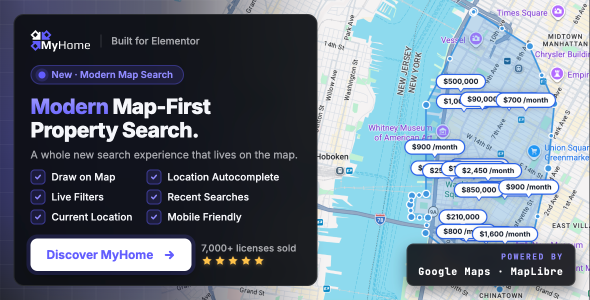
Stuck on your MyHome WordPress theme? Let's fix it.
No endless back-and-forth. Just send us the details and we'll get it done.
No obligation · Replies within 1 hour · Quote within 1 day
Setup · Customization · Bug fixes · WooCommerce integration
About MyHome WP Theme
MyHome is a real estate WordPress theme built by TangibleWP. It ships with a property listings system, advanced search filters, and agent profile pages out of the box. No separate plugin is needed to get a basic property portal running.
The theme integrates with WP All Import and supports custom fields through a built-in meta framework. It works well for both rental and sales listings. IDX plugin compatibility is included for North American markets.
MyHome is built on a custom framework rather than a page builder, which keeps load times predictable. The admin panel is detailed, so first-time setup takes some learning. Once configured, the theme handles large property databases without significant performance issues.
Get matched with a MyHome developer in under one day
Tell us about your MyHome project. Small fixes, MyHome theme customization, or a full website build, whatever you need, we've got it covered.
We'll connect you to the right MyHome developers, define the scope, and get everything 100% clear.
You'll get one estimate, hire your preferred developer, and start collaborating.
MyHome has enough moving parts that generic WordPress help often falls short. A developer who has not worked inside TangibleWP’s framework will spend hours just understanding the options panel before writing a single line of code.
Through Codeable, you get matched with a vetted MyHome specialist who already knows the theme. Projects are estimated upfront with no obligation. If your portal needs custom listing types, map tweaks, or submission workflow changes, posting on Codeable gets you the right person without the guesswork.
Pros
- Full property listings system included without needing a separate plugin
- Built-in mortgage calculator, currency settings, and unit conversion options
- Google Maps and OpenStreetMap support with clustering for large databases
- Agent and agency profiles with individual branding and listing ownership
- WP All Import compatibility makes bulk listing uploads manageable
Cons
- Admin options panel is dense and poorly documented for new users
- Not built on Elementor or Gutenberg, so page layout flexibility is limited
- IDX integration requires third-party plugins that add cost and setup time
- Child theme development requires understanding TangibleWP's non-standard template hooks
- Updates occasionally break custom CSS or modified template files without warning
Who is MyHome for?
Residential Sales Agency
MyHome fits residential sales agencies well. Listing pages support photo galleries, floor plans, virtual tour embeds, and map pins. Agent profiles tie each listing to a staff member, and the built-in contact forms route inquiries directly. A MyHome developer can configure saved searches and email alerts to keep buyers engaged without custom plugin builds.
Vacation Rental Portal
For vacation rentals, MyHome supports availability calendars through third-party booking plugin integration. Nightly rate display and amenity filters can be configured in the search widget. A MyHome specialist can connect the theme to a booking engine and adjust the listing card layout to highlight nightly pricing and check-in details prominently.
Commercial Property Listings
Commercial portals need different fields than residential ones. MyHome supports custom listing types with unique field sets, so office space, retail units, and warehouses can each display relevant specs. A MyHome expert can build out separate search filters per listing type and configure the results map to distinguish property categories visually.
Real Estate Franchise Network
Franchise networks with multiple agents and offices benefit from MyHome’s agency and agent hierarchy. Each office gets its own profile page with associated listings. A MyHome developer can restrict agent access so each user only manages their own listings, and can style branch pages consistently while allowing local branding variations within defined limits.
Property Developer Showcase
Property developers launching new builds need project-based listings rather than standard MLS-style pages. MyHome supports this through custom post types and gallery-heavy layouts. A MyHome specialist can create project pages that group individual units under a parent development, display floor plan PDFs, and include a mortgage calculator pre-configured to the development’s pricing range.

Customizing MyHome
MyHome customization goes well beyond color schemes and fonts. The theme includes options for listing card layouts, map providers (Google Maps and OpenStreetMap), currency and measurement unit settings, and mortgage calculator parameters.
Agent and agency profiles are customizable with their own branding, contact forms, and listing associations. The search widget is modular, so you can show or hide filters based on your property types.
For deeper changes, like custom listing fields, modified search logic, or unique submission flows, you need a MyHome expert who knows the theme’s internal API. Child theme development is straightforward once you understand the template hierarchy TangibleWP uses across the framework.
Recommended plugins for MyHome
MyHome works alongside several key plugins. WPML handles multilingual property portals. WooCommerce can be added for paid listing submissions. Contact Form 7 and WPForms both integrate cleanly with agent inquiry forms.
For IDX feeds, the theme supports iHomeFinder and Dsidx plugins. If you are running a high-traffic portal, pairing MyHome with proper caching and image optimization makes a real difference. See our WordPress performance services for help with that setup.
SEO for property listings requires structured data and well-configured URLs. Our WordPress SEO service covers schema markup for real estate pages specifically.
Not sure which plugins to use? This WordPress plugins directory covers the most popular options with reviews and setup guides.
MyHome common issues
MyHome property search not returning results
Start by checking the search configuration in the MyHome admin panel under Search Settings. Confirm that the correct listing types are enabled for the search form in use. If custom fields are indexed incorrectly or the search cache has stale data, results return empty. Flush the theme cache from the admin panel, then re-save your search field settings. If the issue persists after that, the problem is often a conflict with a caching plugin. Our WordPress bug fixing service can diagnose this accurately.
MyHome Google Maps not loading on listing pages
A blank map usually means an invalid or missing Google Maps API key. Go to MyHome settings and confirm the key is entered correctly with no extra spaces. Check that the Maps JavaScript API and Geocoding API are both enabled in your Google Cloud Console for that key. Also verify the key’s domain restrictions include your site URL. If you are using OpenStreetMap instead and it is still blank, check for JavaScript console errors pointing to a script conflict.
MyHome featured image not showing on property cards
If property card thumbnails are missing, first confirm a featured image is set on the listing post itself. MyHome uses specific image sizes registered on activation. If you installed the theme after images were uploaded, those sizes were never generated. Run a thumbnail regeneration tool like Regenerate Thumbnails from the WordPress plugin directory. After regeneration, the correct image sizes should populate across all listing cards automatically.
MyHome submit property form not sending email notifications
Missing email notifications from the submit property form usually point to a server-level mail delivery issue rather than a theme bug. MyHome sends form notifications through wp_mail. Check whether any other WordPress forms on the site are sending email correctly. If not, configure an SMTP plugin like WP Mail SMTP with your mail provider credentials. Also verify the notification email address set in MyHome’s submission settings is correct and not filtered as spam.
MyHome child theme not inheriting parent styles correctly
MyHome child themes need to enqueue parent styles correctly. If you are seeing unstyled pages, check that your child theme’s functions.php loads the parent stylesheet using wp_enqueue_scripts rather than relying on @import in style.css. TangibleWP’s theme also registers several script handles that child themes should not re-enqueue. Review the parent theme’s functions.php to identify those handles before adding custom scripts.
MyHome listings page showing 404 after permalink change
After changing permalinks, MyHome’s custom post types and taxonomy slugs can lose their registered rewrite rules. Go to Settings, then Permalinks, and click Save Changes without modifying anything. This flushes the rewrite rules. If listings still 404, check the MyHome admin for any slug conflict between the listings archive and a static page using the same URL. A WordPress bug fix can resolve persistent rewrite conflicts quickly.
MyHome mortgage calculator giving wrong results
The MyHome mortgage calculator uses values set in the theme options panel, including default interest rate, loan term, and down payment percentage. If results look wrong, check those default values first. Also confirm the listing price field is mapped to the correct custom field the calculator pulls from. If you have modified template files, verify that the calculator shortcode or template part is receiving the price variable without formatting characters like commas stripped incorrectly.
MyHome search filters not saving on results page reload
Search filters not persisting across pagination usually indicates a conflict with how the theme passes query parameters. Check whether your server or a caching plugin is stripping query strings from URLs. MyHome uses URL parameters to maintain filter state on results pages. Disabling aggressive URL-based caching rules for the listings archive page typically resolves this. If you are using an SEO plugin that modifies canonical URLs, that can also interfere with filter persistence.
MyHome update broke custom template files
Theme updates can overwrite files you have modified directly in the parent theme folder. Going forward, move all customizations into a child theme to protect them. For the immediate issue, compare your modified files against the new theme version using a diff tool to identify what changed. Re-apply your changes to the updated files carefully. Our bug fixing service can recover and migrate custom code safely after a problematic update.
MyHome agent profile page not displaying listings
If an agent profile page shows no listings, confirm the listings are assigned to that agent in the listing edit screen. MyHome links agents to listings through a relationship field, not post authorship. If the field is blank on existing listings, those listings will not appear on the agent page. Bulk reassignment through WP All Import or a custom script is faster than editing each listing manually if the portfolio is large.
MyHome FAQ
MyHome is a solid choice for property listing websites. It includes a built-in listings system, advanced search, agent profiles, and map integration without requiring separate real estate plugins. It suits agencies, portals, and individual agents. The setup learning curve is steeper than general themes, but the built-in features are more complete than most real estate themes at a similar price point.
MyHome has documented compatibility with IDX plugins including iHomeFinder and Dsidx Broker. These plugins inject MLS feed listings alongside or instead of manually entered properties. Setup requires API credentials from your MLS board and correct plugin configuration. A MyHome specialist can handle the integration and ensure search filters work across both native and IDX-sourced listings without conflicts.
MyHome is not built on Elementor. Its listing templates use TangibleWP’s own framework and template files. You can use Elementor on standard pages like the homepage or about page, but property listing pages, archive pages, and single listing templates are not editable through Elementor. A MyHome developer can build custom layouts using the theme’s own hooks and template overrides.
MyHome includes a custom field manager in its admin panel. You can add text, number, checkbox, and dropdown fields to listings from there without code. For more complex field logic, conditional display, or fields that feed into the search widget, a MyHome expert will need to work with the theme’s field API directly to register and surface those fields correctly.
Yes. MyHome supports both individual agent profiles and agency accounts. Agents can be assigned to agencies, and listings can be tied to specific agents. Each agent profile page displays their active listings automatically. User role management controls what each agent can edit or publish. A MyHome developer can extend this with custom capability rules if your workflow requires more granular access control.
The most reliable method is WP All Import, which MyHome explicitly supports. You can map CSV or XML columns to listing fields including price, location, bedrooms, bathrooms, and images. For one-off imports, the theme also includes a basic manual listing editor. Automated feed imports from property management software typically need a MyHome developer to set up the mapping and scheduling correctly.
MyHome is listed as WPML compatible. String translation for theme labels works through WPML’s String Translation module. Listing content, agent profiles, and search labels can all be translated. Setting up a multilingual property portal still requires careful configuration of language switchers and translated search pages. A MyHome specialist familiar with WPML can handle the setup without breaking the search functionality.
Yes. MyHome includes a front-end property submission form. You can set submission to require registration or allow guest submissions. Paid submission packages can be added through WooCommerce integration. Admins review and publish submitted listings. A MyHome developer can customize the submission form fields, configure payment tiers, and set up automated approval or rejection email workflows.
MyHome sites slow down most often due to unoptimized listing images, uncached map API calls, and no page caching configured. Start with a caching plugin, compress images on upload, and use a CDN for static assets. Google Maps loading on every listing page adds significant overhead. Lazy loading the map until user interaction helps. Our WordPress performance service handles this for MyHome sites specifically.
MyHome developer rates on Codeable typically range from $70 to $120 per hour depending on task complexity. Simple fixes like layout adjustments or form configuration run faster and cheaper. Custom feature development, IDX integration, or performance optimization projects take longer. All projects on Codeable start with a free estimate so you know the cost before committing. There is no obligation to proceed after receiving your estimate.
Hire a MyHome Developer
Whether you need a MyHome expert for a full portal build, a single feature, or an ongoing fix, FoxyConcept connects you with developers who know TangibleWP’s theme inside out. Work is delivered through Codeable, so every developer is vetted and every project starts with a free estimate.
Get a Free Estimate and describe what you need. No commitment required.
You'll need a free Codeable account so developers can ask questions and send their quotes.