Nifty WordPress Theme
by BoldThemes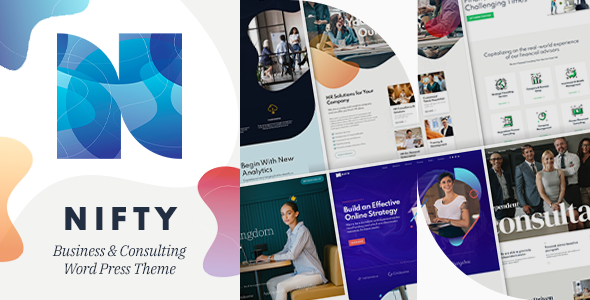
Stuck on your Nifty WordPress theme? Let's fix it.
No endless back-and-forth. Just send us the details and we'll get it done.
No obligation · Replies within 1 hour · Quote within 1 day
Setup · Customization · Bug fixes · WooCommerce integration
About Nifty WP Theme
Nifty is a multipurpose WordPress theme built by BoldThemes. It ships with a collection of pre-built demos covering business, portfolio, agency, and creative niches. The theme is built on BoldThemes’ own Bold Builder page builder, though it also supports Elementor and WPBakery. Layout options include full-width, boxed, and framed styles, and the header system gives you several pre-designed configurations to start from.
Performance is reasonable out of the box, and the theme registers well on standard speed audits when images are optimized. WooCommerce support is included for basic shop setups. Nifty targets small businesses and freelancers who want a polished result without writing code. That said, some of the deeper customization options require time to learn, particularly inside Bold Builder.
Get matched with a Nifty developer in under one day
Tell us about your Nifty project. Small fixes, Nifty theme customization, or a full website build, whatever you need, we've got it covered.
We'll connect you to the right Nifty developers, define the scope, and get everything 100% clear.
You'll get one estimate, hire your preferred developer, and start collaborating.
BoldThemes releases updates regularly, but customizing Nifty beyond its demo configurations takes genuine theme knowledge. Finding a qualified developer on your own is slow. On Codeable, every developer is vetted — you post your project and get matched with a Nifty specialist who has handled similar work before. No job boards, no guesswork. The estimate is free and there’s no obligation to hire.
Pros
- Multiple polished demo packs covering a range of niches, importable in one click
- Works with both Bold Builder and Elementor, giving layout flexibility
- Built-in WooCommerce support with styled product and cart templates
- Header builder includes sticky, transparent, and split header options
- WPML compatible for multilingual site builds
Cons
- Bold Builder is less widely supported than Elementor or Gutenberg, limiting plugin compatibility
- Default theme scripts add page weight that requires manual optimization
- Documentation covers basics but lacks depth for advanced customization scenarios
- Some demo designs are dated and need visual updates to look current
- Child theme setup is not well-documented, making update-safe customization harder for newcomers
Who is Nifty for?
Creative Agency
Nifty’s agency demo includes bold typography, animated counters, team sections, and service grids. A Nifty developer can extend these with custom project post types and client testimonials, giving agencies a site that reflects their actual work without rebuilding from scratch.
Freelance Portfolio
The portfolio layouts in Nifty support filtered grids, hover effects, and case study pages. For freelancers who want a clean personal site, a Nifty specialist can configure the portfolio post type, set up contact forms, and optimize images so the site loads fast on mobile.
Small Business Website
Service businesses benefit from Nifty’s pre-built sections for features, pricing tables, and call-to-action blocks. A Nifty developer can tailor the layout to match specific service offerings and connect booking or inquiry forms to the right notification workflows.
Online Store
Nifty’s WooCommerce integration covers product pages, cart, and checkout with consistent styling. For stores needing custom product layouts, filterable catalogs, or upsell sections, a Nifty expert can extend the default templates without overriding core WooCommerce files incorrectly.
Photography Studio
Photography sites need fast-loading galleries and clean full-width layouts. Nifty supports both. A Nifty developer can configure lazy loading, set up protected galleries, and ensure the portfolio grid displays correctly across screen sizes without layout shifts.

Customizing Nifty
Nifty exposes most of its styling through the WordPress Customizer — colors, fonts, spacing, and header behavior are all adjustable without touching code. Switching between the bundled demos is straightforward from the theme panel, and each demo imports its own widgets and menus.
Where things get more involved is custom post types, non-standard header layouts, and integrating third-party plugins that Nifty wasn’t designed around. A Nifty expert can handle those scenarios cleanly — restructuring templates, adding custom fields, or modifying the Bold Builder output without breaking existing styles. If you need something beyond what the Customizer offers, working with a Nifty developer saves significant trial and error and keeps the codebase maintainable long-term.
Recommended plugins for Nifty
Nifty works with WooCommerce, Contact Form 7, WPML, and most major SEO plugins. For speed, pairing it with a caching plugin and a CDN is recommended — the theme loads several scripts by default that benefit from deferral. Check our WordPress performance service if load times are a concern after setup.
For visibility, Nifty is compatible with Yoast SEO and Rank Math. Schema output and meta control are handled by those plugins rather than the theme itself. See our WordPress SEO service for help structuring content and technical SEO on a Nifty-powered site.
Not sure which plugins to use? This WordPress plugins directory covers the most popular options with reviews and setup guides.
Nifty common issues
Nifty theme demo import not working
Demo import failures in Nifty are usually caused by PHP memory limits, max upload size restrictions, or a timeout during the XML content import. Set memory_limit to at least 256MB and max_execution_time to 300 in your PHP configuration. If the importer stalls midway, deactivate all non-required plugins before retrying. Importing through a fresh WordPress install with no existing content also reduces conflicts.
Nifty header not showing correctly on mobile
Mobile header issues in Nifty typically trace back to a custom breakpoint that wasn’t adjusted when the desktop header was modified. Check the Customizer under Header settings for the mobile menu breakpoint value. If you’re using a custom header template via Bold Builder, test it with the default template temporarily to isolate whether the issue is in the template or the global settings.
Bold Builder sections not saving in Nifty
Bold Builder saving failures are often caused by a REST API conflict, a security plugin blocking internal requests, or a nonce timeout on slow connections. Check your browser console for 403 or 401 errors on REST API calls. Whitelist the REST API in your security plugin and ensure your site URL in Settings matches the actual domain exactly, including the www prefix. If the issue persists, our WordPress bug fixing service can diagnose it directly.
Nifty theme update broke my layout
Nifty updates can override template files that were modified directly in the theme folder. If you edited files inside the main theme directory rather than a child theme, those changes will be lost on update. To recover, compare your backup against the new theme files using a diff tool and re-apply your changes in a child theme going forward. If you don’t have a backup, our WordPress bug fixing service can help reconstruct the layout.
Nifty WooCommerce styles not loading
If WooCommerce pages in Nifty are missing styles, the theme’s WooCommerce stylesheet may not be enqueuing correctly. This happens when the theme doesn’t detect WooCommerce as active, which can occur after a plugin deactivation and reactivation cycle. Deactivate and reactivate the Nifty theme from the Themes screen, then clear your cache. If styles still don’t load, check for CSS conflicts in the browser inspector under the shop or cart page.
Nifty theme slow loading speed
Nifty loads several scripts and stylesheets by default, including sliders and animation libraries that may not be used on every page. Use a plugin like Asset CleanUp to disable unused scripts per page type. Enable lazy loading for images, defer non-critical JavaScript, and serve assets through a CDN. For a full audit and implementation, see our WordPress performance service.
Nifty custom fonts not applying
Custom fonts in Nifty are set through the Customizer under Typography. If a selected font isn’t applying, first clear your browser cache and any server-side caching plugin. If the font still doesn’t appear, check whether a child theme stylesheet is overriding the font-family declaration. Use browser developer tools to inspect the element and trace which CSS rule is winning. Google Fonts also occasionally updates font names, which can break stored Customizer values.
Nifty portfolio filter not working
The portfolio filter in Nifty relies on JavaScript that categorizes items by taxonomy term. If the filter buttons appear but clicking them doesn’t work, there’s likely a JavaScript conflict with another plugin. Open the browser console and look for errors when clicking a filter. Deactivate plugins one at a time to find the conflict source. Also confirm that portfolio items are assigned to the correct category terms, as unassigned items won’t respond to filters correctly.
Nifty theme white screen after update
A white screen after a Nifty update usually means a PHP fatal error, often caused by a plugin incompatibility with the updated theme code. Enable WP_DEBUG in your wp-config.php to see the error message. Common causes include outdated versions of WPBakery or Bold Builder that conflict with updated theme hooks. Update all plugins before updating the theme, and always test updates on a staging site first. Our WordPress bug fixing service handles white screen recovery.
Nifty sticky header overlapping content
Sticky header overlap in Nifty happens when the header height isn’t accounted for in the page’s top padding or margin. The theme should handle this automatically, but custom header heights or modifications to the header template can break the offset calculation. Add a CSS rule targeting the main content wrapper with a padding-top value matching your sticky header height, or use the Customizer’s header offset setting if available in your version of Nifty.
Nifty FAQ
Nifty is manageable for beginners who stick to the pre-built demos and Customizer settings. The demo import simplifies initial setup considerably. However, anything beyond surface-level changes — custom templates, plugin integrations, or layout modifications — moves into territory where developer experience is helpful. The Bold Builder learning curve is real if you’re starting from zero.
Yes, Nifty has declared Elementor compatibility and its demo content can be built using Elementor widgets. However, some BoldThemes-specific elements are only available through Bold Builder. If you plan to use Elementor exclusively, verify that the specific demo you’re importing was built with Elementor rather than Bold Builder before committing to it.
After activating Nifty, go to the BoldThemes panel in your WordPress dashboard and look for the Demo Import option. Select a demo, click import, and wait for the process to finish — it imports content, widgets, and menu assignments. Make sure your hosting environment meets the PHP memory and execution time requirements before starting, or the import may fail partway through.
Yes. Nifty includes WooCommerce template files that style the shop, product, cart, and checkout pages consistently with the theme. Basic store functionality works without additional plugins. For more advanced store features like custom product layouts or checkout customization, a Nifty developer can extend the WooCommerce integration properly.
Nifty is listed as WPML compatible by BoldThemes. String translations and layout duplication for multiple languages work through the standard WPML workflow. For complex multilingual builds — especially with WooCommerce Multilingual or custom post types — testing each language version thoroughly is recommended before going live.
Create a new folder in wp-content/themes/ named something like nifty-child. Add a style.css file with a Template: nifty header line and a functions.php file that enqueues both the parent and child stylesheets. Activate the child theme from the Themes screen. All custom code and template overrides should live in the child theme to survive parent theme updates.
Nifty’s primary page builder is Bold Builder, developed by BoldThemes. The theme also supports WPBakery and Elementor. Bold Builder is the default used in most of the official demos. If you prefer working in Elementor, it’s possible to use it instead, but some theme-specific widgets and shortcodes are exclusive to Bold Builder.
Yes. Nifty includes a portfolio custom post type with filterable grid layouts, single project templates, and hover effects. It suits photographers, designers, and agencies. A Nifty specialist can configure the portfolio taxonomy, add custom fields for project details, and adjust the grid to match your specific display requirements.
Start by disabling unused scripts via a plugin like Asset CleanUp. Enable lazy loading for images, use a caching plugin, and serve static assets through a CDN. Nifty loads animation and slider libraries globally by default — restricting those to pages that actually use them often produces the biggest speed gains. See our WordPress performance service for a full audit.
Codeable is the most reliable option. Every developer on the platform is vetted and has a track record of real WordPress projects. Post your project, describe what you need with Nifty, and you’ll get matched with a qualified Nifty developer. The estimate is free. Visit Codeable to get started.
Hire a Nifty Developer for Your Project
Whether you need a custom layout, a bug fixed, or a full site built on Nifty, working with an experienced Nifty developer gets it done correctly the first time. Our developers know BoldThemes’ architecture, Bold Builder’s quirks, and how to extend the theme without creating maintenance problems. Get a free estimate and describe what you need — no commitment required.
You'll need a free Codeable account so developers can ask questions and send their quotes.