Nimmo WordPress Theme
by Case-Themes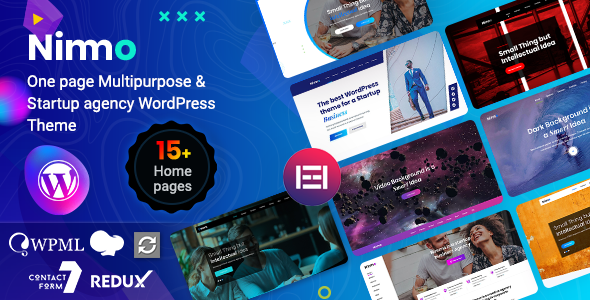
Stuck on your Nimmo WordPress theme? Let's fix it.
No endless back-and-forth. Just send us the details and we'll get it done.
No obligation · Replies within 1 hour · Quote within 1 day
Setup · Customization · Bug fixes · WooCommerce integration
About Nimmo WP Theme
Nimmo is a WordPress theme built by Case-Themes, designed with a clean minimal aesthetic that suits portfolio, agency, and small business websites. It ships with a straightforward layout system, readable typography, and a restrained colour palette that lets content take centre stage.
The theme is built on standard WordPress hooks and template files, which means developers can work with it without fighting a proprietary framework. It supports the block editor and plays well with most major plugins. For freelancers or small studios that want a polished starting point without a bloated page builder dependency, Nimmo is a practical choice. That said, getting the most out of it often requires some hands-on configuration, particularly around custom post types, header layout, and responsive behaviour on edge-case screen sizes.
Get matched with a Nimmo developer in under one day
Tell us about your Nimmo project. Small fixes, Nimmo theme customization, or a full website build, whatever you need, we've got it covered.
We'll connect you to the right Nimmo developers, define the scope, and get everything 100% clear.
You'll get one estimate, hire your preferred developer, and start collaborating.
Nimmo looks straightforward until you need it to do something specific. Custom layouts, WooCommerce integration, ACF field display, or multi-language setups all require developer work that goes beyond the Customizer. FoxyConcept connects you with vetted WordPress specialists through Codeable, a platform where every developer is screened and reviewed. You get a free estimate before committing to anything, and the work is guaranteed.
Pros
- Clean, minimal design that loads fast without a heavy page builder
- Built on standard WordPress template hierarchy, easy for developers to extend
- Block editor compatible, works with Gutenberg without major conflicts
- Restrained default styling makes it easier to brand consistently
- Relatively small stylesheet footprint compared to multipurpose themes
Cons
- Customizer options are limited, most design changes need custom CSS
- WooCommerce template styles require manual overrides for a polished storefront
- Documentation from Case-Themes is sparse, troubleshooting relies on developer knowledge
- No built-in mega menu or advanced navigation options
- Limited demo content, so initial setup takes more time than template-heavy themes
Who is Nimmo for?
Freelance Portfolio
Nimmo’s minimal layout works well for designers, photographers, and developers who want their work front and centre. The grid-based project display is clean out of the box. A developer can wire it up to a custom post type so portfolio items are manageable without touching code every time you add new work.
Small Creative Agency
Small agencies benefit from Nimmo’s professional look without the visual noise of multipurpose themes. You can build out service pages, team sections, and a case study archive using custom templates. The restrained typography keeps the focus on the agency’s actual work rather than the theme design itself.
Consultant or Coach Website
For coaches and consultants, Nimmo provides a clean foundation for bio pages, service breakdowns, and booking integration. Pairing it with a scheduling plugin like Calendly embed or Simply Schedule Appointments works without layout conflicts. A developer can add lead capture sections and testimonial blocks that match the existing design.
Minimal WooCommerce Store
Nimmo can support a small product catalogue with WooCommerce, particularly for shops with ten to fifty products. The theme’s clean lines work well for product photography. You will need developer help to style the cart, checkout, and account pages to match the rest of the site, but the base is solid.
Local Service Business
Tradespeople, local clinics, and neighbourhood businesses get a professional online presence with Nimmo without overpaying for a heavy theme. Contact forms, Google Maps embeds, and service area pages all integrate without issues. The theme’s speed advantage also helps with local search visibility when paired with proper SEO configuration.

Customizing Nimmo
Nimmo’s customization options are available through the native WordPress Customizer, covering site identity, colours, fonts, and layout widths. These controls are adequate for basic branding adjustments, but anything beyond surface-level changes typically requires custom CSS or child theme development.
Common customization requests include modifying the navigation structure, adjusting hero section layouts, integrating WooCommerce product pages into the existing design system, and building out custom page templates for landing pages. A Nimmo expert can handle these without touching the parent theme files directly, keeping your site updatable. If you want Nimmo to behave like a bespoke design rather than an off-the-shelf template, working with a specialist saves significant trial and error.
Recommended plugins for Nimmo
Nimmo pairs well with established WordPress plugins. Contact Form 7 and WPForms both integrate cleanly. WooCommerce works with some style overrides required in the cart and checkout templates. For SEO, pairing Nimmo with Yoast or Rank Math is straightforward since the theme outputs clean HTML. WordPress SEO work on top of Nimmo is a common project request.
On the performance side, Nimmo’s lean codebase is an advantage, but image handling and caching still need configuring. A proper WordPress performance setup will make a real difference on load times, especially on shared hosting.
Not sure which plugins to use? This WordPress plugins directory covers the most popular options with reviews and setup guides.
Nimmo common issues
Nimmo theme header menu not showing on mobile
Mobile menu issues in Nimmo are usually caused by a JavaScript conflict with another plugin, or a caching layer serving a stale asset. Start by deactivating plugins one at a time to isolate the conflict. Clear all caches after each change. If the toggle button appears but the menu does not open, the jQuery dependency may be loading out of order. A developer can fix the enqueue sequence in a child theme without modifying parent files. See our WordPress bug fixing service if you need this resolved quickly.
Nimmo homepage layout broken after WordPress update
Layout breaks after a WordPress core update often point to a block editor compatibility issue or a changed template function. Check the browser console for JavaScript errors first. If the homepage uses a page template set in Nimmo, verify the template is still assigned under Page Attributes. Restoring a recent backup while you investigate is advisable. Ongoing WordPress maintenance with tested updates would prevent this becoming a recurring problem.
Nimmo theme WooCommerce pages not styled correctly
Nimmo does not ship with full WooCommerce template overrides, so product pages, cart, and checkout inherit minimal styling. The fix is to copy the relevant WooCommerce template files into a child theme’s woocommerce folder and apply targeted CSS. Avoid editing plugin files directly. This is a contained piece of work that a developer can complete in a few hours, leaving your store looking consistent with the rest of the site design.
Nimmo custom CSS not applying to specific sections
If custom CSS added through the Customizer is not applying, specificity is usually the cause. Nimmo’s default styles may use more specific selectors than your override. Use browser developer tools to inspect the element and check which rule is winning. Writing more specific selectors or adding the CSS to a child theme stylesheet resolves this reliably. Avoid using !important as a blanket fix, as it creates harder-to-maintain code over time.
Nimmo FAQ
Yes, Nimmo is compatible with the WordPress block editor. Standard Gutenberg blocks render correctly within the theme’s content area. Full Site Editing is not supported, so the header and footer are managed through the Customizer and traditional theme files rather than the site editor. For most sites this is not a limitation, but it is worth knowing before you plan a block-based header design.
Nimmo works with WooCommerce for basic shop setups. Product archive and single product pages will display, but the styling is minimal and will need CSS work to match the rest of your site. Cart and checkout pages in particular need attention. A developer can create WooCommerce template overrides inside a child theme to bring these pages in line with Nimmo’s design without touching core files.
Yes, Nimmo follows standard WordPress theme structure and supports child themes fully. Creating a child theme is strongly recommended before making any customizations. It keeps your changes safe when the parent theme receives updates. A child theme with a custom stylesheet and functions.php file is the correct way to extend Nimmo for any project that needs long-term maintenance.
Migrating an existing site to Nimmo means rebuilding your current design within the new theme’s templates and settings. Content in the WordPress database carries over, but layout, widgets, and styling need to be reconfigured. A WordPress migration specialist can handle the technical transfer and rebuild the front-end in Nimmo with minimal downtime, reducing the risk of losing content or breaking existing URLs.
Case-Themes maintains a portfolio of themes, and Nimmo receives periodic updates, though the release cadence is slower than larger theme shops. It is worth checking the theme’s changelog on WordPress.org before purchasing or building a client project on it. If update frequency is a concern, pairing Nimmo with a maintenance plan ensures someone is monitoring compatibility with new WordPress and plugin versions.
Hire a Nimmo WordPress Developer
If your Nimmo site needs custom development, a layout that does not quite work, or a feature the theme does not support out of the box, we can help. FoxyConcept works through Codeable, matching you with a developer who knows WordPress themes inside out. Projects are scoped clearly upfront with no hidden costs. Get a free estimate and see what is possible before you commit to anything.
You'll need a free Codeable account so developers can ask questions and send their quotes.