Ohio WordPress Theme
by colabrio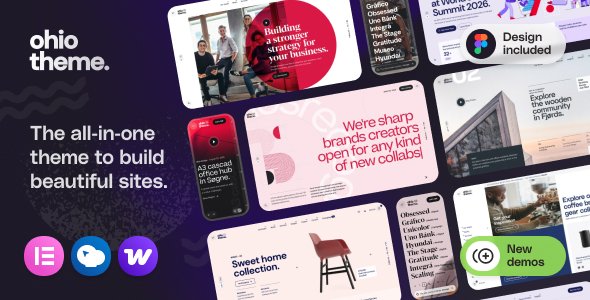
Stuck on your Ohio WordPress theme? Let's fix it.
No endless back-and-forth. Just send us the details and we'll get it done.
No obligation · Replies within 1 hour · Quote within 1 day
Setup · Customization · Bug fixes · WooCommerce integration
About Ohio WP Theme
Ohio is a multi-concept WordPress theme built by Colabrio, designed for agencies, portfolios, and creative businesses. It ships with over 40 pre-built demo sites, a drag-and-drop page builder powered by Elementor and WPBakery, and a visual header and footer builder baked in.
The theme leans heavily on flexibility. You get full control over typography, color schemes, and layout without touching code. It supports WooCommerce out of the box, making it a solid choice for shops that want a polished storefront without a custom build.
Performance is reasonable for its feature set, though the sheer number of bundled options means unused scripts can add page weight if the theme isn’t configured carefully. Ohio works best in the hands of someone who knows how to trim what isn’t needed.
Get matched with a Ohio developer in under one day
Tell us about your Ohio project. Small fixes, Ohio theme customization, or a full website build, whatever you need, we've got it covered.
We'll connect you to the right Ohio developers, define the scope, and get everything 100% clear.
You'll get one estimate, hire your preferred developer, and start collaborating.
Ohio has enough moving parts that a generalist WordPress developer will spend hours just learning where settings live. An Ohio developer who has worked with Colabrio themes before knows the header builder quirks, the WPBakery and Elementor overlap issues, and which demo assets to clean out after import.
Through Codeable, you get matched with vetted WordPress specialists within 24 hours. No guesswork on qualifications, no fixed contracts. Post your project and get a free estimate before committing to anything.
Pros
- 40+ pre-built demos covering agencies, portfolios, shops, and blogs give a real head start
- Built-in header and footer builder with sticky, transparent, and mobile-specific options
- Supports both Elementor and WPBakery, so switching page builders mid-project is possible
- WooCommerce integration is thorough, including custom product page layouts and cart styling
- WPML compatible out of the box, making multilingual builds straightforward
Cons
- Running Elementor and WPBakery simultaneously adds JavaScript weight that needs active management
- The Theme Options panel is large and can feel overwhelming without prior Colabrio experience
- Some demo layouts rely on Revolution Slider, which is a paid plugin not bundled in the base price
- Mobile layout adjustments often require per-section tweaks rather than global overrides
- Update cadence has slowed in recent releases, and some third-party plugin conflicts take time to get patched
Who is Ohio for?
Creative Agency
Ohio’s agency demo layouts include multi-column service sections, team grids, and animated stat counters. An Ohio developer can strip unused sections, configure scroll animations to fire correctly on all devices, and connect a contact form that routes to the right team member based on enquiry type.
Portfolio & Freelance
The portfolio post type in Ohio supports filterable grids, case study layouts, and full-width project pages with custom meta fields. For freelancers who want a site that showcases work without a bloated CMS, an Ohio specialist can configure a lean, fast-loading portfolio with only the features that matter.
WooCommerce Store
Ohio’s WooCommerce support extends to custom product page templates, quick-view modals, and styled cart and checkout pages. A WooCommerce-focused Ohio developer can configure variable products, connect a payment gateway, and set up tax and shipping rules so the store is ready to sell without needing a separate theme.
Photography & Visual Arts
Full-width image galleries, lightbox support, and masonry grid layouts make Ohio a practical choice for photographers. An Ohio expert can configure lazy loading for large image sets, set up category-based portfolio filtering, and ensure gallery pages pass Core Web Vitals without sacrificing image quality.
Events & Entertainment
Ohio works with The Events Calendar plugin and supports dedicated event listing layouts. For venues, promoters, or conference organisers, an Ohio developer can build a recurring events section, styled ticketing links, and a homepage that surfaces upcoming events automatically from a single post type.

Customizing Ohio
Ohio gives you a lot of control through its Theme Options panel, but that control comes with complexity. The combination of Elementor, WPBakery, and Ohio’s own header/footer builder means there are multiple places where layout decisions get made, which can cause confusion without a clear workflow.
An Ohio expert can set up a consistent design system from the start, mapping global colors, fonts, and spacing so every page feels intentional rather than cobbled together. Custom post types, portfolio layouts, and WooCommerce product pages all have their own Ohio-specific settings that take time to learn properly.
If you need a custom demo imported, layout sections rebuilt to match your brand, or specific animations configured without breaking mobile, working with an Ohio specialist saves significant trial and error.
Recommended plugins for Ohio
Ohio integrates cleanly with several popular plugins. WooCommerce, WPML, Revolution Slider, and The Events Calendar all have documented support. Contact Form 7 and Gravity Forms work without conflicts in standard configurations.
Where Ohio users run into trouble is with performance. Bundling Elementor and WPBakery together with the theme’s own scripts can create asset bloat. A proper WordPress performance setup including script deferral, unused CSS removal, and caching configuration makes a measurable difference on Ohio-built sites.
If you’re running a content-heavy or WooCommerce store on Ohio, structured data and on-page technical work handled through a solid WordPress SEO optimisation setup will compound the gains.
Not sure which plugins to use? This WordPress plugins directory covers the most popular options with reviews and setup guides.
Ohio common issues
Ohio theme demo import stuck or not completing
Demo imports fail most often because of PHP memory limits or max execution time set too low on the host. Check wp-config.php for WP_MEMORY_LIMIT and raise it to at least 256MB. Also confirm that max_execution_time is set to 300 or higher in php.ini. If the import still stalls, try importing XML content manually and uploading media separately through the Ohio importer tool.
Ohio header builder not saving changes
Ohio’s header builder saves to its own database options. If changes aren’t sticking, the most common cause is a caching plugin serving a cached version of the header. Clear all caches after saving, including any CDN caches. If the issue persists after clearing cache, check for JavaScript errors in the browser console that may be blocking the save request, then disable conflicting plugins one by one to isolate the cause.
Ohio theme WooCommerce product page layout broken
Broken WooCommerce layouts in Ohio usually come from a theme update that changed template file paths without migrating custom overrides. Check your active child theme’s woocommerce folder for outdated template files. Compare them against the current WooCommerce templates and update accordingly. If you’re not using a child theme, template customisations made directly in Ohio will get overwritten on every update. A WordPress bug fixing service can audit and restore the correct template structure quickly.
Ohio theme slow page load on mobile
Ohio loads both Elementor and WPBakery assets even on pages built with only one of them. On mobile, this creates significant render-blocking script load. Use a plugin like Asset CleanUp or Perfmatters to disable unused scripts per page type. Also audit Revolution Slider, which loads its libraries globally by default. Deferring non-critical JavaScript and enabling critical CSS inlining will measurably reduce Time to Interactive on Ohio mobile pages.
Ohio theme Elementor sections not showing on front end
Elementor sections disappearing on the front end while visible in the editor usually points to a CSS conflict with Ohio’s own stylesheet or a missing Elementor Pro licence causing widget rendering to fail silently. Check the browser console for 404 errors on Elementor assets. Also verify that the Elementor experiment settings haven’t toggled a feature that conflicts with Ohio’s layout engine. Regenerating CSS from Elementor’s Tools panel often resolves rendering gaps after updates.
Ohio theme update breaks header or footer layout
Ohio theme updates occasionally restructure header builder settings in ways that don’t migrate existing configurations cleanly. Before updating, export your current header template from the Ohio panel and take a full site backup. After an update that breaks the header, check whether the global header assignment in Theme Options still points to the correct header ID. In many cases the link between the saved header and the global assignment gets cleared during the update process.
Ohio theme portfolio filter not working
Ohio’s portfolio filter relies on jQuery Isotope, which conflicts with some caching configurations that inline or defer scripts incorrectly. If the filter buttons appear but clicking them does nothing, open the browser console and look for Isotope-related JavaScript errors. Exclude Ohio’s portfolio scripts from JS deferral in your caching plugin. Also confirm that portfolio items have the correct category taxonomy assigned, since uncategorised items won’t respond to filter clicks. A WordPress bug fixing specialist can trace the exact script conflict.
Ohio theme white screen after plugin update
A white screen after a plugin update in an Ohio installation is almost always a PHP fatal error. Enable WP_DEBUG in wp-config.php to surface the exact error. Common causes are a conflict between an updated plugin and Ohio’s bundled Visual Composer version, or a PHP version mismatch. If you can access wp-admin, deactivate plugins one at a time to find the conflict. If the admin is also white, use FTP to rename the conflicting plugin folder and restart from there.
Ohio theme fonts not loading correctly
Ohio loads Google Fonts through its own enqueue system in Theme Options. If fonts aren’t rendering, first check whether a privacy plugin or cookie consent tool is blocking the Google Fonts request. You can confirm this in the Network tab of browser dev tools. Alternatively, download and self-host the fonts using a plugin like OMGF, then disable Google Fonts loading in Ohio’s Typography settings to avoid duplicate requests. This also removes the third-party DNS lookup that slows initial page load.
Ohio theme WPML language switcher not displaying
WPML’s language switcher in Ohio requires the switcher widget or menu item to be placed inside an Ohio-compatible widget area or menu location. If it’s not showing, check that WPML String Translation has the Ohio theme strings registered and that the header template in Ohio’s builder includes a menu module pointing to the correct translated menu. Also verify that all Ohio header templates are duplicated and translated in WPML’s Translation Management for each active language. A WordPress bug fixing service can audit the WPML and Ohio configuration.
Ohio FAQ
Yes, Ohio has dedicated WooCommerce support including custom product page templates, styled cart and checkout pages, and quick-view functionality. It handles simple and variable products well. You’ll want an Ohio developer to configure the WooCommerce-specific layout settings, since they live outside the standard Customizer and aren’t immediately obvious.
Ohio supports both Elementor and WPBakery. Most newer demos are Elementor-first, and Elementor Pro works without conflicts in standard setups. The trade-off is that both page builders load their assets simultaneously by default, which adds page weight. An Ohio specialist can configure asset loading to only fire what each page actually uses.
Go to Appearance > Ohio Options > Demo Importer after activating the theme and required plugins. Select a demo, click Import, and wait for the process to complete. If the import stalls, your host’s PHP memory limit or max execution time is likely too low. Raise both values in php.ini or ask your host to do it before retrying.
Ohio is listed as WPML compatible. String Translation, Multilingual CMS, and the media translation add-on all work with it. The main configuration step is duplicating and translating Ohio header templates for each language, since the header builder operates independently from WordPress’s standard menu and widget system.
Revolution Slider is not bundled with Ohio as a free include. Several Ohio demos use it for hero sections, but you need a separate Revolution Slider licence to use those specific demo layouts. If you don’t purchase it, those slider sections won’t render. Ohio’s own header builder can replicate basic hero layouts without Revolution Slider.
Ohio doesn’t ship with an automated child theme generator, but creating one manually takes a few minutes. Create a folder in wp-content/themes/, add a style.css with a Template: ohio header line, and enqueue the parent stylesheet in functions.php. Without a child theme, any code customisations made directly to Ohio will be overwritten on the next theme update.
Technically yes. Ohio’s newer demos are built with Elementor, and you can build pages entirely in Elementor without touching WPBakery. However, Ohio still loads WPBakery scripts globally unless you explicitly disable them. Use a script management plugin to prevent WPBakery assets from loading on pages where you’re only using Elementor.
Start by disabling unused scripts from both Elementor and WPBakery on pages that don’t use them. Configure Revolution Slider to load scripts only on slides pages. Enable caching, defer non-critical JavaScript, and self-host Google Fonts. These steps address the main sources of bloat on Ohio sites. See our WordPress performance service for a full technical audit.
Ohio receives updates, but the release frequency has become less predictable compared to its earlier versions. Major WordPress compatibility updates do arrive, but plugin conflict fixes can take several releases to land. Staying on a slightly older stable version of Ohio while monitoring the changelog before updating is a reasonable approach for production sites.
Post your project on Codeable and get matched with a vetted Ohio developer within 24 hours. You’ll receive a free estimate before any work begins. FoxyConcept handles Ohio customisation projects through Codeable, covering everything from demo setup to custom layout builds and bug fixes. Get a Free Estimate to get started.
Hire an Ohio WordPress Expert
Whether you need a full Ohio site built from a demo, a custom layout created from scratch, or specific bugs tracked down and fixed, working with an Ohio developer who knows the theme saves time and avoids rework. FoxyConcept delivers Ohio projects through Codeable, connecting you with a vetted specialist within 24 hours. Get a Free Estimate with no obligation to hire.
You'll need a free Codeable account so developers can ask questions and send their quotes.