Onair2 WordPress Theme
by QantumThemes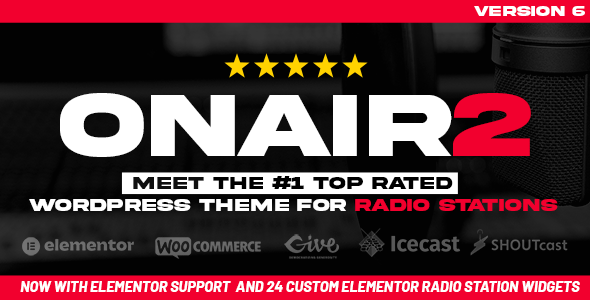
Stuck on your Onair2 WordPress theme? Let's fix it.
No endless back-and-forth. Just send us the details and we'll get it done.
No obligation · Replies within 1 hour · Quote within 1 day
Setup · Customization · Bug fixes · WooCommerce integration
About Onair2 WP Theme
Onair2 is a WordPress theme built by QantumThemes specifically for radio stations, podcasters, and audio broadcasters. It ships with a built-in radio player that persists across page navigation, a show schedule manager, and DJ profile pages. The theme integrates with the RadioPlayer plugin and supports live streaming via Shoutcast and Icecast. Unlike general-purpose themes adapted for radio, Onair2 was designed from the ground up for broadcast-focused sites. It includes widgets for now-playing track display, upcoming shows, and listener counts. The visual style leans toward dark, atmospheric layouts common in broadcast branding, though lighter skin options exist. It works with WooCommerce for merchandise and ticket sales, and the built-in episode manager handles podcast-style archives. If you run a live radio station or audio-heavy media brand and need station-specific functionality without building it from scratch, Onair2 covers most of that ground out of the box.
Get matched with a Onair2 developer in under one day
Tell us about your Onair2 project. Small fixes, Onair2 theme customization, or a full website build, whatever you need, we've got it covered.
We'll connect you to the right Onair2 developers, define the scope, and get everything 100% clear.
You'll get one estimate, hire your preferred developer, and start collaborating.
Onair2 is a niche theme with its own plugin dependencies, custom post structures, and streaming integrations. Generic WordPress developers often lose time getting familiar with how QantumThemes has structured things. Working with a developer who has handled Onair2 projects before means faster turnaround and fewer workarounds.
Through Codeable, you can connect with vetted WordPress specialists who have relevant theme experience. Post your project, get a clear estimate, and move forward only if it fits. No retainers, no guesswork on cost.
Pros
- Built-in persistent radio player that keeps streaming while users browse between pages
- Native show schedule system with time zone support and recurring show management
- DJ and host profile post type included with social links and show associations
- Shoutcast and Icecast stream integration works out of the box with the companion plugin
- WooCommerce compatibility allows merchandise and ticket sales within the same site
Cons
- Relies heavily on QantumThemes' own plugins, which creates dependency risk if plugin support lapses
- Page builder uses a proprietary shortcode system rather than Gutenberg or a widely-used builder
- Documentation is functional but sparse, with limited video tutorials for advanced configurations
- Design options outside the dark broadcast aesthetic require significant CSS customization
- Performance requires attention due to media-heavy feature set loading assets on every page
Who is Onair2 for?
Internet Radio Stations
Onair2 was built for live streaming radio first. The persistent player, Shoutcast/Icecast integration, and now-playing metadata display make it practical for stations that need listeners to stay tuned while reading show info or browsing the schedule. An Onair2 specialist can configure stream fallbacks and player branding to match your station identity without breaking core functionality.
Podcast Networks
The episode archive system and show post type map well to podcast network structures. Multiple shows, individual hosts, and episode archives all have dedicated templates. An Onair2 developer can extend the default archive layouts with custom filtering by genre or host, and integrate podcast-specific SEO markup to improve feed discoverability.
College and Community Radio
Community and college stations often need volunteer DJ management, public program guides, and event promotion alongside their stream. Onair2 handles the schedule and DJ profiles natively. An Onair2 expert can add submission forms for show proposals and connect the schedule to a public calendar without rebuilding standard theme features from scratch.
Music and Entertainment Blogs
Music blogs and entertainment sites can use Onair2’s audio-first layout as a content platform without running a live stream. The theme handles audio embeds, artist features, and review archives cleanly. Customization work typically focuses on adjusting the visual style away from the radio station feel toward something more editorial.
Church and Religious Broadcast Sites
Churches and religious organizations broadcasting sermons or worship programs find Onair2 useful for its sermon archive capabilities and audio player integration. The show and episode structure adapts well to sermon series. An Onair2 developer can adjust taxonomy labels and restructure archive pages to reflect a sermon library rather than a broadcast schedule.

Customizing Onair2
Onair2 customization ranges from straightforward color and typography changes in the WordPress Customizer to more involved work like modifying the schedule grid, customizing player behavior, or restructuring show archive templates. QantumThemes provides its own page builder elements and shortcodes, which work well within the theme’s ecosystem but require learning a theme-specific system rather than a universal builder.
Deeper changes, such as altering the player to match brand guidelines, adding custom post types alongside the existing show and DJ structures, or integrating third-party streaming APIs, typically need a developer. An Onair2 expert familiar with QantumThemes’ codebase can work within the existing architecture rather than fighting it. This matters particularly for child theme work, where understanding how the parent theme enqueues scripts and styles prevents conflicts. Custom widget areas, homepage layouts, and sponsor display sections are all common customization requests that benefit from hands-on developer experience with this specific theme.
Recommended plugins for Onair2
Onair2 pairs naturally with plugins that extend its core broadcast features. The QantumThemes RadioPlayer plugin is the primary companion for live stream management. Beyond that, WooCommerce handles merch and event tickets, while Tribe Events Calendar works alongside the show schedule for live events.
For site growth, two areas matter most. First, site speed: Onair2 loads several media-related assets, so proper caching, image optimization, and script management are important. See our WordPress performance optimization service for specifics. Second, search visibility for show pages and episode archives benefits from structured SEO work covered in our WordPress SEO service. Both areas have a direct impact on listener growth and discoverability.
Not sure which plugins to use? This WordPress plugins directory covers the most popular options with reviews and setup guides.
Onair2 common issues
Onair2 radio player stops working after WordPress update
Player failures after a WordPress core update usually trace back to a JavaScript conflict introduced by the update or a version mismatch between the RadioPlayer plugin and the theme. Start by deactivating all plugins except QantumThemes’ own plugins and testing the player. Re-enable others one at a time to isolate the conflict. Check the browser console for JS errors pointing to the specific script. If the issue persists, the WordPress bug fixing service can identify the root cause quickly.
Onair2 schedule not showing correct times for visitors in different time zones
Onair2’s schedule manager has a time zone setting in the theme options panel. Verify that the WordPress site time zone in Settings > General matches your intended broadcast time zone. The schedule display uses this setting as its base. If visitors see incorrect times, the theme may not be converting to local time automatically. This requires a custom JavaScript solution or a plugin addition. Check QantumThemes’ documentation for the time zone offset field in the schedule widget settings.
Now playing track metadata not displaying in Onair2
Now-playing metadata relies on your stream server sending title and artist data in the stream headers, and the RadioPlayer plugin reading it correctly. Confirm your Shoutcast or Icecast server is configured to broadcast track metadata. In the RadioPlayer plugin settings, check that the metadata URL is pointed at the correct stream stats endpoint. CORS restrictions on the stream server can also block the metadata fetch. Test the metadata URL directly in the browser to confirm it returns data before adjusting plugin settings.
Onair2 player not persisting between pages
The persistent player in Onair2 works by loading the site inside a JavaScript-managed frame so the player element stays mounted. If it reloads on page navigation, a caching plugin or CDN may be serving full-page HTML without the persistence layer. Check whether a full-page cache is interfering. Also confirm the theme’s main JavaScript file is loading correctly and not being deferred in a way that breaks initialization. Review the browser console for errors on navigation events.
Onair2 theme broken after switching to HTTPS
Mixed content errors are the most common cause of Onair2 breaking after an HTTPS migration. The stream URL in RadioPlayer settings, any hardcoded HTTP URLs in theme options, and media files uploaded before migration can all trigger this. Update the stream URL to HTTPS if your hosting supports it. Run a search-replace on the database to update HTTP references. The WordPress Address and Site Address fields in Settings > General must both use HTTPS. The WordPress bug fixing service handles mixed content cleanup efficiently.
Onair2 show archive pages returning 404 error
404 errors on show archive pages typically mean WordPress permalink rules need flushing. Go to Settings > Permalinks and click Save Changes without changing anything. This rebuilds the rewrite rules for custom post types registered by Onair2 and its companion plugins. If the problem returns after the flush, a plugin conflict may be overwriting the rewrite rules on each page load. Deactivate plugins systematically to find the conflict, starting with SEO and caching plugins.
Onair2 not compatible with caching plugin
Onair2 depends on dynamic JavaScript initialization for the player and schedule elements. Full-page caching plugins can cache these pages in a state that breaks the player on subsequent loads. Exclude the pages containing the player from full-page caching. WP Rocket, W3 Total Cache, and LiteSpeed Cache all have URL exclusion fields. Additionally, avoid minifying or combining the QantumThemes JS files, as these scripts have load-order dependencies that aggressive optimization breaks.
DJ profile images not displaying in Onair2
Missing DJ profile images are usually a thumbnail size registration issue or an image upload that predates the correct thumbnail size. Go to Settings > Media and confirm sizes are set. Run a thumbnail regeneration using a plugin like Regenerate Thumbnails to create the sizes Onair2 expects. If images still don’t appear, check the DJ profile template for the specific image size it calls and confirm that size is registered in the theme or a child theme’s functions.php file.
Onair2 WooCommerce shop page layout broken
WooCommerce layout conflicts in Onair2 typically come from the theme’s custom CSS overriding WooCommerce default styles, or from the theme’s page templates not accounting for WooCommerce’s expected markup. Check whether the shop page is using the correct WooCommerce page template. Some Onair2 versions require manually assigning the shop page in WooCommerce settings. If columns or sidebar positioning is wrong, a small CSS fix targeting WooCommerce classes in a child theme stylesheet usually resolves it cleanly. Contact a WordPress bug fixing specialist for persistent layout conflicts.
Onair2 mobile menu not opening on iOS
Mobile menu failures on iOS commonly come from a touch event binding issue in the theme’s JavaScript. iOS Safari handles touch events differently from Android browsers. Check the browser console on an iOS device for JS errors. The fix is usually adding a click event listener alongside the touch event in a child theme JS file, or updating the menu toggle function. Also verify that no CSS z-index or overflow:hidden rule on a parent element is blocking the menu from appearing above other content on smaller screens.
Onair2 FAQ
QantumThemes has continued releasing updates for Onair2, though the release cadence is slower than larger theme shops. Check the theme’s changelog on ThemeForest for the most recent update date. Before purchasing or building a major site on it, confirm the last update was within the past 12 months and that the developer responds to support tickets on the ThemeForest item page.
Yes, with configuration. The RadioPlayer companion plugin supports multiple stream sources, and you can create separate player instances for different streams. Setting this up cleanly, especially if you want listeners to switch between stations without page reloads, typically requires some custom development work beyond the default plugin settings.
Onair2 has its own shortcode-based content builder. Elementor can be installed alongside it, but mixing the two systems creates redundancy and potential conflicts, particularly around the player elements. WPBakery has known compatibility issues with some QantumThemes elements. If you need Elementor specifically, an Onair2 developer can test and resolve conflicts before committing to that setup.
Onair2 via the RadioPlayer plugin supports Shoutcast and Icecast streams natively. HLS streams can also be configured. The player handles MP3 and AAC audio formats. RTMP is not natively supported and would require additional customization. Confirm your streaming server type before purchasing to avoid integration surprises.
Yes. The episode and show post types work well for podcast archives even without a live stream configured. The player can play audio files from your media library instead of a stream URL. You would want to hide or remove stream-specific elements, which requires light CSS or template customization, but the core content structure suits podcast sites well.
In the WordPress admin, navigate to the Shows section added by the Onair2 plugin. Create a new show, fill in the title, DJ assignment, and description, then set the schedule times in the show’s meta fields. The schedule widget on the frontend updates automatically. Time zone settings in the theme options affect how these times display to visitors.
Onair2 does not generate a podcast RSS feed natively. You need a podcast plugin like Seriously Simple Podcasting or PowerPress to create feeds compatible with Apple Podcasts and Spotify. These plugins integrate alongside Onair2 without major conflicts, though some template overlap may need minor CSS fixes to keep the frontend consistent.
Onair2 is translation-ready and includes a .pot file. You can use Loco Translate to create and manage language files directly in WordPress. For multilingual sites with separate language versions of show content, WPML is the most tested option with QantumThemes themes, though full compatibility depends on the specific Onair2 version.
Always use a child theme for any CSS or template modifications. If you edited the parent theme files directly, an update will overwrite those changes. Before updating, backup the site fully. After updating, test the player, schedule, and show pages immediately. Theme option settings stored in the database are not affected by theme file updates.
Yes. A standard WordPress migration moves all Onair2 content including shows, DJ profiles, and schedule data since these are stored in the database as custom post types. After migration, update the stream URLs in the RadioPlayer plugin settings to reflect the new environment. Our WordPress migration service handles this including post-migration testing of audio and player functionality.
Hire an Onair2 Developer
Whether you need the schedule manager reconfigured, the player reskinned, or a full Onair2 site built from scratch, working with someone who knows the theme saves real time. Our developers have handled QantumThemes projects across radio stations, podcast networks, and internet broadcast setups.
Get a Free Estimate and describe what you need. No commitment required, and you’ll have a clear scope and price before any work begins.
You'll need a free Codeable account so developers can ask questions and send their quotes.