OneLove WordPress Theme
by catanis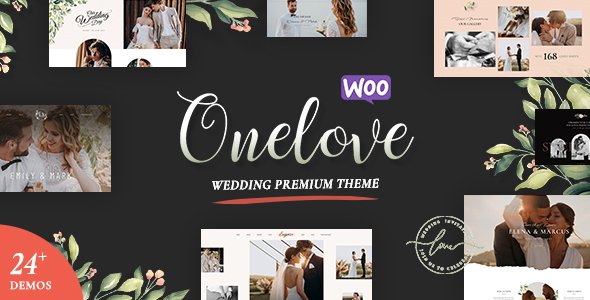
Stuck on your OneLove WordPress theme? Let's fix it.
No endless back-and-forth. Just send us the details and we'll get it done.
No obligation · Replies within 1 hour · Quote within 1 day
Setup · Customization · Bug fixes · WooCommerce integration
About OneLove WP Theme
OneLove is a WordPress theme developed by catanis, built for music artists, bands, and creative professionals who need a visually expressive online presence. It ships with a bold, full-screen layout designed to showcase music, tour dates, videos, and artist bios without feeling cluttered.
The theme supports WooCommerce for selling merchandise or digital downloads, includes event listing functionality, and works with most major page builders. It is translation-ready and coded to meet current WordPress standards. Whether you are a solo artist launching your first site or a band looking to replace an outdated presence, OneLove gives you a solid starting point. Setup is straightforward, and the bundled demo content makes it faster to get a real site live rather than building from scratch.
Get matched with a OneLove developer in under one day
Tell us about your OneLove project. Small fixes, OneLove theme customization, or a full website build, whatever you need, we've got it covered.
We'll connect you to the right OneLove developers, define the scope, and get everything 100% clear.
You'll get one estimate, hire your preferred developer, and start collaborating.
Most OneLove issues, whether layout conflicts, plugin clashes, or WooCommerce setup problems, are not things Google searches fix easily. A developer who has worked inside the theme before will spot problems in minutes that take hours to diagnose alone.
Through Codeable, you get matched with vetted WordPress developers who have real project experience. Every estimate is free, there is no obligation to hire, and the work is guaranteed. If you want the job done properly and without the back-and-forth, posting a project on Codeable is the fastest route to a working site.
Pros
- Designed specifically for music and entertainment, with layouts that suit artists out of the box
- Full WooCommerce compatibility for selling merch, tickets, or digital downloads
- Includes tour date and event listing support without requiring a separate premium plugin
- Full-screen video and audio embed support built into the homepage sections
- Translation-ready with WPML compatibility for multilingual artist sites
Cons
- Limited layout variety outside the music niche, making it a poor fit for non-entertainment projects
- Demo import can leave placeholder content that requires significant cleanup before going live
- Some bundled shortcodes become a maintenance liability if you switch themes later
- Mobile menu behavior on certain devices needs CSS adjustment to work correctly
- Documentation is sparse in places, which makes advanced customization harder without developer help
Who is OneLove for?
Independent Music Artists
Solo artists get a clean, image-forward site that highlights their music, bio, and upcoming shows. The full-screen hero works well for artists who have strong photography. WooCommerce lets you sell singles or merchandise directly without third-party storefronts eating into your margin.
Bands and Music Groups
Bands need space for multiple member profiles, discographies, and a tour calendar. OneLove handles all of this in one theme. You can list every show, link ticket sales, and embed your latest videos without stitching together plugins that conflict with each other.
Music Event Promoters
Promoters running recurring events benefit from the built-in event listing structure. Add dates, venues, and ticket links in a consistent format. Combine this with an email opt-in and you have a functional event marketing site that does not need custom development to get started.
DJs and Electronic Music Producers
DJs benefit from OneLove’s audio and video embed support. You can showcase mixes, link to booking inquiries, and display a release catalog cleanly. The layout suits producers who want a visual identity that matches their sound rather than a generic portfolio template.
Record Labels and Music Agencies
Small labels managing multiple artists can use OneLove as a label hub with sections for each act, release announcements, and a WooCommerce store. It requires some custom development to handle multiple artist profiles cleanly, but the foundation is well-suited for the job.

Customizing OneLove
OneLove is flexible, but getting the most out of it takes more than swapping colors in the Customizer. The theme supports custom typography, accent colors, header layouts, and multiple homepage section arrangements. Each of these needs careful configuration to match your brand without the layout breaking on mobile.
An OneLove expert can set up your event listings correctly, integrate your Spotify or SoundCloud embeds cleanly, and connect WooCommerce for merch sales. If you want custom post types, a booking form, or a fan mailing list integration, that requires hands-on development work. Working with someone who knows the theme saves time and avoids the trial-and-error that comes with complex layout adjustments and plugin conflicts.
Recommended plugins for OneLove
OneLove works well with several plugins that extend its core functionality. WooCommerce handles merchandise and digital downloads. The Events Calendar adds structured tour date management. Contact Form 7 or WPForms covers booking and contact needs. For fan growth, Mailchimp for WordPress connects cleanly.
On the technical side, pairing OneLove with a good caching plugin and a CDN makes a real difference on media-heavy pages. You can also improve your visibility with proper WordPress SEO configuration. If your site gets slow under load, a full WordPress performance audit is worth doing.
Not sure which plugins to use? This WordPress plugins directory covers the most popular options with reviews and setup guides.
OneLove common issues
OneLove theme not displaying correctly after WordPress update
WordPress core updates sometimes break theme functionality, particularly around template hierarchy and block editor changes. Start by checking if the theme has an available update from catanis. If not, inspect the browser console for JS errors introduced by the update. A child theme helps isolate your customizations from core conflicts. If the issue is structural, a developer can patch the affected template files without waiting for an official fix. Visit our WordPress bug fixing service if you need fast help.
OneLove event listings not showing on homepage
Event listings not appearing on the homepage usually come down to a widget or shortcode not placed correctly, or the wrong page template being assigned. Check that the Events section is enabled in the Customizer and that your events have a published status with future dates. If you are using The Events Calendar plugin, verify its settings match what OneLove expects. Plugin update mismatches between the theme and the events plugin are a common trigger for this problem.
WooCommerce layout broken in OneLove theme
WooCommerce layout issues in OneLove typically appear after a WooCommerce major version update that changes template structure. The theme may still be using older WooCommerce templates that need updating. Go to WooCommerce > Status > System Status > Templates to see which are outdated. Copy the correct template files into your child theme and update them. This is a recurring maintenance task for any WooCommerce theme. Our WordPress maintenance service covers this.
OneLove theme slow loading on mobile
Slow mobile performance on OneLove is usually caused by unoptimized full-screen images, render-blocking scripts from embedded audio or video players, and Google Fonts loading without preconnect hints. Start by compressing your hero image and using a modern format like WebP. Defer non-essential scripts and consider using a performance plugin like WP Rocket. A proper WordPress performance review will identify exactly where the load time is going and what to fix first.
OneLove FAQ
Yes. OneLove is specifically designed for bands and music artists. It includes sections for discographies, tour dates, video embeds, and member bios. The full-screen layout works well with professional band photography. For more complex setups, like multiple members with individual pages or a full store, you will need some developer configuration to get everything working cleanly.
OneLove supports WooCommerce for selling merchandise, tickets, and digital downloads. Basic product pages and checkout work without extra configuration. However, WooCommerce template updates can occasionally break styling in the theme. Keeping both the theme and WooCommerce updated, and using a child theme, reduces the risk of layout issues appearing after updates.
OneLove includes built-in support for event or tour date listings. You can add dates through the WordPress admin using the theme’s custom post type for events. Some versions also support The Events Calendar plugin. Once events are created, the tour section on the homepage pulls them in automatically. If the section is not showing, check the Customizer settings and confirm events are published with upcoming dates.
OneLove is built around music and entertainment. You can technically use it for other creative fields like photography or film, but the default layouts and styling lean heavily toward the music niche. Repurposing it for an unrelated business would require significant customization. For non-entertainment projects, a more general-purpose theme is usually a better starting point.
Support availability from catanis should be checked directly on the theme’s ThemeForest or marketplace listing page, where update history and support status are listed. Themes with infrequent updates can still be used safely, but you should monitor compatibility with new WordPress versions. If the theme is no longer actively maintained, a WordPress migration to a supported alternative may be worth considering.
Hire an OneLove WordPress Developer
Whether you need a full OneLove setup, a specific fix, or ongoing changes to your music site, working with an experienced developer saves time and avoids mistakes. FoxyConcept connects you with specialists through Codeable’s vetted network. You describe your project, get a free estimate, and only move forward if it makes sense. No risk, no obligation. Get your free estimate today and have a real developer looking at your project within 24 hours.
You'll need a free Codeable account so developers can ask questions and send their quotes.