Opalhomes WordPress Theme
by Opal_WP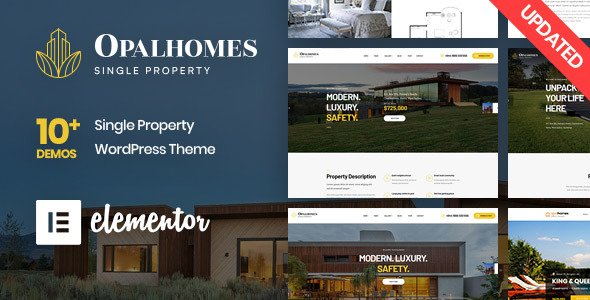
Stuck on your Opalhomes WordPress theme? Let's fix it.
No endless back-and-forth. Just send us the details and we'll get it done.
No obligation · Replies within 1 hour · Quote within 1 day
Setup · Customization · Bug fixes · WooCommerce integration
About Opalhomes WP Theme
Opalhomes is a real estate WordPress theme built by Opal_WP. It ships with property listing layouts, map integration, and a front-end property submission system. The theme is built on WPBakery Page Builder and includes compatibility with the WP Residence or similar real estate plugins to handle search filters, agent profiles, and mortgage calculators.
It targets real estate agencies, individual agents, and property portal owners who want a polished listing site without building from scratch. The design is clean, mobile-responsive, and comes with multiple homepage demos you can import with one click.
Opal_WP has a history of building niche-specific themes with decent documentation. Opalhomes fits that pattern, offering a structured starting point for property sites, though the real work begins when you adapt it to a specific market or brand.
Get matched with a Opalhomes developer in under one day
Tell us about your Opalhomes project. Small fixes, Opalhomes theme customization, or a full website build, whatever you need, we've got it covered.
We'll connect you to the right Opalhomes developers, define the scope, and get everything 100% clear.
You'll get one estimate, hire your preferred developer, and start collaborating.
Opalhomes has enough moving parts that a small config mistake can break search results or map display across the whole site. Working with a developer who knows the theme saves time and prevents those problems from reaching your visitors.
Through Codeable, you get matched with vetted WordPress specialists who have worked on real estate themes like Opalhomes. You post your project, get a free estimate within 24 hours, and decide from there. No commitment until you are ready.
Pros
- Includes a front-end property submission system out of the box
- One-click demo import gets a working listing site up quickly
- Built-in map search with radius filtering for property locations
- Agent and agency profile pages are part of the core theme
- Mobile-responsive layouts optimized for property browsing on phones
Cons
- Relies on WPBakery Page Builder, which adds page weight and slows load times
- Deep customization requires knowledge of Opal_WP's custom template structure
- Google Maps API key setup is not clearly documented for first-time users
- Plugin dependency stack can create conflicts during WordPress core updates
- Support from Opal_WP through ThemeForest can be slow for complex issues
Who is Opalhomes for?
Real Estate Agencies
Agencies with multiple agents and large property inventories benefit from Opalhomes’ built-in agent profiles, property management dashboard, and advanced search filters. The theme handles volume well when configured correctly, making it a practical base for a full-service agency website.
Independent Property Agents
Solo agents can use Opalhomes to build a personal brand site with active listings, a bio page, and an inquiry form. The front-end submission system means they can add and update listings without touching the WordPress admin, which suits non-technical users managing their own content.
Property Rental Portals
Short-term and long-term rental sites fit Opalhomes well. Availability filters, price range search, and location-based map results are all built in. With some plugin additions, you can add a booking or inquiry workflow tailored to rental audiences looking by date or neighborhood.
New Development Marketing Sites
New development projects, apartment launches, or estate rollouts need a site that presents units clearly with floor plans, pricing, and a contact path. Opalhomes supports gallery-heavy property pages and custom field sets, making it adaptable for phased development marketing campaigns.
Commercial Property Listings
Commercial listing sites have different data needs than residential. Office size, zoning, lease terms, and floor counts matter. With an Opalhomes developer, you can extend the custom fields to capture commercial-specific data and build search filters that match how commercial tenants and buyers actually look.

Customizing Opalhomes
Out of the box, Opalhomes gives you a solid foundation. But real customization goes deeper than swapping colors and uploading a logo. Property search filters need tuning. Map APIs require configuration. Custom post types for listings may need new fields added to match local market requirements.
If you are working with a specific real estate plugin, getting it to play well with Opalhomes templates can take time. Agent profile layouts, comparison tools, and currency formatting often need developer attention.
An Opalhomes expert understands how Opal_WP structures its theme files and hooks. They can modify templates cleanly without breaking future updates, add custom listing fields, and wire up third-party integrations like CRM tools or property feed imports from MLS or similar systems.
Recommended plugins for Opalhomes
Opalhomes works alongside plugins that extend its core property features. Google Maps or Mapbox integration handles geolocation search. Contact Form 7 or WPForms manages inquiry forms. WooCommerce can be added for paid listing submissions.
For site speed, image optimization and caching matter a lot with listing-heavy sites. See our WordPress performance service for details. If you plan to rank locally for property searches, structured data and on-page work are critical. Our WordPress SEO service covers that specifically.
Not sure which plugins to use? This WordPress plugins directory covers the most popular options with reviews and setup guides.
Opalhomes common issues
Opalhomes map not showing or Google Maps API error
This almost always comes down to a missing or incorrectly restricted Google Maps API key. Opalhomes requires the Maps JavaScript API and Places API enabled in your Google Cloud Console. The key also needs to be added in the correct theme settings panel, not just in a plugin. Check that your key has no referrer restrictions blocking your domain. If the map loads in one browser but not another, a browser console error will point to the specific API failure.
Opalhomes property search not filtering results correctly
Incorrect filter results usually mean a mismatch between how property meta fields are saved and how the search query is built. This can happen after a plugin update changes field keys. Check the property meta in the database against what the search widget is querying. Sometimes a fresh re-save of affected listings forces the correct meta values. Persistent issues often require a developer to inspect the search query directly. See our WordPress bug fixing service.
Opalhomes demo import fails or is incomplete
Demo import failures in Opalhomes are commonly caused by PHP memory limits set too low, import timeout settings, or missing required plugins that the demo content depends on. Set memory_limit to at least 256M in your php.ini or wp-config.php, increase max_execution_time, and make sure all bundled plugins are installed and activated before importing. If the import completes but images are missing, run the media import step separately using the importer tool in WordPress.
Opalhomes site slow loading with many listings
Listing-heavy sites on Opalhomes get slow when WPBakery generates bloated HTML and images are not optimized. Start with a caching plugin, enable lazy loading for property thumbnails, and serve images in WebP format. Reduce the number of scripts loaded by dequeuing unused WPBakery assets on listing pages. A CDN helps significantly when property photos are large. For a full audit, our WordPress performance service covers this in depth.
Opalhomes FAQ
Opalhomes is built around WPBakery Page Builder, not Elementor. While Elementor can technically be installed alongside it, the theme’s shortcodes and layout system are designed for WPBakery. Mixing the two usually creates conflicts and inconsistent styling. If you want an Elementor-based real estate site, you would be better served by a theme built specifically for Elementor.
Opalhomes is designed to work with Opal_WP’s own real estate plugin, which is typically included as a bundled plugin with the theme. This handles property post types, agent management, and search. Some setups use it alongside WP Residence or similar plugins, but the theme’s templates are optimized for the bundled Opal plugin stack.
Opalhomes supports rental listing types and price-per-period display, but it does not include a booking calendar or payment system by default. You would need to integrate a booking plugin separately and connect it to listing pages. This usually requires developer work to wire up correctly with the theme’s property templates.
Custom property fields in Opalhomes are added through the bundled real estate plugin’s field manager, or via Advanced Custom Fields if you prefer that approach. Adding them to search filters and listing templates requires editing theme template files. It is straightforward for a developer familiar with the theme’s structure but tricky without that context.
Yes, migrating an existing property site to Opalhomes is possible. Property data needs to be mapped to Opalhomes’ custom post type structure, which varies depending on where the data is coming from. Images, field values, and agent associations all need careful mapping. Our WordPress migration service handles this kind of structured content transfer.
Hire an Opalhomes Developer
Whether you need a full site build, custom listing fields, map integration, or plugin conflicts resolved, an Opalhomes developer can handle it. Work is delivered through Codeable, so every developer is vetted and reviewed by real clients.
Get a free estimate and describe your project. You will hear back within 24 hours with a clear scope and price. No obligation to hire.
You'll need a free Codeable account so developers can ask questions and send their quotes.