Optimize WordPress Theme
by Mikado-Themes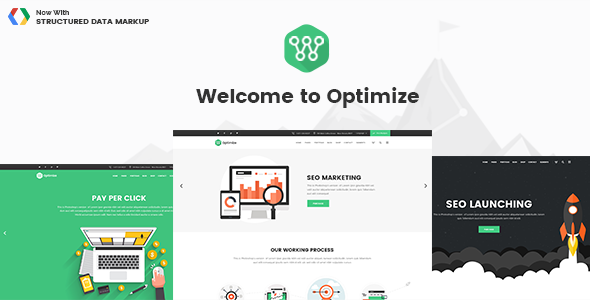
Stuck on your Optimize WordPress theme? Let's fix it.
No endless back-and-forth. Just send us the details and we'll get it done.
No obligation · Replies within 1 hour · Quote within 1 day
Setup · Customization · Bug fixes · WooCommerce integration
About Optimize WP Theme
Optimize is a WordPress theme built by Mikado-Themes, a developer known for polished, feature-rich themes on ThemeForest. Optimize targets agencies, studios, and businesses that want a modern multi-purpose layout without stitching together multiple plugins.
The theme ships with a visual page builder, a solid set of pre-built demos, and extensive typography controls. It supports WooCommerce out of the box, which makes it a reasonable choice for businesses selling products or services alongside content.
Mikado-Themes maintains the theme with regular updates, and documentation is available for most configuration tasks. That said, the volume of built-in options means there is a learning curve for anyone new to the Mikado ecosystem. If you need custom functionality beyond the demos, working with an Optimize expert will save you significant time.
Get matched with a Optimize developer in under one day
Tell us about your Optimize project. Small fixes, Optimize theme customization, or a full website build, whatever you need, we've got it covered.
We'll connect you to the right Optimize developers, define the scope, and get everything 100% clear.
You'll get one estimate, hire your preferred developer, and start collaborating.
Mikado-Themes builds themes with a lot of moving parts. When something breaks or a custom layout does not behave as expected, generic support threads rarely help. Working with a developer who has shipped real projects on Optimize is a different experience.
Through Codeable, you get matched with vetted WordPress developers, not a general freelance pool. Every expert has passed a strict vetting process. Post a project, get an estimate within 24 hours, and decide whether to proceed. No obligation, no payment until you are ready to start.
Pros
- Ships with a large demo library covering agencies, portfolios, shops, and corporate sites
- Built-in WooCommerce support with dedicated product layout options
- Extensive header and footer builder included without extra plugins
- Regular updates from Mikado-Themes with active ThemeForest support
- WPML compatible for multilingual site builds
Cons
- Theme options panel is dense and can overwhelm users unfamiliar with Mikado themes
- Loads a significant amount of CSS and JS by default, which affects Core Web Vitals without optimisation
- Heavy reliance on proprietary shortcodes creates lock-in if you switch themes later
- Some advanced layouts only make sense after studying the demo source structure
- Customer support response times on ThemeForest can be slow during busy periods
Who is Optimize for?
Creative Agency
Optimize suits agencies that need to present case studies, team pages, and service breakdowns in one polished layout. The demo library includes agency-specific templates with full-width hero sections, project grids, and client logo carousels. A developer can adapt these quickly to match brand guidelines without rebuilding from scratch.
WooCommerce Store
With native WooCommerce support, Optimize handles product pages, category archives, and checkout styling out of the box. It works well for small to mid-size stores selling physical or digital products. An Optimize developer can extend the templates to add custom product fields, adjusted cart flows, or branded confirmation pages.
Freelance Portfolio
The portfolio grid options in Optimize are flexible enough for designers, developers, and photographers who want to display work by category, style, or date. Hover effects, lightbox integration, and filterable grids are all available. Customising the grid columns and card style requires CSS edits that are straightforward for a theme developer.
Corporate Business Site
Optimize includes corporate demo layouts with service pages, team sections, contact maps, and blog archives. These work well for professional services firms, consultancies, and B2B companies. The built-in icon sets and testimonial blocks reduce the need for third-party plugins when building a standard brochure site.
Photography Studio
Full-width galleries, minimal navigation options, and high-resolution image support make Optimize a workable choice for photography studios. The theme handles large image grids without additional gallery plugins. A developer can configure lazy loading and image compression correctly to keep the gallery pages fast on mobile connections.

Customizing Optimize
Optimize includes a theme options panel with controls for headers, footers, colors, fonts, and layout grids. The bundled page builder lets you arrange sections visually, but matching a specific brand identity often means going beyond the defaults.
Custom post types, modified WooCommerce templates, and non-standard header layouts all require hands-on work in PHP and CSS. An Optimize expert who knows the Mikado codebase will know exactly which files to target without breaking theme update compatibility.
Common customization requests include building child themes for safe editing, adjusting the mobile menu behavior, and creating custom shortcode combinations. If your project requires a layout that does not exist in the demo library, a developer can build it cleanly inside the Optimize framework rather than fighting the theme’s existing structure.
Recommended plugins for Optimize
Optimize works with the standard WordPress plugin ecosystem. WooCommerce, WPML, and Contact Form 7 are all documented as compatible. Yoast SEO and Rank Math slot in without conflicts in most configurations.
For site speed, the theme’s built-in assets can be heavy. Pairing Optimize with a proper caching plugin and a CDN is worth doing early. If you need help with that, our WordPress performance service covers full audits and optimisation.
For search visibility, structured data and on-page SEO configuration work well alongside Optimize, and our WordPress SEO service handles the technical side.
Not sure which plugins to use? This WordPress plugins directory covers the most popular options with reviews and setup guides.
Optimize common issues
Optimize theme header not showing correctly on mobile
Mobile header issues in Optimize usually come down to a conflict between the theme’s responsive breakpoint settings and a custom header layout built in the header builder. Start by checking the mobile header settings in the Mikado theme panel. If a custom breakpoint has been set incorrectly, the mobile menu may not trigger at the right screen width. CSS overrides in a child theme targeting the header wrapper can fix most display inconsistencies without touching the core theme files.
Optimize WordPress theme slow loading after update
Optimize loads a lot of front-end assets by default. After an update, check whether any new scripts or style sheets have been added to the queue. Use a plugin like Query Monitor to identify slow database queries introduced by the update. Clearing all caching layers before testing is essential. Our WordPress bug fixing service can diagnose performance regressions introduced by theme or plugin updates.
Optimize theme WooCommerce cart page broken
WooCommerce template conflicts in Optimize typically occur when the theme’s bundled WooCommerce templates fall out of sync with the installed WooCommerce version. Navigate to WooCommerce > Status > System Status and check for outdated templates flagged against the theme. Updating those template files, or having a developer do it safely in a child theme, resolves most cart and checkout display issues.
Optimize theme custom CSS not applying after changes
Custom CSS entered in the WordPress Customizer or the Mikado theme panel can fail to apply if a caching plugin is serving an old stylesheet. Clear all caches first. If the styles still do not apply, check whether the CSS specificity is high enough to override the theme’s default styles. Adding the custom styles to a child theme stylesheet with higher specificity selectors is the reliable long-term fix. Our WordPress maintenance service covers ongoing CSS management.
Optimize FAQ
Mikado-Themes updates Optimize regularly to maintain WordPress core compatibility. Check the theme’s changelog on ThemeForest to confirm the latest tested WordPress version. Before updating WordPress on a live site, test in a staging environment first. Outdated child theme templates or third-party plugins are more often the source of compatibility issues than the theme itself.
Optimize is designed around its own page builder and shortcode system. You can use Gutenberg for basic content blocks, but many of the demo layouts depend on Mikado’s proprietary components. Removing the page builder breaks those layouts. If you want to use a different builder like Elementor, significant rebuilding of page templates is required before switching makes practical sense.
Creating a child theme for Optimize follows the standard WordPress method. Create a new folder in your themes directory, add a style.css file with a Template header pointing to the Optimize parent theme, and add a functions.php file to enqueue the parent stylesheet. Any file you copy from the parent and place in the child theme will override the original. This protects your changes across theme updates.
Optimize has limited native Elementor integration. The theme’s own builder handles layout in most demos. Gutenberg works for standard post and page content but does not interact with the theme panel settings. Using Elementor on an Optimize site is possible but can result in style conflicts that need manual CSS fixes, particularly around spacing and typography defaults set in the Mikado options.
Migrating an existing WordPress site to the Optimize theme involves setting up the theme on a staging environment, rebuilding page layouts using Optimize’s components, and testing all functionality before going live. Content migration is straightforward, but layout rebuilding takes time depending on site size. Our WordPress migration service can handle the full process safely.
Hire an Optimize WordPress Developer
Need help building, customising, or fixing an Optimize theme site? Whether you are starting from a demo or modifying an existing build, a specialist developer will get the work done correctly and efficiently.
Post your project through our free estimate form and get matched with a vetted Optimize expert within 24 hours. You receive a clear estimate before any work begins. No risk, no commitment until you approve.
You'll need a free Codeable account so developers can ask questions and send their quotes.