Outdoor WordPress Theme
by cththemes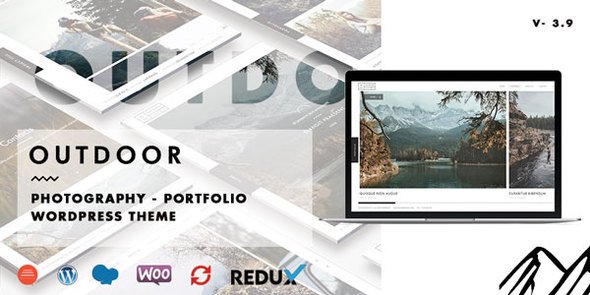
Stuck on your Outdoor WordPress theme? Let's fix it.
No endless back-and-forth. Just send us the details and we'll get it done.
No obligation · Replies within 1 hour · Quote within 1 day
Setup · Customization · Bug fixes · WooCommerce integration
About Outdoor WP Theme
Outdoor is a WordPress theme built by cththemes for adventure tourism, hiking companies, camping sites, and outdoor activity businesses. It ships with a bold, nature-inspired design that puts imagery front and center, which is exactly what businesses in this space need.
The theme includes a drag-and-drop page builder, pre-built demo content, and a dedicated booking section. WooCommerce compatibility means you can sell tours, gear, or passes directly from the site. It also includes a blog layout suited for travel content and trip reports.
Built on a responsive framework, Outdoor performs consistently across mobile and desktop. If you run an outdoor guide service, a national park experience, or an adventure travel agency, this theme gives you a solid starting point without requiring custom development from scratch.
Get matched with a Outdoor developer in under one day
Tell us about your Outdoor project. Small fixes, Outdoor theme customization, or a full website build, whatever you need, we've got it covered.
We'll connect you to the right Outdoor developers, define the scope, and get everything 100% clear.
You'll get one estimate, hire your preferred developer, and start collaborating.
Getting Outdoor set up properly takes more than importing demo content. A developer who knows this theme can configure the booking flow, connect payment gateways, set up activity categories, and optimize load times for large image galleries.
Through Codeable, you get matched with vetted WordPress developers who have hands-on experience with themes like Outdoor. Every project starts with a free estimate and there is no obligation to hire. Work is done properly, not patched together.
Pros
- Pre-built demo content designed specifically for adventure and outdoor tourism businesses
- WooCommerce ready out of the box for selling tours, tickets, or gear
- Full-screen hero and image gallery layouts that work well for visual-heavy outdoor brands
- Built-in activity listing section with icons and descriptions suitable for tour operators
- Regular updates from cththemes with active support documentation
Cons
- Demo content import can be inconsistent and may require manual cleanup after installation
- Booking functionality is basic and usually requires a third-party plugin for real scheduling needs
- Heavy image assets in the default setup can slow page load times without optimization
- Customizing the activity listing template requires PHP edits beyond what the Customizer allows
- Limited layout variation for inner pages compared to the homepage
Who is Outdoor for?
Adventure Tour Operators
Tour operators need to display itineraries, pricing, and booking options clearly. Outdoor handles this with its activity listing section and WooCommerce integration. A developer can extend this with a booking plugin, automated confirmation emails, and calendar availability, making it a functional booking system rather than just a brochure site.
Camping and Glamping Sites
Camping and glamping businesses need to show off their spaces visually and let visitors check availability or make reservations. Outdoor’s full-screen gallery and amenities section fit this well. Adding a proper reservation plugin and a site map of pitches or lodges gives guests what they need before booking.
Hiking and Trekking Guides
Hiking guides need a site that builds trust quickly. Outdoor’s layout supports guide profiles, route descriptions, difficulty ratings, and photo galleries from past trips. With a blog section built in, publishing trip reports and trail guides also helps the site rank for local search terms.
Outdoor Equipment Retailers
Retailers selling outdoor gear can use Outdoor’s WooCommerce compatibility to build a product catalog. The visual-first design suits lifestyle product photography. A developer can configure product filters by activity type, set up shipping rules, and integrate payment gateways for a complete retail experience.
National Park and Eco-Tourism Sites
Eco-tourism and national park sites need content-heavy layouts that handle visitor information, seasonal schedules, and educational material. Outdoor’s flexible page structure supports this. With proper SEO setup and schema markup for local attractions, these sites can capture significant organic search traffic from visitors planning trips.

Customizing Outdoor
Outdoor ships with a live WordPress Customizer that lets you adjust colors, fonts, header styles, and layout options without touching code. But most serious builds go further than the defaults, and that is where an Outdoor expert makes a real difference.
Customizing the booking section, modifying the activity listing templates, or integrating third-party booking plugins like Booked or WP Amelia requires PHP and CSS knowledge. The same applies to adjusting the homepage sections to match a specific brand or removing demo content cleanly.
Custom child themes are the right approach for any changes you want to keep after updates. A developer familiar with cththemes architecture will know exactly where to make those changes without breaking the theme’s built-in functionality. Shortcut attempts often cause display issues during updates.
Recommended plugins for Outdoor
Outdoor works well with several plugins that extend its core functionality. WooCommerce handles product and tour sales. WP Amelia or Bookly add proper appointment and booking management. WPML makes the site multilingual for international audiences.
For site speed, caching plugins like WP Rocket pair well with this theme, though image-heavy outdoor sites benefit most from a proper WordPress performance setup that includes a CDN and image optimization.
If you want your tours and activity pages to rank in search, a structured WordPress SEO strategy with schema markup for events and local business is worth investing in.
Not sure which plugins to use? This WordPress plugins directory covers the most popular options with reviews and setup guides.
Outdoor common issues
Outdoor theme demo import not working in WordPress
Demo import failures in Outdoor are usually caused by memory limit or timeout settings on your server. Increase max_execution_time and memory_limit in your php.ini or wp-config.php. If the import still fails partway through, import the XML file manually via WordPress Tools and then import widgets and Customizer settings separately. Our WordPress bug fixing service can resolve this quickly if you are stuck.
Outdoor theme booking section not displaying correctly
Display issues with the booking section in Outdoor are often caused by plugin conflicts, particularly with page builder plugins or caching tools that strip inline styles. Disable plugins one by one to isolate the conflict. Also check that the required shortcodes are placed in the correct page template. If the theme update changed the template structure, you may need to re-enter shortcode parameters.
Outdoor WordPress theme slow loading on mobile
Outdoor uses large background images and sliders by default, which hurt mobile performance. Compress all images using a tool like ShortPixel, enable lazy loading, and set up a caching plugin. For more significant gains, consider a CDN and review which scripts load on mobile. A full WordPress performance audit will identify the biggest bottlenecks specific to your setup.
Outdoor theme WooCommerce products layout broken
Broken WooCommerce layouts in Outdoor usually happen after a WooCommerce update changes template files the theme overrides. Check the WooCommerce System Status for outdated template warnings. Either update the theme’s WooCommerce templates or use a child theme to apply targeted CSS fixes. Avoid editing core theme files directly as those changes will be lost on the next theme update.
Outdoor FAQ
Outdoor works well as a starting point for tour booking sites. It includes activity listing layouts and WooCommerce support for payments. For real booking functionality with calendar availability and automated confirmations, you will need to add a dedicated booking plugin. A developer can integrate this properly so it matches the theme’s design.
Yes, Outdoor is WooCommerce compatible. You can sell tours, gear, or digital products using standard WooCommerce product pages. The theme’s shop and product templates are styled to match the overall outdoor aesthetic, though some layout adjustments are often needed for larger product catalogs or specific display requirements.
Use a child theme for all customizations. Any changes made directly to the parent theme files will be overwritten when cththemes releases an update. A child theme inherits the parent’s functionality and styles while keeping your modifications safe. This applies to CSS changes, template edits, and any PHP modifications you make.
Yes, migrating your existing content to the Outdoor theme is possible. Posts, pages, and media transfer cleanly. The main work involves rebuilding page layouts to match Outdoor’s template structure and reconfiguring menus, widgets, and theme settings. A WordPress migration service handles this without downtime or data loss.
WP Amelia and Bookly are the most reliable choices for adding booking functionality to the Outdoor theme. Both support calendar views, service listings, staff assignments, and payment collection. YITH Booking for WooCommerce is another option if you want bookings tied directly to WooCommerce products. Each requires some configuration to display correctly within the theme.
Hire an Outdoor WordPress Expert
Whether you need a full Outdoor theme setup, custom booking integration, or fixes to an existing site, our developers have you covered. All work is delivered through Codeable, a vetted WordPress professional network used by thousands of businesses worldwide.
Post your project and get a free estimate within 24 hours. No commitment required. Get your free estimate today and get your outdoor business site built the right way.
You'll need a free Codeable account so developers can ask questions and send their quotes.