Overton WordPress Theme
by Mikado-Themes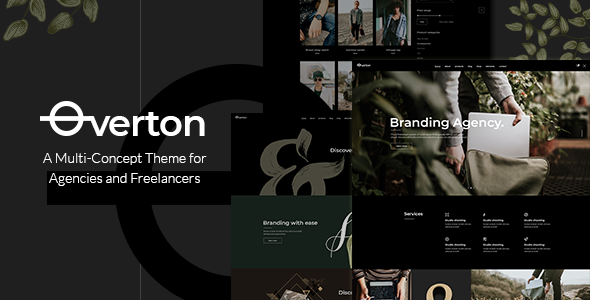
Stuck on your Overton WordPress theme? Let's fix it.
No endless back-and-forth. Just send us the details and we'll get it done.
No obligation · Replies within 1 hour · Quote within 1 day
Setup · Customization · Bug fixes · WooCommerce integration
About Overton WP Theme
Overton is a WordPress theme by Mikado-Themes built for creative agencies, studios, and freelancers who want a bold visual presence without sacrificing usability. It ships with a large library of pre-built demo sites covering portfolios, agencies, and digital studios, each importable in a few clicks.
The theme is built on Mikado’s own framework and integrates tightly with Elementor, giving you drag-and-drop page building alongside Mikado’s custom shortcodes and widgets. It supports WooCommerce for light shop functionality and includes a custom header builder, advanced typography controls via Google Fonts, and a range of scroll and entrance animations. Regular updates from Mikado-Themes keep it compatible with current WordPress and PHP versions. It’s a solid choice if you need a polished creative site delivered quickly.
Get matched with a Overton developer in under one day
Tell us about your Overton project. Small fixes, Overton theme customization, or a full website build, whatever you need, we've got it covered.
We'll connect you to the right Overton developers, define the scope, and get everything 100% clear.
You'll get one estimate, hire your preferred developer, and start collaborating.
Overton has a deep options panel, custom shortcodes, and framework-specific logic that takes time to learn. If you need a specific layout, custom functionality, or just want a clean, fast build without guesswork, working with an experienced developer saves real time and money. Through Codeable, you get matched with vetted WordPress developers who have worked with Mikado themes before. You post your project, get a clear estimate, and decide whether to proceed. No commitment required.
Pros
- Large library of polished agency and portfolio demo sites that import quickly
- Deep customisation options for headers, footers, and typography without touching code
- Built-in portfolio and team custom post types suited to creative business sites
- Tight Elementor integration alongside Mikado's own shortcode system
- Actively maintained by Mikado-Themes with regular compatibility updates
Cons
- Mikado's options panel has a steep learning curve and many overlapping settings
- Heavy reliance on Mikado's proprietary plugins creates lock-in that complicates future migrations
- Out-of-the-box page speed scores can be low due to bundled scripts and animation libraries
- Shortcode-heavy content is difficult to move to another theme without significant rework
- Customer support response times from Mikado can be slow during busy periods
Who is Overton for?
Creative Agencies
Overton’s agency demo sites cover full-service and specialist agency layouts with service pages, case study portfolios, and team sections. The header builder handles complex navigation structures, and the custom post types keep client work organised without needing extra plugins.
Freelance Designers and Illustrators
Freelancers benefit from Overton’s portfolio-focused layouts and strong typographic controls. You can present work clearly, add a short bio section, and include a contact form without the site feeling overbuilt. The single-page demo options work particularly well for freelance portfolios.
Photography Studios
Photography studios get fullscreen gallery options, masonry and grid portfolio layouts, and smooth lightbox behaviour built in. Image-heavy pages perform acceptably with proper optimisation applied, and the minimal layout options let the photography take centre stage.
Digital Marketing Consultancies
Consultancies can use Overton’s blog and resource section templates alongside service and case study pages. The WooCommerce integration supports selling digital products or guides alongside service offerings, making it practical for content-led marketing businesses.
Architecture and Interior Design Firms
Architecture and interior design firms get strong visual presentation tools: fullscreen hero areas, project-specific portfolio pages, and refined typography. The built-in demo for design studios translates directly to architectural practices with minimal content swapping required.

Customizing Overton
Overton’s options panel covers a lot of ground: header styles, sticky navigation, mobile menu behaviour, footer layouts, blog templates, and per-page overrides for most settings. That flexibility is genuinely useful, but it also means there are a lot of places things can go wrong if you’re not familiar with how Mikado structures its options.
Custom post types for portfolios and team members come built in, but adapting them to a specific workflow or client structure often requires PHP-level changes. An Overton expert can wire up custom fields, extend shortcodes, or build functionality that the theme’s visual tools don’t cover. Getting professional help early saves significant time compared to working through the documentation alone and undoing conflicting settings later.
Recommended plugins for Overton
Overton works well with Elementor Pro for advanced layout control, and it pairs with WooCommerce if you need a small product catalogue alongside a portfolio or agency site. For contact and lead capture, WPForms and Gravity Forms both integrate cleanly.
If site speed is a concern after adding plugins and high-resolution assets, a dedicated WordPress performance audit will identify what’s causing slowdowns. For agencies wanting to attract clients through search, pairing Overton with a proper WordPress SEO strategy makes a measurable difference in organic visibility.
Not sure which plugins to use? This WordPress plugins directory covers the most popular options with reviews and setup guides.
Overton common issues
Overton theme not displaying correctly after WordPress update
After a WordPress core update, conflicts with Mikado’s bundled plugins are a common cause. First, check that all Mikado required plugins (Core, CPT, Shortcodes) are updated to their latest versions via the theme’s plugin installer. If the layout is broken, clear any caching plugin’s cache and check your browser console for JS errors. A child theme prevents core theme file conflicts. If the issue persists, a WordPress bug fixing service can diagnose and resolve it quickly.
Overton portfolio custom post type not showing on page
Portfolio items not appearing usually comes down to a page template setting or a missing shortcode parameter. Check that the page is using the correct Mikado page template and that the portfolio shortcode has the right category filter set. Also confirm the Mikado CPT plugin is active, as deactivating it removes portfolio post type support entirely. If you’ve changed permalink settings recently, re-saving them under Settings > Permalinks often resolves archive and post type display issues.
Overton theme loading slowly on mobile
Overton loads several animation and shortcode libraries by default, which add weight on mobile. Start by running the site through PageSpeed Insights to identify the largest contributors. Disabling unused Mikado shortcode scripts, enabling lazy loading on images, and using a caching plugin with minification addresses most of the gap. A CDN makes a further difference for image-heavy portfolio pages. Persistent performance issues across pages are worth a dedicated performance audit.
Overton header builder not saving changes
Header builder changes not saving is usually a browser caching issue or a permissions conflict with the REST API. Try saving in a different browser first. If the problem continues, check that your WordPress REST API is functioning correctly by visiting yoursite.com/wp-json/ and confirming it returns data. Also check for security plugins blocking REST API requests. If the user role is anything other than Administrator, REST API restrictions may prevent saves from completing correctly.
Overton FAQ
Yes. Overton supports Elementor as a page builder alongside its own shortcode system. Most demo sites are built using Elementor, so you can edit layouts visually. Mikado also includes its own widgets that appear inside the Elementor panel. You do not need Elementor Pro, but having it unlocks additional widget options and theme builder functionality that works well with Overton’s structure.
No, not fully. Overton depends on several Mikado plugins, including Mikado Core, Mikado Custom Post Types, and the Mikado Shortcodes plugin. Deactivating them removes portfolio post types, most shortcodes, and custom widgets. The theme will technically load without them, but large sections of demo content and core functionality will break. They are free and bundled with the theme.
Yes. Overton includes WooCommerce support with styled product pages, cart, and checkout templates. It is suited to small shops sold alongside services rather than large catalogues. If you need heavy WooCommerce customisation, some shop-specific features may need additional development work beyond what the theme’s built-in styles cover.
Install the theme, then activate all required Mikado plugins when prompted. Go to Mikado Themes > Import in the WordPress dashboard, choose a demo from the list, and run the importer. The process installs demo content, images, menus, and settings. Allow several minutes for the import to complete. Avoid refreshing during the process, as it can cause partial imports that require a reset to fix.
Overton is structurally SEO-capable, but it is not optimised out of the box. Page speed, which affects Core Web Vitals rankings, requires manual work to improve given the theme’s default script load. Pairing Overton with a proper WordPress SEO setup and a caching configuration gives you a solid technical foundation. An SEO plugin like Yoast or Rank Math handles on-page metadata.
Hire an Overton WordPress Developer
Whether you need a full Overton build from one of the demo imports, custom post type extensions, a WooCommerce integration, or fixes to an existing site, a specialist will get it done faster and more cleanly than working through it alone. Get a free estimate through Codeable. You’ll be matched with a vetted developer within 24 hours. Free to request, no obligation to hire.
You'll need a free Codeable account so developers can ask questions and send their quotes.