Oxides WordPress Theme
by Edge-Themes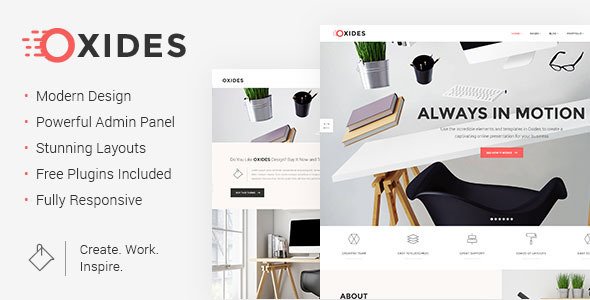
Stuck on your Oxides WordPress theme? Let's fix it.
No endless back-and-forth. Just send us the details and we'll get it done.
No obligation · Replies within 1 hour · Quote within 1 day
Setup · Customization · Bug fixes · WooCommerce integration
About Oxides WP Theme
Oxides is a multi-purpose WordPress theme built by Edge-Themes, the studio behind popular themes like Edgy and Bridge. It ships with a large library of pre-built demo sites covering portfolios, agencies, shops, and corporate layouts. Each demo installs in one click through the included importer.
The theme is built on Edge-Themes’ own page builder, though it also supports Elementor. Typography controls, color palettes, header styles, and footer layouts are all managed from a single options panel. WooCommerce support is baked in, making it a workable starting point for online stores.
Oxides targets designers and agencies who want a polished starting point without coding from scratch. That said, the sheer number of options and a proprietary builder can slow down teams used to working with leaner tools.
Get matched with a Oxides developer in under one day
Tell us about your Oxides project. Small fixes, Oxides theme customization, or a full website build, whatever you need, we've got it covered.
We'll connect you to the right Oxides developers, define the scope, and get everything 100% clear.
You'll get one estimate, hire your preferred developer, and start collaborating.
Edge-Themes updates Oxides regularly, but those updates can conflict with child theme customisations or plugin overrides if the original setup wasn’t done carefully. A developer who knows the theme’s structure will build in a way that survives updates.
Through Codeable, FoxyConcept matches you with vetted WordPress specialists who have hands-on Oxides experience. You get a free estimate before any work begins, and every developer on the platform is independently screened. No guesswork, no marketplaces.
Pros
- Large demo library with one-click import makes initial setup fast
- WooCommerce integration is styled and functional out of the box
- Bundled premium sliders (Revolution Slider, Layer Slider) reduce upfront plugin costs
- Extensive header and footer builder with multiple sticky and transparent variants
- Regular updates from Edge-Themes with an active support forum
Cons
- Theme options panel is dense and takes time to learn — not beginner-friendly
- Proprietary page builder creates vendor lock-in if you later want to switch themes
- Bundled sliders and animations add significant page weight without optimisation
- Live preview via the WordPress Customizer is limited compared to native Customizer themes
- Custom post types (portfolio, team) are theme-dependent and don't migrate cleanly
Who is Oxides for?
Creative Agency
Oxides includes several agency-specific demos with project showcases, team sections, and service layouts. The mega menu and multi-level header options suit agencies that need clear navigation across multiple service lines. A developer can strip unused demo content and wire up the portfolio post type to match your actual project workflow.
Photographer or Visual Portfolio
Full-width gallery layouts, masonry grids, and lightbox support make Oxides a solid base for photography sites. The built-in portfolio post type handles project categorisation well. Performance tuning is important here since image-heavy pages need lazy loading and proper caching to stay fast on mobile connections.
WooCommerce Store
Oxides includes WooCommerce-ready templates for product pages, cart, and checkout. The shop demos cover fashion, electronics, and home goods verticals. A developer can customise product card layouts, add custom fields, and integrate payment gateways without touching the core theme files.
Corporate Business Site
Corporate demos in Oxides cover service pages, about sections, testimonials, and contact forms via Contact Form 7. The header builder supports logo positioning, CTA buttons, and language switcher placement. For multi-location or multi-language businesses, a developer can configure WPML alongside the theme.
Freelancer or Personal Brand
Oxides has minimal personal branding demos, but its flexible grid and typography system work well for a single-person site with a blog and services section. The theme’s built-in shortcodes handle pricing tables and skill bars without extra plugins. Keeping the install lean is key to avoiding bloat on a simple site.

Customizing Oxides
Oxides gives you a wide customization surface: global fonts, per-section color overrides, sticky header variants, mega menus, and parallax sections. Most of this lives inside the theme options panel rather than the native WordPress Customizer, which means changes don’t preview live in the same way.
Custom post types for portfolios and team members are registered by the theme, so restructuring those for a specific project often requires child theme work or custom plugin logic. An Oxides expert will know which options are safe to override in a child theme and which settings quietly break on update.
If you need a layout that sits outside the demo library, or want to strip back the theme for performance, working with a dedicated Oxides developer is faster than trial and error inside a dense options panel.
Recommended plugins for Oxides
Oxides bundles several premium plugins at no extra cost: Revolution Slider, Layer Slider, and Contact Form 7 are included in most Edge-Themes packages. WooCommerce works out of the box with styled product pages and cart elements.
For teams prioritising site speed, the bundled sliders add significant page weight and are worth auditing. Pairing Oxides with a proper WordPress performance setup makes a real difference on image-heavy demos. If organic search matters, a structured WordPress SEO strategy should run alongside any theme work.
Not sure which plugins to use? This WordPress plugins directory covers the most popular options with reviews and setup guides.
Oxides common issues
Oxides theme not loading styles after update
This usually happens when a cached version of the old stylesheet conflicts with the updated theme files. Start by clearing all caching layers: server cache, any caching plugin, and your CDN if one is active. Then regenerate CSS from the Oxides options panel under the performance or custom CSS section. If a child theme is in use, check that it’s not overriding the parent’s enqueued styles with an outdated version. A WordPress bug fixing service can trace the exact conflict quickly.
Oxides page builder elements not displaying correctly
Missing elements after an update often point to a JavaScript conflict with another plugin, or to the Edge-Themes page builder requiring a database migration after the update. Open the browser console and look for JS errors first. Deactivate plugins one by one to isolate the conflict. If the builder was working before a specific plugin was added, that’s your culprit. Rolling back to the previous theme version temporarily while you diagnose is a safe approach.
Oxides demo import failing or incomplete
Oxides demo imports can fail due to PHP memory limits, max execution time settings, or server-side file upload restrictions. Check your php.ini or wp-config.php and raise memory_limit to at least 256MB and max_execution_time to 300 seconds. Import over a stable connection and avoid shared hosting during peak hours. If the import completes but images are missing, run the import a second time with the media import checkbox enabled.
Oxides site slow loading on mobile
Oxides ships with heavy assets by default: Revolution Slider scripts load sitewide, multiple Google Fonts are called, and demo images are often uncompressed. Start by disabling Revolution Slider on pages that don’t use it. Limit Google Fonts to two families maximum. Compress and lazy-load all images. A full WordPress performance audit will identify the highest-impact changes specific to your Oxides install and hosting environment.
Oxides FAQ
Oxides has partial Elementor support, but the theme was built around Edge-Themes’ own page builder. Most demos use Edge shortcodes and widgets that don’t translate to Elementor. You can use Elementor for new pages, but mixing the two builders on the same site creates maintenance headaches. If Elementor is your primary tool, a different theme may be a better fit.
Yes. Oxides includes WooCommerce templates for shop pages, single product layouts, cart, and checkout. Several demos are built specifically for ecommerce. The default WooCommerce styles are overridden by the theme, so customising them requires either the theme options panel or a child theme. Payment gateway and shipping plugin compatibility follows standard WooCommerce behaviour.
Go to the Edge-Themes dashboard panel after activating Oxides, then find the Demo Import section. Select a demo from the list, choose whether to import content with or without media, and click import. The process can take several minutes. Make sure your PHP memory limit is at least 256MB and your server’s max execution time is set to 300 seconds before starting.
Oxides is listed as WPML-compatible on the WPML site. The theme’s custom post types and string translations register correctly with the plugin. You’ll need both WPML and WPML String Translation active. Edge-Themes’ own text strings may need manual registration in WPML’s string translation module after the initial scan.
Migrating Oxides to a new host is mostly a standard WordPress migration: export the database, move the files, update wp-config.php with new database credentials, and update the site URL. The Edge-Themes builder stores layout data in the database as post meta, so it migrates with a full database export. Verify all shortcodes render correctly after migration before going live.
Hire an Oxides WordPress Developer
Whether you need a full site build on Oxides, a specific layout fixed, or performance improvements on an existing install, FoxyConcept can connect you with the right developer. Work is delivered through Codeable, so every developer is vetted and every project starts with a free, no-obligation estimate.
Get your free estimate and describe what you need. You’ll hear back within 24 hours.
You'll need a free Codeable account so developers can ask questions and send their quotes.