Oxygen WordPress Theme
by Laborator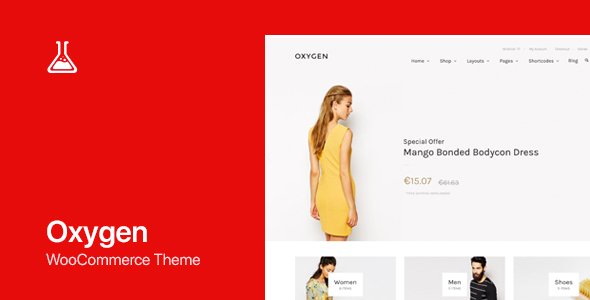
Stuck on your Oxygen WordPress theme? Let's fix it.
No endless back-and-forth. Just send us the details and we'll get it done.
No obligation · Replies within 1 hour · Quote within 1 day
Setup · Customization · Bug fixes · WooCommerce integration
About Oxygen WP Theme
Oxygen by Laborator is a premium multipurpose WordPress theme built for agencies, studios, and businesses that need a polished visual presence without sacrificing flexibility. It ships with a drag-and-drop page builder, multiple pre-built demos, and a clean codebase that keeps load times manageable.
The theme leans heavily on portfolio and creative layouts, making it a popular choice for design studios, photographers, and digital agencies. It supports WooCommerce, has translation-ready files, and integrates with major plugins out of the box.
Laborator has maintained Oxygen consistently since its release, keeping it compatible with current WordPress versions and modern browsers. If you want a visually strong theme that covers most use cases without heavy modification, Oxygen is a practical starting point.
Get matched with a Oxygen developer in under one day
Tell us about your Oxygen project. Small fixes, Oxygen theme customization, or a full website build, whatever you need, we've got it covered.
We'll connect you to the right Oxygen developers, define the scope, and get everything 100% clear.
You'll get one estimate, hire your preferred developer, and start collaborating.
Finding a developer who knows Laborator’s Oxygen theme specifically saves you hours of back-and-forth. On Codeable, every WordPress developer is vetted before they can take projects, so you are not rolling the dice on someone learning the theme on your budget. Post your project, get matched with an Oxygen developer within 24 hours, and receive a free estimate before you commit to anything. No obligation, no risk.
Pros
- Multiple high-quality demo imports that cover agencies, portfolios, and business sites
- Clean, well-structured code that does not fight performance optimisation
- Full WooCommerce support with dedicated shop and product page layouts
- Consistent updates from Laborator keeping compatibility with current WordPress core
- Built-in portfolio custom post type with filtering and AJAX loading
Cons
- The built-in page builder is less capable than standalone tools like Elementor or Bricks
- Deep customisation requires PHP knowledge; the Customizer options have a low ceiling
- Demo content imports can be slow and occasionally require manual cleanup
- Limited block editor support; the theme was designed around classic editor workflows
- Documentation is functional but sparse on advanced use cases
Who is Oxygen for?
Creative Agency
Oxygen’s agency demo layouts are clean and project-forward. Case studies, team pages, and service sections are all pre-built. An Oxygen developer can wire up contact forms, CRM integrations, and custom project filtering to turn the demo into a fully operational agency site without starting from scratch.
Freelance Photographer
The fullscreen gallery layouts and AJAX portfolio filtering make Oxygen a natural fit for photographers. Image performance matters here, and a developer familiar with the theme can configure lazy loading, WebP delivery, and CDN integration so large image libraries don’t slow the site down.
Digital Product Store
Oxygen’s WooCommerce integration covers standard shop pages, product grids, and checkout styling. For digital products with licensing, download management, or subscription billing, an Oxygen specialist can extend the default setup with the right plugins and custom template overrides.
Architecture Studio
Architecture firms need large visuals and structured project archives. Oxygen handles both well with its portfolio system and full-width layouts. A developer can create custom taxonomy filters by project type or location, making it easier for visitors to browse a large body of work.
Marketing Consultancy
Marketing consultancies need lead capture, clear service pages, and fast load times. Oxygen’s business layouts cover the structure. An Oxygen developer can connect landing pages to CRM tools, add A/B testing plugins, and ensure the site performs well on mobile where most traffic lands.

Customizing Oxygen
Out of the box, Oxygen gives you a solid set of options through the WordPress Customizer and its own theme panel. You can switch demo layouts, adjust typography, change color schemes, and configure header styles without touching code.
For anything beyond surface-level changes, things get more technical. Custom post type layouts, advanced animation tweaks, and WooCommerce template overrides all require PHP and CSS knowledge. That is where hiring an Oxygen expert makes a real difference. A developer familiar with Laborator’s structure can extend the theme cleanly, without hacks that break on the next update.
An experienced Oxygen specialist can also integrate third-party APIs, build custom shortcodes, and create child theme modifications that keep your site stable long-term.
Recommended plugins for Oxygen
Oxygen pairs well with plugins that fill gaps in its native feature set. For speed, combining it with a caching plugin and a CDN is straightforward, and the theme’s relatively clean output means you won’t fight bloated markup. Read more about WordPress performance optimisation to get the most out of your setup.
On the SEO side, Oxygen works with Yoast and Rank Math without conflicts. Schema markup, breadcrumbs, and clean heading structures are all manageable. If you want to go further, take a look at WordPress SEO optimisation services tailored to theme-specific setups.
Not sure which plugins to use? This WordPress plugins directory covers the most popular options with reviews and setup guides.
Oxygen common issues
Oxygen theme demo import not working
Demo import failures in Oxygen usually come down to server memory limits or PHP execution timeouts. Set memory_limit to at least 256MB and max_execution_time to 300 in your php.ini or wp-config.php. If the importer stalls partway through, deactivate all third-party plugins before importing, then reactivate them after. Large media files in the demo pack can also trigger upload size limits, so check upload_max_filesize as well.
Oxygen theme portfolio AJAX filter broken
Broken AJAX filters in Oxygen’s portfolio almost always point to a JavaScript conflict. Open the browser console and look for JS errors. A plugin loading a conflicting version of jQuery is a common culprit. Try switching to jQuery in no-conflict mode or dequeue the conflicting script on portfolio pages. If the filter URL returns a 404, check that your permalink structure is set to something other than plain and resave it in Settings > Permalinks.
Oxygen theme header not showing on mobile
If Oxygen’s header disappears on mobile, the first thing to check is whether a caching plugin is serving a desktop-cached version to mobile visitors. Clear all caches and test on a real device. Also check the Customizer for any mobile visibility toggles that may have been set incorrectly. CSS media query overrides from a custom stylesheet can also collapse header elements, so inspect the header container in browser dev tools to trace the conflicting rule.
Oxygen theme WooCommerce styling broken after update
WooCommerce styling breaks in Oxygen after updates usually because a template file in the theme’s woocommerce folder is outdated. Go to WooCommerce > Status > Tools > Template checker to see which files need updating. Copy the updated template from the WooCommerce plugin folder into your child theme’s woocommerce directory and re-apply your custom styles. If you need help tracing the conflict, WordPress bug fixing can resolve it quickly.
Oxygen theme slow to load on shared hosting
Oxygen is not particularly heavy, but shared hosting adds constraints. Start by enabling a page caching plugin and serving static assets from a CDN. Audit the plugins running on every page load and deactivate any that are not needed site-wide. Check the database for unnecessary transients and run a query monitor to spot slow queries. If the theme is loading Google Fonts on every page, consider hosting fonts locally to eliminate an external DNS lookup on each visit.
Oxygen theme custom fonts not loading
Custom fonts failing to load in Oxygen usually means the font files are not enqueued correctly or the path in the stylesheet is wrong. If you are using a Google Font, check whether the Customizer option is saving correctly and whether a caching layer is serving an old stylesheet. For self-hosted fonts, confirm the file paths in @font-face declarations match the actual server paths. Also check for HTTPS mixed content warnings blocking font files from loading.
Oxygen theme child theme not applying styles
If your Oxygen child theme styles are not applying, first confirm the child theme’s style.css has the correct Template: header pointing to the parent theme’s folder name. Then check how the child theme enqueues its stylesheet. It should use wp_enqueue_scripts with a dependency on the parent stylesheet handle. Simply using @import in the CSS is unreliable. If the issue persists, a developer can audit the enqueue order directly.
Oxygen theme contact form not sending emails
Contact form emails not sending from Oxygen sites is almost always a server SMTP configuration issue, not a theme problem. WordPress’s default wp_mail() relies on the server’s sendmail, which many hosts block. Install an SMTP plugin like WP Mail SMTP and connect it to a transactional email service such as SendGrid, Mailgun, or Postmark. Check spam folders first before assuming delivery is failing. Also confirm the form plugin’s notification email address is not the same as the sending address.
Oxygen theme images not displaying in portfolio
Portfolio images not showing in Oxygen typically means the featured image was not set on the portfolio post, or the thumbnail size registered by the theme was not generated for existing images. Run a thumbnail regeneration tool after any theme change. If images show in the WordPress media library but not on the front end, check for a broken image URL by inspecting the element in your browser. A CDN URL mismatch or incorrect site URL in the database can also cause this. Get help diagnosing the issue if regenerating thumbnails does not fix it.
Oxygen theme white screen after plugin update
A white screen after a plugin update in Oxygen is almost always a PHP fatal error. Enable WP_DEBUG and WP_DEBUG_LOG in wp-config.php to capture the error message. The log file at wp-content/debug.log will show which file triggered the crash. If you cannot access the admin, deactivate the updated plugin via FTP by renaming its folder in wp-content/plugins. Once the site is back up, check whether the plugin conflicts with Oxygen’s hooks or with another active plugin.
Oxygen FAQ
Yes, Laborator continues to release updates for Oxygen. The theme receives compatibility patches for new WordPress versions and periodic feature additions. Before updating, always test on a staging environment first, especially if you have custom template files, since theme updates can overwrite changes made directly to parent theme files.
Oxygen theme can technically run alongside Elementor, but it is not optimised for it. The theme has its own layout system, and mixing it with Elementor often creates CSS conflicts and bloated page weight. If you want to use Elementor heavily, a more Elementor-native theme is a better foundation. An Oxygen developer can advise on whether the combination makes sense for your specific project.
Create a new folder in wp-content/themes, name it something like oxygen-child, and add a style.css with a Template: oxygen header. Add a functions.php that enqueues both the parent and child stylesheets using wp_enqueue_scripts. Activate the child theme in Appearance > Themes. All custom code and template overrides go in the child theme folder.
Oxygen theme outputs reasonably clean HTML and works with major SEO plugins like Yoast and Rank Math without conflicts. It does not auto-inject spammy schema or duplicate meta tags. That said, SEO performance depends more on your content, heading structure, and site speed than on the theme itself. A fast, well-configured Oxygen site can rank well with the right SEO setup.
Yes. Oxygen includes WooCommerce support with styled shop, product, cart, and checkout pages. The default styling is clean and functional. For complex stores with custom product types, subscriptions, or wholesale pricing, you will likely need a developer to extend the WooCommerce templates beyond what the theme provides out of the box.
Oxygen by Laborator includes its own visual composer-style page builder rather than relying on a standalone third-party tool. It is not the same as Oxygen Builder, which is a completely separate product by Soflyy. The built-in builder covers standard layout needs but has fewer advanced options than dedicated builders like Bricks or Beaver Builder.
Start with a caching plugin, image compression, and a CDN. Oxygen’s codebase is not excessively heavy, so most speed issues come from hosting quality, unoptimised images, or too many active plugins. Disabling features you are not using, such as the built-in slider or Google Maps integration, can also reduce unnecessary script loading on pages that do not need them.
Oxygen theme has limited native block editor support. It was built around classic editor conventions and its own layout system. Basic blocks render correctly, but full-site editing and block-based templates are not part of its design. If your workflow depends on the block editor, you may find the experience inconsistent. A hybrid approach using classic editor for key pages works for most Oxygen sites.
Rates for an Oxygen theme developer vary based on project scope and developer experience. On Codeable, vetted WordPress developers typically start around $70 to $120 per hour. Fixed-price project estimates are also available. Posting your project takes a few minutes and you get a free estimate before committing. For straightforward customisations, costs are often lower than expected.
Yes, migrating an existing site to Oxygen is possible. The main work involves rebuilding page layouts in Oxygen’s system and mapping your existing content to the theme’s templates. If your current site uses a different page builder, content may need to be re-entered. A developer can handle the WordPress migration cleanly, preserving SEO URLs, redirects, and media files throughout the process.
Hire an Oxygen Developer for Your Project
Whether you need a full site build, a custom layout, or a specific fix, working with a vetted Oxygen developer gets the job done without the guesswork. FoxyConcept matches you with specialists through Codeable’s network. Get a free estimate and describe your project. You will hear back within 24 hours with a clear scope and price, no obligation to proceed.
You'll need a free Codeable account so developers can ask questions and send their quotes.