PenNews WordPress Theme
by PenciDesign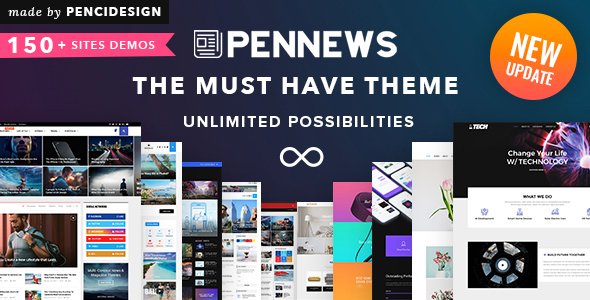
Stuck on your PenNews WordPress theme? Let's fix it.
No endless back-and-forth. Just send us the details and we'll get it done.
No obligation · Replies within 1 hour · Quote within 1 day
Setup · Customization · Bug fixes · WooCommerce integration
About PenNews WP Theme
PenNews is a magazine-style WordPress theme built by PenciDesign, designed specifically for news sites, blogs, and online publications. It ships with multiple homepage layouts, a built-in dark mode toggle, and an AMP-ready architecture that helps pages load fast on mobile devices.
The theme integrates tightly with popular plugins including WooCommerce, bbPress, and BuddyPress, making it useful beyond pure editorial work. Typography controls, color scheme options, and a sticky header are all handled through the WordPress Customizer without touching code.
PenNews targets publishers who want a polished, feature-dense layout out of the box. It supports infinite scroll, a reading progress bar, and multiple post formats. Regular updates from PenciDesign mean compatibility with current WordPress and PHP versions is maintained consistently.
Get matched with a PenNews developer in under one day
Tell us about your PenNews project. Small fixes, PenNews theme customization, or a full website build, whatever you need, we've got it covered.
We'll connect you to the right PenNews developers, define the scope, and get everything 100% clear.
You'll get one estimate, hire your preferred developer, and start collaborating.
PenNews has enough moving parts that an experienced developer saves real time. PenciDesign’s documentation covers the basics, but layout conflicts, plugin clashes, and custom feature requests go beyond what a setup guide handles.
Through Codeable, you get matched with a vetted PenNews developer who has worked on similar editorial and news projects. No junior freelancers, no bidding wars. Post a project, get a scoped estimate, and decide whether to proceed. There is no obligation to hire.
Pros
- Multiple homepage layout presets reduce initial build time for news and magazine sites
- Built-in dark mode toggle works without an additional plugin
- AMP compatibility is included out of the box, which helps mobile performance scores
- Per-category color coding makes large-volume editorial sites easier to navigate visually
- Active development from PenciDesign means regular compatibility updates for WordPress core
Cons
- Customizer settings are numerous but poorly organised, making it slow to find specific options
- Full-page Elementor builds are not officially supported, limiting page builder flexibility
- Default page speed scores drop significantly on image-heavy homepages without caching configuration
- Child theme setup is not guided, so update-safe customisation requires developer involvement
- The built-in ad zone system can conflict with third-party ad management plugins
Who is PenNews for?
News and Current Affairs Sites
PenNews handles breaking news workflows well. Multiple homepage grid options let editors prioritise top stories visually. The reading progress bar and infinite scroll keep readers engaged across long article pages. A PenNews developer can configure the layout to match an editorial team’s publishing rhythm without heavy customisation overhead.
Technology Blogs
Technology blogs benefit from PenNews’s clean article templates and flexible widget sidebar. Product review post formats and star ratings integrate without extra plugins. A PenNews specialist can extend the review schema markup to improve how ratings appear in Google search results, which directly affects click-through rates.
Food and Lifestyle Magazines
PenNews works for food and lifestyle content because the magazine grid layout handles image-heavy category pages cleanly. Large featured images display well across all homepage presets. Category colour coding helps separate food, travel, and health content visually. A PenNews expert can customise post templates to suit recipe-style formatting or editorial features.
Sports Coverage Portals
Sports sites need fast publishing and clear visual hierarchy across fixtures, match reports, and opinion columns. PenNews supports multiple post formats and custom category structures that suit that kind of content mix. The sticky header and mobile layout hold up well under the high traffic spikes that sports coverage typically generates.
Entertainment and Celebrity Gossip Sites
Entertainment and celebrity sites run high post volumes with strong visual emphasis. PenNews’s ticker and breaking news bar options work well for fast-moving content cycles. Ad zone placement built into the theme suits monetisation-focused editorial models. A PenNews developer can tune these zones to reduce layout shift and protect Core Web Vitals scores.

Customizing PenNews
PenNews offers a wide range of Customizer settings, but pushing the theme beyond its defaults usually requires a developer. Changing widget areas, modifying category colors per section, or restructuring the homepage grid can get complicated without PHP and CSS knowledge.
A PenNews expert can build child themes to protect your changes across updates, create custom post templates for sponsored or long-form content, and fine-tune the ad placement logic that PenciDesign builds into the layout. Adjusting the mega menu structure or adding custom post types outside the default setup also benefits from hands-on developer work.
If you need PenNews to behave like a proper editorial CMS rather than just a theme, customization at the code level is the practical route. A PenNews specialist can scope that work accurately and deliver it cleanly.
Recommended plugins for PenNews
PenNews is built to work with a focused set of plugins. For caching and speed, pairing it with WP Rocket or LiteSpeed Cache resolves most WordPress performance issues that come with heavy magazine layouts and multiple ad zones.
On the SEO side, PenNews is compatible with Rank Math and Yoast. Schema markup for articles and breadcrumbs can be configured through either plugin, and a proper WordPress SEO setup ensures category and tag pages are indexed correctly. Elementor is partially supported but not officially recommended for full-page builds inside PenNews.
Not sure which plugins to use? This WordPress plugins directory covers the most popular options with reviews and setup guides.
PenNews common issues
PenNews homepage layout not saving in Customizer
This usually happens when a caching plugin is serving a stale version of the Customizer output. Clear all caches after saving changes. If the problem persists, check for JavaScript errors in the browser console while the Customizer is open. A conflicting plugin or incomplete theme file can prevent settings from writing correctly. Deactivate plugins one by one to isolate the cause. If you cannot resolve it, a WordPress bug fixing service can identify the root cause quickly.
PenNews dark mode not working after update
PenNews dark mode relies on a CSS class toggled via JavaScript. After an update, a minified script file may not have refreshed in the browser cache. Force a hard reload and clear server-side cache. If the toggle appears but styles do not switch, check whether a child theme or custom CSS is overriding the dark mode variables. Reverting recent CSS changes is usually the fix.
PenNews mega menu broken on mobile
PenNews mega menus use absolute positioning and JavaScript for mobile fallback. Breakpoint conflicts with third-party CSS frameworks or page builders can push the menu off-screen. Check the mobile breakpoint setting inside the PenNews Customizer under the Header section. If the sub-menu items are visible in the DOM but hidden visually, a z-index or overflow conflict on a parent element is typically responsible.
PenNews AMP pages showing unstyled content
PenNews AMP pages stripping styles usually means the AMP plugin version is ahead of what the theme expects. Update both the theme and the AMP plugin to their latest versions. If the issue remains, check the AMP validation report for specific errors. Custom CSS added through the Customizer is often the cause. AMP-incompatible CSS rules need to be moved to a separate AMP stylesheet. A WordPress bug fixing service can resolve validation errors efficiently.
PenNews featured image not showing on posts
If featured images are set in the post editor but not rendering on the front end, the issue is usually in the PenNews post template settings. Check the single post layout options under Customizer and confirm featured image display is enabled. Also verify the image meets the minimum dimensions set for that template. Regenerating thumbnails using the Regenerate Thumbnails plugin fixes size-related display failures.
PenNews infinite scroll loading duplicate posts
Duplicate posts in infinite scroll typically indicate a pagination conflict. This often happens when a custom query or a plugin like WP-PageNavi modifies the global query object. Check whether you have a custom homepage query or a page set as the blog page under Settings. The PenNews infinite scroll script expects standard WordPress pagination. Resetting the reading settings and retesting usually confirms whether a plugin is the cause.
PenNews breaking news ticker not displaying
The PenNews breaking news ticker requires posts to be assigned to a specific category you select in the theme settings. If no category is assigned or the selected category has no recent posts, the ticker will not appear. Go to Appearance, Customizer, then the Breaking News section and confirm the category is set correctly. Also check that the ticker is not hidden via a display condition set in the theme options panel.
PenNews WooCommerce shop page layout broken
PenNews includes WooCommerce support but does not override all WooCommerce templates. Layout breaks on the shop page often come from a missing woocommerce.css or a conflict between PenNews sidebar settings and WooCommerce’s default column count. Set PenNews sidebar layout to no sidebar for WooCommerce pages via the theme options. If product cards or the cart layout are broken, a WordPress bug fixing service can audit the template hierarchy.
PenNews category color not applying to posts
PenNews per-category colors are set inside the Customizer under the Category Colors section. If a color is set but not appearing on post cards or category labels, clear the site cache and check whether a child theme CSS rule is overriding the color variable. The category must also be a primary category on the post for the color logic to apply in most PenNews layout blocks.
PenNews social share buttons not working
PenNews includes built-in social share buttons that pull from theme settings rather than a plugin. If buttons are not appearing, check the single post settings in the Customizer and confirm share buttons are enabled. If buttons appear but do not open share dialogs, a JavaScript error from another plugin is likely blocking the click handler. Check the browser console for errors and deactivate plugins to isolate the conflict.
PenNews FAQ
Yes, PenNews is still a solid choice for news and magazine sites. It receives regular updates from PenciDesign, supports current WordPress and PHP versions, and includes features like dark mode, AMP compatibility, and per-category color coding that editorial sites actually use. For high-traffic publications, you will need proper caching and CDN setup on top of the theme to get reliable performance.
PenNews has partial Elementor compatibility. Basic page editing works, but the theme’s own layout system and Elementor’s full-width templates can conflict on key pages like the homepage and archive views. PenciDesign does not officially recommend using Elementor for full-site builds within PenNews. For landing pages or static content pages, it generally works without issues.
Start with a caching plugin like WP Rocket or LiteSpeed Cache, then configure lazy loading for images and defer non-critical JavaScript. The magazine homepage layout loads multiple image sizes simultaneously, so setting correct image dimensions and using a CDN makes a measurable difference. Disabling unused PenNews widget areas and reducing the number of homepage sections also reduces database queries on each page load.
Yes, PenNews includes WooCommerce support. Basic shop, product, and cart pages render correctly with the theme. PenNews sidebar and layout settings can be applied per WooCommerce page type. More complex store setups or custom product templates may need developer work to align with the theme’s design system, but standard WooCommerce functionality works out of the box.
PenNews is AMP-ready and works with the official AMP plugin for WordPress. Standard post and page templates are compatible. Issues can appear when custom CSS or third-party plugin scripts conflict with AMP validation rules. Keeping both the theme and AMP plugin updated reduces compatibility problems. Custom AMP templates require developer involvement if you need them to match your main theme design closely.
Create a new folder in your wp-content/themes directory, add a style.css file with a Template header pointing to PenNews, and enqueue the parent theme styles in functions.php. This ensures your CSS and template changes survive PenNews updates. PenciDesign does not include an automated child theme generator, so this needs to be done manually or through a plugin like Child Theme Configurator.
PenNews is sold under a standard ThemeForest regular license, which covers one site. For additional sites, you need to purchase additional licenses. An extended license is available for sites where end users are charged. If you manage multiple client sites using PenNews, each site requires its own license purchase from ThemeForest.
PenNews does not include a dedicated drag-and-drop page builder. Layout configuration is handled through the WordPress Customizer and the theme’s own settings panels. You can add Elementor or WPBakery for individual pages, but full-site building through those tools is not officially supported. The theme’s homepage builder works through widget-based blocks within the Customizer.
Use a child theme to store all CSS and template changes before updating. Customizer settings saved in the WordPress database are preserved through updates. If you have edited parent theme files directly, those changes will be overwritten. Before any update, note which files were modified and back up the site. A WordPress maintenance plan makes update management safer on an ongoing basis.
Codeable is the most reliable option for hiring a vetted PenNews developer. Developers on Codeable are screened and have demonstrable WordPress experience. You post your project, receive a scoped estimate within 24 hours, and choose whether to proceed. There is no obligation to hire after getting an estimate. Visit FoxyConcept to start the process.
Hire a PenNews Expert Developer
Whether you need a full PenNews setup, a custom layout, or help fixing something that broke after an update, a specialist delivers faster and cleaner results than trial and error. Work is matched and delivered through Codeable, a vetted WordPress developer network used by thousands of site owners.
Get a Free Estimate and describe your project. You will have a scoped response within 24 hours, with no obligation to move forward.
You'll need a free Codeable account so developers can ask questions and send their quotes.