PineCone WordPress Theme
by mallini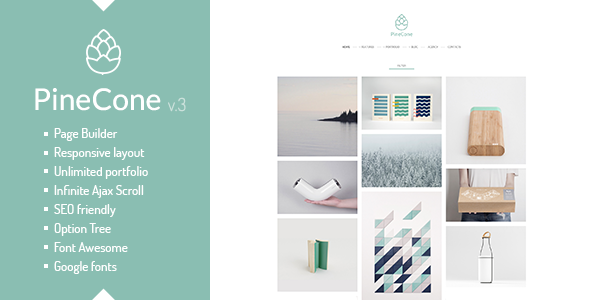
Stuck on your PineCone WordPress theme? Let's fix it.
No endless back-and-forth. Just send us the details and we'll get it done.
No obligation · Replies within 1 hour · Quote within 1 day
Setup · Customization · Bug fixes · WooCommerce integration
About PineCone WP Theme
PineCone is a WordPress theme developed by mallini, built for sites that need a clean structure without unnecessary overhead. It ships with a minimal but functional design that works well for blogs, small businesses, and portfolio sites. The theme is lightweight by default, which means faster load times out of the box compared to feature-heavy alternatives.
mallini has focused PineCone on readability and straightforward navigation. Typography is well-considered, spacing feels intentional, and the layout adapts cleanly across screen sizes. It is not trying to do everything, which is actually one of its stronger qualities. If you need a solid foundation to build on without wrestling with bloated options panels, PineCone is worth a close look. It is compatible with the block editor and works with most major plugins without conflicts.
Get matched with a PineCone developer in under one day
Tell us about your PineCone project. Small fixes, PineCone theme customization, or a full website build, whatever you need, we've got it covered.
We'll connect you to the right PineCone developers, define the scope, and get everything 100% clear.
You'll get one estimate, hire your preferred developer, and start collaborating.
PineCone is approachable, but there is a gap between a default install and a site that looks and performs exactly how you need it to. Customizing templates, building on top of mallini’s structure, or integrating third-party tools properly takes real WordPress knowledge. The developers at FoxyConcept work through Codeable, a vetted network where every developer is screened before taking on work. You get someone who knows WordPress deeply, not a generalist guessing at your theme’s structure.
Pros
- Lightweight codebase loads fast without configuration
- Clean, readable typography with well-considered default spacing
- Compatible with the WordPress block editor out of the box
- Minimal options panel means less confusion for non-technical users
- Developed by mallini with a clean template structure that is easy for developers to extend
Cons
- Limited built-in layout options compared to multipurpose themes
- WooCommerce styling requires manual CSS adjustments for a polished look
- Few demo templates, so you are mostly building from scratch
- No drag-and-drop builder included, which may frustrate non-developer users
- Smaller support community than major commercial themes, so answers can be harder to find
Who is PineCone for?
Personal Blog
PineCone’s clean typography and focused reading layout make it a natural fit for personal blogs. Content stays center stage without distractions. Writers who want their words to load fast and display well on any device will find the default setup covers most of what they need without extra plugins.
Freelance Portfolio
The minimal grid and image-friendly layout work well for showcasing creative or professional work. A developer can extend PineCone’s template files to build a custom portfolio section that matches your personal brand, without layering on a page builder that slows things down.
Small Business Website
Small businesses that need a credible online presence without a large budget can get solid results from PineCone. The theme handles service pages, contact forms, and basic branding cleanly. A few targeted customizations by a PineCone developer can make it look purpose-built for a specific industry.
Niche News or Editorial Site
PineCone handles article-heavy layouts well. The readable font sizing and structured post templates support editorial content without cluttering the reading experience. Category pages and archives display logically, which matters for sites publishing regularly and relying on organic search traffic.
Agency Client Starter Theme
Agencies looking for a lightweight WordPress base to customize for clients will appreciate PineCone’s straightforward template hierarchy. mallini’s code is clean enough to build on quickly. A child theme takes minimal setup, and the lean base keeps client sites performing well from day one.

Customizing PineCone
PineCone gives you a reasonable starting point through the WordPress Customizer, covering colors, fonts, header layout, and basic widget areas. For most standard setups, that is enough to get a professional result. But if you need something more specific — a custom homepage layout, a unique header structure, or design changes that go beyond what the Customizer exposes — you will need developer input.
A PineCone expert can modify templates directly, add custom CSS properly scoped to the theme, or build a child theme so your changes survive updates. mallini’s codebase is clean enough that an experienced developer can work through it quickly. Whether you want to adjust the existing design or extend PineCone significantly for a client project, working with someone who knows the theme saves time and avoids breaking things that were already working.
Recommended plugins for PineCone
PineCone pairs well with standard WordPress plugins for forms, SEO, and e-commerce. WooCommerce can be added for basic shop functionality, though the default styling may need adjustment. For SEO, plugins like Rank Math or Yoast integrate without issues. Page builders work with PineCone, but going that route can introduce weight the theme was designed to avoid.
If site speed matters to you, PineCone’s lean base is a good starting point — pair it with proper caching and image optimization for strong results. You can explore WordPress performance services or WordPress SEO optimisation to get more from what PineCone already does well.
Not sure which plugins to use? This WordPress plugins directory covers the most popular options with reviews and setup guides.
PineCone common issues
PineCone theme header not displaying correctly on mobile
Mobile header issues in PineCone are usually caused by a conflicting plugin adding its own scripts, or custom CSS targeting the wrong breakpoint. Open browser dev tools, inspect the header element on a small viewport, and check which styles are overriding mallini’s defaults. If you have added custom CSS via the Customizer, confirm it is scoped correctly. If the issue appeared after a plugin install, deactivate plugins one at a time to isolate the conflict. Persistent layout problems are worth handing to a WordPress bug fixing service.
PineCone custom CSS not applying after update
If your custom CSS stopped applying after a PineCone update, the likely cause is that you edited the parent theme files directly instead of using a child theme. Parent theme updates overwrite those changes. Move your CSS to a child theme’s stylesheet, or use the Additional CSS section in the Customizer for smaller tweaks. Going forward, always use a child theme for any modifications to PineCone’s core files so updates do not wipe your work.
PineCone sidebar not showing on single post pages
PineCone’s sidebar visibility on single posts is controlled by the theme’s template files, specifically single.php and any associated sidebar conditionals. If the sidebar disappeared, check whether the correct widget area has active widgets assigned to it. Also verify that no page template is overriding the default single post layout. If a plugin is affecting template loading, deactivate it to test. For custom sidebar setups, a developer can modify the template directly using a child theme.
PineCone theme slow after adding WooCommerce
PineCone is a lean theme, but WooCommerce adds significant script and style weight regardless of the theme. If your site slowed down after adding WooCommerce, start by enabling WooCommerce’s built-in option to load its scripts only on shop pages. Add a caching plugin and optimize product images. Unneeded WooCommerce extensions also add weight. If performance is still poor after those steps, a full audit through WordPress performance services will identify what is actually causing the slowdown.
PineCone FAQ
PineCone by mallini is available through the WordPress theme repository, which means the base version is free to install directly from your WordPress dashboard. Check the theme’s official page for details on whether a premium version with additional features exists. Free themes from the repository are reviewed by WordPress.org and meet basic coding and security standards.
PineCone was developed by mallini. You can find their profile and other themes on the WordPress.org theme directory. mallini has built PineCone with a clean, minimal codebase that prioritizes performance and readability over feature bloat, which reflects a deliberate design philosophy rather than an oversight.
Yes, PineCone is compatible with WooCommerce. The default WooCommerce templates will render on your PineCone site without errors. However, the styling will not be tailored to the theme by default. Product pages, cart, and checkout may need CSS adjustments to match your overall design. A developer familiar with both PineCone and WooCommerce can handle this efficiently.
You can use a page builder like Elementor or Beaver Builder with PineCone, and it will generally work. The trade-off is that page builders add significant weight, which works against PineCone’s speed advantage. If you are comfortable with the block editor, using full-site editing or custom blocks is a better fit for what PineCone was built to do.
The safest approach is to run PineCone as a parent theme and apply all your changes through a child theme. That way, updating PineCone to a new version does not overwrite your modifications. If you have already made changes to the parent theme files directly, a developer can help you migrate those into a child theme structure before you run the next update. See also WordPress maintenance services for ongoing update management.
Hire a PineCone WordPress Developer
If you need help customizing PineCone, fixing a layout issue, or building something more complex on top of mallini’s theme, FoxyConcept can help. Work is scoped clearly before anything starts, and you only move forward if the plan makes sense for your project. No guesswork, no wasted budget. Get a free estimate and find out exactly what your PineCone project will take to deliver.
You'll need a free Codeable account so developers can ask questions and send their quotes.