PJ WordPress Theme
by axiomthemes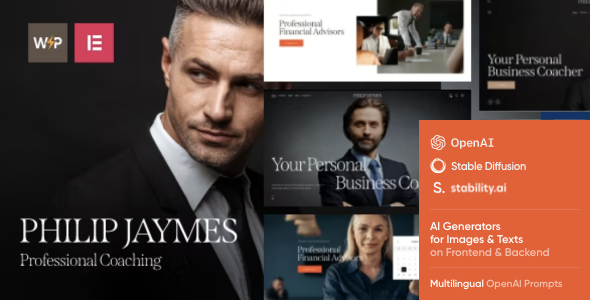
Stuck on your PJ WordPress theme? Let's fix it.
No endless back-and-forth. Just send us the details and we'll get it done.
No obligation · Replies within 1 hour · Quote within 1 day
Setup · Customization · Bug fixes · WooCommerce integration
About PJ WP Theme
PJ is a WordPress theme built by Axiom Themes, aimed at photographers, videographers, and creative professionals who want a portfolio site that puts visuals first. It ships with multiple homepage layouts, fullscreen image and video backgrounds, and a clean grid-based gallery system that works without plugins.
The theme is built on a custom Axiom framework and includes the WPBakery page builder, giving you drag-and-drop control over page structure. Retina-ready assets and smooth CSS transitions come out of the box, so the site holds up on high-density displays and mobile devices. If you run a photography studio, freelance creative business, or personal portfolio, PJ gives you a solid starting point without requiring heavy customisation to look professional.
Get matched with a PJ developer in under one day
Tell us about your PJ project. Small fixes, PJ theme customization, or a full website build, whatever you need, we've got it covered.
We'll connect you to the right PJ developers, define the scope, and get everything 100% clear.
You'll get one estimate, hire your preferred developer, and start collaborating.
PJ looks straightforward on the surface, but creative professionals often need more than the default options offer. Custom gallery filters, client login areas, video portfolio integration, and performance tuning all go beyond what the theme panel handles. Axiom Themes updates PJ periodically, and those updates can break customisations done directly in the parent theme files.
Working through Codeable, you get access to vetted WordPress developers who know PJ and the Axiom framework well. No guesswork, no offshore roulette.
Pros
- Fullscreen video and image backgrounds work out of the box with no extra plugins
- WPBakery page builder included, so page layouts are built visually without code
- Multiple portfolio grid styles with filterable categories built into the theme
- Retina-ready design that holds up on high-density screens and Retina MacBooks
- Clean, minimal aesthetic that keeps the focus on photography and visual work
Cons
- WPBakery shortcode lock-in makes switching page builders or themes painful later
- Theme Options panel is functional but dated compared to Customizer-based themes
- Limited documentation makes advanced customisation harder to figure out independently
- No Gutenberg block support, which limits flexibility for content-heavy pages
- Update history on Axiom Themes products is inconsistent, with gaps between releases
Who is PJ for?
Photography Portfolio
PJ’s filterable portfolio grids and fullscreen gallery layouts make it a practical choice for photographers displaying work across multiple categories. You can separate landscapes, portraits, and editorial work into distinct portfolio sections. The retina-ready display ensures prints and high-resolution files look sharp for prospective clients viewing the site on any device.
Wedding Photography Studio
Wedding photographers need a site that shows emotion quickly. PJ’s fullscreen image backgrounds and smooth transitions support that. You can build separate gallery pages per wedding, add a contact form for enquiries, and integrate a booking plugin for consultations. The visual-first layout communicates quality before a visitor reads a single word of copy.
Videography and Film Production
Videographers can use PJ’s built-in video background support to embed showreels directly into the homepage header. Portfolio pages can be structured around project types, such as commercial, documentary, or event coverage. WPBakery makes it easy to mix video embeds, image grids, and text without needing a developer for every layout adjustment.
Creative Agency
Creative agencies with a portfolio-led sales approach can use PJ to display client work clearly. The filterable grid supports case study organisation by industry or service type. Multiple homepage layouts mean you can test different visual approaches without rebuilding the site. A custom header with agency branding fits cleanly into the theme’s structure.
Freelance Graphic Designer
Graphic designers need a portfolio that loads fast and stays out of the way of the work. PJ’s minimal design and grid-based layouts do exactly that. You can organise projects by type, such as branding, print, or digital, and link each portfolio item to a detailed case study page. WooCommerce integration also supports selling design assets or templates directly.

Customizing PJ
PJ ships with a Theme Options panel where you can adjust typography, colors, header styles, and footer layout without touching code. WPBakery is included for drag-and-drop page building, and the theme supports custom post types for portfolio items with filterable categories.
Going beyond surface-level changes gets more technical. Custom layouts, child theme setup, WPBakery module modifications, and integrating third-party plugins all require PHP and CSS knowledge. A PJ expert can handle these properly without breaking existing styles or introducing conflicts with future theme updates. Whether you need a bespoke project gallery, custom contact forms, or a client proofing area, working with a PJ developer saves time and avoids the trial-and-error approach most site owners run into.
Recommended plugins for PJ
PJ works well with WooCommerce if you want to sell prints, digital downloads, or photography packages directly from your site. Adding booking functionality through Amelia or Simply Schedule Appointments fits naturally with the theme’s layout options.
For site performance, image-heavy portfolios benefit from proper caching, lazy loading, and a CDN setup. You can read more about that on the WordPress performance page. If search visibility matters, pairing PJ with a structured SEO setup is worth the time. See the WordPress SEO optimisation page for details on what that involves.
Not sure which plugins to use? This WordPress plugins directory covers the most popular options with reviews and setup guides.
PJ common issues
PJ theme portfolio grid not displaying correctly
Portfolio grid display issues in PJ are usually caused by a JavaScript conflict, missing image dimensions, or a caching plugin serving stale CSS. Start by clearing your cache and checking the browser console for JS errors. If you recently added a plugin, deactivate it and test again. Regenerating thumbnails via a plugin like Regenerate Thumbnails fixes grid misalignment caused by inconsistent image sizes. If the issue persists, the WordPress bug fixing service can diagnose it properly.
WPBakery conflicts after updating PJ theme
WPBakery conflicts after a PJ theme update usually happen when the bundled WPBakery version does not match the installed version, or when a separate WPBakery purchase creates a version mismatch. Always update WPBakery and PJ together, and back up your site first. If custom WPBakery templates or elements are breaking, those may need rebuilding after a major update. A developer familiar with the Axiom framework can identify what changed and restore the layout correctly.
PJ theme slow to load on mobile devices
PJ is image-heavy by design, which creates real performance challenges on mobile. Common causes include uncompressed images, no lazy loading, and WPBakery loading full scripts on every page regardless of whether those elements are used. Start by running the site through PageSpeed Insights to see exactly where time is being lost. Image compression, a caching plugin, and deferring non-critical scripts usually make the biggest difference. More detail is available on the WordPress performance page.
PJ theme header layout broken after WordPress update
Broken header layouts after a WordPress core update typically point to a CSS specificity conflict introduced by the update, or a theme file that was directly edited and did not survive the update. If you are running the parent theme without a child theme, direct edits will be overwritten. Set up a child theme, move your customisations there, and reapply any header changes. If the header structure uses WPBakery shortcodes that are now rendering incorrectly, check the WPBakery version compatibility with the current WordPress release.
PJ FAQ
Axiom Themes releases compatibility updates for PJ, but the release schedule is not always consistent with WordPress core updates. It is worth checking the theme changelog on ThemeForest before updating WordPress on a live site. Testing updates on a staging environment first is the safest approach. If you notice visual or functional issues after an update, a developer can identify whether the cause is the theme, a plugin, or the WordPress update itself.
PJ does not include WooCommerce-specific templates, but WooCommerce will work on a PJ site using its default styles. The shop and product pages will not match your portfolio layout unless custom CSS or a child theme is used to align them. For photographers selling prints or digital downloads, a developer can style WooCommerce pages to match the PJ design properly.
Technically yes, but most of PJ’s page content is built with WPBakery shortcodes. If you import the demo content, everything is tied to WPBakery. Deactivating it will leave shortcode strings visible on the page. You can build new pages using the classic editor or Gutenberg, but rebuilding existing demo pages without WPBakery requires starting from scratch on each layout.
Creating a child theme for PJ involves setting up a new folder in your themes directory with a style.css that declares the parent theme and a functions.php that enqueues the parent stylesheet. Any CSS or PHP changes go into the child theme rather than the parent files. This protects your customisations when PJ updates. If you are not comfortable with this process, a developer can set it up cleanly in under an hour.
Yes, PJ can be migrated to a new host without losing the layout. WPBakery stores its content in the WordPress database as shortcodes, so a proper database and files migration will carry everything across. Use a migration plugin or a manual export and import process. Make sure the new server meets WordPress requirements and that any licensed plugins, including WPBakery, are reactivated after migration. More on the process is available on the WordPress migration page.
Hire a PJ WordPress Developer
Need help setting up PJ, fixing a layout issue, or building something custom on top of the theme? A dedicated PJ developer can handle it properly the first time. Work is matched through Codeable, so you get a vetted specialist, not a generalist taking a guess. Post your project, get a free estimate, and decide from there with no obligation to proceed. Get a free estimate here and have a developer ready within 24 hours.
You'll need a free Codeable account so developers can ask questions and send their quotes.