Polo WordPress Theme
by Crumina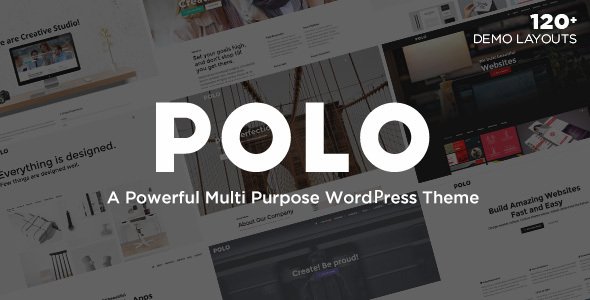
Stuck on your Polo WordPress theme? Let's fix it.
No endless back-and-forth. Just send us the details and we'll get it done.
No obligation · Replies within 1 hour · Quote within 1 day
Setup · Customization · Bug fixes · WooCommerce integration
About Polo WP Theme
Polo is a multipurpose WordPress theme built by Crumina. It ships with a large library of pre-built demos covering business, portfolio, agency, and shop use cases. The theme is powered by WPBakery Page Builder and includes Crumina’s own shortcode set, giving you fine-grained control over layout without writing code.
Under the hood, Polo uses a custom framework that handles typography scaling, header styles, and sticky navigation. It supports WooCommerce out of the box, includes WPML compatibility for multilingual sites, and comes bundled with Revolution Slider. Performance depends heavily on how many bundled plugins you activate, so selective installation matters. It’s a well-supported theme with regular updates and detailed documentation, making it a solid choice for agencies building client sites at scale.
Get matched with a Polo developer in under one day
Tell us about your Polo project. Small fixes, Polo theme customization, or a full website build, whatever you need, we've got it covered.
We'll connect you to the right Polo developers, define the scope, and get everything 100% clear.
You'll get one estimate, hire your preferred developer, and start collaborating.
Polo has hundreds of options and a heavily customised WPBakery setup. Without experience, it’s easy to create a site that looks good in the demo but breaks under real content. A Codeable developer who knows Polo can set it up correctly from the start — clean structure, only the plugins you need, and a codebase you can actually maintain. Work is scoped, priced upfront, and backed by Codeable’s satisfaction guarantee. No retainers, no guesswork.
Pros
- Large library of one-click demo imports covering most business niches
- WooCommerce-ready with styled shop, cart, and product detail pages included
- Revolution Slider and WPBakery bundled at no extra cost
- 20+ header layouts with sticky, transparent, and split options
- WPML compatible, making multilingual builds straightforward
Cons
- Activating all bundled plugins adds significant page weight by default
- WPBakery shortcode lock-in makes switching themes later painful
- Redux options panel is very deep and can be overwhelming for beginners
- Some demo layouts require manual CSS fixes on mobile edge cases
- Heavy reliance on older shortcode architecture rather than Gutenberg blocks
Who is Polo for?
Creative Agency
Polo includes agency-specific demos with project grids, team member sections, and service layouts. The portfolio post type supports filterable galleries and full-screen project pages. Agencies can present case studies cleanly without building custom post structures from scratch, saving setup time on client projects.
Online Store
WooCommerce integration covers product listings, single product pages, cart, checkout, and account pages with consistent styling. You can adjust shop column counts, product card layouts, and colour schemes through the theme panel without touching CSS. Ideal for small to mid-sized stores that want polished output fast.
Portfolio Site
Polo’s masonry and grid portfolio layouts handle image-heavy work well. Filterable categories let visitors sort by project type. Full-width featured images and custom project meta fields give photographers, designers, and illustrators a clean way to present work without relying on a separate portfolio plugin.
Corporate Business
Corporate demos include multi-level navigation, team sections, testimonial sliders, and icon-based service blocks. The header builder covers split logos, centred layouts, and sticky bars. Combined with the contact form integrations, Polo covers the standard corporate site structure without much custom development required.
Startup Landing Page
Single-page Polo demos work well for product launches and startup landing pages. Sections for features, pricing tables, FAQs, and email capture are all included as shortcodes. Revolution Slider handles hero animations. The one-page scroll navigation ties sections together cleanly without additional plugins.

Customizing Polo
Polo gives you around 20 header layouts, multiple footer builders, and per-page settings for sidebars, backgrounds, and navigation style. You can switch demo content in one click and then strip it back to what you actually need.
Typography is controlled through Google Fonts integration with live preview. Color schemes are managed through a global options panel built on Redux Framework, so global changes apply site-wide instantly.
That said, the options panel is deep. If you want a truly custom result — a unique layout, WooCommerce modifications, or custom post type integration — working with a Polo expert saves significant time. The shortcode library is powerful but has a learning curve, and some layout combinations require CSS overrides to behave correctly across screen sizes.
Recommended plugins for Polo
Polo bundles Revolution Slider, WPBakery Page Builder, MailChimp for WordPress, and Crumina’s own shortcodes pack. WooCommerce works out of the box with styled product pages and cart. WPML is supported for multilingual builds.
For sites needing more, Polo works well alongside performance plugins like WP Rocket and image optimisation tools. If SEO is a priority, pairing Polo with Yoast or Rank Math is straightforward since the theme outputs clean semantic markup. You can read more about WordPress performance optimisation and WordPress SEO to get the most from your Polo build.
Not sure which plugins to use? This WordPress plugins directory covers the most popular options with reviews and setup guides.
Polo common issues
Polo theme header not showing correctly after update
Header display problems after a Polo update are usually caused by a conflict between the theme’s custom header settings and a cached version of the CSS. Start by clearing your cache plugin and any server-side cache. If the issue persists, check that your child theme’s header files haven’t overridden the updated template. Regenerate CSS from the theme options panel. If the header builder settings appear reset, re-save your header layout. Persistent issues often need direct code inspection — our WordPress bug fixing service can diagnose this quickly.
Polo WPBakery page builder content not displaying on frontend
WPBakery content not rendering on the frontend in Polo is typically a plugin conflict or a missing shortcode registration. First, make sure the WPBakery version bundled with Polo matches what’s active — using an independently purchased licence can cause version mismatches. Deactivate third-party plugins one by one to isolate conflicts. Also check that WPBakery’s frontend and backend editor modes are correctly set under WPBakery settings. If shortcodes display as raw text, the plugin is likely deactivated or its files are incomplete.
Polo theme slow loading speed fix
Polo’s performance issues almost always come from loading all bundled plugins regardless of whether they’re used. Disable any bundled plugins you don’t need — particularly Revolution Slider on pages that don’t use it. Use a caching plugin and enable CSS/JS minification. Polo loads several Google Fonts by default; reducing these has a measurable impact on load time. For a full speed audit and fix, see our WordPress performance optimisation service.
Polo Revolution Slider not working or showing blank
A blank Revolution Slider in Polo is most often caused by a PHP memory limit being too low, a jQuery conflict, or a failed plugin activation. Check your server error logs first. Increase PHP memory to at least 256MB in wp-config.php. If the slider admin shows but the frontend is blank, open your browser console and look for JavaScript errors — these usually point to a specific conflicting plugin. Re-saving the slider and clearing all caches resolves this in most cases.
Polo FAQ
Crumina has maintained Polo with updates through recent WordPress releases. Generally it runs on WordPress 6.x without major issues, but some bundled plugin versions lag behind core updates. Always test updates on a staging site first. If you’re running an older Polo version on a newer WordPress install, update Polo and its bundled plugins together rather than separately to avoid compatibility gaps.
Technically yes, but most of Polo’s demo layouts are built entirely with WPBakery shortcodes. Deactivating it will cause those pages to display raw shortcode text. You can rebuild pages using Gutenberg, but Polo’s native Gutenberg support is limited. If you want a block-editor workflow, Polo isn’t the right fit. It’s designed around WPBakery and works best when you commit to that builder.
Yes. Polo includes WooCommerce templates for shop, product, cart, checkout, and account pages. Styling is consistent with the rest of the theme. You can adjust product grid columns, card layout, and colour accents through the theme panel. It handles standard WooCommerce setups well. For heavily customised stores with custom product types or checkout flows, some additional development work may be needed.
Polo includes a one-click demo importer in the theme panel under Polo Options. Select the demo you want, choose whether to import content, widgets, and settings, then run the import. It requires the recommended plugins to be active first. Import time depends on your server — shared hosting can be slow. Always back up your site before importing, as it will overwrite existing widget areas and some settings.
Migrating an existing site to Polo means rebuilding your pages using WPBakery, since your current content structure won’t map directly to Polo’s shortcode system. Posts, pages, and media migrate fine. Custom post types and ACF fields carry over if the plugins are active on the new setup. For a smooth transition without losing content or SEO rankings, our WordPress migration service handles the full process.
Hire a Polo WordPress Developer
Whether you need a full Polo site built from scratch, a demo customised to your brand, or specific WooCommerce or layout work done, our vetted developers can help. Post your project and get a free estimate within 24 hours — no obligation to proceed. Every project goes through Codeable, so your payment is protected and you only pay when you’re satisfied. Get a free estimate today and tell us what you need.
You'll need a free Codeable account so developers can ask questions and send their quotes.