Powerlift WordPress Theme
by Mikado-Themes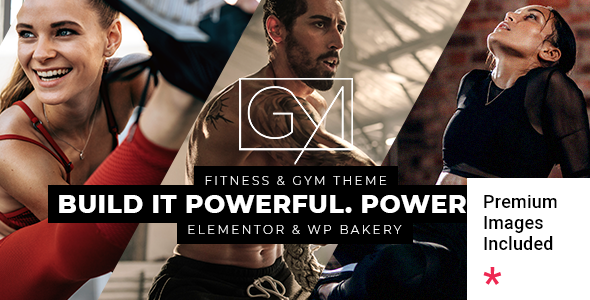
Stuck on your Powerlift WordPress theme? Let's fix it.
No endless back-and-forth. Just send us the details and we'll get it done.
No obligation · Replies within 1 hour · Quote within 1 day
Setup · Customization · Bug fixes · WooCommerce integration
About Powerlift WP Theme
Powerlift is a WordPress theme built by Mikado-Themes, aimed at gyms, fitness studios, personal trainers, and sports brands. It ships with a purpose-built set of layouts that match the visual language of the fitness industry: bold typography, high-contrast sections, and action-oriented design patterns.
The theme integrates with WPBakery Page Builder and includes Mikado’s own core plugin for shortcodes and post types. Out of the box you get gym class schedules, trainer profiles, pricing tables, and BMI calculators. It also supports WooCommerce for selling memberships, supplements, or training plans directly from the site.
Powerlift follows a fairly standard Mikado structure, so developers familiar with other themes from this studio will find the codebase predictable. For new users, the learning curve is moderate. The demo content import works well and gives you a realistic starting point without heavy manual setup.
Get matched with a Powerlift developer in under one day
Tell us about your Powerlift project. Small fixes, Powerlift theme customization, or a full website build, whatever you need, we've got it covered.
We'll connect you to the right Powerlift developers, define the scope, and get everything 100% clear.
You'll get one estimate, hire your preferred developer, and start collaborating.
Mikado-Themes releases frequent updates and the Powerlift options panel has a lot of moving parts. When something breaks or a customization goes in an unexpected direction, you need someone who knows the theme structure. Codeable connects you with vetted WordPress developers who have hands-on experience with Mikado themes. You post your project, get a clear estimate, and only move forward if the price works for you. No bidding wars, no guesswork on quality.
Pros
- Fitness-specific post types built in: trainer profiles, class schedules, and BMI calculator work out of the box
- WooCommerce support is solid, letting you sell memberships or products without a separate storefront theme
- Demo content imports cleanly and covers multiple gym and sports niches with realistic placeholder content
- Mikado's options panel gives deep control over typography and color schemes without needing CSS knowledge
- Regular updates from Mikado-Themes keep the theme compatible with current WordPress and WooCommerce versions
Cons
- WPBakery dependency means your content is locked into shortcode markup, which complicates future migrations
- The Mikado Core plugin is required for most key features, adding a dependency that Mikado controls entirely
- Page load times suffer out of the box due to bundled scripts and large background image sections
- The options panel is large and can be disorienting for first-time users without developer guidance
- Limited Gutenberg integration means block-based editing workflows are not well supported
Who is Powerlift for?
Gym and Fitness Studio Websites
Powerlift is a natural fit for gyms and fitness studios that need class schedules, membership pricing tables, and trainer listings on one site. The built-in schedule post type handles recurring weekly classes, and the WooCommerce integration handles membership purchases. A Powerlift developer can wire a booking plugin into the schedule so clients can reserve spots directly from the timetable.
Personal Trainer Portfolio Sites
Personal trainers can use Powerlift to present their credentials, transformation results, and service packages in a high-impact visual format. The trainer profile post type and testimonial sections handle most of this natively. A Powerlift specialist can strip out the gym-focused elements and tighten the layout around a single trainer’s brand without rebuilding from scratch.
Online Fitness Coaching and Membership Platforms
For coaches selling online programs or recurring memberships, Powerlift’s WooCommerce compatibility combined with a membership plugin like MemberPress or Restrict Content Pro creates a functional platform. A Powerlift developer can configure protected content areas, drip course access, and member dashboard pages that match the theme’s visual style without breaking the layout.
Sports Clubs and Martial Arts Schools
Sports clubs and martial arts schools need event listings, team rosters, and belt or rank systems displayed clearly. Powerlift’s custom post types can be adapted for these use cases. A Powerlift specialist can extend the trainer profile template into a team roster and configure the class schedule to show belt-level filtering or age group categories relevant to a martial arts audience.
Supplement and Sportswear eCommerce Stores
The WooCommerce support in Powerlift is strong enough to handle product catalogs for supplements, apparel, or fitness equipment. Archive pages, product detail layouts, and cart styling all inherit the theme’s bold aesthetic. A Powerlift developer can extend this with custom product filters, bundle displays, or subscription billing through WooCommerce Subscriptions.

Customizing Powerlift
Powerlift ships with a large number of options panel settings, which gives you control over colors, fonts, header styles, and layout widths without touching code. But once you move beyond those controls, you will need developer help to customize deeper elements like custom schedule layouts, trainer archive templates, or checkout flow design.
A Powerlift expert can also clean up the WPBakery shortcode output if you are migrating content, rebuild sections using cleaner markup, or integrate third-party booking plugins like Amelia or BookingPress alongside the existing class schedule system.
Custom child theme development is the right approach if you need recurring layout changes or want to future-proof your site against theme updates overwriting your edits. A Powerlift specialist will structure that properly so updates stay safe and your brand stays consistent across every page.
Recommended plugins for Powerlift
Powerlift works with WooCommerce for product and membership sales, and it is compatible with most major booking plugins. Adding a performance layer is important here because fitness sites often carry large hero images and autoplay video sections that slow load times significantly.
A developer can configure caching, lazy loading, and image optimization to keep scores high. See our WordPress performance services for that work. If you are also running SEO campaigns targeting local gym searches, structured data and on-page optimization matter. Our WordPress SEO service covers both technical and content-level SEO for Powerlift sites.
Not sure which plugins to use? This WordPress plugins directory covers the most popular options with reviews and setup guides.
Powerlift common issues
Powerlift class schedule not displaying correctly on mobile
The class schedule table in Powerlift uses a horizontal scroll layout on smaller screens, but CSS conflicts with certain page builders or custom stylesheets can collapse it. Check for conflicting overflow: hidden rules on parent containers. Also verify the Mikado Core plugin is up to date, as schedule rendering relies on it. If the issue persists across browsers, a developer can rewrite the schedule output with a responsive-first approach.
Powerlift demo content import fails or gets stuck
Demo import failures in Powerlift are usually caused by PHP memory limits, execution timeouts, or a missing dependency like the Mikado Core plugin or WPBakery. Set memory_limit to at least 256MB and max_execution_time to 300 in your php.ini or wp-config.php. Install all required plugins before importing. If errors continue, import the XML file manually via Tools > Import and handle widgets and settings separately.
WooCommerce pages showing unstyled or broken layout in Powerlift
Broken WooCommerce layouts in Powerlift usually point to a missing WooCommerce template override or a conflict introduced after a WooCommerce major version update. Navigate to WooCommerce > Status > System Status to check for outdated template files. If Powerlift’s templates are flagged as outdated, they need to be manually updated to match the current WooCommerce template structure. Our WordPress bug fixing service handles these template conflicts cleanly.
Powerlift header not sticking or sticky header jumps on scroll
Sticky header issues in Powerlift are typically controlled through the theme options panel under Header > Sticky Header settings. If the setting is enabled but the behavior is erratic, check for JavaScript errors in the browser console that may be blocking the scroll event. A z-index conflict with a floating plugin element can also cause jumping. Disable plugins one by one to isolate the conflict, or inspect the stacking context in DevTools.
Powerlift trainer profiles not showing on archive page
If Powerlift trainer profiles are not appearing on the archive page, confirm the custom post type is registered by the Mikado Core plugin and that the plugin is active. Also check that the trainer archive template exists in your active theme or child theme. If you recently added a child theme, you may have lost the archive template. Copy archive-mikado_team.php from the parent theme into your child theme and flush permalinks under Settings > Permalinks.
Powerlift page builder content not saving after update
WPBakery content not saving after a Powerlift update usually means a JavaScript conflict between WPBakery and a recently updated plugin or a browser cache issue. Hard refresh the editor with Ctrl+Shift+R, then check the browser console for JS errors. If WPBakery shows a nonce error, log out and back in to regenerate it. Persistent save failures may need a WPBakery version check against your current WordPress version. Our bug fixing service can resolve editor conflicts quickly.
Powerlift BMI calculator not working
The BMI calculator in Powerlift is rendered via a Mikado shortcode and depends on the Mikado Core plugin being active and up to date. If the calculator displays but returns no result, check that JavaScript is loading without errors on that page. Ad blockers can sometimes interfere with inline script execution. If the shortcode outputs raw text instead of the widget, the Mikado Core plugin is likely deactivated or has a registration conflict with another plugin.
Powerlift site very slow to load on mobile
Powerlift sites commonly suffer slow mobile load times because of large hero videos, unoptimized images, and multiple WPBakery shortcode scripts loading on every page. Start with Google PageSpeed Insights to identify the heaviest assets. Implement lazy loading for images and defer non-critical JavaScript. A caching plugin like WP Rocket combined with a CDN will reduce TTFB. For deeper optimization work, see our WordPress performance service.
Powerlift theme update breaks custom CSS changes
Powerlift theme updates overwrite files in the theme directory, which removes any direct edits to theme files. The solution is always to use a child theme for custom CSS and template changes. If you have not set one up yet, create a child theme, move your custom styles into style.css within it, and add any template overrides as copies in the child theme folder. Going forward, the parent theme can update freely without touching your customizations.
Powerlift contact form not sending emails
Contact form email failures on Powerlift sites are almost never a theme problem. They are caused by the server’s default PHP mail function being blocked by the hosting provider. Install an SMTP plugin like WP Mail SMTP and configure it with your email provider’s credentials. If you are using Contact Form 7 or WPForms, test the form after configuring SMTP and check spam folders before assuming the form is broken. Our WordPress bug fixing service can diagnose and configure this end to end.
Powerlift FAQ
Yes. Powerlift is built specifically for fitness businesses. It includes class schedules, trainer profiles, BMI calculators, and pricing tables as native features. WooCommerce support means you can also sell memberships or products without a separate solution. It is one of the more complete fitness theme options from Mikado-Themes.
Powerlift is built around WPBakery Page Builder and the Mikado Core plugin. Gutenberg support is limited. You can use the Classic Editor plugin to maintain the WPBakery workflow. Some basic blocks work, but the theme’s shortcode-based components are not Gutenberg-native, so full block editing is not a practical workflow with Powerlift.
Go to Appearance > Mikado Import and follow the one-click demo import process. Make sure all required plugins are installed first, including Mikado Core and WPBakery. Set your PHP memory limit to at least 256MB before importing. If the import stalls, try importing the XML file manually through Tools > Import using the WordPress importer plugin.
Yes. Powerlift has built-in WooCommerce compatibility and styled templates for shop, product, and cart pages. It works well for selling gym memberships, training plans, or physical products. For subscription billing or protected content, you will need a compatible membership plugin and potentially a developer to wire the pieces together cleanly.
Powerlift requires the Mikado Core plugin for its custom post types and shortcodes to function. WPBakery Page Builder is needed to edit the bundled demo layouts. Contact Form 7 is typically recommended for forms. WooCommerce is optional but supported. The theme will prompt you to install required and recommended plugins on activation.
Powerlift includes a Class Schedule custom post type registered through the Mikado Core plugin. Go to your WordPress dashboard and find the Class Schedule menu item. Add your classes, assign time slots and instructors, then use the Powerlift class schedule shortcode or WPBakery element to place the timetable on any page.
Yes. A Powerlift developer can handle custom layouts, child theme setup, plugin integrations, performance improvements, or full site builds from a demo. Codeable is a vetted WordPress developer network where you can post your project and get matched with a qualified Powerlift specialist. You receive a free estimate before any work begins.
Slow Powerlift sites are usually caused by large uncompressed images in hero sections, multiple WPBakery scripts loading on every page, and no caching layer in place. Use a performance plugin like WP Rocket, enable lazy loading, compress images with ShortPixel or Imagify, and serve assets through a CDN. These steps typically cut load time significantly.
Mikado-Themes does not ship an official Powerlift child theme, but creating one is straightforward. You need a folder with a style.css referencing the parent theme and a functions.php that enqueues the parent stylesheet. Always use a child theme before making any custom CSS or template changes so updates do not overwrite your work.
Before updating Powerlift, back up your site completely including the database. If you have made changes directly to theme files without a child theme, those changes will be lost. Use a staging site to test the update first. After updating, check WooCommerce template compatibility under WooCommerce > Status and verify all Mikado Core shortcodes still render correctly on key pages.
Hire a Powerlift Developer for Your Fitness Site
Whether you need a full Powerlift build from a demo, custom template work, WooCommerce integration, or a bug fixed before a launch deadline, a dedicated Powerlift developer will get it done without the back-and-forth of trial and error. Projects are scoped clearly, timelines are realistic, and the work is guaranteed. Get a Free Estimate and describe what you need. There is no obligation to hire and no payment until you approve the developer.
You'll need a free Codeable account so developers can ask questions and send their quotes.