ProRange WordPress Theme
by AncoraThemes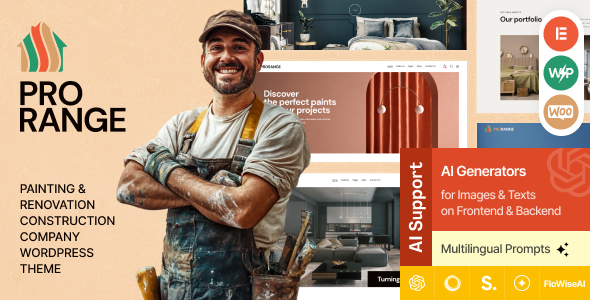
Stuck on your ProRange WordPress theme? Let's fix it.
No endless back-and-forth. Just send us the details and we'll get it done.
No obligation · Replies within 1 hour · Quote within 1 day
Setup · Customization · Bug fixes · WooCommerce integration
About ProRange WP Theme
ProRange is a WordPress theme built by AncoraThemes, designed primarily for shooting ranges, gun shops, firearms training facilities, and related outdoor sports businesses. It ships with a clean layout focused on presenting services, instructors, pricing tables, and booking information clearly. The theme uses Elementor as its page builder, which makes layout editing straightforward without writing code.
AncoraThemes built ProRange with a specific niche in mind. You get pre-built demo pages, a sticky header, custom post types for ranges and services, and WooCommerce compatibility for selling gear or memberships online. The demo content installs in one click, giving you a working site structure to modify rather than starting from scratch. It is a solid starting point for businesses in the shooting sports industry.
Get matched with a ProRange developer in under one day
Tell us about your ProRange project. Small fixes, ProRange theme customization, or a full website build, whatever you need, we've got it covered.
We'll connect you to the right ProRange developers, define the scope, and get everything 100% clear.
You'll get one estimate, hire your preferred developer, and start collaborating.
ProRange is niche enough that general WordPress freelancers often lack context for the industry. You need someone who understands both the theme structure and the specific needs of shooting ranges or firearms businesses. FoxyConcept matches you with vetted developers through Codeable, a platform that only accepts the top tier of WordPress professionals. Every developer has passed a rigorous vetting process. You get a free estimate before committing to anything, and the work is backed by a satisfaction guarantee.
Pros
- Purpose-built for shooting ranges and firearms businesses, so the demo content reflects real industry needs
- Elementor-based layout makes visual editing accessible without custom development for basic changes
- WooCommerce compatible out of the box, allowing membership and product sales without a separate theme
- One-click demo import gives you a working page structure immediately after installation
- AncoraThemes provides regular updates and documentation, reducing long-term maintenance risk
Cons
- Niche focus means fewer community tutorials and third-party resources compared to general business themes
- Heavy reliance on Elementor creates page builder lock-in, making future theme migrations more complex
- Default demo design requires meaningful customization to avoid looking identical to other ProRange installs
- Booking and scheduling features are limited natively and typically need additional plugins to function properly
- Some users report slower page load times with the full demo active before performance optimization is applied
Who is ProRange for?
Shooting Range Facilities
ProRange’s core demo is built around shooting range facilities. Lane booking information, safety rules, membership tiers, and instructor profiles all have dedicated layouts. A developer can connect a booking plugin so customers reserve lanes directly on the site, reducing front-desk phone volume and making the experience faster for return members.
Firearms Retail Shops
Firearms retailers can use ProRange with WooCommerce to list products, manage inventory, and process payments. The theme supports product categories and single product pages. A developer familiar with the theme can set up age verification, compliance notices, and shipping restrictions that are specific to firearms retail without patching together multiple plugins awkwardly.
Tactical and Self-Defense Training Schools
Training schools need clear course listings, instructor bios, scheduling, and enrollment. ProRange’s service and team post types handle most of this. Pair it with a scheduling plugin and a payment gateway and you have a functional training enrollment system. A developer can wire these together properly so the flow from course discovery to payment confirmation works without manual follow-up.
Hunting Clubs and Outdoor Sports Organizations
Hunting clubs and outdoor sports organizations need event listings, membership management, and photo galleries. ProRange’s layout flexibility through Elementor supports these needs. The Events Calendar plugin integrates well for hunt schedules and club meetings. Membership plugins like MemberPress can gate content for dues-paying members while keeping public pages visible to prospects.
Gun Cleaning and Gunsmithing Services
Gunsmithing and cleaning services benefit from ProRange’s service listing structure and contact forms. Customers can submit service requests, view turnaround times, and check pricing. A developer can add a job tracking system or integrate with a simple CRM so the shop owner manages work orders without switching between tools constantly.

Customizing ProRange
ProRange comes with a solid set of defaults, but most businesses will need customization before the site is ready to launch. The theme relies on Elementor, so basic layout changes are accessible. However, deeper work like custom booking flows, membership integrations, conditional pricing, or unique homepage layouts often require hands-on development work.
Custom post types in ProRange can be extended, but doing so cleanly without breaking updates takes experience with how AncoraThemes structured the theme. A ProRange expert can modify templates, integrate third-party plugins, and adjust the theme’s styling without hacking core files. If you want a site that actually fits your business rather than fitting your business to the demo, working with a developer is the faster route.
Recommended plugins for ProRange
ProRange works well with several plugins that extend its core functionality. WooCommerce handles memberships, product sales, and online payments. WPForms or Gravity Forms handle lane booking and contact requests. For class schedules, The Events Calendar integrates without major conflicts.
If your range site needs to rank locally, pairing ProRange with proper SEO configuration matters. You can also improve load times significantly with caching and image optimization. See our WordPress performance services and WordPress SEO optimisation for details on what that work involves.
Not sure which plugins to use? This WordPress plugins directory covers the most popular options with reviews and setup guides.
ProRange common issues
ProRange theme demo import not working
Demo import failures in ProRange are usually caused by insufficient server memory or a PHP timeout during the import process. Increase memory_limit to at least 256MB in your php.ini or wp-config.php. Also check that all required plugins listed in the theme’s documentation are installed and activated before importing. If the issue persists, a developer can import the demo manually using the WordPress importer with the XML file included in the theme package. See our WordPress bug fixing service if you need hands-on help.
ProRange Elementor templates not loading correctly
When ProRange’s Elementor templates show broken layouts or missing sections, the most common cause is a version mismatch between Elementor and the theme. Update both the theme and Elementor to their latest versions first. If that does not resolve it, regenerate the Elementor CSS by going to Elementor > Tools > Regenerate Files. In some cases, a conflicting plugin is overriding Elementor’s scripts. Deactivate plugins one at a time to isolate the conflict.
ProRange WooCommerce pages showing wrong layout
ProRange’s WooCommerce template overrides can fall out of sync when WooCommerce updates its templates and the theme has not updated its overrides to match. Go to WooCommerce > Status > Tools and run the template outdated check. Update any flagged templates. If you have made custom changes to those files, a developer will need to merge your changes with the new template versions carefully to avoid losing your customizations or reintroducing display bugs.
ProRange theme header not displaying on mobile
Mobile header issues in ProRange are typically caused by custom CSS or Elementor breakpoint settings that are not inheriting the mobile layout correctly. Open the header in Elementor, switch to mobile view in the editor, and check that the hamburger menu widget is visible and the desktop menu is hidden at the correct breakpoint. Also clear any caching plugin cache after making changes, as stale CSS can make the fix invisible even after it has been applied correctly.
ProRange FAQ
AncoraThemes updates ProRange regularly and maintains compatibility with current WordPress releases. Always check the theme’s changelog before updating and verify that your version of Elementor is also current. Running a staging site before applying updates to your live site is the safest approach, especially if you have made template-level customizations.
ProRange’s demo pages and layouts are built entirely in Elementor. You can technically use the theme without Elementor, but you would lose all the pre-designed page templates and would be working with a largely unstyled theme. For most users, replacing Elementor is more work than it is worth unless you are doing a full custom build on top of the theme’s base styles.
ProRange does not include a built-in booking system. You need a third-party plugin such as Bookly, Amelia, or Simply Schedule Appointments. These integrate with ProRange’s pages through Elementor widgets or shortcodes. A developer can configure the booking plugin, connect it to your calendar, and set up confirmation emails so the system runs without manual intervention.
If your customizations were made through Elementor or the WordPress Customizer, they are stored in the database and survive theme updates. If you edited theme template files directly, those changes will be overwritten. The correct approach is to use a child theme for any file-level modifications. A developer can audit your current setup and move unsafe customizations into a child theme before you update.
Yes, ProRange migrates cleanly to a new host when the migration is done properly. The theme and its Elementor data are stored in the database and file system, both of which transfer with a standard migration process. Use a plugin like Duplicator or All-in-One WP Migration, or work with our WordPress migration service to handle it without downtime or broken layouts.
Hire a ProRange Developer
Whether you need the demo set up correctly, a custom booking system, WooCommerce integration, or a full build from the ProRange template, we can match you with a developer who has done this work before. No guesswork, no trial-and-error billing. Get a free estimate and describe what you need. You will hear back within 24 hours with a clear scope and price. No obligation to proceed.
You'll need a free Codeable account so developers can ask questions and send their quotes.