Quark WordPress Theme
by ProgressionStudios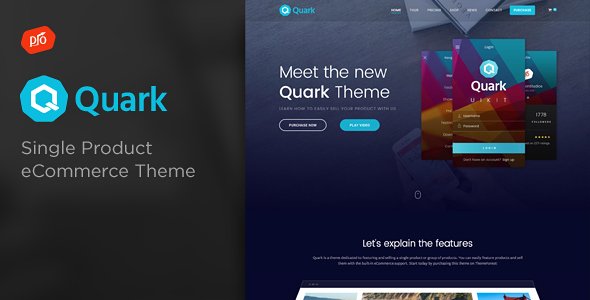
Stuck on your Quark WordPress theme? Let's fix it.
No endless back-and-forth. Just send us the details and we'll get it done.
No obligation · Replies within 1 hour · Quote within 1 day
Setup · Customization · Bug fixes · WooCommerce integration
About Quark WP Theme
Quark is a free WordPress theme developed by ProgressionStudios. It was designed primarily to pair with the WooCommerce plugin, making it a popular starting point for online stores that need a clean, minimal layout without paying for a premium theme.
The theme follows standard WordPress coding practices and ships with basic eCommerce layout support, widgetized sidebars, and a straightforward options panel. It is compatible with most major page builders and works well with popular plugins like WooCommerce, WPML, and Contact Form 7.
Because Quark is a free theme with limited built-in styling, most users end up needing some level of customization to get it looking the way they want. It is a solid foundation, but it rarely ships ready to use out of the box for anything beyond a generic store layout.
Get matched with a Quark developer in under one day
Tell us about your Quark project. Small fixes, Quark theme customization, or a full website build, whatever you need, we've got it covered.
We'll connect you to the right Quark developers, define the scope, and get everything 100% clear.
You'll get one estimate, hire your preferred developer, and start collaborating.
Quark is free, but getting it to behave exactly how you want takes real WordPress knowledge. ProgressionStudios built it as a developer-friendly foundation, which means there is intentional room left for customization. That room is also where things go wrong for non-developers.
Working through Codeable connects you with vetted WordPress developers who have hands-on experience with themes like Quark. You get a fixed estimate before any work starts, and you only pay if you decide to move forward. No guesswork, no wasted budget.
Pros
- Free theme with no licensing cost, suitable for budget-conscious store owners
- Built with WooCommerce compatibility in mind from the ground up
- Clean, minimal HTML structure that is easy for developers to extend
- Compatible with major page builders including Elementor and WPBakery
- Lightweight base with no unnecessary scripts bloating the frontend
Cons
- Visual design is plain out of the box and requires significant styling work
- Limited built-in theme options compared to premium WooCommerce themes
- Active development and updates from ProgressionStudios have slowed over time
- Support is community-based only, no dedicated official support channel
- Not ideal for non-developers expecting a polished site without customization
Who is Quark for?
WooCommerce Starter Store
Quark is a practical choice for anyone launching a first WooCommerce store without a premium theme budget. The layout handles product pages, cart, and checkout cleanly. You will need to invest time in styling, but the underlying structure gives developers something solid to build on without fighting poor HTML or conflicting stylesheets.
Digital Products Shop
For stores selling downloadable files, courses, or software licenses, Quark keeps the frontend light and focused on conversion. Pair it with Easy Digital Downloads or WooCommerce’s built-in download handling. The minimal design works in your favor here since customers are focused on the product, not the layout.
Small Business Website with Shop
Small businesses that need both a brochure-style homepage and a functional shop find Quark manageable. The widgetized layout and Customizer settings let you build a serviceable site without custom development, though hiring a developer to handle the finer details will give you a much more professional result.
Developer Client Project Base
Agencies and freelancers sometimes use Quark as a starting template for client WooCommerce projects. Its clean structure and child theme support make it easier to customize than bloated premium themes. Developers can override templates, add custom hooks, and keep the codebase clean without fighting opinionated theme choices.
Membership or Subscription Site
Combined with plugins like MemberPress or Restrict Content Pro, Quark can serve as the foundation for a membership site with gated content. The theme itself does not add friction to these plugins. You get a neutral base that works with access restriction logic without theme-level conflicts causing display issues.

Customizing Quark
Quark gives you a starting point, not a finished site. Most customization happens through the WordPress Customizer, where you can adjust colors, fonts, header layout, and widget areas. WooCommerce-specific settings like product grid columns and shop page layout can also be tweaked here.
Beyond the basics, most developers extend Quark using a child theme. This keeps your changes safe when the parent theme updates. Custom CSS, template overrides, and hook-based modifications are the standard approach.
If you want Quark to match a specific brand or need features the theme does not include by default, working with a Quark expert is the fastest route. A developer familiar with the theme knows exactly where to make changes without breaking existing functionality or creating technical debt you will deal with later.
Recommended plugins for Quark
Quark works well with WooCommerce out of the box, but pairing it with the right plugins expands what you can do significantly. Popular additions include WooCommerce Subscriptions, YITH WooCommerce Wishlist, and WooCommerce Bookings for stores with more complex needs.
For performance, combining Quark with a caching plugin and a CDN makes a measurable difference, especially on product-heavy stores. See our WordPress performance service for specifics.
If organic traffic matters to your store, pairing Quark with an SEO plugin is not optional. Our WordPress SEO service covers structured data, page speed, and on-page optimisation for WooCommerce stores running themes like Quark.
Not sure which plugins to use? This WordPress plugins directory covers the most popular options with reviews and setup guides.
Quark common issues
Quark theme WooCommerce shop page layout broken
Shop page layout issues in Quark are usually caused by a plugin conflict or a missing WooCommerce template override. First, check if the issue appeared after a plugin update. Deactivate plugins one at a time to isolate the conflict. If the layout breaks with WooCommerce active but no other plugins, the Quark template files may be out of date with the current WooCommerce version. Updating or replacing the relevant template files typically fixes this. Our WordPress bug fixing service can handle this quickly.
Quark WordPress theme not showing full-width page template
The full-width page template in Quark needs to be selected per page. Go to the page editor, find the Page Attributes panel on the right side, and change the Template dropdown from Default to Full Width. If that option is missing, check that your child theme is not overriding the page templates incorrectly. Sometimes a missing closing PHP tag or a syntax error in the child theme’s template file causes the template selector to disappear entirely.
Quark theme menu not displaying correctly on mobile
Mobile menu problems in Quark are often tied to a JavaScript conflict with another plugin. Open your browser’s developer console and check for JS errors on mobile viewport. A common culprit is a script loading out of order or a caching plugin serving a stale JS file. Clear all caches first, then test. If the problem persists, checking the enqueue order of scripts in the theme’s functions.php file usually identifies the root cause.
Quark child theme not inheriting parent styles
If your Quark child theme is not pulling styles from the parent, check your child theme’s functions.php file. The parent stylesheet must be enqueued correctly using wp_enqueue_scripts, not imported via @import in style.css. Make sure the parent handle matches the one Quark registers. Also confirm the child theme’s style.css has the correct Template header pointing to the exact parent theme folder name, which must be quark.
Quark FAQ
Quark is still available and functional, but active development from ProgressionStudios has been inconsistent. The theme works with current versions of WordPress and WooCommerce, but it is worth checking the changelog before using it on a new project. If long-term support is important to your project, factor in that you may need a developer to handle compatibility updates manually over time.
Quark was specifically designed with WooCommerce in mind, so it handles the core shop functionality well. Product pages, cart, and checkout templates are supported without heavy modifications. That said, it is a minimal theme, so if you need advanced layout features for your store, you will likely need custom development or additional plugins to fill the gaps.
Create a new folder in your wp-content/themes directory, name it quark-child or similar, then add a style.css file with the correct header including Template: quark. Add a functions.php file that enqueues the parent theme’s stylesheet using wp_enqueue_scripts. Activate the child theme from Appearance > Themes. All your customizations go into the child theme to keep them safe during parent theme updates.
Yes, Quark works with Elementor. You can build pages using Elementor’s editor and the theme provides the structural wrapper around your content. The full-width page template in Quark is useful here so Elementor can control the full layout without the theme’s default sidebar or content width constraints getting in the way.
Quark is listed as WPML-compatible, meaning the theme’s strings can be translated through the WPML interface and it does not block multilingual functionality. You will still need WPML configured correctly alongside a translation plugin like WPML String Translation. For complex multilingual WooCommerce stores, testing thoroughly before going live is strongly recommended.
Hire a Quark WordPress Developer
Whether you need layout changes, WooCommerce customization, plugin conflicts resolved, or a full Quark build from scratch, a dedicated developer gets it done correctly the first time. Post your project and receive a free, no-obligation estimate within 24 hours. All developers are vetted, and the process is completely risk-free. Get your free estimate today and describe exactly what you need.
You'll need a free Codeable account so developers can ask questions and send their quotes.