Reales WP WordPress Theme
by pixel_prime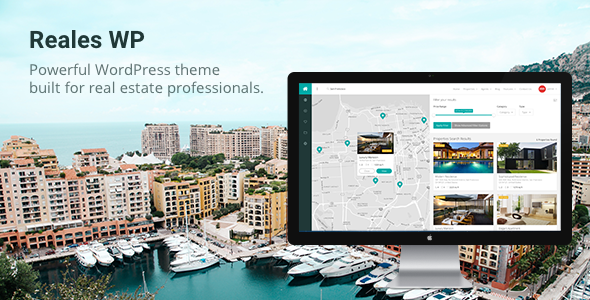
Stuck on your Reales WP WordPress theme? Let's fix it.
No endless back-and-forth. Just send us the details and we'll get it done.
No obligation · Replies within 1 hour · Quote within 1 day
Setup · Customization · Bug fixes · WooCommerce integration
About Reales WP WP Theme
Reales WP is a real estate WordPress theme built by pixel_prime. It ships with a front-end property submission system, advanced search filters, Google Maps integration, and mortgage calculator widgets. Agents and agencies can list properties for sale or rent, assign them to agents, and let visitors search by location, price, type, and size without touching the backend.
The theme is built on the Bootstrap grid and uses the WP Reales plugin as its core engine. It supports IDX feeds, currency switching, and multi-language setups via WPML. The admin panel gives you control over listing fields, map markers, and homepage layouts without writing code. For teams running a property portal or independent agency site, Reales WP covers most functional ground out of the box.
Get matched with a Reales WP developer in under one day
Tell us about your Reales WP project. Small fixes, Reales WP theme customization, or a full website build, whatever you need, we've got it covered.
We'll connect you to the right Reales WP developers, define the scope, and get everything 100% clear.
You'll get one estimate, hire your preferred developer, and start collaborating.
Reales WP has enough moving parts that small configuration mistakes create real problems. Search filters break, map markers don’t cluster correctly, or front-end submissions stop saving. An experienced Reales WP developer who knows the WP Reales plugin internals can fix issues fast and build features the theme doesn’t support natively.
Through Codeable, you get matched with vetted WordPress specialists who have worked with property themes like Reales WP. Post your project, get a free estimate, and only hire if the scope and price work for you.
Pros
- Front-end property submission system works without giving agents backend access
- Advanced search filters support location, price range, property type, size, and custom fields
- Google Maps integration includes clustering, custom markers, and street view
- Built-in mortgage calculator widget with configurable interest rate and term fields
- Multi-currency and WPML compatibility make it viable for international property portals
Cons
- Tightly coupled to the WP Reales plugin, making it harder to swap components independently
- Design customisation beyond the options panel requires child theme work and PHP knowledge
- Map performance degrades noticeably on large listings databases without server-side caching
- Documentation is thin on advanced use cases like custom field types and IDX feed configuration
- Front-end submission forms have limited conditional logic without additional plugin support
Who is Reales WP for?
Independent Real Estate Agents
Solo agents can use Reales WP to build a professional property website without recurring portal fees. Listings go live through the admin or front-end submission, map search helps buyers locate properties, and the mortgage calculator gives visitors a useful tool on every listing page. A Reales WP developer can tailor the agent profile and enquiry flow to match how you actually work with clients.
Property Management Companies
Property managers handling rental portfolios can configure Reales WP to show available units, filter by bedrooms or location, and let tenants submit enquiry forms directly. A Reales WP specialist can add availability calendars, maintenance request forms, or tenant login areas that connect to the existing listing structure without replacing the core functionality.
Real Estate Portals and Listing Directories
Multi-agent portals need front-end submission, agent dashboards, and tiered listing visibility. Reales WP supports the foundation, but a Reales WP expert is usually needed to layer in membership restrictions, featured listing upgrades, and payment-gated submissions via WooCommerce. The result is a functional listing directory that agents pay to use.
Holiday and Short-Term Rental Businesses
Holiday rental businesses can use Reales WP’s property listing engine for short-stay accommodation, displaying amenities, location maps, and photo galleries. A developer familiar with Reales WP can connect booking plugins and configure search filters around availability dates and guest capacity rather than the default sale or rent taxonomy.
New Development and Off-Plan Sales Sites
Developers selling off-plan units can use Reales WP to showcase floor plans, site maps, and unit availability before completion. A Reales WP specialist can add progress tracking fields, phase-based filtering, and enquiry forms that route leads to specific sales team members based on the unit type or development phase selected.

Customizing Reales WP
Reales WP ships with a visual options panel, but serious customisation requires more than toggling switches. Custom listing fields, modified search filter logic, branded agent profile pages, and unique homepage layouts all need hands-on work.
A Reales WP expert can extend the front-end submission forms, build custom post type templates, and modify the map clustering behaviour to match your specific workflow. Child theme development keeps your changes safe across updates. If you need a neighbourhood-specific search, a tiered membership system for agents, or a custom mortgage calculator tied to live rates, a Reales WP specialist can scope and build it properly. Generic page builders tend to conflict with the theme’s own layout engine, so targeted PHP and CSS work is almost always the cleaner path.
Recommended plugins for Reales WP
Reales WP pairs with several plugins that expand its core feature set. WPML and Polylang handle multilingual property listings. WooCommerce membership plugins can restrict listing access by subscription tier. Gravity Forms or WPForms extend the contact and enquiry flow beyond the built-in options.
On the technical side, object caching and image optimisation matter a lot when you’re loading map tiles, property photos, and filter scripts together. A developer can tune your stack for WordPress performance specifically around Reales WP’s map and search queries. For agencies targeting local property searches, structured data and on-page work handled through WordPress SEO optimisation can push listing pages into Google’s rich results.
Not sure which plugins to use? This WordPress plugins directory covers the most popular options with reviews and setup guides.
Reales WP common issues
Reales WP property search not returning results
Empty search results on Reales WP are usually caused by a mismatch between the search widget settings and the taxonomy terms assigned to listings. Check that property types, statuses, and locations in the filter widget exactly match the terms saved on your listings. Also confirm that the WP Reales plugin is active and updated, as the search relies on its query hooks to function correctly.
Google Maps not loading on Reales WP listings
A missing or invalid Google Maps API key is the most common cause. Go to WP Reales settings and verify the API key is entered correctly. The key needs the Maps JavaScript API, Geocoding API, and Places API enabled in your Google Cloud Console. Also check for JavaScript console errors that may indicate a billing issue or domain restriction blocking the key from loading on your site’s URL.
Reales WP front-end submission form not saving
Front-end submission failures on Reales WP often trace back to user role permissions or a nonce verification error triggered by a caching plugin. Clear all server and page cache, then test with caching disabled. If the form still won’t save, check that the submitting user role has the capability set in WP Reales settings. If the issue persists, a WordPress bug fixing specialist can trace the exact failure point in the submission handler.
Reales WP mortgage calculator not calculating correctly
The mortgage calculator in Reales WP uses JavaScript to compute results client-side. If calculations are wrong, check for JavaScript conflicts with other plugins or your child theme. Open the browser console and look for errors on the listing page. Also verify that the default interest rate and term values in the WP Reales settings match what you intend, as these feed into the calculator’s baseline formula.
Reales WP property images not displaying
Missing property images usually point to an incorrect image size registration or a failed media upload. Check that thumbnail sizes used by Reales WP are registered and that images have been regenerated using a tool like Regenerate Thumbnails. If images uploaded fine but don’t display, check file permissions on the uploads folder and confirm that the listing’s featured image and gallery fields are correctly populated in the listing editor.
Reales WP WPML translation not working for listings
WPML requires each Reales WP listing and its custom fields to be translated individually through the WPML translation editor. If listings aren’t appearing in translated versions, confirm that WP Reales post types and taxonomies are registered as translatable in WPML’s settings. The WP Reales plugin fields also need to be set as translatable in WPML’s custom fields configuration panel, otherwise translated listings will show original-language data.
Reales WP pagination broken on search results
Broken pagination on Reales WP search results is often caused by a permalink conflict or a custom rewrite rule collision. Go to Settings > Permalinks and save without changes to flush rewrite rules. If your site uses a static front page, confirm the posts page is set correctly. Also check if any SEO or redirect plugin is intercepting the paginated search URLs and rewriting them incorrectly before Reales WP can process the query.
Reales WP currency switcher not changing prices
The currency switcher in Reales WP depends on exchange rate settings and cookie storage to persist the selected currency across pages. If switching doesn’t update prices, check that exchange rates are saved in the WP Reales currency settings. Also verify that your caching setup isn’t serving a cached page with the default currency hardcoded. Fragment caching or excluding currency-related cookies from full-page cache rules usually resolves this. A WordPress bug fixing developer can audit the caching configuration if manual adjustments haven’t helped.
Reales WP child theme not inheriting styles correctly
If your Reales WP child theme isn’t inheriting styles, the most likely cause is an incorrect enqueue order in the child theme’s functions.php. The child theme stylesheet must load after the parent. Use wp_enqueue_style with the parent theme handle as a dependency. Avoid @import in style.css for performance reasons. Also confirm the child theme’s style.css header contains the correct Template field pointing to the Reales WP parent theme folder name exactly as it appears on disk.
Reales WP agent profile page showing 404 error
A 404 on agent profile pages usually means the custom post type rewrite rules aren’t flushed. Go to Settings > Permalinks and save to regenerate rules. If that doesn’t fix it, confirm the WP Reales plugin is active, as it registers the agent post type. Also check that no other plugin is registering a conflicting slug. If the problem started after a theme or plugin update, a WordPress bug fixing expert can identify what changed in the rewrite rule stack.
Reales WP FAQ
Reales WP is a WordPress theme designed for real estate websites. It handles property listings, agent profiles, advanced search with map integration, front-end submission, and a mortgage calculator. It’s used by independent agents, property management companies, and listing portal operators who need a structured property site without building everything from scratch.
Yes, Reales WP supports WPML for multilingual property sites. You need to configure WP Reales post types and custom fields as translatable within WPML’s settings. Each listing then needs to be translated through the WPML editor. Currency and measurement unit settings can also be adjusted per language to serve international audiences correctly.
No. The WP Reales plugin powers the theme’s core functionality including property post types, search filters, map integration, and front-end submission. Without it active, the theme’s listing pages, search, and agent features will not work. The two are tightly coupled and need to be kept in sync version-wise to avoid compatibility issues.
Custom fields in Reales WP are managed through the WP Reales plugin settings. You can add new property detail fields from the admin panel and assign them to listing forms. For conditional fields or complex field logic, a Reales WP developer can extend the field registration with custom code, keeping changes in a child theme so they survive plugin updates.
Reales WP has limited native Elementor support. The theme uses its own layout system for listing and search pages, which can conflict with Elementor’s rendering on those templates. Standard pages and content areas work with Elementor, but property listing templates, search results, and map pages are best handled through the theme’s own template system rather than the page builder.
In the WP Reales plugin settings, enter your Google Maps API key. The key needs the Maps JavaScript API, Geocoding API, and Places API enabled in Google Cloud Console. Make sure your API key isn’t restricted to a domain that excludes your site’s URL. After saving, visit a listing page to confirm the map loads and geocoding works when you enter a property address.
Yes. Reales WP includes a front-end property submission system. Agents can log in and submit listings without accessing the WordPress admin. You configure which fields appear on the submission form and which user roles can submit. Properties can be set to require admin approval before going live, which is useful for portals where multiple external agents are submitting listings.
Large listing databases slow down map and search queries most. Use a server-side object cache like Redis or Memcached to cache WP_Query results. Optimise property images and use a CDN for media delivery. Lazy load map markers and paginate search results tightly. A developer familiar with WordPress performance tuning for property themes can audit and address the specific bottlenecks in your setup.
Reales WP doesn’t include a native IDX feed importer, but it can be connected to IDX services through third-party plugins or custom API integrations. A Reales WP developer can build an importer that maps IDX listing fields to the WP Reales post type structure, keeping listings synced automatically. The approach depends on which IDX provider you’re using and what data format their feed exposes.
Migrating a Reales WP site involves exporting the database, transferring files, and updating site URLs using WP-CLI or a migration plugin. Property listing data, agent profiles, and uploaded images all need to move correctly. After migration, flush permalinks and verify the Google Maps API key is still valid for the new domain. For a reliable move, a WordPress migration specialist can handle the process without data loss.
Hire a Reales WP Expert Developer
Whether you need a bug fixed, a custom feature built, or a full agency site launched on Reales WP, working with a specialist saves time. Our developers know the WP Reales plugin, the theme’s filter system, and how to extend it without breaking updates.
Get a Free Estimate and describe your project. There’s no obligation to hire and no upfront cost.
You'll need a free Codeable account so developers can ask questions and send their quotes.