Rebellion WordPress Theme
by Edge-Themes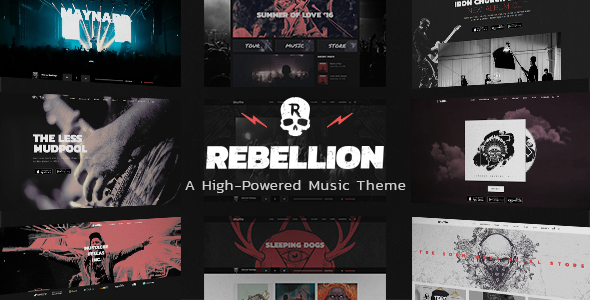
Stuck on your Rebellion WordPress theme? Let's fix it.
No endless back-and-forth. Just send us the details and we'll get it done.
No obligation · Replies within 1 hour · Quote within 1 day
Setup · Customization · Bug fixes · WooCommerce integration
About Rebellion WP Theme
Rebellion is a multipurpose WordPress theme built by Edge-Themes, the team behind popular themes like Massive Dynamic and Bridge. It ships with a large set of pre-built demo sites covering creative agencies, portfolios, blogs, and business layouts. The theme is built on Edge-Themes’ own framework and works with their Qode Interactive plugins for sliders, custom post types, and shortcodes.
Rebellion supports the WPBakery page builder and includes a dedicated options panel for controlling typography, colors, headers, and footer layouts. Each demo can be imported in a few clicks, giving you a working starting point without building from scratch. It targets designers, studios, and small businesses that want a polished visual result without custom development. The theme is sold on ThemeForest and receives regular updates.
Get matched with a Rebellion developer in under one day
Tell us about your Rebellion project. Small fixes, Rebellion theme customization, or a full website build, whatever you need, we've got it covered.
We'll connect you to the right Rebellion developers, define the scope, and get everything 100% clear.
You'll get one estimate, hire your preferred developer, and start collaborating.
Rebellion’s options panel and Qode plugin dependencies create a setup that looks straightforward but has real depth. Getting a header to behave correctly across breakpoints, importing a demo without content conflicts, or extending the theme without breaking updates all require hands-on experience with this specific framework. The developers on Codeable who work with Rebellion have done this before, across dozens of project types. They can scope your work accurately, move fast, and hand back a site that holds up.
Pros
- Large library of pre-built demo sites covering multiple niches, importable in a few clicks
- Deep header customization including transparent, sticky, and side menu styles built into the options panel
- Strong portfolio grid options via Qode Portfolio with multiple layout styles and hover effects
- Active development by Edge-Themes with consistent updates and ThemeForest support
- WPBakery included in the license with no additional cost, with Rebellion-specific elements pre-added
Cons
- Heavy reliance on Qode-specific plugins creates vendor lock-in that makes switching themes difficult
- Default page weight is high due to bundled scripts and styles loading site-wide regardless of use
- WPBakery is aging compared to Gutenberg and Elementor, limiting future flexibility
- Qode plugin documentation is thin, making custom development harder without prior experience
- Demo import can conflict with existing content or plugins, often requiring manual cleanup
Who is Rebellion for?
Creative Agency
Rebellion’s agency-style demos include multi-column service layouts, team grids, and animated text sections. The header options support bold typographic branding. Agencies get a professional starting point that can be adapted to client work without building every section from scratch in WPBakery.
Freelance Portfolio
The portfolio post type from Qode supports filterable grids, masonry layouts, and single project pages with custom meta fields. A freelancer can showcase work by category, control hover styles, and link directly to case study pages. It handles both visual and written portfolio formats cleanly.
Photography Studio
Full-screen image sections, gallery sliders via Qode Slider, and minimal navigation options make Rebellion a practical fit for photography studios. The theme supports large image grids without forcing a specific aspect ratio, and dark or light colorschemes can be toggled per page.
Architecture Firm
Architecture firms need clean grid layouts and high-resolution project presentations. Rebellion’s portfolio options handle both. Wide spacing, neutral color defaults, and support for full-bleed imagery suit the visual language most architecture practices expect from their web presence.
Fashion or Lifestyle Brand
Rebellion includes WooCommerce-compatible demos with styled product grids, lookbook-style layouts, and editorial blog sections. A fashion brand can use the theme to combine a shop with content marketing. Custom header styles work well for brands where visual identity is part of the purchase decision.

Customizing Rebellion
Rebellion gives you a layered options panel where you set global defaults, then override them per page. That covers header style, sticky behavior, side menu, logo, colors, and font pairings. WPBakery handles layout assembly, so most edits happen through its front-end editor. Edge-Themes also bundles several Qode plugins that add portfolio grids, custom icons, and interactive elements specific to the framework.
That layered setup is flexible but takes time to understand. A Rebellion expert knows which settings interact, how Qode shortcodes behave inside WPBakery rows, and where theme options override page-level settings. If you want a custom header, a modified grid layout, or a demo adapted to your brand, working with someone who has built on Rebellion before saves significant trial and error.
Recommended plugins for Rebellion
Rebellion relies on the Qode plugin stack for most of its advanced features. The core additions include Qode Slider, Qode Portfolio, and Qode Instagram Widget. These work inside WPBakery elements and pull styling from the main theme options panel.
For SEO, Rebellion is compatible with Yoast and Rank Math without conflicts. On the performance side, the theme loads several global scripts by default, so pairing it with a caching plugin and a CDN is recommended. You can review specific WordPress performance improvements or SEO optimisation options that apply to WPBakery-based themes like Rebellion.
Not sure which plugins to use? This WordPress plugins directory covers the most popular options with reviews and setup guides.
Rebellion common issues
Rebellion theme demo import not working
Demo import failures in Rebellion usually come from PHP memory limits, upload size restrictions, or a missing required plugin. Check that all Qode plugins are installed and activated before running the import. Set memory_limit to at least 256MB in wp-config.php and increase max_execution_time to 300 seconds. If the import still stalls, try importing XML content and widgets separately rather than using the one-click option. A WordPress bug fixing specialist can resolve persistent import errors quickly.
Rebellion header not showing correctly on mobile
Rebellion’s mobile header is controlled by a separate set of options under Theme Options > Header > Mobile Header. If the header appears broken, check whether the mobile header is enabled and whether a breakpoint pixel value is set. Conflicts between a sticky header setting and the mobile breakpoint are a common cause. Also check for CSS overrides in a child theme or custom CSS box that may be targeting the header at the wrong specificity.
Qode plugins missing after Rebellion theme install
Rebellion depends on several Qode Interactive plugins that do not install automatically. After activating the theme, go to Appearance > Install Plugins and install each required plugin from the list. The main ones are Qode Core, Qode Slider, and Qode Portfolio. If the notice does not appear, check that the TGM Plugin Activation library is loading correctly, which can be blocked by some security plugins filtering admin notices.
Rebellion WooCommerce styles broken after update
WooCommerce style breaks after a Rebellion update usually mean the theme’s WooCommerce template files are out of sync with the current WooCommerce version. Go to WooCommerce > Status > System Status and look for outdated templates. If you are using a child theme with copied WooCommerce templates, update those files to match the current WooCommerce versions. Running without a child theme means updates overwrite any direct file edits.
Rebellion FAQ
Rebellion is built around WPBakery and the Qode plugin framework. It is not a Gutenberg-first theme. You can use the block editor for basic posts, but the theme’s layout features, shortcodes, and demo content are designed for WPBakery. Trying to rebuild Rebellion layouts in Gutenberg is not practical without significant custom development.
Rebellion is not designed for Elementor. Its pre-built sections and interactive elements use Qode shortcodes inside WPBakery. You could technically use Elementor on individual pages, but you would lose access to the Qode elements and demo layouts that make Rebellion useful. The two builders do not share styling or layout logic.
Use a child theme for any CSS or PHP changes. This keeps your edits separate from the parent theme files so updates do not overwrite them. Settings saved in the Theme Options panel are stored in the database and survive updates. Before updating, back up your site. After updating, check the WooCommerce template status if you run a shop.
Yes. Rebellion includes WooCommerce support and ships with styled shop demos. Product grids, cart, and checkout pages are styled to match the theme. For a store with complex needs, you may want custom work on the product page layout or checkout flow. The Qode elements do not include advanced WooCommerce-specific components beyond standard styling.
Rebellion is sold on ThemeForest under a Regular License, which covers one end product used by one client. If you need to deploy it on multiple client sites, you need a separate license per site or an Extended License depending on how the site is used. Check ThemeForest’s licensing terms directly for your specific situation.
Hire a Rebellion WordPress Developer
Whether you need a full site built on Rebellion, a demo customized to your brand, or a specific feature added to an existing build, FoxyConcept connects you with vetted WordPress developers who know Edge-Themes’ framework. Work is scoped and delivered through Codeable. Get a free estimate with no obligation to hire. You’ll have a clear project quote within 24 hours.
You'll need a free Codeable account so developers can ask questions and send their quotes.