Roneous WordPress Theme
by THEMELOGI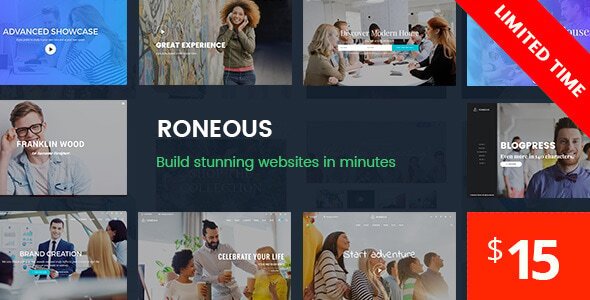
Stuck on your Roneous WordPress theme? Let's fix it.
No endless back-and-forth. Just send us the details and we'll get it done.
No obligation · Replies within 1 hour · Quote within 1 day
Setup · Customization · Bug fixes · WooCommerce integration
About Roneous WP Theme
Roneous is a multi-purpose WordPress theme by THEMELOGI built around a visual page builder workflow. It ships with over 40 demo sites covering creative agencies, portfolios, photography, corporate, and e-commerce niches. Each demo is importable in one click, giving you a working starting point without building from scratch.
The theme integrates tightly with WPBakery Page Builder and includes a custom header builder, mega menu support, and a portfolio post type with filtering. WooCommerce compatibility is baked in, and the theme handles product pages, shop layouts, and cart styling without needing a separate child theme. Roneous targets designers and agencies who want layout flexibility without writing CSS from scratch.
Get matched with a Roneous developer in under one day
Tell us about your Roneous project. Small fixes, Roneous theme customization, or a full website build, whatever you need, we've got it covered.
We'll connect you to the right Roneous developers, define the scope, and get everything 100% clear.
You'll get one estimate, hire your preferred developer, and start collaborating.
THEMELOGI built Roneous for flexibility, but that flexibility creates complexity when something breaks or needs extending. A Roneous specialist on Codeable has already worked through the theme’s header builder quirks, WPBakery conflicts, and WooCommerce integration issues. Rather than spending days in forums, you get direct access to a developer who knows exactly where the problems are and how to fix them.
Pros
- 40+ one-click demo imports covering a wide range of niches
- Built-in header builder handles sticky, transparent, and split header layouts natively
- WooCommerce styling is included without requiring a separate shop plugin or child theme
- Portfolio post type with Ajax filtering works out of the box
- Mega menu support built into the theme options without extra plugins
Cons
- Heavy reliance on WPBakery shortcodes makes migrating to another theme difficult
- Page load times can be slow without active performance optimization due to WPBakery overhead
- Customizer options are large and can feel disorganized without prior familiarity with the theme
- Some demo designs look dated compared to block-based themes released in recent years
- Support from THEMELOGI can be slow during high-volume periods on ThemeForest
Who is Roneous for?
Creative Agency
Roneous includes agency-specific demos with service sections, team grids, and case study layouts. A Roneous developer can take the agency demo and replace placeholder content with real services, configure contact forms, and set up a blog without touching the core layout structure.
Photography Portfolio
The theme handles full-width image galleries, portfolio grid filtering, and lightbox displays cleanly. A Roneous specialist can set up custom taxonomy filters for photo categories, configure lazy loading, and optimize image delivery so large galleries do not slow the site down.
WooCommerce Store
Roneous includes WooCommerce templates for product pages, shop archives, and the cart. A Roneous developer can extend these with custom product tabs, related product layouts, and checkout customizations that match the overall brand without breaking the theme’s built-in styles.
Corporate Business Site
Corporate demos include service pages, team sections, testimonials, and contact layouts. A Roneous expert can configure multi-language support via WPML, set up forms, and structure the page hierarchy so internal linking and navigation work clearly for both users and search engines.
Freelance Portfolio
Roneous works well as a personal portfolio with project showcases and a focused homepage layout. A Roneous developer can trim unnecessary demo content, configure a minimal header, and set up a custom contact section that reflects a personal brand without the visual noise of a full agency site.

Customizing Roneous
Roneous exposes most visual settings through the WordPress Customizer and the WPBakery editor. You can adjust typography, colors, header layouts, and footer columns directly. The built-in header builder supports sticky headers, transparent overlays, and split navigation without plugins.
Beyond the surface settings, deeper changes such as custom post type templates, conditional layouts, or brand-specific component styling require PHP and CSS work. A Roneous expert can restructure demo content into a production-ready site, strip unused shortcodes, and ensure the theme behaves consistently across devices. If you need Roneous customized beyond what the options panel offers, working with a Roneous developer saves time and avoids breaking existing layouts.
Recommended plugins for Roneous
Roneous works well with caching plugins, but its WPBakery shortcode output adds page weight that needs active management. Pairing the theme with a solid caching and image optimization setup is worth doing early. See the WordPress performance service for how to handle that properly.
For search visibility, Roneous is compatible with Yoast SEO and Rank Math. Schema, breadcrumbs, and meta configuration still need deliberate setup. The WordPress SEO service covers technical SEO configuration specific to page builder themes like Roneous.
Not sure which plugins to use? This WordPress plugins directory covers the most popular options with reviews and setup guides.
Roneous common issues
Roneous header builder not saving changes
This usually happens when two Customizer sessions conflict or a caching plugin stores an old header config. Clear all caches first, then disable caching temporarily and try saving again. If the issue persists, check for JavaScript errors in the browser console that may be blocking the save request. A JavaScript conflict with another plugin is the most common root cause.
Roneous WPBakery shortcodes showing as plain text after update
After a WPBakery or Roneous update, the shortcode map can become mismatched. Go to WPBakery settings and run the plugin activation again. If shortcodes still show as text, deactivate WPBakery, clear the cache, then reactivate it. If content was created with an older version of the plugin, some shortcodes may need manual correction. The WordPress bug fixing service handles this type of conflict efficiently.
Roneous portfolio filter not working
Portfolio filter failures in Roneous are usually caused by a jQuery conflict or a missing script dependency. Open the browser console and check for JavaScript errors on the portfolio page. Also confirm the isotope or masonry scripts are loading correctly. If a caching plugin is combining scripts, try excluding the portfolio page from script optimization rules temporarily to isolate the problem.
Roneous WooCommerce product page layout broken
Roneous includes WooCommerce templates that can fall out of sync after a WooCommerce update. Navigate to WooCommerce Status and check for outdated template files. Update or override those files in a child theme to match the current WooCommerce version. If you do not have a child theme set up, do not edit the theme files directly. The WordPress bug fixing service can handle template sync correctly.
Roneous mega menu not displaying on mobile
Roneous mega menus use desktop-specific display logic that collapses on mobile. This is intentional in many configurations, but if the mobile menu is also failing to show mega menu items correctly, check the theme’s mobile menu settings in the header builder. Some versions of Roneous have a separate mobile menu option that needs to be enabled independently from the desktop header layout.
Roneous demo import fails or stalls
Demo import failures in Roneous are almost always caused by server memory limits or execution timeout settings. Increase max_execution_time, memory_limit, and upload_max_filesize in your php.ini or wp-config.php. If you cannot change these, try importing content in stages using the XML importer rather than the one-click demo import tool, which attempts to download everything at once.
Roneous slider not loading on homepage
Roneous uses Revolution Slider or a bundled slider plugin for homepage sliders. If the slider is blank, confirm the plugin is activated and the slider exists under the Sliders menu. Also check whether the homepage template is set correctly in Page Attributes. If the slider worked before and stopped, a plugin update conflict is likely. Deactivating recently updated plugins one at a time will identify the conflict. See the WordPress bug fixing service for help diagnosing this.
Roneous custom fonts not applying
Custom fonts in Roneous are loaded through the Customizer typography settings. If a Google Font is selected but not applying, check whether your server can reach Google’s font API. In some hosting environments, external requests are blocked. You can also enqueue the font manually in a child theme’s functions.php as a fallback. If you are using a system font or uploaded font file, confirm the font URL is correct in the Customizer settings.
Roneous page loading slowly after adding content
WPBakery generates inline styles and loads multiple script files per page. On content-heavy pages, this adds significant weight. Start by enabling lazy loading for images, combining and minifying CSS and JS, and using a caching plugin. Also audit which WPBakery elements are actually in use and remove unused plugin dependencies. A targeted performance audit will identify the biggest load time offenders specific to your Roneous configuration.
Roneous child theme not inheriting parent styles
When creating a Roneous child theme, the style.css must include the correct Template: roneous header and the functions.php must enqueue both the parent and child stylesheets in the right order. If the child theme applies but styles look wrong, the parent stylesheet may not be loading. Check the enqueue hook priorities and confirm the parent theme folder name exactly matches the Template declaration in the child theme’s style.css header.
Roneous FAQ
Roneous is built around WPBakery, not the Gutenberg block editor. You can use the block editor for basic content, but the theme’s templates and demo layouts were designed for WPBakery. Trying to replicate Roneous demo layouts in Gutenberg would require significant rework.
Yes. Roneous includes WooCommerce-compatible templates for product pages, shop archives, and cart and checkout pages. It handles basic store layouts without a separate plugin. For complex store customizations, a Roneous developer can extend the WooCommerce templates in a child theme.
Technically yes, but most of the demo content and layout features depend on WPBakery shortcodes. Without WPBakery active, those pages will display raw shortcode text. If you want to avoid WPBakery, the theme becomes much more limited and you would need to rebuild layouts manually.
Always use a child theme for customizations before updating. Back up your site first. Updates from ThemeForest are applied through the Envato Market plugin or by manually uploading the new theme zip. If your customizations are in the parent theme files, they will be overwritten. A child theme prevents that.
Roneous is listed as WPML compatible. The theme’s text strings and template structure work with WPML’s translation workflow. That said, translating a full WPBakery-built site with WPML still requires careful setup. A Roneous specialist with WPML experience can configure this correctly from the start.
A Regular License from ThemeForest covers one end product used by one client. If you are building multiple client sites with Roneous, each site requires its own license. Extended licenses cover products you charge end users for. Check Envato’s license terms for specifics.
Roneous has clean HTML output but WPBakery adds markup overhead that can affect crawl efficiency on large pages. Pairing the theme with a proper SEO plugin and running a technical SEO audit after launch is necessary. Schema, meta configuration, and page speed all need attention on WPBakery-heavy sites.
After activating Roneous, go to Roneous Options and find the demo importer. Select a demo, then click import. The process pulls in content, images, and settings. Your server needs adequate memory and execution time limits for the import to complete. Some demos import in stages if the full import stalls.
Yes. Posting a project on Codeable connects you with vetted Roneous developers who have worked with the theme before. You describe what you need, get a free estimate, and decide whether to proceed. There is no obligation to hire after receiving the estimate.
Roneous requires WPBakery Page Builder, which is bundled with the theme. It also recommends Revolution Slider for homepage sliders, Contact Form 7 for forms, and Essential Grid or Smart Slider as alternatives. WooCommerce is optional but supported. Most of these are bundled and installable from the theme’s required plugins notice.
Hire a Roneous Developer for Your Project
Whether you need a full Roneous site built from a demo, a layout customized to your brand, or a specific bug fixed, working with a vetted Roneous developer gets it done without the back-and-forth. Post your project on Codeable and get a free estimate within 24 hours. No obligation to hire. Get a Free Estimate and describe what you need.
You'll need a free Codeable account so developers can ask questions and send their quotes.