Ronneby WordPress Theme
by DFDevelopment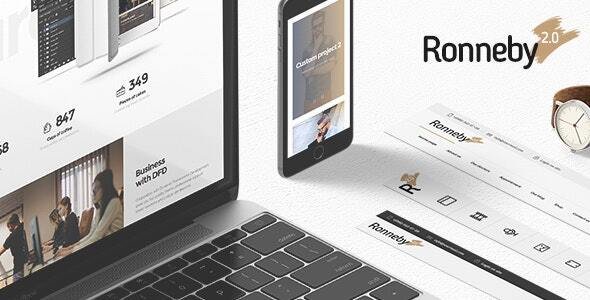
Stuck on your Ronneby WordPress theme? Let's fix it.
No endless back-and-forth. Just send us the details and we'll get it done.
No obligation · Replies within 1 hour · Quote within 1 day
Setup · Customization · Bug fixes · WooCommerce integration
About Ronneby WP Theme
Ronneby is a premium WordPress theme by DFDevelopment, built on the WPBakery Page Builder and bundled with a large library of pre-built demos. It targets agencies, freelancers, and businesses that want a polished, feature-heavy site without starting from scratch.
The theme ships with over 40 demo layouts, a custom header builder, mega menus, parallax sections, and deep WooCommerce integration. Performance options, lazy loading, and Google Fonts control are all included out of the box.
Ronneby has been around long enough to accumulate a sizeable user base and regular updates. That track record matters. The codebase is mature, the documentation is thorough, and the support forum on ThemeForest stays active. It is a reliable choice for multi-purpose builds that need flexibility without heavy custom development.
Get matched with a Ronneby developer in under one day
Tell us about your Ronneby project. Small fixes, Ronneby theme customization, or a full website build, whatever you need, we've got it covered.
We'll connect you to the right Ronneby developers, define the scope, and get everything 100% clear.
You'll get one estimate, hire your preferred developer, and start collaborating.
Finding a developer who actually knows Ronneby, not just WordPress in general, cuts project time significantly. On Codeable, you can post your project and receive estimates from vetted developers who have hands-on experience with the theme. There is no obligation to hire after you receive your estimate. Codeable screens all developers before they join the platform, so you are not sorting through untested profiles. If your project involves Ronneby customisation, bug fixes, or a full build, it is the fastest way to get matched with someone qualified.
Pros
- Over 40 one-click demo imports covering a wide range of industries
- Custom header builder with sticky, transparent, and split header options
- Bundles Slider Revolution and Layer Slider at no extra cost
- Deep WooCommerce integration with custom shop and product page layouts
- Active development history with consistent updates since initial release
Cons
- WPBakery dependency makes migrating to the block editor difficult later
- Demo content imports can be slow and occasionally incomplete on shared hosting
- Theme options panel is large and can be confusing for new users
- Bundled plugins increase page weight if not carefully configured
- Heavy reliance on shortcodes creates messy content if the theme is ever switched
Who is Ronneby for?
Creative Agencies
Ronneby’s portfolio layouts, parallax sections, and animated content blocks suit creative agencies well. A Ronneby developer can adapt one of the agency demos quickly, swap in brand assets, and deliver a polished multi-page site without building layouts from scratch. The mega menu and custom header options handle complex navigation for larger agencies.
WooCommerce Stores
The theme’s WooCommerce integration covers custom product pages, category layouts, and cart styling. A Ronneby specialist can configure the shop section to match the rest of the site’s design and integrate payment gateways or inventory plugins cleanly. The bundled visual builder makes promotional landing pages for specific product campaigns straightforward to produce.
Freelance Portfolios
Freelancers benefit from Ronneby’s portfolio grid options, filterable project galleries, and single-page scroll layouts. A Ronneby expert can strip back one of the demo imports to a clean, fast-loading portfolio that shows work without distractions. Typography control and Google Fonts access make it easy to establish a distinct personal brand.
Corporate Business Sites
Corporate sites need reliable navigation, clear service pages, and professional presentation. Ronneby’s business demos provide a solid starting point. A Ronneby developer can configure the header builder for a sticky branded bar, set up a team section, integrate contact forms, and ensure the site holds up across devices and browsers without layout issues.
Restaurant and Hospitality
Restaurant demos in Ronneby include menu sections, reservation integration points, and full-width imagery layouts that suit food and hospitality businesses. A Ronneby specialist can wire up a booking plugin, configure the visual menu display, and handle the local SEO markup that helps these businesses appear in nearby search results.

Customizing Ronneby
Ronneby ships with a lot of options, but getting those options to produce a tight, professional result takes real knowledge of how the theme is wired. A Ronneby expert will know which settings conflict, where WPBakery shortcode bloat becomes a problem, and how to customise the header builder without breaking responsive behaviour.
Common customisation work includes adjusting the demo layouts to match a client’s brand, building new page templates within the existing framework, fine-tuning typography and spacing via the theme options panel, and integrating third-party plugins cleanly without visual clashes.
Child theme setup is strongly recommended before any customisation. A Ronneby specialist will handle that correctly from the start, protecting your changes through future theme updates. Whether you need minor tweaks or a ground-up custom build on the Ronneby framework, working with someone who knows the theme saves time and avoids costly rework.
Recommended plugins for Ronneby
Ronneby bundles several premium plugins, including Slider Revolution, WPBakery, and Layer Slider. Each adds capability but also adds weight. Keeping those plugins configured correctly matters for both speed and stability.
For sites where load time is critical, a WordPress performance specialist can audit which bundled assets are loading unnecessarily and implement caching, image optimisation, and script deferral strategies that work within Ronneby’s structure.
If organic search is a priority, pairing Ronneby with a proper schema setup and clean heading hierarchy is essential. A WordPress SEO service can handle that without fighting the theme’s existing output.
Not sure which plugins to use? This WordPress plugins directory covers the most popular options with reviews and setup guides.
Ronneby common issues
Ronneby demo import not working
Demo import failures in Ronneby usually come down to server memory limits, PHP execution time, or missing required plugins not activated before import. Set memory_limit to at least 256MB and max_execution_time to 300 in your PHP configuration. Ensure all required plugins listed in the theme’s documentation are active before triggering the import. If the import stalls partway through, delete the partial content and retry. Shared hosting environments frequently cause this problem due to resource restrictions.
Ronneby header not showing correctly on mobile
Mobile header problems in Ronneby are typically caused by conflicting header builder settings between desktop and mobile breakpoints. Open the header builder under Appearance and check that a separate mobile header is assigned and active. If no mobile header is configured, the desktop layout attempts to scale down, which breaks at narrow viewports. Also check that the mobile menu toggle is assigned to the correct menu. Clearing any caching plugin after saving header changes is necessary before testing.
WPBakery elements not loading in Ronneby
If WPBakery elements are missing or not rendering inside Ronneby, the most common cause is a version mismatch between the bundled WPBakery copy and the standalone plugin. Ronneby bundles its own licensed version. Deactivate any separately installed WPBakery instance and use only the bundled version through the theme’s plugin installer. Also verify that the WPBakery role manager has not restricted access for your current user role. If issues continue, a WordPress bug fixing service can diagnose conflicts quickly.
Ronneby site slow after demo import
Slow load times after importing a Ronneby demo are expected without optimisation. The import pulls in Slider Revolution files, Layer Slider assets, and large images simultaneously. Start by compressing all imported images using a tool like Imagify or ShortPixel. Disable Slider Revolution and Layer Slider on pages that do not use them via their plugin settings. Enable caching through WP Rocket or W3 Total Cache and defer non-critical scripts. A WordPress performance audit can identify exactly which assets are dragging down your scores.
Ronneby mega menu not working
Ronneby’s mega menu relies on correct menu item configuration inside the WordPress menu editor combined with the theme’s own mega menu settings panel. If the mega menu is not appearing, check that the menu location is set to a header position that supports mega menu output. Inside the menu item settings, confirm the mega menu toggle is enabled and a column layout is assigned. Also check for JavaScript errors in the browser console, as a conflicting plugin can prevent the mega menu script from initialising correctly.
Ronneby child theme not loading styles
A Ronneby child theme failing to load its stylesheet is almost always an enqueue error. The child theme’s functions.php must properly enqueue the parent stylesheet using wp_enqueue_style with the parent theme’s handle as a dependency. Simply adding a @import rule to style.css is unreliable and not recommended. Verify the parent theme handle by checking Ronneby’s main functions.php for the style registration. If you are unsure, our WordPress bug fixing service can resolve child theme setup issues quickly.
Ronneby WooCommerce product page layout broken
Broken WooCommerce product pages in Ronneby are often caused by a theme update that changed template file structure without corresponding plugin updates, or vice versa. Check WooCommerce’s system status page for outdated template warnings. If Ronneby’s WooCommerce templates are out of date, the theme developer usually releases an updated version. Alternatively, the affected template files can be overridden cleanly inside a child theme to restore correct layout without waiting for an update.
Ronneby Slider Revolution showing blank slide
A blank slide in Slider Revolution bundled with Ronneby usually means the slide’s background image or video source is missing or the file path has changed. Open the affected slider in the Slider Revolution editor, click the blank slide, and check the background source URL under slide options. Also verify that the media file still exists in the WordPress media library. If the slider was imported with demo content, some source files may not have imported correctly and need to be re-uploaded and reassigned manually.
Ronneby sticky header overlapping page content
When Ronneby’s sticky header overlaps the top of the page content, the page is missing the correct top padding to compensate for the fixed header height. In the Ronneby theme options or the page-level settings, look for a sticky header offset or content top padding option. Some page builders add their own top spacing that conflicts. If you are using a full-width row at the top of the page, check that it does not have a negative margin pulling it under the header. Adjusting the header height in theme options also affects the required offset value.
Ronneby fonts not loading from Google Fonts
Google Fonts not loading in Ronneby can result from the theme’s font settings being set correctly but a caching or privacy plugin blocking the external request. Check your caching plugin’s excluded URLs list and ensure Google Fonts requests are not being stripped. Some GDPR compliance plugins block third-party font loading by default. Alternatively, use a plugin to self-host the Google Fonts locally, which avoids the external request entirely and also improves page speed scores by eliminating a render-blocking resource from a remote server.
Ronneby FAQ
Yes. DFDevelopment has maintained Ronneby consistently and pushes updates to address WordPress core compatibility and WooCommerce changes. You can verify the current version and changelog on the ThemeForest product page. Regular updates are one of the stronger arguments for choosing Ronneby over less-maintained multi-purpose themes.
Ronneby is built around WPBakery, not Elementor. While you can install Elementor on any WordPress site, using it alongside Ronneby is not recommended. The two page builders will conflict, and Ronneby’s demo layouts are not compatible with Elementor. If you need Elementor, a different theme built for it is a better starting point.
Practically, no. Ronneby’s demo layouts, inner page templates, and design modules are all WPBakery-dependent. You can use the block editor for simple posts and pages, but the full feature set of the theme requires WPBakery. Removing it would leave shortcode markup exposed throughout your existing content.
After activating Ronneby and installing all required plugins, go to Appearance and look for the demo importer panel. Select your demo, then choose whether to import content, widgets, and theme options. Run the import on a clean WordPress install to avoid conflicts with existing content. Ensure your server’s PHP memory limit is at least 256MB before starting.
Yes. Ronneby includes dedicated WooCommerce templates for shop pages, product pages, cart, and checkout. It supports product filtering, custom layouts for product categories, and several shop grid styles. A Ronneby developer can extend this further with compatible WooCommerce plugins without breaking the theme’s visual output.
Create a new folder in wp-content/themes/, add a style.css with the correct header including Template: ronneby, and create a functions.php that enqueues the parent stylesheet. Activate the child theme from the Appearance panel. All customisations should go into the child theme to survive future Ronneby updates safely.
Ronneby is listed as WPML-compatible on the WPML site. String translation, menu translation, and page translation all work within the theme’s structure. A Ronneby specialist with WPML experience can configure the language switcher inside the custom header builder and ensure translated pages use the correct layout templates.
Ronneby loads multiple bundled plugin assets by default, and imported demo content often includes large uncompressed images. The most common culprits are Slider Revolution loading on every page, unoptimised images from the demo import, and no caching in place. Start with image compression, set up a caching plugin, and disable slider assets on pages that do not use them.
Yes. Posting a project on Codeable connects you with vetted Ronneby developers who can handle customisation, bug fixes, or full builds. You get a free estimate with no obligation to hire. It is a faster and lower-risk route than sourcing a developer independently through job boards or freelance marketplaces.
Always use a child theme before making any customisations. Updates to the parent Ronneby theme will then not overwrite your changes. For theme options settings, export them before updating using the built-in export function in the options panel. Test updates on a staging site first, especially when WooCommerce or WPBakery updates are involved at the same time.
Hire a Ronneby Expert Developer
If your Ronneby project needs a developer who knows the theme inside out, the fastest route is a free estimate with no commitment attached. Whether you need a single fix, a full site build, or ongoing changes, describe your project and get matched with a qualified Ronneby developer within 24 hours.
Get a Free Estimate and find the right developer for your Ronneby site today.
You'll need a free Codeable account so developers can ask questions and send their quotes.