Roofix WordPress Theme
by RadiusTheme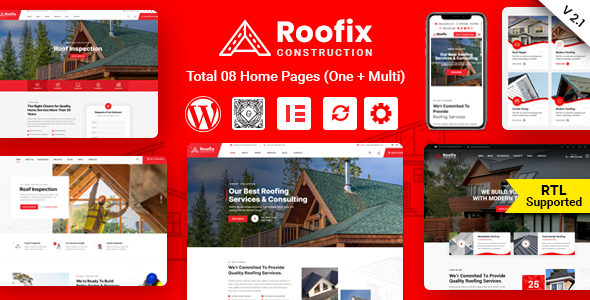
Stuck on your Roofix WordPress theme? Let's fix it.
No endless back-and-forth. Just send us the details and we'll get it done.
No obligation · Replies within 1 hour · Quote within 1 day
Setup · Customization · Bug fixes · WooCommerce integration
About Roofix WP Theme
Roofix is a WordPress theme built by RadiusTheme specifically for roofing companies and contractors. It ships with a set of pre-built demo pages that cover the typical structure of a roofing business site: services, project galleries, team pages, testimonials, and quote request forms. The theme is built on Elementor, so layout changes are visual and don’t require touching code. It includes integration with popular plugins like WPForms and supports custom post types for services and projects out of the box. The design leans toward a bold, trade-focused look with strong calls to action and a mobile-responsive layout tested across common screen sizes. For small to mid-size roofing businesses looking to get a site live quickly, Roofix gives you a solid starting point without needing to build everything from scratch.
Get matched with a Roofix developer in under one day
Tell us about your Roofix project. Small fixes, Roofix theme customization, or a full website build, whatever you need, we've got it covered.
We'll connect you to the right Roofix developers, define the scope, and get everything 100% clear.
You'll get one estimate, hire your preferred developer, and start collaborating.
Roofix is approachable for DIY setups, but getting it to perform well as a lead-generation tool takes more than clicking through demo imports. Codeable connects you with vetted WordPress developers who have worked with trade and contractor themes like Roofix. Whether you need a full build, a specific fix, or ongoing support, you get matched with a specialist who understands the theme and your industry. No generalist freelancers, no guesswork on quality.
Pros
- Pre-built roofing-specific demo content saves significant setup time
- Built on Elementor, making layout edits accessible without custom development
- Includes dedicated custom post types for roofing services and project portfolios
- WPForms integration ships with the theme for quote and contact forms
- Mobile-responsive layout designed with contractor business structure in mind
Cons
- Design options feel narrow outside of the roofing niche without heavy customization
- Demo import can bring in bloated content that needs manual cleanup before going live
- Some default page sections are rigidly structured and harder to repurpose in Elementor
- Limited documentation compared to major multi-purpose themes like Astra or GeneratePress
- Plugin dependency stack can create conflicts when updating third-party tools independently
Who is Roofix for?
Residential Roofing Contractors
Roofix was built with residential contractors in mind. The demo layouts cover the exact pages a homeowner wants to see: services offered, past project photos, team credentials, and a clear quote request form. A Roofix specialist can adapt these templates to match your specific service area, roofing types, and brand without rebuilding from the ground up.
Commercial Roofing Companies
Commercial roofing jobs require more trust signals and detailed service breakdowns than residential work. A Roofix developer can expand the default service and project sections to accommodate commercial case studies, certifications, and larger project documentation. The portfolio post type adapts well to before-and-after commercial project galleries with the right custom field setup.
Roof Repair Specialists
Repair-focused businesses need fast quote paths and clear urgency messaging. Roofix’s call-to-action sections and WPForms integration make this achievable, but a specialist can push it further by building streamlined repair request forms, connecting them to notification workflows, and making sure the most important conversion points sit above the fold on mobile.
Multi-Location Roofing Businesses
Roofing businesses operating across multiple cities or service areas need location landing pages that rank locally. A Roofix expert can build a templated location page structure within the theme, apply proper on-page SEO, and ensure each location gets a distinct, indexable page rather than duplicated content that dilutes search performance.
Roofing Material Suppliers
Suppliers who want to present product lines alongside installation services can use Roofix as a base. With custom Elementor sections and a tailored navigation structure, a developer can extend the theme beyond its default contractor focus to include product catalog-style pages, specification downloads, and trade account inquiry forms.

Customizing Roofix
Out of the box, Roofix handles the basics well. But most roofing businesses need changes that go beyond swapping colors and uploading a logo. A Roofix expert can restructure page layouts, build custom estimate or quote flows, integrate scheduling tools, or connect the site to a CRM. If you’re running multiple service areas, a specialist can set up location-based landing pages that actually convert. RadiusTheme builds Roofix with Elementor, which gives developers clean access to layout without fighting the theme structure. Custom work might include adding conditional logic to contact forms, adjusting the project portfolio to filter by roof type, or rebuilding the header to match your brand. A skilled Roofix developer will also know which default template elements to keep and which to replace so you’re not duplicating effort.
Recommended plugins for Roofix
Roofix pairs well with plugins that extend core functionality without conflicting with RadiusTheme’s structure. For local SEO, adding an optimized schema layer and improving page structure can make a real difference for roofing searches. See how a WordPress SEO specialist can handle that work properly. On the technical side, Roofix sites can slow down when project galleries and large images aren’t optimized. A WordPress performance service can cut load times significantly through caching, image compression, and script management. Both areas are worth addressing early, especially if the site is targeting competitive local markets where speed and search visibility directly affect lead volume.
Not sure which plugins to use? This WordPress plugins directory covers the most popular options with reviews and setup guides.
Roofix common issues
Roofix demo import not working or failing partway through
Demo import failures in Roofix are usually caused by PHP memory limits, file size restrictions, or a timeout on the server side. Check your php.ini values for memory_limit, max_execution_time, and upload_max_filesize. Increasing these through your host’s control panel or wp-config.php resolves most cases. If the import still stalls, try importing XML content manually through the WordPress importer tool. For persistent failures, a WordPress bug fixing service can diagnose server-level conflicts quickly.
Roofix contact form not sending emails after setup
When WPForms stops sending emails on a Roofix site, the problem is almost always server-side mail delivery, not the form itself. WordPress’s default wp_mail() function relies on server mail, which most hosts block or throttle. Install an SMTP plugin like WP Mail SMTP and connect it to a transactional email service such as SendGrid, Mailgun, or your Google Workspace account. Test delivery after each change. If the form is also not submitting at all, check for JavaScript errors in the browser console that may point to a plugin conflict. A bug fixing specialist can trace these issues faster if the SMTP fix doesn’t resolve it.
Roofix Elementor sections broken after plugin update
Elementor section breakage after an update usually means a widget or feature was deprecated or changed in the new Elementor version, and Roofix’s bundled styling hasn’t caught up yet. Start by checking RadiusTheme’s changelog for a Roofix update that addresses Elementor compatibility. If an update is available, apply it to a staging copy first. If no update exists, the broken section likely needs its markup rebuilt in the current Elementor version. Avoid rolling back Elementor blindly, as this creates security exposure.
Roofix site loading slowly on mobile
Slow mobile performance on Roofix sites is most often caused by unoptimized images in the project portfolio, undeferred render-blocking scripts from Elementor, and uncached page output. Start with an image compression pass using a plugin like Imagify or ShortPixel. Then configure a caching plugin such as WP Rocket to defer non-critical JavaScript and enable lazy loading. Check Google PageSpeed Insights for a prioritized list of specific issues. If Core Web Vitals scores are still low after these changes, a performance audit will identify what else needs attention.
Roofix FAQ
Roofix is built specifically around roofing business content, including services, project portfolios, and quote forms tailored to contractors. You could adapt it for other trades like guttering, siding, or general construction, but the further you get from its intended niche, the more custom work you’ll need. For non-roofing businesses, a more flexible theme is usually the better starting point.
Roofix is built to work with Elementor Free for most of its core layouts. However, some advanced template features and widgets used in the demos require Elementor Pro. RadiusTheme’s documentation lists which elements depend on Pro. If you want the full demo experience without rebuilding sections, an Elementor Pro license is worth factoring into your budget from the start.
Roofix licensing from RadiusTheme follows a per-site model by default. A single license covers one domain. If you’re building sites for multiple roofing clients or running several locations under different domains, you’ll need to purchase additional licenses. Check the current licensing terms on RadiusTheme’s website, as extended license options may be available for agencies or multi-site use.
Roofix updates are delivered through the RadiusTheme plugin that activates with your license key. Once the plugin is installed and your license is active, update notifications appear in the WordPress dashboard like any other plugin or theme. Always back up your site before applying theme updates, and test on a staging environment first if you’ve made custom code modifications to the theme files.
Roofix produces clean HTML output and is mobile responsive, which covers the technical basics. But the theme alone won’t rank your roofing site. Local SEO for contractors requires structured data, location-specific page content, optimized meta data, and a solid backlink profile. The theme gives you a workable foundation, but meaningful search visibility in competitive roofing markets needs dedicated SEO work on top of it.
Hire a Roofix Developer for Your Roofing Website
If you need a Roofix expert to build, customize, or troubleshoot your site, the process is straightforward. Post your project, get matched with a vetted developer within 24 hours, and receive a free estimate before committing to anything. There’s no obligation to hire and no upfront cost. Get a Free Estimate and describe what you need. A qualified Roofix specialist will review it and come back with a clear plan and price.
You'll need a free Codeable account so developers can ask questions and send their quotes.