RP WordPress Theme
by InspiryThemes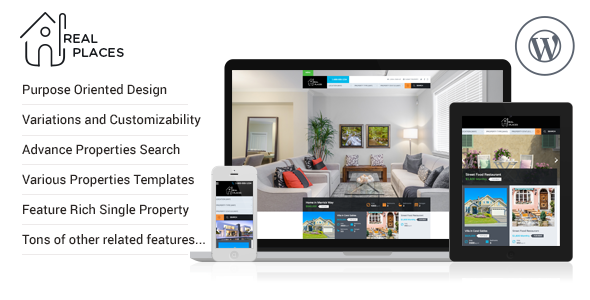
Stuck on your RP WordPress theme? Let's fix it.
No endless back-and-forth. Just send us the details and we'll get it done.
No obligation · Replies within 1 hour · Quote within 1 day
Setup · Customization · Bug fixes · WooCommerce integration
About RP WP Theme
RP is a real estate WordPress theme built by InspiryThemes, the team behind the popular Inspiry and RealHomes themes. It’s designed specifically for property listing websites, with a clean layout, property search functionality, and support for both sale and rental listings.
The theme integrates tightly with the RealHomes plugin ecosystem, giving you property detail pages, agent profiles, AJAX-powered search filters, and map integration out of the box. It handles the basics well: responsive layout, custom fields for property data, and a straightforward admin experience.
RP suits agencies and solo agents who want a working property site without building from scratch. It’s not a page builder theme. The structure is fixed, which keeps things fast but limits how far you can push the design without custom code.
Get matched with a RP developer in under one day
Tell us about your RP project. Small fixes, RP theme customization, or a full website build, whatever you need, we've got it covered.
We'll connect you to the right RP developers, define the scope, and get everything 100% clear.
You'll get one estimate, hire your preferred developer, and start collaborating.
InspiryThemes builds themes with a lot of depth, but that depth means more moving parts. An RP specialist on Codeable has already worked through the property search edge cases, the map integration quirks, and the plugin dependency chain. You’re not paying for someone to learn the theme on your project. Codeable vets every developer, so you get matched with someone who has a track record on real estate WordPress builds specifically.
Pros
- Purpose-built for real estate with native property post types, agent profiles, and search filters
- AJAX property search works without page reloads and supports multiple filter combinations
- Map integration is built in and supports both Google Maps and OpenStreetMap
- Supports both sale and rental listings with separate pricing and availability fields
- Backed by InspiryThemes, a team with a long track record specifically in real estate WordPress themes
Cons
- Design flexibility is limited compared to page builder themes; major layout changes need custom code
- Heavy dependency on InspiryThemes' own plugins means you're locked into their ecosystem
- Property search performance can degrade noticeably on sites with large listing databases
- Documentation covers basics but gaps appear when you try advanced customizations
- Child theme development is needed for any template changes, which adds setup time for new projects
Who is RP for?
Independent Real Estate Agents
Solo agents can use RP to publish their full listing inventory with detailed property pages, floor plans, photo galleries, and direct contact forms. The agent profile system lets you attach listings to specific agents, which matters for personal branding. An RP expert can customize the contact flow to route inquiries directly to a CRM or email sequence.
Property Rental Agencies
Rental agencies need availability info, price per period, and inquiry management. RP handles rental-specific fields natively. You can filter by rental price range, location, and property type without plugins. An RP developer can extend this with availability calendars or integrate booking systems if the agency takes reservations online.
Real Estate Listing Portals
Multi-agent portals can use RP’s front-end submission system so agents submit their own listings. The backend supports multiple agents with separate profiles and property ownership. For larger portals, an RP specialist can add paid submission tiers, listing expiry logic, and dashboard controls that go beyond what the theme ships with.
Commercial Property Firms
Commercial property firms list offices, warehouses, and retail units with different data fields than residential. RP’s custom fields can be reconfigured for commercial specs like floor area, zoning, and lease terms. An RP developer can build property type templates that display commercial data in a format buyers and tenants actually expect.
Holiday and Short-Term Rental Sites
Short-term rental sites need seasonal pricing, availability blocking, and fast visual browsing. RP’s map view and grid layout work well for this. Connecting it to a booking engine like Lodgify or a calendar sync plugin is where custom development comes in. An RP expert can handle the integration cleanly without breaking the theme’s search functionality.

Customizing RP
RP customization happens through the WordPress Customizer, where you control colors, typography, header layout, and homepage sections. The options are functional but not exhaustive. You can swap logos, adjust the property search widget, and configure the listing grid without touching code.
Beyond the Customizer, meaningful changes require template overrides or child theme development. An RP expert can build custom property filters, modify the search radius logic, add new custom fields to listings, or wire up third-party CRM integrations. If you need a specific layout for property detail pages or a custom map clustering setup, that’s where professional work starts.
An experienced RP developer will also know the InspiryThemes plugin structure well enough to extend it cleanly without breaking updates.
Recommended plugins for RP
RP works alongside several plugins to extend its core features. Google Maps or OpenStreetMap handles property location display. Mortgage calculator plugins can slot into property pages. WooCommerce is sometimes used for paid listing submissions.
For site speed, RP benefits from proper caching, image optimization, and a CDN setup. Check our WordPress performance service if listings pages are loading slowly. For organic traffic from property searches, structured data and on-page optimization matter. Our WordPress SEO service covers schema markup for real estate listings specifically.
Not sure which plugins to use? This WordPress plugins directory covers the most popular options with reviews and setup guides.
RP common issues
RP property search not returning results
This usually comes down to a property status or availability field set incorrectly. Check that listings are published and the property status is set to a searchable value like ‘For Sale’ or ‘For Rent’. Also verify that the search widget is configured to match those statuses. If the AJAX request is failing silently, check the browser console for 400 or 500 errors pointing to the search handler. A WordPress bug fix service can isolate the issue quickly.
RP theme map not showing property pins
Missing map pins in RP almost always trace back to a missing or invalid Google Maps API key. Open the InspiryThemes settings panel and verify the key is entered correctly. Also check that the Maps JavaScript API and Geocoding API are both enabled in Google Cloud Console. If using OpenStreetMap, confirm the map provider setting matches. Properties also need valid address data saved to display a pin.
RP featured image not displaying on listing page
If the featured image is not showing on a listing, first check that the image is actually set in the property editor, not just uploaded to the gallery. RP uses a separate featured image field for the main listing thumbnail. Also check if a caching plugin is serving a stale version of the page. Flush your cache after making changes. If the issue persists across multiple listings, check for a template conflict in your child theme.
RP theme property price not showing correctly
Price display issues in RP typically come from currency settings in the theme options. Go to InspiryThemes settings and verify the currency symbol position and separator settings are correct for your region. Also check whether the price field on individual listings is populated. If you’re showing a price range, both min and max fields need values. Plugin conflicts with currency switcher plugins can also override these settings.
RP AJAX search broken after plugin update
After updates, AJAX search failures in RP usually mean a JavaScript conflict or a broken nonce verification. Check the browser console for JS errors first. If the search worked before the update, compare the updated plugin changelog for changes to the search handler. Deactivating other plugins one by one helps isolate a conflict. Our WordPress bug fixing service handles this type of regression quickly.
RP property detail page showing 404 error
A 404 on property detail pages almost always means WordPress permalink settings need refreshing. Go to Settings, then Permalinks, and click Save Changes without changing anything. This rebuilds the rewrite rules. If the 404 persists, check that the custom post type for properties is registered correctly by the InspiryThemes plugin. Deactivating and reactivating the plugin can force re-registration of the post type rules.
RP theme not loading Google Maps API
RP loads the Google Maps API based on the key stored in the InspiryThemes plugin settings. If the map is blank, open your browser console and look for API load errors. A common cause is the key being restricted to a specific domain in Google Cloud Console that doesn’t match your current domain. Update the API key restriction to include your exact domain including www or non-www as applicable.
RP agent contact form not sending emails
When the RP agent contact form sends nothing, the first thing to check is whether WordPress itself can send email. Install a plugin like WP Mail SMTP and send a test email. If that fails too, the issue is server-level, not theme-specific. If WordPress email works but the RP form doesn’t, check the agent email field is populated on the agent profile and that no spam filter is blocking transactional messages. Our bug fixing service can trace the full delivery chain.
RP theme slow to load on listing archive pages
Slow listing archive pages in RP are usually caused by unoptimized property images, too many meta queries in the listing loop, or map scripts loading on every archive page regardless of whether a map is displayed. Start by running the page through GTmetrix and identifying the largest assets. Compress images, enable lazy loading, and consider deferring map scripts until needed. See our WordPress performance service for a full audit.
RP child theme not inheriting parent styles
If a child theme isn’t inheriting RP parent styles, check that the child theme’s stylesheet is enqueued with the parent stylesheet as a dependency, not just listed after it in the functions.php. The correct approach uses wp_enqueue_style with the parent handle as the fifth parameter. Also verify the child theme’s style.css header includes the correct Template field pointing to the RP parent theme folder name exactly as it appears on disk.
RP FAQ
RP is a solid choice for straightforward property listing sites. It handles the core features well: property search, map integration, agent profiles, and detail pages. It’s not the most flexible theme visually, but for an agency or solo agent who wants a working site without heavy custom development, it covers the basics reliably.
RP requires the InspiryThemes Real Estate plugin for core functionality including property post types, search, and agent profiles. Some additional features like mortgage calculators or front-end submission may need separate add-on plugins from InspiryThemes. Google Maps also requires a valid API key configured in the plugin settings.
Basic setup is manageable without code. The Customizer handles colors, fonts, and layout options. Adding listings and agents works through standard WordPress admin screens. However, meaningful design changes, custom search filters, or third-party integrations will need a developer. RP is not a drag-and-drop theme.
Yes, RP supports rental listings natively. You can set property status to For Rent, enter rental price per period, and filter by rental-specific criteria in the search widget. The theme handles both sale and rental inventories on the same site, with separate display logic for pricing and availability fields.
RP doesn’t include a mortgage calculator by default, but InspiryThemes offers one as a separate add-on plugin. You can also use third-party mortgage calculator plugins and add them to property pages via shortcode in the property description or through a child theme template modification.
RP and RealHomes are both made by InspiryThemes but are separate products. RealHomes is the older, more established theme with three distinct design styles. RP is a newer, more focused product. They share some plugin infrastructure but are not interchangeable. Check InspiryThemes’ site for the current feature comparison.
Create a folder in wp-content/themes with a name like rp-child. Add a style.css with the standard WordPress child theme header including Template: rp pointing to the parent folder name. Add a functions.php that enqueues the parent stylesheet first, then the child stylesheet. Activate the child theme from the WordPress admin.
RP is not built around Elementor and doesn’t officially support it for property listing pages. Standard pages can use Elementor, but the core listing templates, search pages, and property detail pages are controlled by the theme’s own templates. Forcing Elementor into those areas typically breaks the theme’s functionality.
Start with image compression on property photos, which are the largest assets on listing pages. Enable lazy loading, use a caching plugin, and defer non-critical scripts. If you’re displaying maps on archive pages, load them only on interaction. Our WordPress performance service covers RP-specific optimization in detail.
Migrating listings to RP from another theme or platform requires remapping custom fields to RP’s property data structure. If you’re coming from another InspiryThemes theme, the migration is simpler. From unrelated themes or CSV exports, you’ll need a developer to write the import logic. Our WordPress migration service handles this type of data transfer.
Hire an RP Developer or RP Expert for Your Property Site
Whether you need a custom property search filter, a child theme built from scratch, or a specific bug tracked down, a dedicated RP developer can handle it cleanly. Work is scoped upfront, delivered on time, and backed by Codeable’s satisfaction guarantee.
Get a Free Estimate and describe what you need. You’ll hear back within 24 hours with a clear plan and price.
You'll need a free Codeable account so developers can ask questions and send their quotes.