Seafarer WordPress Theme
by Mikado-Themes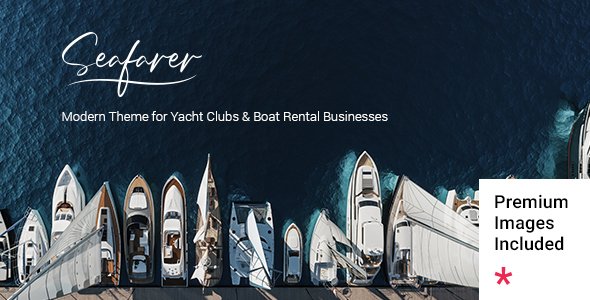
Stuck on your Seafarer WordPress theme? Let's fix it.
No endless back-and-forth. Just send us the details and we'll get it done.
No obligation · Replies within 1 hour · Quote within 1 day
Setup · Customization · Bug fixes · WooCommerce integration
About Seafarer WP Theme
Seafarer is a WordPress theme by Mikado-Themes built for maritime, travel, and outdoor lifestyle brands. It ships with a clean nautical aesthetic, pre-built demo content, and a drag-and-drop page builder, making it practical for agencies and independent site owners alike.
The theme runs on Mikado’s own framework, which means tight control over typography, headers, and color schemes without touching code. It supports WooCommerce for selling gear or merchandise, and the included shortcode library handles most layout needs out of the box.
Seafarer suits sailing clubs, charter companies, travel bloggers, and marine service businesses. It loads reasonably fast on default settings, though image-heavy pages need optimization. Overall, it is a solid starting point for any water or ocean-themed project.
Get matched with a Seafarer developer in under one day
Tell us about your Seafarer project. Small fixes, Seafarer theme customization, or a full website build, whatever you need, we've got it covered.
We'll connect you to the right Seafarer developers, define the scope, and get everything 100% clear.
You'll get one estimate, hire your preferred developer, and start collaborating.
Mikado-Themes builds feature-rich frameworks, and Seafarer is no exception. The options are deep, and getting everything configured correctly takes time if you are not already familiar with the stack. A vetted Seafarer developer on Codeable has hands-on experience with Mikado themes and can handle customization, plugin conflicts, and layout work without the trial-and-error. You get a free estimate before committing to anything.
Pros
- Nautical visual style is distinctive and works well out of the box for maritime and travel brands
- Extensive admin options panel covers headers, typography, and colors without needing custom CSS
- Includes multiple pre-built demos that can be imported with one click to start fast
- WooCommerce support is built in, making it practical for selling services or products directly
- Active Mikado-Themes support and regular updates keep the theme compatible with current WordPress versions
Cons
- Mikado's proprietary framework creates vendor lock-in that makes switching themes later more difficult
- Default page builder shortcodes produce bloated HTML that can slow down complex pages
- Demo content relies heavily on large images, which require manual optimization before launch
- Learning the options panel takes time, especially for users unfamiliar with Mikado theme architecture
- Some advanced layout features require the bundled Visual Composer plugin, adding another layer of dependency
Who is Seafarer for?
Sailing Clubs and Yacht Associations
Seafarer’s event and portfolio templates work well for clubs that need to showcase races, regattas, and member news. The gallery layouts handle large photo sets cleanly, and the contact forms are straightforward to configure for membership enquiries or event sign-ups.
Boat Charter and Rental Companies
Charter operators can use Seafarer’s service pages and WooCommerce integration to display fleet listings, publish availability, and accept booking deposits. Custom post types built by a developer can handle vessel specs and seasonal pricing without cluttering the default CMS structure.
Marine Services and Repair Businesses
The theme’s clean service page templates and contact layouts suit marine mechanics, boatyard operators, and chandleries. Local SEO setup alongside the theme helps these businesses appear in regional searches for marine services and repairs.
Travel and Adventure Bloggers
Bloggers covering sailing routes, ocean travel, or coastal adventures benefit from Seafarer’s strong typography and full-width image support. The blog layouts are readable on mobile, and the theme supports popular affiliate and ad plugins without major conflicts.
Nautical Gear and Apparel Stores
Seafarer’s WooCommerce compatibility makes it a reasonable choice for online stores selling sailing gear, apparel, or nautical accessories. Product pages support galleries and variation selectors, and the overall aesthetic fits niche maritime retail brands well.

Customizing Seafarer
Seafarer’s options panel gives you control over fonts, colors, header styles, and footer layouts from a single admin screen. You can switch between multiple header presets, adjust logo positioning, and set sticky navigation without writing a line of CSS.
For deeper work, a Seafarer expert can modify the child theme to match exact brand guidelines, build custom post type templates for fleet listings or trip itineraries, and wire up Advanced Custom Fields to dynamic page sections. Mikado’s shortcode system is extensive but can get messy in complex layouts, so having a developer who knows the framework saves significant time.
Custom animations, parallax sections, and portfolio grids are all configurable, but they perform best when set up by someone familiar with how Mikado themes handle asset loading and script dependencies.
Recommended plugins for Seafarer
Seafarer works with WooCommerce for booking deposits, merchandise, or digital product sales. The theme is compatible with popular plugins including WPForms, WPML for multilingual sites, and Yoast SEO.
If site speed is a concern, pairing Seafarer with proper caching and image optimization makes a real difference. Read more on our WordPress performance service. For search visibility on competitive maritime or travel keywords, structured content and technical SEO work matters. See our WordPress SEO optimisation service for details on what that involves.
Not sure which plugins to use? This WordPress plugins directory covers the most popular options with reviews and setup guides.
Seafarer common issues
Seafarer theme slider not showing on mobile
This is usually caused by the slider plugin (typically Slider Revolution bundled with Mikado themes) using settings optimized for desktop only. Check the slider module settings and enable mobile visibility explicitly. Also confirm the theme’s header area is not set to hide on small screens via the responsive options panel. Clearing the cache after changes is essential before testing. If the slider still fails, a WordPress bug fix can diagnose the conflict quickly.
Seafarer WordPress theme slow loading speed
Seafarer ships with several bundled scripts and stylesheets that load on every page regardless of whether they are needed. Start by enabling a caching plugin and optimizing images. Disable unused Mikado shortcode scripts through the theme options if available. For more substantial speed improvements, including database cleanup and server-level caching, see our WordPress performance service.
Seafarer theme WooCommerce shop page layout broken
WooCommerce layout breaks in Seafarer often appear after a WooCommerce update that changes template structure. Mikado themes need periodic template file updates to stay in sync. Check if your theme’s WooCommerce templates are outdated using the WooCommerce system status page. Update them through the child theme or have a developer merge the changes carefully to avoid losing custom styling.
Seafarer theme header logo not displaying correctly
Logo display issues in Seafarer are commonly tied to the header type selected in the theme options. Different header layouts use different logo size constraints. Check the logo dimensions set in the Mikado options panel and compare them against your image file. Retina and sticky header versions may also need separate logo files uploaded. Clearing the browser cache and CDN cache often resolves display inconsistencies after uploading a corrected file.
Seafarer FAQ
Mikado-Themes maintains active updates for Seafarer and keeps it compatible with current WordPress releases. You can check the theme’s changelog on ThemeForest for the latest version history. Buying through the official channel gives you access to updates and support. If your installation is outdated, updating carefully in a staging environment first is the right approach.
Seafarer is built on the Mikado framework with its own shortcode system and Visual Composer integration. It is not designed with Elementor in mind. You can install Elementor, but expect conflicts with the built-in page builder and potential layout issues. Most developers working with Seafarer recommend sticking with the Mikado shortcode system or WPBakery rather than mixing builders.
After activating Seafarer, go to Mikado Options and look for the import section. You can import the demo content including pages, posts, widgets, and settings from there. Make sure all required plugins are installed before importing. Running the import on a fresh WordPress install avoids conflicts with existing content and settings.
Seafarer supports WooCommerce and the visual style works well for niche maritime or outdoor retail. For a straightforward store, it performs adequately. For complex shop requirements like subscription products, advanced filtering, or large catalogs, additional plugin configuration and possibly custom template work will be needed to keep the layout consistent.
Migrating an existing site to Seafarer involves recreating page layouts using the Mikado shortcode system, which takes time depending on site size. Content itself can be migrated, but visual templates need rebuilding. Our WordPress migration service can handle the technical side of the move while minimizing downtime and content loss.
Hire a Seafarer WordPress Expert
Whether you need a full site build, a custom feature, or a fix for something broken, working with a specialist saves time and avoids mistakes that are expensive to undo. Our WordPress development services are delivered through Codeable, where all developers are vetted and rated. Get a free estimate with no obligation to hire. You describe the project, get matched with a Seafarer developer, and decide from there.
You'll need a free Codeable account so developers can ask questions and send their quotes.