Selo WordPress Theme
by Duck-Themes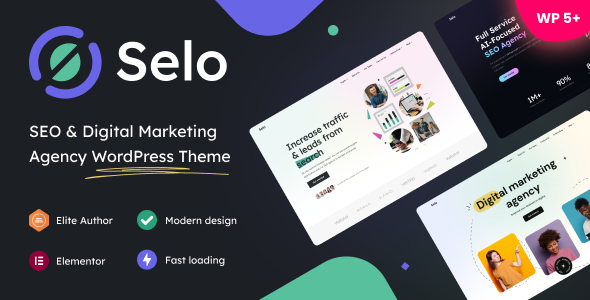
Stuck on your Selo WordPress theme? Let's fix it.
No endless back-and-forth. Just send us the details and we'll get it done.
No obligation · Replies within 1 hour · Quote within 1 day
Setup · Customization · Bug fixes · WooCommerce integration
About Selo WP Theme
Selo is a WordPress theme by Duck-Themes built for creative agencies, portfolios, and business sites. It ships with a clean grid-based layout, smooth scroll animations, and a minimal aesthetic that keeps the focus on your work.
The theme is built on a solid foundation with support for Elementor and the WordPress block editor. You get multiple homepage demos, flexible header options, and project portfolio layouts out of the box. Setup is fast using the one-click demo importer.
Selo suits studios and freelancers who want a polished online presence without heavy customization overhead. It performs well on mobile and scores reliably on Core Web Vitals when configured correctly. Duck-Themes maintains the theme with regular updates and provides documentation to help you get started quickly.
Get matched with a Selo developer in under one day
Tell us about your Selo project. Small fixes, Selo theme customization, or a full website build, whatever you need, we've got it covered.
We'll connect you to the right Selo developers, define the scope, and get everything 100% clear.
You'll get one estimate, hire your preferred developer, and start collaborating.
Selo is flexible, but getting the most out of it requires WordPress knowledge beyond basic customization. A developer who knows the theme structure can build exactly what you need without workarounds. Through Codeable, you get matched with vetted WordPress specialists who have hands-on experience with themes like Selo. Every developer on the platform is reviewed and approved, so you are not taking a chance on quality. Post your project, get an estimate, and decide whether to proceed. There is no obligation and no upfront cost.
Pros
- Clean minimal design that loads fast and looks professional without heavy styling
- One-click demo importer gets a working site running in minutes
- Full Elementor compatibility with pre-built section templates
- Portfolio layouts are well-structured for agencies and freelancers
- Responsive and mobile-optimised out of the box with no extra configuration needed
Cons
- Limited built-in typography controls require CSS or a plugin to expand font options
- WooCommerce support is basic and needs additional styling for a polished shop
- Demo content imports can leave behind placeholder images that need manual replacement
- Header customization options are limited compared to dedicated header builder themes
- Support response times from Duck-Themes can be slow during busy periods
Who is Selo for?
Creative Agency Portfolio
Selo’s grid-based portfolio layouts make it a strong choice for agencies displaying client work. Project pages can be structured to show case study details, deliverables, and results. The clean aesthetic keeps the focus on the work rather than the template, which is exactly what a prospective client wants to see when reviewing your portfolio.
Freelance Designer Website
Freelancers need a site that looks professional and loads fast. Selo covers both. The minimal layout works well for showcasing a tight selection of projects with clear service descriptions. Combined with a contact form and a simple about page, it gives a freelancer everything needed to convert site visitors into enquiries.
Photography Studio
Full-width image support and grid gallery options make Selo a practical choice for photographers. You can display work in a clean masonry or fixed grid layout. The theme does not add unnecessary visual clutter around images, which is important when the photography itself needs to be the centrepiece of every page.
Digital Marketing Studio
Digital marketing studios can use Selo to present services, case studies, and team profiles in a structured way. The homepage demo layouts include sections for service listings and client logos. With some customization, you can build a credible agency site that communicates expertise without overloading visitors with text.
Architecture or Interior Design Firm
Architecture and interior design firms benefit from Selo’s emphasis on large imagery and minimal text interference. Project galleries can be set up to display before-and-after work, material selections, and completed room photography. The theme’s spacing and whitespace defaults suit design-led industries where visual presentation is the primary communication tool.

Customizing Selo
Selo gives you a solid starting point, but most sites need changes that go beyond what the theme options panel can handle. A Selo expert can modify layouts, adjust spacing and typography, and build custom section templates in Elementor without touching the parent theme files.
Common customization work includes adding custom post types for case studies or team members, adjusting the portfolio grid behavior, and integrating third-party tools like CRM forms or booking systems. Header and footer modifications are also frequently requested.
Child theme development keeps your changes safe across updates. A developer familiar with Selo and Duck-Themes conventions can move fast and avoid the trial and error that slows down DIY customization.
Recommended plugins for Selo
Selo works with the most widely used WordPress plugins without conflicts. WooCommerce integration is possible for studios selling digital products or services. Contact Form 7 and WPForms both slot in cleanly.
For SEO, Yoast and Rank Math are fully compatible. Pairing Selo with a dedicated WordPress SEO setup improves your chances of ranking for competitive search terms. If you want to improve load times, a proper WordPress performance configuration covering caching, image optimization, and a CDN makes a measurable difference on Selo-based sites.
Not sure which plugins to use? This WordPress plugins directory covers the most popular options with reviews and setup guides.
Selo common issues
Selo theme portfolio grid not displaying correctly
Portfolio grid display problems in Selo are usually caused by a conflict with a caching plugin, a missing image size, or an incorrectly set column count in the theme options. Start by clearing your cache and regenerating thumbnails using a plugin like Regenerate Thumbnails. If the problem persists, check whether a custom CSS rule is overriding the grid width. A developer can diagnose the exact cause through our WordPress bug fixing service.
Selo theme slow loading after adding Elementor sections
Elementor adds render-blocking scripts and unused CSS that slow Selo sites down. The fix involves configuring a performance plugin like WP Rocket or LiteSpeed Cache, enabling lazy loading for images, and removing unused Elementor widget CSS. You should also check whether you have enabled Elementor’s Improved Asset Loading in the editor settings. For a full setup, see our WordPress performance service.
Selo demo import not working or incomplete
Failed or incomplete demo imports in Selo are often caused by PHP memory limits or execution time settings that are too low for the import process to finish. Increase max_execution_time and memory_limit in your PHP configuration or ask your host to do it. Also make sure the One Click Demo Import plugin is installed and up to date before running the import again. Refreshing the page mid-import can also cause partial results.
Selo header overlapping content on mobile
Mobile header overlap in Selo is typically caused by a fixed position header that does not account correctly for varying screen heights or a missing top padding value on the first content section. Check the header height settings in the Customizer and add explicit top padding to the hero or first section. If you have made changes to the header template, a CSS adjustment targeting mobile breakpoints will resolve the overlap without affecting desktop layout.
Selo FAQ
Selo is a premium WordPress theme sold by Duck-Themes through ThemeForest. A single site licence covers one domain and includes six months of support from the developer. You can extend support to twelve months at an additional cost. The licence also includes all future theme updates for as long as you hold an active ThemeForest purchase.
Yes. Selo is built with Elementor compatibility in mind. You can use Elementor Free or Elementor Pro to edit page layouts within the theme structure. Pre-built section templates are included to speed up the build process. For more advanced layouts or custom widgets, a developer familiar with both Selo and Elementor can extend what is possible.
Selo includes basic WooCommerce support, but the out-of-the-box styling is minimal. Product pages, cart, and checkout all function correctly, but they inherit generic WooCommerce styling rather than a design matched to the theme. Additional CSS work or a WooCommerce-specific child theme stylesheet is needed for a fully branded shopping experience.
Always use a child theme when customizing Selo. Any changes made directly to parent theme files will be overwritten when you update. A child theme stores your modifications separately, so updates apply to the parent without affecting your work. If you are not using a child theme already, migrating your existing changes into one before the next update is worth doing. A developer can handle this quickly.
Selo has a clean HTML structure which gives it a reasonable starting point for SEO. It does not ship with bloated scripts that hurt performance out of the box. However, good SEO also depends on your hosting, image sizes, caching configuration, and how you structure your content. Pairing Selo with a properly configured SEO plugin and a performance setup will get the best results.
Hire a Selo WordPress Developer
Whether you need a layout built from scratch, a bug fixed, or a feature added to your existing Selo site, working with a specialist saves time. Our developers know Selo and WordPress inside out. Get a free estimate through Codeable and hear back within 24 hours. No commitment required. You describe the work, receive a clear quote, and decide from there.
You'll need a free Codeable account so developers can ask questions and send their quotes.