Seosight WordPress Theme
by Crumina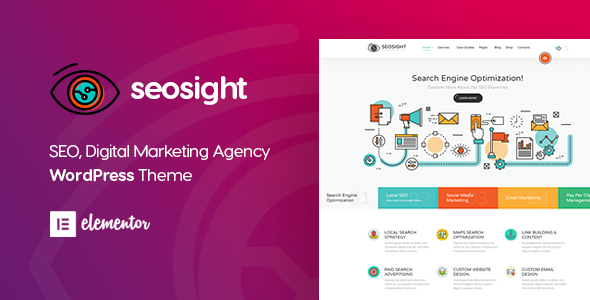
Stuck on your Seosight WordPress theme? Let's fix it.
No endless back-and-forth. Just send us the details and we'll get it done.
No obligation · Replies within 1 hour · Quote within 1 day
Setup · Customization · Bug fixes · WooCommerce integration
About Seosight WP Theme
Seosight is a WordPress theme built by Crumina, targeted at digital marketing agencies, SEO companies, and online business consultancies. It ships with a purpose-built layout system, pre-made demo pages for SEO and PPC services, and tight integration with popular page builders. The theme leans heavily on structured content blocks that make it easy to present service packages, case studies, and team profiles without writing custom code.
Under the hood, Seosight uses clean HTML5 markup, schema-friendly structure, and Google Fonts. It supports WooCommerce, Contact Form 7, and Revolution Slider. If you run a marketing-focused business and want a theme that already thinks in terms of funnels, service tiers, and lead capture, Seosight covers most of that out of the box without heavy third-party plugin stacks.
Get matched with a Seosight developer in under one day
Tell us about your Seosight project. Small fixes, Seosight theme customization, or a full website build, whatever you need, we've got it covered.
We'll connect you to the right Seosight developers, define the scope, and get everything 100% clear.
You'll get one estimate, hire your preferred developer, and start collaborating.
Finding a developer who actually knows Seosight saves time. On Codeable, every developer is vetted before they take a project, so you are not rolling the dice on someone learning the theme at your expense. Post your project, describe what you need, and matched Seosight specialists send estimates within 24 hours. No obligation to hire, no upfront payment. It is a straightforward way to get real expertise on a specific theme without the usual freelancer risk.
Pros
- Pre-built demo content specifically designed for SEO and digital marketing agencies, reducing setup time significantly
- Schema-friendly HTML structure that supports structured data without extra plugins
- Includes dedicated pricing table, team, and case study blocks out of the box
- Compatible with WooCommerce, allowing agencies to sell service packages directly from the site
- Regular updates from Crumina with active support documentation and a changelog
Cons
- Revolution Slider dependency adds page weight and can slow load times if not configured carefully
- Heavy reliance on shortcodes in older demo content makes switching page builders painful
- Some design elements feel dated compared to 2024 standards without custom CSS work
- Limited native block editor (Gutenberg) support; most layouts still assume WPBakery usage
- Customer support response times from Crumina can be slow for complex or niche issues
Who is Seosight for?
SEO Agency
Seosight was designed with SEO agencies in mind. The service block layouts, case study post types, and results-focused sections map directly onto how an SEO company presents its work. A Seosight specialist can extend these with custom ranking report displays, client portal links, and location-specific landing pages without rebuilding from scratch.
PPC and Paid Media Consultancy
PPC consultancies need clear service tiers, strong CTAs, and fast load times. Seosight’s pricing tables and lead capture sections work well here. A Seosight developer can customise the conversion-focused elements, strip unused blocks to improve speed, and connect forms to CRM or email automation tools the agency already uses.
Content Marketing Studio
Content marketing studios benefit from Seosight’s blog and portfolio layouts. The theme handles editorial content cleanly alongside service pages. A developer can build out custom post types for content types like whitepapers or case studies, add gated download functionality, and style the reading experience to match the studio’s brand without touching core theme files.
Web Analytics Consultancy
Analytics consultancies often need to present complex data simply. Seosight’s flexible grid system supports custom dashboard-style layouts when a specialist builds on top of it. Integration with chart libraries, custom shortcodes for displaying metrics, and structured service pages for analytics audits all fit within what a Seosight developer can deliver.
Digital Marketing Freelancer Portfolio
Freelance digital marketers need a site that looks credible fast. Seosight’s demo content provides a full portfolio and services structure from day one. A Seosight expert can trim it down to a lean one-person brand, add testimonial management, integrate a booking tool, and optimise the layout for personal brand search queries.

Customizing Seosight
Seosight gives you a solid starting point, but real business sites always need more than demo content. A Seosight expert can rewire the header layout, build custom service page templates, or connect the theme to a CRM without breaking the existing design system.
Common customization requests include adding custom icon sets to service blocks, restructuring the pricing table component, adjusting mobile breakpoints, and creating child themes that survive Crumina’s updates. More advanced work covers custom post types for case studies, ACF integration for editable team bios, and bespoke landing pages built on top of the Seosight framework. A developer who knows the theme internals can deliver all of this without the hacks that create maintenance headaches down the line.
Recommended plugins for Seosight
Seosight pairs well with tools that extend its core SEO and performance focus. Yoast SEO or Rank Math slot in cleanly alongside the theme’s schema-ready markup. For site speed, pairing Seosight with a proper caching layer and image optimization setup makes a measurable difference. See the WordPress performance service for specifics on what to optimize.
If you need deeper on-page SEO work beyond what plugins handle automatically, the WordPress SEO optimisation service covers technical and content-level improvements that complement what Seosight already does structurally.
Not sure which plugins to use? This WordPress plugins directory covers the most popular options with reviews and setup guides.
Seosight common issues
Seosight theme not loading after update
A blank or broken display after a Seosight update usually points to a plugin conflict or a PHP version mismatch. Start by switching to a default WordPress theme temporarily to confirm the issue is theme-side. Check your PHP version against Crumina’s requirements, then deactivate plugins one by one. If the problem persists, restore from backup and update more carefully. For faster diagnosis, a WordPress bug fixing specialist can isolate the cause without the guesswork.
Seosight Revolution Slider causing slow page speed
Revolution Slider loads a significant amount of JavaScript and CSS by default, even on pages that do not use a slider. Disable the plugin on pages where it is not needed using a plugin like Asset CleanUp. Lazy-load slider images and limit the number of slides. If you are not using Revolution Slider at all, replace it with a lighter native solution. Speed gains from removing or optimising this single plugin are usually significant in Seosight installs.
Seosight WPBakery elements not displaying correctly
WPBakery layout breaks in Seosight usually happen after a WPBakery update that changes how row or column shortcodes render. Check whether the issue appears in the frontend only or also in the backend editor. Clearing the cache often resolves visual glitches. If shortcodes are printing as raw text, confirm WPBakery is activated. For persistent layout corruption, a WordPress bug fixing service can audit and repair the affected templates.
Seosight header logo not showing on mobile
Mobile logo issues in Seosight are typically caused by a missing or incorrectly sized retina logo set in the theme options, or CSS targeting the wrong breakpoint. Go to the Seosight theme options panel and check both the standard and mobile logo fields. If the logo is set but not showing, inspect the element in browser dev tools to find which CSS rule is hiding it. A max-width or display:none rule in the theme’s responsive stylesheet is the usual culprit.
Seosight contact form not sending emails
Contact Form 7 email failures on Seosight sites are almost always a server mail configuration problem, not a theme issue. WordPress uses PHP mail by default, which many hosts block. Install WP Mail SMTP and connect it to a transactional email provider like SendGrid or Mailgun. Set up SPF and DKIM records for your domain. Once SMTP is configured correctly, Contact Form 7 will send reliably. Test with the WP Mail SMTP test email tool before going live.
Seosight demo import failing or incomplete
Seosight demo imports fail most often due to server memory limits or execution time limits set too low. Before importing, set memory_limit to at least 256M and max_execution_time to 300 in your php.ini or wp-config.php. Import the demo content in stages if the one-click import tool allows it. If images are missing after import, use the Regenerate Thumbnails plugin. A partial import can sometimes be completed manually by importing the XML file separately from the theme options and widgets.
Seosight custom fonts not loading
Custom fonts failing to load in Seosight usually means the font files are not enqueued correctly in the child theme, or a caching plugin is serving stale CSS. If you added fonts via the theme options Google Fonts selector, check that the field was saved and the font name matches exactly. For self-hosted fonts added via a child theme, confirm the @font-face path is correct relative to the stylesheet. Purge all caches after any font change and test in an incognito window to confirm the fix.
Seosight pricing table layout broken on mobile
Seosight’s pricing table component uses a fixed-column grid that does not always collapse gracefully on small screens. If columns are overflowing or stacking incorrectly, the fix is usually adding CSS media queries to the child theme that switch the grid to a single column below a set breakpoint. Avoid editing the parent theme’s stylesheet directly. If you are using WPBakery to build the pricing section, check whether the column settings have a mobile layout override option in the element settings panel.
Seosight child theme styles not applying
If child theme styles are not applying in Seosight, the most common cause is that the child theme stylesheet is not enqueued correctly, or the parent theme styles are loading after the child styles and overriding them. Check the child theme’s functions.php to confirm wp_enqueue_scripts is hooking in the stylesheet with the correct dependency on the parent theme handle. Also confirm the child theme template files match the correct naming convention used by Crumina’s parent theme structure.
Seosight WooCommerce pages showing unstyled
Unstyled WooCommerce pages in Seosight often appear after a WooCommerce major update that changes template file structures. Seosight ships with WooCommerce template overrides in the theme folder. If those override files are outdated, WooCommerce falls back to its own unstyled defaults. Go to WooCommerce > Status > Tools and check for outdated templates. Update the override files in the child theme to match the current WooCommerce versions. For help with this, a WordPress bug fixing expert can update and test the templates safely.
Seosight FAQ
Yes, for that specific niche. Seosight was designed with SEO and digital marketing agencies in mind. It includes pre-built service pages, case study layouts, and results sections that map to how agencies present their work. You will need some customisation to make it fit your brand, but the structural foundation is solid for the use case.
Seosight has limited native Gutenberg support. Most of its demo content and layout options are built around WPBakery. You can use the block editor for basic content, but the full feature set assumes WPBakery is active. A Seosight developer can build Gutenberg-compatible templates if you want to move away from WPBakery without rebuilding the whole site.
Seosight is built around WPBakery Page Builder, which is bundled with the theme. Some versions also include Elementor compatibility, but WPBakery is the primary builder Crumina designed the demo content and custom elements around. Switching builders mid-project requires developer work to avoid layout loss.
Yes. Revolution Slider is bundled but not required. If your homepage or inner pages do not use a slider, you can leave it deactivated. Removing it from pages where it is not needed improves load times noticeably. Replace it with a static hero image section or a lightweight alternative if needed.
Seosight includes a one-click demo importer in the theme options panel. Before importing, increase your server memory limit to 256M and max execution time to 300 seconds. Install all required plugins first, then trigger the import. If it fails or completes partially, try importing the XML content file manually through WordPress > Tools > Import.
Yes. Seosight includes WooCommerce template overrides and styling for shop pages, product pages, and the cart. It works well for selling service packages or digital products. After major WooCommerce updates, check for outdated template files in the theme to keep the styling intact.
Create a folder in wp-content/themes named seosight-child. Add a style.css file with the correct Template header pointing to seosight, and a functions.php that enqueues the parent stylesheet. Activate the child theme from the WordPress dashboard. All custom CSS and template overrides go into the child theme to survive parent updates.
Yes. A Seosight specialist can rework the pricing table layout, add or remove columns, change the feature comparison rows, and make the whole component responsive on mobile. This is typically done via child theme CSS and custom WPBakery element settings, without touching core theme files.
Costs vary depending on the scope. Small fixes or single-page customisations typically run between $100 and $300. Full custom builds on top of Seosight can range from $1,000 upward. Through Codeable, you post your project and get a specific estimate before committing. There is no obligation to hire after receiving the estimate.
Seosight is compatible with WPML and Polylang for multilingual setups. Theme strings can be translated via WPML’s string translation module. Some shortcode-based content requires manual translation setup. A Seosight developer familiar with WPML can configure the multilingual structure so translated pages inherit the correct layouts.
Hire a Seosight Developer
Whether you need a small fix or a full site build on Seosight, working with a specialist is faster and cheaper than trial and error. Through Codeable, you get matched with a vetted Seosight developer who knows the theme’s structure, not someone figuring it out on your timeline. Get a Free Estimate and describe your project. There is no obligation to hire and no payment until you are happy with the plan.
You'll need a free Codeable account so developers can ask questions and send their quotes.