SetSail WordPress Theme
by Select-Themes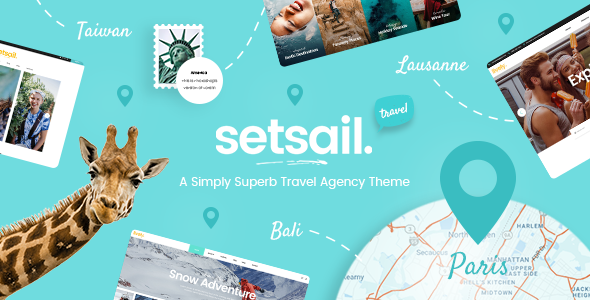
Stuck on your SetSail WordPress theme? Let's fix it.
No endless back-and-forth. Just send us the details and we'll get it done.
No obligation · Replies within 1 hour · Quote within 1 day
Setup · Customization · Bug fixes · WooCommerce integration
About SetSail WP Theme
SetSail is a WordPress theme built by Select-Themes, designed for travel and lifestyle brands that need a clean, image-forward layout. It pairs large hero sections with well-structured content areas, making it a practical choice for travel bloggers, tour operators, and hospitality businesses.
The theme is built on a solid foundation with support for the WordPress block editor, widgetized sidebars, and multiple page templates. It loads fast out of the box and follows WordPress coding standards, which matters if you plan to extend it with plugins or custom code.
Select-Themes has a track record of well-documented, regularly updated themes. SetSail fits that pattern. It is not overloaded with features you will never use, which makes it easier to build on and maintain over time.
Get matched with a SetSail developer in under one day
Tell us about your SetSail project. Small fixes, SetSail theme customization, or a full website build, whatever you need, we've got it covered.
We'll connect you to the right SetSail developers, define the scope, and get everything 100% clear.
You'll get one estimate, hire your preferred developer, and start collaborating.
SetSail is straightforward to set up, but building something that performs well and looks polished takes more than default settings. FoxyConcept works with experienced WordPress developers through Codeable, a vetted network where every developer is tested before they can take on client work.
That means you get someone who has worked on real projects, not a freelancer with an unverified profile. Whether you need a full site build, design changes, or plugin integration, you are matched with a developer who can actually deliver.
Pros
- Clean, image-forward layouts suited to travel and lifestyle content
- Compatible with the WordPress block editor without layout conflicts
- Lightweight codebase that does not slow down page load times
- Well-documented by Select-Themes with consistent update history
- Multiple page templates give flexibility without requiring custom code
Cons
- Limited built-in tour or booking functionality requires third-party plugins
- Typography options in the Customizer are basic and may need CSS overrides
- Advanced layout changes require a child theme and developer knowledge
- Fewer demo templates compared to multipurpose themes like Astra or Divi
- Community support forums are smaller than major theme marketplaces
Who is SetSail for?
Travel Blog
SetSail’s large hero images and clean post layouts suit travel bloggers who lead with photography. The theme handles long-form content well without cluttering the reading experience. Category pages and archive layouts keep older posts discoverable, which matters for blogs with a large back catalogue of destination guides and trip reports.
Tour Operator
Tour operators need clear service pages, inquiry forms, and trust-building content. SetSail’s page templates provide the structure for this. Combined with a booking plugin like WooCommerce Bookings or Amelia, it becomes a functional sales tool. A developer can wire up the booking flow and make sure it matches the rest of the site’s design.
Boutique Hotel
Hotels need to communicate atmosphere quickly. SetSail’s full-width image sections and minimal UI do that without distraction. Room listing pages, a booking widget integration, and a well-structured contact section can be added without overriding the theme’s core design. The result feels considered rather than templated.
Travel Photography Portfolio
Photographers need a theme that stays out of the way and lets images carry the page. SetSail’s whitespace and grid options work well for portfolio-style layouts. Gallery plugins slot in cleanly, and the header options allow for a minimal, branded presentation that suits professional photographers selling prints or licensing work.
Destination Marketing
Destination marketing sites need to handle a mix of content types: guides, listings, events, and editorial features. SetSail provides a solid base, and with custom post types added by a developer, it can support a structured content model. The visual style matches what readers expect from a destination-focused publication.

Customizing SetSail
SetSail exposes most of its visual options through the WordPress Customizer. You can control typography, colors, header layouts, and homepage sections without touching code. That covers the basics for most site owners.
Beyond that, customization gets more specific. Custom post types for tours or destinations, unique archive layouts, integration with booking plugins, and performance tuning all require someone who knows the theme codebase well. A SetSail expert can work inside the theme’s structure rather than fighting it.
Child themes are the right approach for any changes that go beyond Customizer settings. This keeps your modifications safe when SetSail updates. A developer familiar with Select-Themes’ coding patterns will set this up correctly from the start and avoid the common mistakes that cause styling to break after an update.
Recommended plugins for SetSail
SetSail pairs well with several plugin categories. WooCommerce can add booking or merchandise functionality. WPForms or Gravity Forms handle contact and inquiry forms cleanly. For galleries and portfolios, Envira Gallery or FooGallery fit the theme’s visual style.
SEO plugins like Yoast or Rank Math work without conflicts. If site speed is a concern, pairing SetSail with a caching plugin and image optimization tool makes a real difference. For larger travel sites, WordPress performance optimization and SEO configuration are worth addressing early rather than retrofitting later.
Not sure which plugins to use? This WordPress plugins directory covers the most popular options with reviews and setup guides.
SetSail common issues
SetSail theme header not displaying correctly after update
Header display issues after a SetSail update are usually caused by CSS conflicts with a plugin or direct edits made to the parent theme files. Check whether you are using a child theme. If not, any custom CSS added to the parent theme will have been overwritten. Clear your cache first, then inspect the header in browser developer tools to identify which style is being overridden. If the issue persists, a WordPress bug fix can isolate the cause quickly.
SetSail homepage sections not showing on mobile
Mobile layout problems with SetSail homepage sections often trace back to a plugin adding conflicting styles or a missing viewport meta tag. Open the page on a real device or in Chrome DevTools responsive mode and check the console for JavaScript errors. Caching plugins that serve a separate mobile version can also strip out sections. Disable caching temporarily to confirm. If the sections use custom HTML, check for unclosed tags breaking the layout.
SetSail theme slow to load images on travel blog
Image-heavy travel sites need more than a good theme to load fast. SetSail does not compress images automatically. Install an image optimization plugin like ShortPixel or Imagify and run it on your existing media library. Enable lazy loading if it is not already active. A content delivery network helps significantly for international audiences. For a full review of what is slowing your site down, WordPress performance optimization is worth looking into.
SetSail Customizer changes not saving
If SetSail Customizer changes are not saving, the most common causes are a permissions issue on the uploads folder, a security plugin blocking the AJAX save request, or a PHP memory limit being hit during the save. Check your server error logs for anything triggered at the time you try to save. Temporarily deactivating security plugins one by one can confirm if that is the source. If the problem started after a WordPress core update, a developer can check for compatibility issues quickly.
SetSail FAQ
Select-Themes maintains SetSail with regular updates and it is tested against current WordPress releases. Before updating WordPress core on a live site, check the theme’s changelog for compatibility notes. Running updates on a staging environment first is always the safer approach. If you are managing updates across multiple sites, WordPress maintenance services handle this systematically.
SetSail does not conflict with WooCommerce, but it is not built specifically for e-commerce. Basic WooCommerce pages will display using default plugin styles. For a consistent look between the theme and shop pages, you will need CSS customisation or a developer to style the WooCommerce templates inside a child theme. For simple digital product or booking sales, it works well with modest setup effort.
Create a new folder in your themes directory named something like setsail-child. Add a style.css file with the required header declaring the parent theme as SetSail, and a functions.php file that enqueues the parent theme’s stylesheet. Activate the child theme from the WordPress dashboard. Any CSS or template overrides go into the child theme, keeping your changes safe through parent theme updates.
SetSail can be used alongside Elementor, but page builder compatibility varies by page template. Some SetSail template features may not render inside the Elementor canvas as expected. If you plan to build primarily with a page builder, test on a staging site first. Mixing theme templates and page builder layouts on the same site can create inconsistent results that require developer attention to resolve cleanly.
SetSail suits travel agencies that want a clean, image-led site without the bloat of a multipurpose theme. It handles service pages, destination content, and inquiry forms well. For booking functionality, you will need a plugin like Amelia or WooCommerce Bookings. A developer can integrate these cleanly. For a full agency site with custom tour listings and structured booking flows, plan for development time beyond basic theme setup.
Hire a SetSail WordPress Developer
Need help building or customising your SetSail site? FoxyConcept connects you with vetted WordPress developers who know the theme inside out. You get a free estimate with no obligation to proceed. Projects are delivered through Codeable, so quality is consistent and your investment is protected. Get your free estimate today and have a developer matched to your project within 24 hours.
You'll need a free Codeable account so developers can ask questions and send their quotes.