ShopVolly WP WordPress Theme
by TemplateMela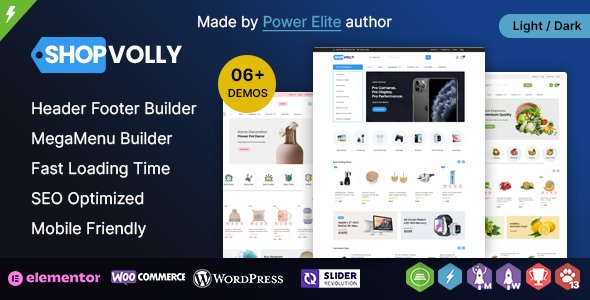
Stuck on your ShopVolly WP WordPress theme? Let's fix it.
No endless back-and-forth. Just send us the details and we'll get it done.
No obligation · Replies within 1 hour · Quote within 1 day
Setup · Customization · Bug fixes · WooCommerce integration
About ShopVolly WP WP Theme
ShopVolly WP is a WooCommerce theme built by TemplateMela, aimed at online stores that want a clean, product-focused layout without heavy configuration. It ships with a drag-and-drop page builder, pre-built homepage sections, and a mobile-first design that holds up across screen sizes.
The theme suits general eCommerce stores, electronics retailers, fashion shops, and multi-category marketplaces. It includes a sticky header, mega menu support, AJAX cart functionality, and product quick-view out of the box. TemplateMela has built it around WooCommerce standards, so most standard plugins work without conflicts. If you want a store that looks professional from day one without writing a line of code, ShopVolly WP gives you a solid starting point.
Get matched with a ShopVolly WP developer in under one day
Tell us about your ShopVolly WP project. Small fixes, ShopVolly WP theme customization, or a full website build, whatever you need, we've got it covered.
We'll connect you to the right ShopVolly WP developers, define the scope, and get everything 100% clear.
You'll get one estimate, hire your preferred developer, and start collaborating.
ShopVolly WP is straightforward to install, but building a store that converts takes more than a theme. Layout decisions, WooCommerce configuration, checkout flow, and page speed all affect sales. FoxyConcept connects you with vetted ShopVolly WP developers through Codeable, a platform built specifically for WordPress work. Every developer is screened before they can take projects. You get a real estimate from someone who has done this before, with no obligation to move forward.
Pros
- Ships with AJAX cart and product quick-view enabled by default, reducing the need for additional plugins
- Mega menu support is built in, making large product category navigation manageable without extra tools
- Mobile-first layout that adapts cleanly across devices without custom CSS workarounds
- Pre-built homepage sections speed up initial store setup considerably for non-developers
- Compatible with major WooCommerce extensions including Subscriptions, WPML, and Product Add-Ons
Cons
- Documentation from TemplateMela is limited, which makes advanced customization harder to self-manage
- The built-in page builder is not Elementor or Gutenberg, so switching later requires rebuilding pages
- Design options in the Customizer are surface-level; deeper layout changes require template overrides
- Support response times from TemplateMela can be slow, especially for complex WooCommerce issues
- Not ideal for highly niche store layouts that require heavy custom WooCommerce template work
Who is ShopVolly WP for?
Electronics and Gadgets Store
ShopVolly WP suits electronics stores well. The mega menu handles deep category structures cleanly, and the product quick-view reduces friction for shoppers comparing specs. You can display featured products, flash sale timers, and brand filters on the homepage using the pre-built sections without custom development.
Fashion and Apparel Shop
Fashion stores benefit from ShopVolly WP’s image-forward layout. Large product images, grid-style category pages, and a sticky header with cart icon give shoppers a smooth browsing experience. The mobile layout handles lookbook-style image sections without horizontal scrolling issues on smaller screens.
Home and Furniture Retailer
Home and furniture retailers need clear product presentation and strong category navigation. ShopVolly WP supports wide product images and lets you organize categories in the mega menu. Pairing it with a product filter plugin like FacetWP gives shoppers a useful way to narrow down by material, size, or price range.
Multi-Category Marketplace
Multi-category stores get value from ShopVolly WP’s flexible homepage sections. You can feature different departments, highlight promotions per category, and use the mega menu to surface subcategories. It holds together well for stores selling across unrelated product types without feeling visually disjointed.
Health and Beauty Products
Health and beauty stores need trust signals and clean product pages. ShopVolly WP’s layout supports product badges, review display, and upsell sections near the add-to-cart button. It works well with WooCommerce Product Add-Ons if you sell customizable kits or subscription box products.

Customizing ShopVolly WP
ShopVolly WP covers the basics well, but most stores need more than a default setup. Customizing product page layouts, setting up custom category filters, adjusting the mega menu structure, or building a homepage that reflects your brand takes time and technical knowledge.
A ShopVolly WP expert can handle these changes without breaking existing functionality. That means tweaking WooCommerce templates the right way, adding custom CSS without patching core files, and connecting third-party plugins cleanly. Whether you need a one-time layout adjustment or a full store build from the starter theme, working with someone who knows ShopVolly WP saves you from trial and error. FoxyConcept matches you with experienced developers through Codeable.
Recommended plugins for ShopVolly WP
ShopVolly WP works with the WooCommerce plugin ecosystem, so you can extend it significantly. Popular additions include WooCommerce Subscriptions, WPML for multilingual stores, Yoast SEO for structured product data, and WooCommerce Product Add-Ons for custom order options.
If your store is slow, adding a caching layer or optimizing images through a CDN makes a real difference. Check out the WordPress performance service and WordPress SEO optimisation options for store-specific improvements that go beyond what the theme alone can offer.
Not sure which plugins to use? This WordPress plugins directory covers the most popular options with reviews and setup guides.
ShopVolly WP common issues
ShopVolly WP mega menu not working after update
Mega menu issues after an update usually come from a JavaScript conflict introduced by a plugin loaded after the theme update. Start by deactivating all plugins except WooCommerce and testing the menu. If it works, reactivate plugins one at a time. If the conflict is inside a plugin you need, a developer can enqueue scripts in the correct order. The WordPress bug fixing service handles these conflicts quickly.
ShopVolly WP AJAX cart not updating quantity
AJAX cart failures are often caused by a caching plugin serving a stale page fragment or a JavaScript error from a conflicting script. Check your browser console for errors first. If you’re using a caching plugin, exclude the cart and checkout pages from caching. If the issue persists after that, the problem is likely a script conflict that needs a developer to trace and resolve properly.
ShopVolly WP homepage sections not displaying correctly
Homepage sections breaking usually means the page builder data has become disconnected from the theme template, often after a theme update or a PHP version change. Check your PHP version in the server settings and confirm it meets TemplateMela’s requirements. If sections are missing entirely, the saved page builder data may need to be re-imported. A developer can restore the layout without you losing existing content.
ShopVolly WP product page layout broken on mobile
Broken product page layouts on mobile are typically a CSS conflict between ShopVolly WP’s stylesheet and a plugin adding its own styles. Use browser developer tools to inspect which styles are overriding the layout. Adding targeted CSS fixes in the Customizer can resolve minor issues. For structural layout problems, a template override in a child theme is the correct approach rather than editing theme files directly.
ShopVolly WP FAQ
ShopVolly WP is built around WooCommerce, but TemplateMela does not always push updates immediately after major WooCommerce releases. Check the changelog before updating WooCommerce on a live store. If you’re running the latest WooCommerce and notice display or cart issues, a bug fix or theme update is usually the solution.
ShopVolly WP uses its own bundled page builder, not Elementor. You can technically install Elementor alongside it, but the theme’s homepage templates are not built for Elementor. Using Elementor to build pages separately works, but you may lose theme-specific styling. A developer can help integrate Elementor properly without visual inconsistencies across your store.
Yes. ShopVolly WP is compatible with WPML, which is the standard for multilingual WooCommerce stores. You will need to purchase WPML separately and configure it alongside WooCommerce Multilingual. Some string translations may need manual attention in WPML’s string translation module depending on how the theme renders certain elements.
Create a child theme by making a new folder in your themes directory, adding a style.css file with the correct Template header pointing to ShopVolly WP, and a functions.php that enqueues the parent stylesheet. Upload it via FTP or the theme uploader and activate it. Any customizations go into the child theme, so they survive parent theme updates without being overwritten.
ShopVolly WP handles medium-sized catalogs well, but very large stores with thousands of products may see performance issues without optimization. Server-side caching, a CDN, and database query optimization become important at scale. The theme itself is not the bottleneck in most cases, but WooCommerce configuration and hosting quality matter significantly for larger stores.
Hire a ShopVolly WP Developer
Need a ShopVolly WP developer to build, fix, or improve your WooCommerce store? FoxyConcept works through Codeable, so every developer you get matched with is vetted and experienced in WordPress. Post your project, get a free estimate within 24 hours, and only proceed if you’re happy with the plan. No commitment, no risk. Get your free estimate now and have your store sorted without the guesswork.
You'll need a free Codeable account so developers can ask questions and send their quotes.