SocialV WordPress Theme
by iqonicdesign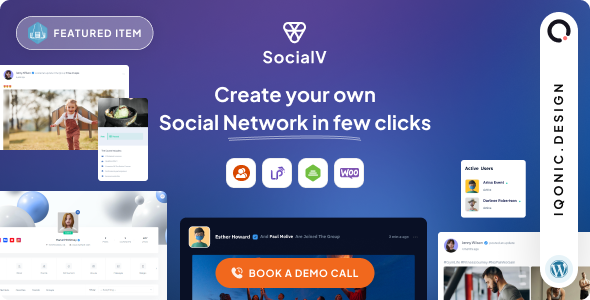
Stuck on your SocialV WordPress theme? Let's fix it.
No endless back-and-forth. Just send us the details and we'll get it done.
No obligation · Replies within 1 hour · Quote within 1 day
Setup · Customization · Bug fixes · WooCommerce integration
About SocialV WP Theme
SocialV is a WordPress theme by iqonicdesign built specifically for social networking sites. It integrates tightly with BuddyPress and BuddyBoss, giving you the foundation to build a community platform with user profiles, activity feeds, messaging, and groups out of the box.
The theme ships with a modern UI that mimics familiar social platforms, so users feel at home immediately. It supports WooCommerce for digital products or memberships, and works alongside popular LMS plugins like LearnDash if you want to add courses to your community.
iqonicdesign also maintains a React Native mobile app version called SocialV App, which pairs with the theme for a full cross-platform social network. If you need a community site that goes beyond a basic forum, SocialV is one of the more purpose-built options available for WordPress.
Get matched with a SocialV developer in under one day
Tell us about your SocialV project. Small fixes, SocialV theme customization, or a full website build, whatever you need, we've got it covered.
We'll connect you to the right SocialV developers, define the scope, and get everything 100% clear.
You'll get one estimate, hire your preferred developer, and start collaborating.
SocialV sits at the intersection of several complex systems: BuddyPress, WooCommerce, LMS plugins, and optionally a React Native app. Each has its own configuration requirements, and they need to work together cleanly.
A developer who knows only WordPress generics will spend a lot of time troubleshooting iqonicdesign-specific behavior. Working with a vetted SocialV developer through Codeable means you get someone who has solved these problems before, not someone learning on your project budget.
Pros
- Purpose-built for BuddyPress and BuddyBoss with native UI components that match social networking patterns
- Includes a paired React Native mobile app (SocialV App) for iOS and Android, rare among WordPress social themes
- WooCommerce integration supports monetization through memberships, digital products, or paid groups
- Elementor compatibility makes front-end layout changes accessible without writing custom PHP
- Active development by iqonicdesign with regular updates and dedicated support documentation
Cons
- Heavy plugin dependency on BuddyPress means performance degrades quickly on shared hosting without proper optimization
- The React Native app requires separate purchase and technical API setup, which is not beginner-friendly
- Customizing BuddyPress templates inside SocialV requires child theme knowledge to avoid update conflicts
- Some advanced features like group monetization need third-party plugins that add licensing costs
- Documentation assumes familiarity with BuddyPress; new users face a steeper learning curve than with general community themes
Who is SocialV for?
Online Learning Community
SocialV pairs well with LearnDash to build a learning community where students have social profiles, can join course-specific groups, and interact through activity feeds. This keeps learners engaged beyond the course content itself. Group-based cohorts, peer discussion, and instructor messaging all work within the same interface without switching platforms.
Niche Social Network
Whether the niche is fitness, gaming, local business, or professional networking, SocialV provides the profile and group infrastructure to build a focused community. Custom profile fields let you collect relevant member data. Activity feeds stay relevant when groups segment the audience properly. The social UI feels familiar, which reduces friction for new members joining.
Paid Membership Site
Combined with Paid Memberships Pro or MemberPress, SocialV supports tiered access where paid members unlock private groups, exclusive content, or direct messaging features. WooCommerce handles the payment layer. This model works well for coaches, consultants, and publishers who want recurring revenue from an engaged audience rather than one-time transactions.
Creator Fan Community
Creators who want to own their audience relationship rather than depend on third-party platforms can use SocialV to build a branded community. Members get profiles, can follow the creator’s activity feed, and access gated content or events. Owning the platform means no algorithm changes affect reach, and revenue stays with the creator directly through integrated payments.
Corporate Intranet
SocialV can function as a private internal network for teams or organizations. BuddyPress groups map naturally to departments or project teams. The activity feed replaces scattered email threads for announcements. Combined with document sharing plugins and private messaging, it provides a functional intranet without enterprise software licensing costs.

Customizing SocialV
SocialV customization ranges from straightforward to technically demanding depending on what you want. The Elementor-based page builder handles most layout changes without code, and the theme options panel controls colors, typography, and header styles. That covers most surface-level adjustments.
Deeper work, like custom profile fields, membership tiers, activity feed filtering, or connecting WooCommerce subscriptions to group access, requires hands-on BuddyPress and PHP knowledge. A SocialV expert understands how the theme hooks into BuddyPress core and where custom child theme code needs to go without breaking updates.
If your build involves the SocialV React Native app, API configuration and authentication setup add another layer of complexity that benefits from dedicated developer experience with the iqonicdesign ecosystem.
Recommended plugins for SocialV
SocialV works well with several key plugins. BuddyPress and BuddyBoss Platform are the social layer. LearnDash or LifterLMS add course functionality. WooCommerce handles payments, and Paid Memberships Pro or MemberPress manages access control.
For notifications, BuddyPress Email Notifications or tools like PushEngage extend engagement features. If performance is a concern on large community sites with high activity feed traffic, caching strategy and database optimization become critical. You can learn more about that on our WordPress performance page. For discoverability, structured member and group pages also benefit from proper WordPress SEO work.
Not sure which plugins to use? This WordPress plugins directory covers the most popular options with reviews and setup guides.
SocialV common issues
SocialV activity feed not loading or showing blank
A blank activity feed in SocialV is usually caused by a BuddyPress component being disabled, a JavaScript conflict with another plugin, or a failed database query. Start by checking that the Activity component is active under BuddyPress settings. Deactivate other plugins temporarily to isolate a JS conflict. If the feed loads after that, re-enable plugins one at a time. Persistent database issues may require query log analysis. A WordPress bug fixing service can diagnose this quickly.
SocialV BuddyPress profile pages returning 404 error
BuddyPress profile 404 errors inside SocialV almost always come down to permalink misconfiguration. Go to Settings > Permalinks and save without changing anything, which flushes rewrite rules. If that does not fix it, check that BuddyPress page assignments under Settings > BuddyPress > Pages are correct. Conflicts with other plugins that register custom rewrite rules can also interfere. A child theme overriding page templates incorrectly is another common cause worth checking.
SocialV theme breaking after WordPress or plugin update
SocialV breaking after an update usually means a direct modification was made to theme files instead of using a child theme. Core theme files get overwritten on update, removing any custom code. The fix involves moving custom CSS and PHP into a proper child theme before making further changes. If the update introduced a genuine bug, check iqonicdesign’s changelog and support forum for a patch. Our WordPress maintenance service includes update management to prevent this scenario.
SocialV notifications not working or sending
Missing notifications in SocialV can stem from BuddyPress email settings, server mail configuration, or the specific notification component being toggled off. Check BuddyPress > Settings to confirm email notifications are enabled at the site level. Test your server’s mail delivery using a plugin like WP Mail SMTP, since many hosts block default PHP mail. If using push notifications through an external service, verify API credentials are still valid and the webhook connection is active.
SocialV FAQ
SocialV requires BuddyPress as the core social layer. WooCommerce is needed if you plan to sell memberships or products. Elementor is recommended for page building but not strictly required for the theme to function. The SocialV mobile app requires the SocialV Connector plugin for API access. Beyond that, additional plugins like LearnDash or membership tools depend on your specific use case.
SocialV is designed primarily around BuddyPress but is also compatible with BuddyBoss Platform. BuddyBoss extends BuddyPress with additional features like document sharing, better group management, and forum improvements. Some SocialV features may behave differently with BuddyBoss compared to standard BuddyPress, so testing in a staging environment before switching is worth the time.
Yes. The SocialV theme and the SocialV React Native app are separate products sold independently. You can run a fully functional social network using just the WordPress theme without ever building the mobile app. The app is an optional addition for communities that want native iOS and Android experiences alongside the web version. Most sites start with the theme only.
SocialV works well for paid communities when paired with a membership plugin like Paid Memberships Pro or MemberPress. You can restrict access to private groups, content, or messaging features based on membership level. WooCommerce handles recurring payments. The combination requires careful configuration to make sure access rules apply correctly across BuddyPress components, which is where developer help adds real value.
Migrating an existing BuddyPress site to SocialV means installing the theme over your current setup and resolving any template or style conflicts. User data, groups, and activity stored in the database carry over since that data lives in BuddyPress tables, not the theme. Custom profile fields and page assignments may need reconfiguring. Our WordPress migration service covers this kind of theme transition with minimal disruption.
Hire a SocialV Developer
Building a social network with SocialV involves more moving parts than a standard WordPress site. Getting BuddyPress, WooCommerce, and the theme working together correctly from the start saves significant time and money later.
FoxyConcept delivers SocialV development through Codeable, connecting you with a vetted developer matched to your project. Get a free estimate with no obligation to hire. You describe your project and receive a quote within 24 hours.
You'll need a free Codeable account so developers can ask questions and send their quotes.