Solonick WordPress Theme
by webRedox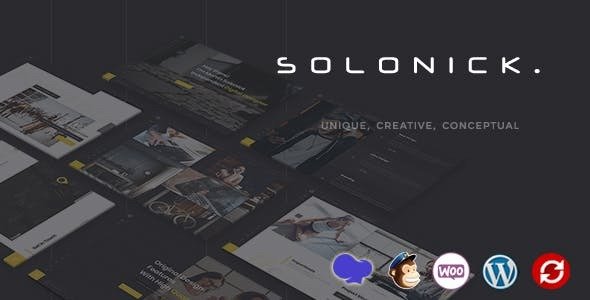
Stuck on your Solonick WordPress theme? Let's fix it.
No endless back-and-forth. Just send us the details and we'll get it done.
No obligation · Replies within 1 hour · Quote within 1 day
Setup · Customization · Bug fixes · WooCommerce integration
About Solonick WP Theme
Solonick is a WordPress theme built by webRedox, designed for creative professionals, freelancers, and small agencies who need a clean portfolio site without a lot of setup overhead. It ships with a minimal design, smooth scroll effects, and a project showcase layout that works well out of the box.
The theme uses a block-based structure that pairs well with the native WordPress editor, so you are not locked into a proprietary page builder. Typography is sharp, whitespace is deliberate, and the overall aesthetic targets design-conscious users who want their work to lead rather than the template.
If you run a solo studio, creative consultancy, or personal brand, Solonick gives you a focused starting point. It is not trying to be everything. That restraint is actually one of its strengths.
Get matched with a Solonick developer in under one day
Tell us about your Solonick project. Small fixes, Solonick theme customization, or a full website build, whatever you need, we've got it covered.
We'll connect you to the right Solonick developers, define the scope, and get everything 100% clear.
You'll get one estimate, hire your preferred developer, and start collaborating.
Most WordPress developers are generalists. They know themes broadly but not the specific hooks, template hierarchy, and quirks of Solonick built by webRedox. Codeable connects you with vetted developers who have worked with themes like this before. You get a fixed estimate upfront, no bidding wars, and work done by someone who actually knows what they are looking at. If you need real help with Solonick, that matters.
Pros
- Clean minimal design that works well for portfolio and agency use cases without heavy modification
- Block editor compatible so you are not forced into a proprietary drag-and-drop system
- Lightweight codebase with fewer bloated scripts than typical multi-purpose themes
- Strong typographic defaults that make text-heavy pages readable without extra CSS tweaks
- Project showcase layout is ready to use out of the box with minimal demo content setup
Cons
- Limited built-in layout variety means significant customisation is needed for anything beyond the core portfolio use case
- Documentation from webRedox is sparse, which makes self-troubleshooting harder than with bigger theme brands
- No dedicated WooCommerce styling included so shop pages require additional development work
- Fewer community resources and tutorials compared to themes like Astra or GeneratePress
- Update frequency from webRedox has been inconsistent, which can cause compatibility concerns with new WordPress versions
Who is Solonick for?
Freelance Designer Portfolio
Solonick suits freelance designers who want their projects to be the visual focus. The grid-based portfolio layout handles case studies and project thumbnails cleanly. With minor custom CSS and a properly configured Customizer, a designer can have a sharp, professional site without fighting the theme structure.
Creative Agency Website
Small creative agencies benefit from Solonick’s restrained aesthetic. It positions the work rather than the template. A developer can extend it with a team section, service pages, and client testimonials to build a full agency site while keeping the clean visual language the theme starts with.
Photographer Showcase
Photographers need fast-loading, full-width image display. Solonick handles this better than bloated themes because it does not load unnecessary scripts. A Solonick developer can configure lazy loading, gallery grids, and lightbox integration to create a high-performance photography portfolio.
Copywriter or Content Strategist Site
Copywriters and content strategists need readable text layouts and a strong personal brand. Solonick’s typographic defaults are a good base. Add a blog, a services page, and a contact form and you have a focused professional site that does not distract from the writing itself.
Independent Consultant
Independent consultants often need a simple site that communicates credibility quickly. Solonick’s minimal layout works for this. A developer can configure a services overview, an about section, and lead generation forms to turn the theme into a proper client acquisition tool.

Customizing Solonick
Out of the box, Solonick covers the basics. But most clients need more than basics. You might want a custom project filtration system, a contact form that connects to your CRM, a multilingual setup, or a layout that matches your brand rather than the default demo.
A Solonick expert can rebuild sections cleanly without breaking the theme’s structure, add custom post types for case studies, hook into the Customizer properly, and make changes that survive theme updates.
Trying to hack this yourself through child theme overrides without knowing the codebase usually creates technical debt. Working with someone who knows Solonick specifically means changes are done right the first time and do not unravel six months later when you update WordPress.
Recommended plugins for Solonick
Solonick works well with a focused set of plugins. WooCommerce can be added for selling services or digital downloads, though you may need template adjustments for the shop pages. Contact Form 7 or Gravity Forms both integrate cleanly.
For performance, pairing Solonick with a caching layer and image optimisation is straightforward. Check WordPress performance options if your portfolio pages are loading slowly. If you are trying to rank for local or niche keywords, a dedicated WordPress SEO setup on top of Solonick is worth the investment.
Not sure which plugins to use? This WordPress plugins directory covers the most popular options with reviews and setup guides.
Solonick common issues
Solonick theme not loading custom fonts correctly
Custom font issues in Solonick usually come down to incorrect enqueue order or a caching layer serving stale CSS. Check that your child theme is properly enqueuing the font after the parent theme stylesheet. If you are using a third-party font plugin, there may be a conflict with how webRedox handles typography. Clearing server and browser cache after any font change is also essential. If it persists, a WordPress bug fix will isolate the root cause quickly.
Solonick portfolio grid not displaying properly on mobile
Solonick’s portfolio grid relies on specific CSS breakpoints that can conflict with plugin-added styles or custom CSS overrides. Open browser dev tools and inspect the grid container on mobile. Look for unexpected width overrides or missing flexbox properties. A common culprit is a page builder or slider plugin injecting its own responsive rules. Fixing this cleanly without breaking desktop layout usually takes someone familiar with the Solonick stylesheet structure.
Solonick contact form not sending emails
Email delivery failures in WordPress are almost never a theme issue. Solonick itself does not handle mail. The problem is usually PHP mail being blocked by your host, or a misconfigured form plugin. Install an SMTP plugin like WP Mail SMTP and connect it to a transactional email service such as Mailgun or Postmark. Test the connection through the plugin’s diagnostics. If emails still fail, check your hosting provider’s outbound mail policy. Get help if the issue continues.
Solonick theme broken after WordPress update
After a WordPress core update, theme breakage usually means a deprecated function or a PHP compatibility issue in the Solonick codebase. Check the site health screen and your server error logs first. If webRedox has not released a compatible update, a developer can patch the specific function causing the error in a child theme without waiting for the official fix. Keeping a staging environment for updates is strongly recommended to catch this before it hits your live site. See WordPress maintenance options.
Solonick FAQ
Solonick has a clean, lightweight codebase which is a good foundation for SEO. But the theme alone does not make your site rank. You still need proper heading structure, fast load times, schema markup, and quality content. Pair Solonick with a plugin like Yoast or Rank Math and invest in a proper WordPress SEO setup to get real results.
Solonick is designed around the native WordPress block editor. Elementor can technically be installed alongside it, but you may run into layout conflicts and style overrides. If you want to use Elementor heavily, a Solonick developer can configure the theme to work in full-width mode and suppress conflicting stylesheet rules. It is doable but needs proper setup to avoid visual inconsistencies.
Solonick does not include WooCommerce templates, so the default shop, product, and cart pages will use WooCommerce’s own unstyled fallbacks. With developer involvement, you can build custom WooCommerce templates that match the Solonick aesthetic. For a simple digital product or service shop, this is a realistic option. For a large product catalogue, a purpose-built ecommerce theme may serve you better.
Creating a child theme for Solonick follows the standard WordPress method. Create a new folder in your themes directory, add a style.css file with the correct Template header pointing to the Solonick parent, and enqueue both parent and child stylesheets via a functions.php file. All your custom CSS and template overrides go in the child theme. This protects your changes when the parent theme updates.
Yes, migrating an existing site to Solonick is possible. Content migrates cleanly through WordPress itself. The work is in rebuilding your layouts to match the new theme structure, reconfiguring menus, widgets, and custom post types, and testing everything. If your current site has significant customisation, allow time for proper QA. Check the WordPress migration service for help with this process.
Hire a Solonick Developer
If your Solonick site needs custom development, design changes, or something is broken and you cannot figure out why, working with a specialist saves time and money. Through FoxyConcept, you get matched with a vetted WordPress developer who knows what they are doing. No guesswork, no forums, no wasted hours.
Get a free estimate and hear back within 24 hours. No obligation to hire.
You'll need a free Codeable account so developers can ask questions and send their quotes.