SpaLab WordPress Theme
by designthemes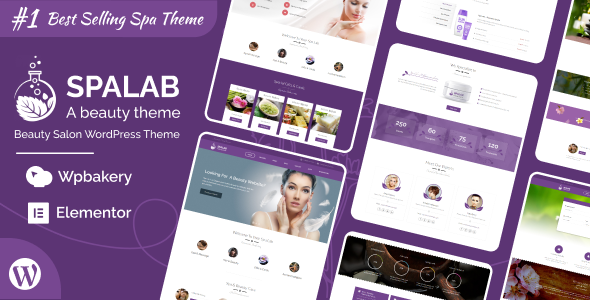
Stuck on your SpaLab WordPress theme? Let's fix it.
No endless back-and-forth. Just send us the details and we'll get it done.
No obligation · Replies within 1 hour · Quote within 1 day
Setup · Customization · Bug fixes · WooCommerce integration
About SpaLab WP Theme
SpaLab is a WordPress theme built by DesignThemes, aimed at spas, wellness centres, salons, and beauty businesses. It ships with a visual page builder, appointment booking support, and a set of pre-built demo layouts you can import and adapt. The theme is built on the DesignThemes Core Framework, which handles custom post types, shortcodes, and theme options from a single panel.
Out of the box you get service listing pages, staff profiles, a pricing table layout, and a contact form setup. WooCommerce compatibility means you can sell gift vouchers or products alongside bookings. The theme supports popular booking plugins like Bookly. It targets businesses that want a polished, spa-focused look without building everything from scratch.
Get matched with a SpaLab developer in under one day
Tell us about your SpaLab project. Small fixes, SpaLab theme customization, or a full website build, whatever you need, we've got it covered.
We'll connect you to the right SpaLab developers, define the scope, and get everything 100% clear.
You'll get one estimate, hire your preferred developer, and start collaborating.
DesignThemes builds solid themes, but documentation only takes you so far. When you need a SpaLab developer who has worked on real booking sites, payment flows, and custom layouts, Codeable connects you with vetted WordPress specialists. Every developer on Codeable is screened, so you are not rolling the dice on a random freelancer. Post your project, get a scoped estimate, and only proceed if the plan makes sense for your budget.
Pros
- Pre-built spa and wellness demo layouts import in one click, giving you a usable starting point immediately
- Built-in compatibility with Bookly for appointment scheduling without needing extra theme configuration
- WooCommerce support allows product and gift voucher sales from the same site as bookings
- Staff profile custom post type included, making team pages straightforward to manage
- DesignThemes Core Framework keeps shortcodes and options in one place, reducing plugin clutter
Cons
- The bundled page builder is not Gutenberg-native, so block editor workflows feel disconnected
- DesignThemes shortcodes create content lock-in that complicates switching themes later
- Default page speed scores are middling due to render-blocking scripts from the slider and booking components
- Documentation is basic and does not cover advanced customization scenarios or plugin conflicts
- Support response times from DesignThemes can be slow during peak periods, leaving issues unresolved for days
Who is SpaLab for?
Day Spa and Wellness Centre
SpaLab suits day spas that need treatment listings, an online booking flow, and a polished visual presentation. The pre-built demo covers services, pricing tables, and staff pages. A SpaLab developer can extend this with custom treatment categories, package deals, and a WooCommerce gift card system that connects to the booking calendar.
Beauty Salon and Hair Studio
Salons need appointment booking, service menus, and a strong gallery of work. SpaLab handles the structure. A SpaLab specialist can configure Bookly or Amelia for multi-staff scheduling, set up separate booking flows per stylist, and style the front end to match a specific brand without touching the core theme files directly.
Yoga and Pilates Studio
Yoga studios need class schedules, membership options, and video content. SpaLab provides the visual framework. Pairing it with a class booking plugin and a membership plugin like MemberPress requires integration work a SpaLab developer can handle cleanly, including gating video content and managing recurring payments.
Medical Aesthetics Clinic
Aesthetics clinics require a more clinical, trust-focused presentation alongside booking functionality. SpaLab can be adapted for this with custom page templates, before-and-after gallery layouts, and a consent or consultation form setup. A SpaLab expert can also ensure GDPR compliance for sensitive intake forms.
Massage Therapy Practice
Solo massage therapists and small practices need simple booking, clear service descriptions, and a professional look without managing a complex site. SpaLab covers this well with minimal setup. A SpaLab developer can strip back the demo to essentials, configure a single-staff booking flow, and set up automated appointment reminders.

Customizing SpaLab
SpaLab customization goes well beyond swapping colours and fonts. The DesignThemes options panel controls layout width, header styles, footer columns, sidebar positions, and typography. Each page can use a different template, and the bundled page builder lets you arrange sections without touching code.
Where things get complex is custom booking flows, multilingual setups, membership integrations, or matching an exact brand identity that the default demos do not cover. A SpaLab expert can wire up custom post types for treatments, build filtered service archives, integrate payment gateways inside the booking process, and adjust the theme’s CSS without breaking future updates. If you need changes that go past what the options panel offers, working with a SpaLab specialist saves a lot of trial and error.
Recommended plugins for SpaLab
SpaLab works with a range of plugins that expand what the theme does by default. Bookly or Amelia handle appointment scheduling. WooCommerce adds product and voucher sales. WPML or Polylang cover multilingual needs. Yoast SEO or Rank Math slot in cleanly for on-page optimisation.
Performance is where many spa sites fall short. Image-heavy layouts, slider scripts, and booking plugin assets can slow load times noticeably. Pairing SpaLab with a solid caching and optimisation setup is important. See our WordPress performance service for options. If organic search is a priority, our WordPress SEO service covers technical and on-page work specific to service businesses.
Not sure which plugins to use? This WordPress plugins directory covers the most popular options with reviews and setup guides.
SpaLab common issues
SpaLab booking form not sending confirmation emails
Confirmation email failures in SpaLab usually come from the booking plugin’s mail settings, not the theme itself. Check whether Bookly or your booking plugin is using WordPress default mail or an SMTP plugin. Install WP Mail SMTP and configure it with your email provider credentials. Test using the plugin’s built-in test tool. If emails still fail, check your hosting server’s outgoing mail restrictions and confirm SPF and DKIM records are set correctly for your domain.
SpaLab demo import fails or gets stuck
SpaLab demo import failures are often caused by memory limits or execution time limits on the server. Increase max_execution_time and memory_limit in your php.ini or wp-config.php. Also confirm that required plugins listed in the demo documentation are all installed and activated before importing. If the import still stalls, try importing XML content manually and then applying settings separately. Our WordPress bug fixing service can handle persistent demo import failures.
SpaLab header not showing on mobile
If the SpaLab header disappears on mobile, the most common cause is a CSS conflict from a caching plugin serving an outdated stylesheet, or a custom CSS rule with a breakpoint that hides the header container. Clear all caches first. Then inspect the header element in browser developer tools on a mobile viewport to find which CSS rule is hiding it. Check the SpaLab theme options for a separate mobile header setting that may have been toggled off.
SpaLab WooCommerce products page layout broken
SpaLab and WooCommerce layout conflicts usually appear after a WooCommerce major update changes its template structure. Compare the theme’s WooCommerce template files in /spa-lab/woocommerce/ against the current WooCommerce templates. Outdated overrides cause broken layouts. Update or remove the overridden templates to use WooCommerce defaults, then restyle using CSS. If WooCommerce template conflicts are causing wider issues, our WordPress bug fixing service can resolve these cleanly.
SpaLab page builder content not saving
Page builder content not saving in SpaLab is usually a JavaScript conflict or a nonce expiration issue. First check your browser console for JS errors and disable other plugins temporarily to isolate the conflict. Increase the WordPress nonce timeout if sessions expire quickly. Also confirm your server’s POST size limit and max input variables are set high enough, as large page builder saves can exceed default PHP limits. Set max_input_vars to at least 5000 in your PHP configuration.
SpaLab slider images not loading
SpaLab slider images failing to load usually points to incorrect image path references after a migration, or an image size that was never generated. Run Force Regenerate Thumbnails to recreate all image sizes. If the site was recently moved, check that the WordPress site URL and home URL in Settings match the current domain exactly. Cached HTML from a CDN or caching plugin may also be serving old image URLs after a domain change.
SpaLab update broke the site layout
A SpaLab update breaking the layout typically means a new theme version changed CSS class names or template structure that your customizations depended on. If you modified theme files directly rather than using a child theme, those changes are now overwritten. Restore from a backup, create a child theme, move your customizations into it, then update the parent theme again. Going forward, all CSS and template overrides should live in the child theme only.
SpaLab staff profiles not displaying correctly
Staff profiles not displaying correctly in SpaLab often come down to the DesignThemes Core plugin not being active or being outdated. The staff custom post type is registered by that plugin, not the theme itself. Ensure the core plugin is installed and up to date. Also check that the page template assigned to your team page is set to the correct SpaLab staff template, and that staff posts are published and not set to draft.
SpaLab contact form returns 500 error
A 500 error on the SpaLab contact form usually indicates a PHP error triggered during form submission. Enable WordPress debug logging by setting WP_DEBUG_LOG to true in wp-config.php and check /wp-content/debug.log after reproducing the error. Common causes are an incompatible contact form plugin version, a missing required PHP extension, or a mail function blocked at the server level. Our WordPress bug fixing service can diagnose and fix form submission errors.
SpaLab font not applying after changing in theme options
Font changes not applying after saving in SpaLab theme options are almost always a caching issue. Clear your caching plugin cache, any server-side cache, and your CDN cache if applicable. Also clear your browser cache and test in an incognito window. If the font still does not update, check whether the Google Fonts API call is being blocked by a content security policy or privacy plugin on your server, which would prevent the new font from loading.
SpaLab FAQ
SpaLab has partial Gutenberg compatibility. You can use the block editor for basic content pages, but the theme’s primary layout tool is the DesignThemes page builder, which operates outside the block editor. For full-site editing or block-based workflows, SpaLab is not the right fit. Most SpaLab sites are built using the bundled shortcode and page builder system.
Bookly is the most commonly paired booking plugin with SpaLab and works well for single and multi-staff scheduling. Amelia is a strong alternative with a cleaner interface. Both require configuration to match the theme’s styling. A SpaLab developer can integrate either plugin and style it to fit the site design properly.
Yes, SpaLab is WooCommerce compatible. You can sell products, gift cards, or service packages through the WooCommerce store. Some WooCommerce template pages may need styling adjustments to match the SpaLab design. After major WooCommerce updates, check for template conflicts if layouts look broken.
To install SpaLab demo content, install and activate all required plugins listed in the theme documentation first. Then go to Appearance and look for the DesignThemes demo importer. Select the demo you want and run the import. Make sure your server’s PHP memory limit is at least 256MB and execution time is set to 300 seconds or more to avoid timeouts.
SpaLab is compatible with WPML, as DesignThemes themes generally support it. You will need to translate string content registered by the DesignThemes Core plugin separately using WPML’s String Translation module. Custom post types like services and staff need individual translation. A SpaLab specialist can set up a fully multilingual spa site with proper URL structure.
Create a child theme by making a new folder in /wp-content/themes/ with a style.css that includes a Template: spalab header line, and a functions.php that enqueues the parent theme stylesheet. Activate the child theme from Appearance. All customizations go into the child theme so they survive parent theme updates.
DesignThemes does release updates for SpaLab, but the update cadence is slower than larger theme shops. Major WordPress version compatibility updates do get released, but you may need to wait after a WordPress update for a corresponding theme fix. Checking the ThemeForest changelog before updating is a good habit.
Yes. A SpaLab developer can customize booking flows significantly, including multi-step forms, custom service filtering, staff selection logic, pricing rules, and integration with payment gateways. Work that goes beyond what Bookly or Amelia offer out of the box typically requires custom PHP and JavaScript, which is where a specialist saves time.
SpaLab uses the DesignThemes built-in page builder, which is a shortcode-based system specific to their theme framework. It is not WPBakery, Elementor, or Divi. The builder is managed from the page edit screen and uses visual rows and columns. Some users also install Elementor alongside it, though that can cause conflicts without careful configuration.
Start by enabling a caching plugin like WP Rocket or W3 Total Cache. Optimize images with ShortPixel or Smush. Minify and defer scripts where possible. The SpaLab slider and booking plugin scripts are common bottlenecks. Load booking scripts only on booking pages, not sitewide. See our WordPress performance service for a full audit.
Hire a SpaLab Expert Developer
Whether you need a full SpaLab setup, a custom feature added, or a specific issue fixed, working with an experienced SpaLab developer gets it done without the back-and-forth of figuring it out yourself. FoxyConcept delivers SpaLab work through Codeable, where every developer is vetted and estimates are free. Get a Free Estimate and describe what you need. No obligation to hire.
You'll need a free Codeable account so developers can ask questions and send their quotes.