Sprout WordPress Theme
by envirra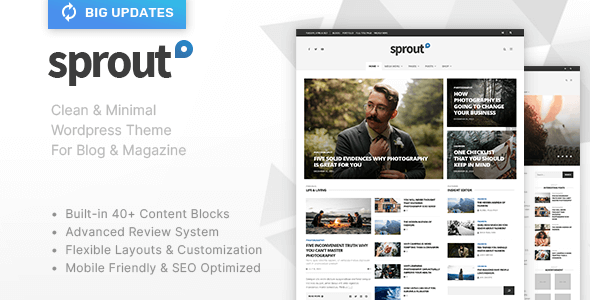
Stuck on your Sprout WordPress theme? Let's fix it.
No endless back-and-forth. Just send us the details and we'll get it done.
No obligation · Replies within 1 hour · Quote within 1 day
Setup · Customization · Bug fixes · WooCommerce integration
About Sprout WP Theme
Sprout is a WordPress theme built by envirra, designed for environmental, sustainability, and eco-focused websites. It ships with a clean, nature-inspired layout that works well for nonprofits, green businesses, and organic brands. The design puts content first, with generous whitespace and a natural colour palette that communicates trust without heavy customisation out of the box.
Sprout is built on solid WordPress standards, making it compatible with popular page builders and plugins. It supports custom post types, flexible homepage sections, and a widgetised layout that gives site owners room to grow. Whether you are launching a community garden project, an eco consultancy, or a sustainable product store, Sprout gives you a credible starting point without a steep learning curve.
Get matched with a Sprout developer in under one day
Tell us about your Sprout project. Small fixes, Sprout theme customization, or a full website build, whatever you need, we've got it covered.
We'll connect you to the right Sprout developers, define the scope, and get everything 100% clear.
You'll get one estimate, hire your preferred developer, and start collaborating.
Sprout is approachable for beginners, but production-ready work needs a developer who understands WordPress at a deeper level. Envirra’s themes have specific template hierarchies and hook structures that differ from generic themes. A developer familiar with Sprout will spot conflicts faster, write cleaner child theme code, and avoid breaking updates.
Through Codeable, you get matched with vetted WordPress developers who have real project experience. No bidding wars, no unknowns. Just qualified people who can handle your Sprout project properly from the start.
Pros
- Clean, nature-inspired design that suits eco and sustainability brands without heavy modification
- Compatible with Elementor and WPBakery for flexible drag-and-drop layout building
- Built-in WooCommerce support makes it usable for green product stores out of the box
- Widgetised homepage sections allow non-technical users to rearrange content easily
- Lightweight codebase compared to multipurpose themes, resulting in faster base load times
Cons
- Limited demo content variety means more setup work to match specific niche layouts
- Customizer options are fairly basic, advanced design changes require child theme development
- Third-party plugin conflicts can appear without clear error messages, making diagnosis slow
- Documentation is sparse in places, which creates friction for developers new to the theme
- Typography control is limited without a separate plugin, which can feel restrictive for brand-heavy projects
Who is Sprout for?
Environmental Nonprofit
Sprout’s natural colour palette and content-first layout suit nonprofits focused on climate, conservation, or sustainability campaigns. The widgetised sections make it easy to highlight mission statements, donation calls to action, and event listings without custom development.
Organic Food Brand
Organic food businesses benefit from Sprout’s clean visual style. The theme handles product showcases, blog content, and WooCommerce product pages without clashing design elements. It communicates quality and honesty, which aligns with what organic brands need to project.
Eco Consultancy
Consultancies working in sustainability, carbon reporting, or green infrastructure need a site that looks credible and loads fast. Sprout gives that baseline. Adding a custom services section and a contact form is straightforward, with or without a page builder.
Community Garden or Urban Farm
Community garden projects and urban farms need simple, informative sites that are easy to maintain by volunteers. Sprout’s accessible Customizer and straightforward layout make it practical for small teams with no technical background managing their own content.
Sustainable Product Store
With WooCommerce active, Sprout becomes a usable storefront for sustainable goods, zero-waste products, or ethical fashion. The theme’s design language reinforces the brand values without requiring a full custom build, keeping project costs manageable for small eco businesses.

Customizing Sprout
Sprout works with the WordPress Customizer for most visual changes, including typography, colours, header layout, and footer widgets. You can swap the default green palette for something more brand-specific without touching code. The theme also plays well with Elementor and WPBakery if you need more layout control.
Beyond surface-level changes, customising Sprout properly often means editing template files, registering custom fields, or adjusting hook priorities. That is where a Sprout expert becomes useful. A developer who knows the theme’s structure can add functionality, fix layout conflicts, and extend the design in ways the Customizer alone cannot handle. Getting that work done right the first time saves you hours of trial and error later.
Recommended plugins for Sprout
Sprout pairs well with WooCommerce if you are selling eco products or memberships. Add WooCommerce and a payment gateway, and you have a functioning green store without switching themes. For content-heavy sites, Advanced Custom Fields unlocks structured data that Sprout’s templates can display cleanly.
If site speed matters, and it should, pairing Sprout with a caching plugin and an optimised hosting stack makes a real difference. You can find more detail on that in our WordPress performance guide. For search visibility, structured metadata and clean URLs are worth setting up early. Our WordPress SEO service covers that ground.
Not sure which plugins to use? This WordPress plugins directory covers the most popular options with reviews and setup guides.
Sprout common issues
Sprout theme header not displaying correctly after update
Header display problems after a Sprout update are usually caused by CSS conflicts between the updated theme files and a child theme or custom CSS you had in place. Start by deactivating your child theme temporarily to isolate the issue. Check if a recent plugin update, particularly a page builder, changed any shared CSS classes. Clear your cache after each test. If the issue persists, our WordPress bug fixing service can diagnose and resolve it quickly.
Sprout WordPress theme WooCommerce styling broken
WooCommerce styling breaks in Sprout usually happen when the theme’s WooCommerce template files fall out of sync with the current WooCommerce version. Go to WooCommerce > Status > Tools and check for outdated templates. Updating those template files in your child theme, or removing overrides that are no longer needed, typically resolves the issue. Avoid editing core theme files directly, as updates will overwrite them.
Sprout theme homepage sections not saving in Customizer
If Customizer changes in Sprout are not saving, the most common cause is a permission issue with wp-config.php, a JavaScript error blocking the save request, or a plugin conflict intercepting the AJAX call. Open your browser console while saving to check for errors. Deactivate plugins one by one to isolate the conflict. If your hosting environment has unusual file permission settings, those may also need reviewing.
Sprout child theme changes not showing on frontend
Child theme changes not appearing usually means the child theme is not properly enqueuing its stylesheet, or the parent theme is loading its styles after the child, overriding your rules. Check your child theme’s functions.php to confirm wp_enqueue_style is set up correctly with the parent as a dependency. Also verify the child theme template files match the correct naming convention expected by Sprout’s template hierarchy.
Sprout FAQ
Sprout includes built-in WooCommerce support, making it a usable starting point for small to medium eco or organic product stores. Core WooCommerce pages, including shop, cart, and checkout, render without major layout issues. For heavily customised stores with large catalogues, additional developer work may be needed to handle product filtering and performance at scale.
Yes, Sprout is compatible with Elementor. You can use Elementor to build out page templates and override Sprout’s default layouts where needed. Some users combine Sprout’s native sections with Elementor-built inner pages for a balance between speed and design flexibility. Just ensure your Elementor version is current to avoid compatibility gaps.
Create a new folder in wp-content/themes with a name like sprout-child. Add a style.css file with the correct Theme Name and Template headers pointing to sprout. Then add a functions.php file that enqueues the parent stylesheet first, followed by the child stylesheet. Activate the child theme from the WordPress dashboard before making any customisations.
Migrating an existing site to Sprout is possible but requires planning. Content migration is straightforward, but layout and design work needs to be rebuilt to match Sprout’s structure. Our WordPress migration service handles the technical side, including database transfers, URL redirects, and post-migration testing to make sure nothing breaks in the process.
envirra provides support through the ThemeForest comments section and their dedicated support portal for verified purchasers. Response times vary. For urgent issues, custom development, or problems that fall outside theme support scope, hiring a dedicated WordPress developer through a service like Codeable gives you faster and more accountable help.
Hire a Sprout WordPress Developer
Need a Sprout developer for a custom build, a layout fix, or a new feature? FoxyConcept works through Codeable, connecting you with vetted WordPress professionals who know what they are doing. You get a free estimate before any work begins, with no obligation to proceed. Projects are scoped clearly and delivered on time.
Get a free estimate and describe what you need. A qualified Sprout developer will be matched to your project within 24 hours.
You'll need a free Codeable account so developers can ask questions and send their quotes.