StarBella WP WordPress Theme
by TemplateMela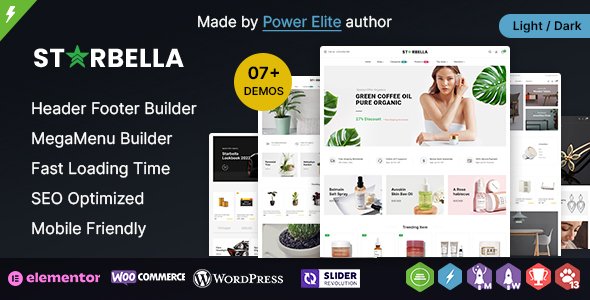
Stuck on your StarBella WP WordPress theme? Let's fix it.
No endless back-and-forth. Just send us the details and we'll get it done.
No obligation · Replies within 1 hour · Quote within 1 day
Setup · Customization · Bug fixes · WooCommerce integration
About StarBella WP WP Theme
StarBella WP is a multipurpose WordPress theme by TemplateMela, built for creative professionals, small businesses, and portfolio sites. It ships with a drag-and-drop page builder, pre-built demo templates, and WooCommerce support, making it accessible to non-developers while still giving developers room to work.
The theme follows a clean visual style with full-width sections, smooth scroll effects, and flexible header layouts. It is translation-ready and supports major plugins like Contact Form 7 and WPML. TemplateMela has positioned StarBella WP as a starter theme that covers a wide range of use cases without requiring heavy customisation out of the box. For teams who need something tailored beyond the defaults, hiring a StarBella WP specialist is the most efficient route.
Get matched with a StarBella WP developer in under one day
Tell us about your StarBella WP project. Small fixes, StarBella WP theme customization, or a full website build, whatever you need, we've got it covered.
We'll connect you to the right StarBella WP developers, define the scope, and get everything 100% clear.
You'll get one estimate, hire your preferred developer, and start collaborating.
Most StarBella WP issues come down to customisation limits, plugin conflicts, or layout problems that are hard to debug without theme-level knowledge. FoxyConcept connects you with vetted StarBella WP developers through Codeable, a platform where every developer is reviewed and approved before taking client work. You get a free estimate within 24 hours, no commitment required. Whether you need a single fix or a full build, the process is straightforward and the work is guaranteed.
Pros
- Includes multiple pre-built demo templates that import with one click, reducing initial setup time
- WooCommerce compatible out of the box with styled product pages and cart layouts
- Built-in page builder reduces reliance on third-party plugins for basic layouts
- Translation-ready with WPML compatibility, suitable for multilingual sites
- Responsive across devices with mobile-specific layout adjustments included in theme settings
Cons
- Page builder is proprietary, making it harder to switch themes without rebuilding content
- Demo content can be bloated with unused assets that affect performance if not cleaned up
- Limited documentation for advanced customisation beyond the standard Customizer options
- Some shortcodes are theme-dependent, which creates compatibility issues if you migrate away
- Update frequency from TemplateMela is inconsistent, which can cause gaps in plugin compatibility
Who is StarBella WP for?
Creative Portfolio
StarBella WP suits photographers, designers, and illustrators who want a visually clean portfolio without building from scratch. The full-width image sections and grid layouts present work well. A StarBella WP developer can extend the default portfolio post type with custom filtering, lightbox options, and client-specific password-protected galleries.
Small Business Website
Local businesses use StarBella WP for service pages, contact forms, and Google Maps integration. The pre-built demos cover common layouts like features sections, testimonials, and team pages. A StarBella WP specialist can configure these sections to match brand guidelines and connect forms to CRM tools or email marketing platforms.
Online Store
WooCommerce integration is functional in StarBella WP, covering product listings, single product pages, and checkout. It works for small catalogues without heavy modification. For larger stores or custom purchase flows, a StarBella WP developer can build on the existing WooCommerce templates and add features like custom product tabs or dynamic pricing rules.
Wedding or Event Site
StarBella WP’s elegant styling and full-width imagery make it a practical choice for wedding planners, event coordinators, and venue sites. Countdown timers, RSVP forms, and gallery sections are straightforward to configure. A StarBella WP expert can customise the theme to reflect specific event branding and integrate booking or ticketing plugins cleanly.
Agency or Freelancer Website
Agencies and freelancers use StarBella WP to build fast, presentable sites for clients across industries. The flexible layout system handles case studies, service breakdowns, and lead generation pages. A StarBella WP specialist can create a scalable child theme setup that lets clients make basic edits without breaking the design or underlying structure.

Customizing StarBella WP
StarBella WP customisation happens primarily through the WordPress Customizer and the bundled page builder. You can adjust typography, colour schemes, header styles, and widget areas without touching code. For deeper changes, the theme supports child themes, custom CSS, and hook-based modifications.
A StarBella WP expert can go further: custom post type integrations, modified template files, conditional layouts for specific pages, and performance-focused code cleanup. TemplateMela provides documentation, but it covers standard use cases only. If your project needs a layout that does not exist in the demos, or you want to strip out unused features to speed up load times, working with a StarBella WP expert saves significant time and avoids breaking changes during updates.
Recommended plugins for StarBella WP
StarBella WP works well with popular WordPress plugins, but adding too many without a clear strategy causes conflicts and slows down your site. WooCommerce, Elementor, and WPML all function with the theme, though some combinations need careful configuration.
If you are running a content-heavy or e-commerce site on StarBella WP, pairing it with a solid WordPress performance setup is important. Caching, image optimisation, and database cleanup make a measurable difference. For sites targeting organic traffic, a proper WordPress SEO strategy built around your StarBella WP structure will outperform default plugin installs every time.
Not sure which plugins to use? This WordPress plugins directory covers the most popular options with reviews and setup guides.
StarBella WP common issues
StarBella WP header not displaying correctly on mobile
Mobile header issues in StarBella WP usually come from conflicting CSS between the theme’s responsive breakpoints and a plugin adding its own styles. Start by disabling plugins one at a time to isolate the conflict. Check the Customizer header settings for mobile toggle visibility. If the issue appeared after a theme update, compare your child theme CSS against the new parent styles. For persistent layout problems, the WordPress bug fixing service can diagnose and resolve the conflict without breaking other sections.
StarBella WP page builder content not showing after update
This is a known issue with proprietary page builders after theme updates. StarBella WP’s builder may store content in shortcode format that breaks when internal plugin references change. First, check if the builder plugin bundled with the theme also needs updating. Clear all caches after updating. If content blocks are missing entirely, check the database for orphaned shortcodes. A WordPress bug fixing specialist can recover content and rebuild affected pages using the updated builder version.
StarBella WP slow loading on homepage with sliders
Homepage sliders in StarBella WP are a common source of slow load times. The slider plugin often loads full-resolution images and JavaScript on every page load regardless of visibility. Compress all slider images to under 200KB. Disable autoplay and reduce transition effects. Use a caching plugin and check whether the slider scripts are loading site-wide or only where needed. If scores remain low after these steps, a developer can defer non-critical scripts and restructure how the slider assets are loaded.
StarBella WP WooCommerce product page layout broken
WooCommerce layout breaks in StarBella WP typically happen after a WooCommerce major version update that changes template file structure. The theme’s bundled WooCommerce templates may be outdated and override the new core templates incorrectly. Navigate to WooCommerce and check for outdated template notices. Updating those templates manually requires PHP knowledge. If you are not comfortable editing template files, a StarBella WP developer can update and test each file without disrupting the live store.
StarBella WP FAQ
Yes, StarBella WP works well for photography portfolios. It includes full-width image sections, grid layouts, and lightbox-ready gallery blocks. The pre-built demos cover portfolio use cases without much setup. If you need custom filtering, client galleries with password protection, or a specific grid style, a StarBella WP specialist can build those on top of the existing theme structure.
Elementor can be installed alongside StarBella WP, but using two page builders at once creates performance and compatibility issues. StarBella WP ships with its own builder, so most layouts can be handled natively. If you prefer Elementor, a StarBella WP developer can configure the theme to work cleanly with Elementor and disable conflicting components from the default builder.
After activating StarBella WP, go to Appearance and look for the theme’s demo importer option, usually bundled as a required plugin. Install and activate the importer, then select the demo you want and run the import. The process pulls in pages, media, and settings. If the importer fails or images do not load, check server memory limits and PHP timeout settings before trying again.
Compatibility depends on which version of StarBella WP you are running. TemplateMela releases updates periodically, but gaps between updates can leave the theme behind on WordPress core changes. Check the theme’s changelog and compare it against the current WordPress version. If you are running an older version of the theme, a StarBella WP developer can audit and patch compatibility issues without a full rebuild.
Rates for a StarBella WP developer vary based on project scope and complexity. Simple fixes typically cost less than a few hundred dollars. Full customisation projects or WooCommerce integrations cost more. Through Codeable, you post your project and receive estimates from vetted developers before committing. Get a Free Estimate to understand the cost for your specific requirements.
Hire a StarBella WP Developer
If you need changes that go beyond the theme settings, a StarBella WP developer can deliver clean, maintainable work without shortcuts. From custom layouts and WooCommerce integration to speed improvements and plugin compatibility fixes, the scope is yours to define.
Work is matched and delivered through Codeable, so you are always working with a vetted professional. Get a Free Estimate and describe your project. No cost, no obligation.
You'll need a free Codeable account so developers can ask questions and send their quotes.