Streamit WordPress Theme
by iqonicdesign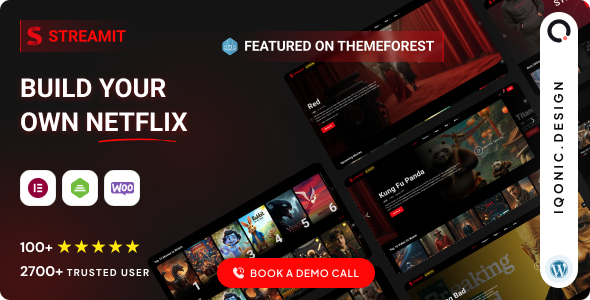
Stuck on your Streamit WordPress theme? Let's fix it.
No endless back-and-forth. Just send us the details and we'll get it done.
No obligation · Replies within 1 hour · Quote within 1 day
Setup · Customization · Bug fixes · WooCommerce integration
About Streamit WP Theme
Streamit is a WordPress theme built by iqonicdesign, designed specifically for video streaming platforms, entertainment portals, and media-heavy websites. It ships with a layout system modelled on popular streaming services, giving you episode management, cast listings, genre filters, and a dark-mode aesthetic out of the box.
The theme integrates with WooCommerce for subscription or pay-per-view setups, and it supports popular video players and embed sources including YouTube, Vimeo, and self-hosted files. The demo content covers movies, TV shows, live TV, and podcast-style pages. If you need to build a Netflix-style site on WordPress, Streamit is one of the few themes purpose-built for that goal rather than retrofitted from a generic multipurpose base.
Get matched with a Streamit developer in under one day
Tell us about your Streamit project. Small fixes, Streamit theme customization, or a full website build, whatever you need, we've got it covered.
We'll connect you to the right Streamit developers, define the scope, and get everything 100% clear.
You'll get one estimate, hire your preferred developer, and start collaborating.
Streamit has enough custom post types, template overrides, and plugin dependencies that general WordPress help often falls short. Codeable connects you with vetted developers who have hands-on experience with entertainment and media themes. Every project starts with a free estimate. You describe what you need, a specialist reviews it, and you decide whether to proceed. There is no obligation and no risk. For a theme this specific, working with someone who already knows its structure is the practical choice.
Pros
- Purpose-built for video streaming with episode, season, and show post types built in
- Dark-mode design matches streaming platform expectations without heavy custom CSS
- WooCommerce integration supports subscriptions, rentals, and one-off purchases
- Elementor compatibility makes layout adjustments accessible without touching code
- Multiple demo content packs covering movies, TV shows, live TV, and podcasts
Cons
- Theme updates from iqonicdesign can lag behind major WordPress and Elementor releases
- The options panel is large and poorly documented in places, making onboarding slower
- Performance out of the box is heavy due to bundled assets and demo scripts
- Limited community support compared to mainstream themes like Astra or GeneratePress
- Custom membership gating requires third-party plugins that need careful integration
Who is Streamit for?
Movies and TV Show Streaming Site
Streamit’s native show, episode, and genre post types make it a natural fit for a movie or TV streaming site. A Streamit developer can connect a membership plugin to gate premium content, configure video players for multiple sources, and replicate the browsing experience of mainstream streaming services on a self-hosted WordPress build.
Online Course or Video Tutorial Platform
The episode and season structure translates well to a course format with modules and lessons. Pair it with a learning management plugin like LearnDash or LifterLMS and a Streamit specialist can adjust the template layer so course content inherits the theme’s media-focused design without visual conflicts.
Sports Highlights and Replay Portal
Sports portals need fast video loading, category filtering by team or competition, and a clean archive structure. Streamit’s genre and custom taxonomy system handles this well with some configuration. A Streamit developer can extend the filtering logic and add sponsor or broadcast metadata without rewriting core template files.
Religious or Church Sermon Library
Churches and faith organisations increasingly publish sermon archives with video and audio. Streamit’s media-first layout suits this content well. A developer can relabel post types, add speaker and scripture metadata, and configure free access so visitors can browse and watch without a subscription barrier.
Podcast and Audio Show Directory
Streamit includes audio player support and a layout that works for podcast episode archives. Combined with a podcast plugin like Seriously Simple Podcasting, a Streamit specialist can build a branded directory with season filtering, show notes, and RSS feed integration that serves both listeners and podcast app subscribers.

Customizing Streamit
Streamit ships with Elementor support and a custom options panel, which covers typography, color schemes, header layouts, and player settings. Most surface-level changes are straightforward. The deeper work starts when you need custom post type extensions, modified episode structures, or a membership gate that sits cleanly within the existing design.
A Streamit expert can reorganise the content architecture without breaking the theme’s built-in relationships between shows, episodes, genres, and cast. Iqonicdesign provides documentation, but the theme has enough moving parts that custom work benefits from someone who knows where the template hierarchy connects to the plugin layer. Hiring a Streamit developer saves significant time when your requirements go beyond the demos.
Recommended plugins for Streamit
Streamit works alongside several plugins that extend its core functionality. Membership and subscription access is commonly handled via MemberPress or Paid Memberships Pro. For video delivery, BunnyNet or Cloudflare Stream keeps load off your server. WooCommerce handles rentals and one-off purchases.
If your streaming site targets search traffic, pairing Streamit with a solid SEO setup matters. A structured approach to schema, sitemaps, and metadata is covered in our WordPress SEO service. Site speed is equally important for retention. The WordPress performance service addresses caching, image optimisation, and server-level tuning for media-heavy builds.
Not sure which plugins to use? This WordPress plugins directory covers the most popular options with reviews and setup guides.
Streamit common issues
Streamit video not playing after WordPress update
Video playback breaking after an update is usually caused by a JavaScript conflict between the theme’s player scripts and an updated plugin or WordPress core. Check the browser console for errors first. Deactivate plugins one at a time to isolate the conflict. If the player relies on a shortcode from a bundled plugin, confirm that plugin is still active and updated. Persistent playback issues are best handled through our WordPress bug fixing service.
Streamit Elementor widgets not loading or showing error
Streamit ships with custom Elementor widgets registered through its own plugin layer. If those widgets show errors or disappear, the most common cause is a mismatch between the Elementor version and the theme’s widget registration code after an update. Regenerate the CSS cache in Elementor settings, then deactivate and reactivate the Streamit core plugin. If the issue persists, the widget code may need a patch. Our WordPress bug fixing service covers Elementor compatibility repairs.
Streamit theme slow loading on mobile
Streamit loads a significant amount of CSS, JavaScript, and image assets tied to its demo structure. On mobile, this creates noticeable slowdowns if no performance optimisation has been applied. Start by enabling a caching plugin, deferring non-critical scripts, and serving images in WebP format. Removing unused demo assets from the theme options panel also helps. A full audit is available through our WordPress performance service.
Streamit membership content visible to non-subscribers
Content restriction in Streamit depends on a third-party membership plugin rather than native theme logic. If restricted content is visible to guests, the most likely cause is a misconfigured access rule in the membership plugin or a caching layer serving a logged-in version of the page to all users. Clear all caches first. Then review the membership plugin’s protection rules against the specific post types Streamit uses for shows and episodes.
Streamit FAQ
Streamit is one of the few WordPress themes designed specifically for a streaming platform layout. It includes show, episode, season, and cast post types, genre filtering, and a dark interface similar to mainstream services. For a Netflix-style site, it is a practical starting point. A Streamit developer can extend the subscription and gating logic to match your specific access model.
Yes, Streamit works alongside MemberPress, Paid Memberships Pro, and similar plugins. The theme does not include native content restriction, so a membership plugin handles access control. Integration needs configuration to ensure Streamit’s custom post types are covered by the plugin’s protection rules. A Streamit specialist can set this up cleanly.
Streamit is built with Elementor as its primary page builder. The theme’s custom widgets are registered through Elementor, so removing it breaks the intended editing experience. You can still customise templates directly in PHP, but the demos and options panel assume Elementor is active. Most practical customisation work on Streamit uses Elementor.
Streamit supports YouTube, Vimeo, and self-hosted video via its video meta fields on show and episode post types. For custom sources like BunnyNet or direct HLS streams, you typically paste an embed URL or iframe code into the video field. A Streamit developer can modify the player template to handle additional source types or integrate a dedicated video delivery service.
Iqonicdesign does release updates for Streamit, but the update frequency is slower than major multipurpose themes. Before purchasing or building on it, check the ThemeForest changelog for recent update dates. If you are already using it and updates have stalled, a WordPress maintenance plan can help keep the site secure independently of theme updates.
Hire a Streamit Developer for Your WordPress Streaming Site
Whether you need a full streaming platform built from scratch, a customised subscription setup, or fixes to an existing Streamit install, a dedicated Streamit developer will get there faster than trial and error. Post your project and receive a free, no-obligation estimate from a vetted specialist. Get a Free Estimate and describe exactly what your project needs.
You'll need a free Codeable account so developers can ask questions and send their quotes.