Striking WordPress Theme
by kaptinlin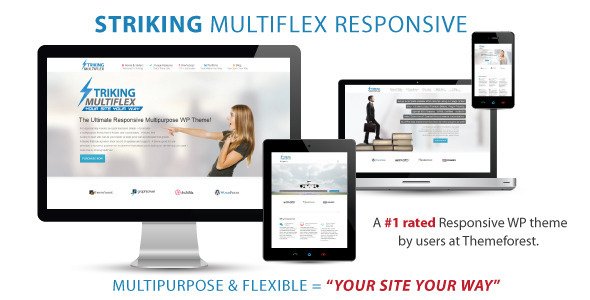
Stuck on your Striking WordPress theme? Let's fix it.
No endless back-and-forth. Just send us the details and we'll get it done.
No obligation · Replies within 1 hour · Quote within 1 day
Setup · Customization · Bug fixes · WooCommerce integration
About Striking WP Theme
Striking is a multipurpose WordPress theme developed by kaptinlin, built around a powerful drag-and-drop page builder called Striking Revolution. It ships with over 60 pre-built demo sites covering portfolios, agencies, photographers, and businesses of all sizes.
The theme handles layout construction through a visual editor that doesn’t require any coding knowledge. It includes a full header builder, custom fonts, animation controls, and WooCommerce support out of the box.
Striking has been available for years and has a large install base, which means a wide range of documentation, community discussions, and developer experience to draw from. It suits sites where visual flexibility and design control matter more than minimal setup time.
Get matched with a Striking developer in under one day
Tell us about your Striking project. Small fixes, Striking theme customization, or a full website build, whatever you need, we've got it covered.
We'll connect you to the right Striking developers, define the scope, and get everything 100% clear.
You'll get one estimate, hire your preferred developer, and start collaborating.
Striking is a capable theme, but its depth means there’s a real gap between what you can do with it and what you can do with someone who knows it well. Matching with a vetted Striking developer through Codeable means you get an expert who has worked inside the theme’s builder, knows its customization limits, and can deliver clean, maintainable work. Projects are estimated for free with no obligation to hire.
Pros
- Over 60 pre-built demo sites ready to import as a starting point
- Built-in Revolution Slider included at no extra cost
- Dedicated header and footer builders with multiple layout styles
- WooCommerce compatibility built into the core theme
- Active theme with ongoing updates from kaptinlin
Cons
- The options panel is large and can feel overwhelming for new users
- Page builder markup can produce heavier HTML than block-based alternatives
- Some demo content requires importing large media files to replicate accurately
- Troubleshooting layout issues often requires understanding multiple nested settings
- Child theme setup is recommended but not always well-documented for beginners
Who is Striking for?
Creative Portfolio
Striking’s grid and masonry layout options make it a practical choice for designers, illustrators, and developers showcasing project work. The portfolio post type supports filterable categories, hover effects, and full-screen project detail pages. A Striking developer can tailor the grid spacing, thumbnail behavior, and single project layout to match a specific visual style.
Photography Studio
The theme includes photography-focused demo layouts with full-width galleries, lightbox support, and minimal UI styling. Revolution Slider handles hero sections well for visual storytelling. A Striking specialist can configure gallery pages, client proofing layouts, and booking integrations that fit a photography business workflow.
Digital Agency
Agency sites need flexible service pages, team sections, and strong calls to action. Striking covers all of these through its page builder with no coding required for standard layouts. For custom interactions, animated counters, or multi-language setups, a Striking expert can build beyond the default builder capabilities.
WooCommerce Store
Striking’s WooCommerce integration handles product listings, single product pages, cart, and checkout styling. Custom shop layouts, product filtering, and upsell section design are all achievable within the theme. A Striking developer can connect additional WooCommerce plugins and ensure the checkout experience matches the overall site design.
Corporate Business Site
Corporate sites built on Striking benefit from the theme’s header builder, mega menu support, and multi-page layout options. It handles careers pages, about sections, and contact forms without requiring additional page builder plugins. A Striking specialist can set up structured data, internal linking, and accessibility improvements suited to professional business sites.

Customizing Striking
Striking gives you deep control over layouts, typography, colors, and section animations without touching a stylesheet. The Revolution page builder lets you construct pages from scratch or modify any of the included demo templates. Header and footer configurations are handled through dedicated builders with their own options panels.
Where things get complex is when you need customizations that go beyond the visual editor. Custom post type integration, third-party plugin compatibility, and performance tuning often require a Striking expert who knows the theme’s structure. A developer can also extend the built-in styling system with child theme overrides without breaking future updates.
If you want specific layouts, advanced interactions, or WooCommerce customizations, working with a Striking specialist saves time and avoids the trial-and-error that comes with complex multipurpose themes.
Recommended plugins for Striking
Striking bundles several add-ons that expand its core functionality. The Revolution Slider handles full-screen and layered slideshows. WooCommerce integration covers product pages, checkout, and shop layouts. The theme also includes basic SEO settings and schema support, though pairing it with a dedicated plugin improves results significantly.
For sites where page speed matters, additional tuning is often needed beyond what the theme provides natively. Visit the WordPress performance service for optimization work specific to Striking-built sites. If organic search is a priority, the WordPress SEO service covers technical and on-page improvements that work alongside the theme’s existing setup.
Not sure which plugins to use? This WordPress plugins directory covers the most popular options with reviews and setup guides.
Striking common issues
Striking theme page builder not loading in WordPress editor
This usually comes down to a JavaScript conflict with another active plugin. Deactivate plugins one at a time with the Striking builder open to find the conflict. Also check that your PHP version meets the theme’s requirements and clear any caching plugin before testing. If the builder fails consistently regardless of plugins, a theme file may have been corrupted during upload or update.
Striking Revolution Slider not displaying on mobile
Revolution Slider has its own mobile visibility settings per slide and per layer. Open the slider in its editor and check the visibility toggle on each layer individually. Also confirm the slider container in the Striking header or page section is set to responsive mode. A CSS override targeting the slider wrapper on small screens can also cause it to collapse. Check the theme’s mobile breakpoint settings in the header builder as well.
Striking theme demo import not working
Demo imports in Striking can fail due to server memory limits or execution time settings. Set memory_limit to at least 256MB and max_execution_time to 300 in your PHP configuration. Also ensure the theme and all recommended plugins are active before running the import. If the import completes but images are missing, use the media regeneration tool to re-fetch attachments. The WordPress bug fixing service can handle stuck or partial imports.
Striking header layout broken after update
Header layout breaks after a Striking update are often caused by saved header configurations that reference deprecated options. Open the header builder and re-save your current layout without making changes. If that doesn’t fix it, compare your child theme’s header overrides against the updated theme files. Clearing all caches, including server-level caching, usually resolves visual issues that appear immediately after an update.
Striking theme WooCommerce product page layout issues
WooCommerce layout conflicts in Striking often occur when the theme’s WooCommerce template files are outdated relative to the WooCommerce version. Run a template file check under WooCommerce > Status > Tools and update any flagged files. If product page columns, button spacing, or image sizing are off, check the WooCommerce-specific settings inside the Striking options panel. The WordPress bug fixing service handles WooCommerce and theme compatibility issues.
Striking theme slow loading speed
Striking loads several scripts and stylesheets by default, including Revolution Slider assets on every page even when no slider is present. Use a caching plugin and enable asset minification and combination. Disable Revolution Slider script loading on pages that don’t use it through the slider’s global settings. Also audit unused Google Fonts loaded by the theme’s typography panel and remove any that aren’t in active use across the site.
Striking theme fonts not loading correctly
Font loading issues in Striking usually trace back to Google Fonts API changes or a conflict with a caching plugin that has inlined or delayed font CSS. Check the typography settings in the Striking options panel and re-save font selections. If using a custom font via upload, verify the file format is correctly declared. Disabling font optimization in your caching plugin temporarily will confirm whether that’s the source of the issue.
Striking theme mega menu not working
The Striking mega menu requires the mega menu option to be enabled per menu item inside the WordPress menu editor. Open Appearance > Menus, expand the top-level item, and enable the mega menu toggle in the Striking menu item settings. If the toggle is missing, the required Striking menu script may not be loading due to a JavaScript error elsewhere on the page. Check the browser console for errors and resolve the blocking script first.
Striking theme CSS changes not saving
CSS changes not saving in Striking are commonly caused by caching at the plugin or server level writing old stylesheets over new ones. Clear all caches immediately after saving. If changes still don’t persist, verify you’re editing the correct field in the theme options rather than a page-level override. Custom CSS added through WordPress’s built-in customizer may also conflict with Striking’s own CSS output. Use the WordPress bug fixing service for persistent styling conflicts.
Striking theme white screen after update
A white screen after a Striking update usually indicates a PHP fatal error caused by a compatibility issue between the updated theme and your current PHP version or an active plugin. Enable WP_DEBUG in your wp-config.php file to read the error message. Temporary fix: rename the theme folder via FTP to force WordPress to fall back to a default theme, then re-upload the updated Striking files cleanly. Check the kaptinlin changelog for PHP version requirements.
Striking FAQ
Yes, kaptinlin continues to update Striking. The theme receives compatibility updates for new WordPress versions and WooCommerce releases. Check the changelog on the theme’s purchase page for the most recent version details before buying or upgrading an existing install.
Striking uses its own Revolution page builder rather than Gutenberg. You can use the block editor for basic post content, but the full-page layout system runs through the Striking builder. Mixing both editors on the same page is not recommended and can produce inconsistent output.
Striking uses Striking Revolution, a proprietary drag-and-drop page builder built into the theme. It is not a standalone plugin like Elementor or WPBakery. All layout work happens inside this builder, which is tied directly to the theme’s settings and shortcode system.
Yes. Revolution Slider is bundled with the Striking theme purchase at no additional cost. You get access to the full slider plugin including all its features without needing a separate license. Updates to Revolution Slider are delivered through the theme update process from kaptinlin.
Striking includes built-in WooCommerce support covering shop pages, product listings, single product layouts, cart, and checkout styling. It works for standard stores without requiring additional plugins. Complex setups with custom product types or advanced filtering may need developer work to integrate cleanly.
Go to Striking > Import Demo inside your WordPress dashboard. Select a demo from the list and choose whether to import content, widgets, and settings. Make sure all recommended plugins are installed and activated first. Server memory and execution time limits affect whether the import completes successfully.
Using a child theme with Striking is strongly recommended if you plan to make any code-level customizations. Without a child theme, updates from kaptinlin will overwrite changes made directly to theme files. A child theme keeps your customizations intact through updates and is straightforward to set up.
Striking includes basic SEO settings and supports schema markup, but it is not a replacement for a dedicated SEO plugin. Pair it with Yoast or Rank Math for full control over meta data, sitemaps, and structured data. Page speed, which affects SEO, may need additional optimization work given the theme’s asset load.
Striking is sold as a ThemeForest Regular License, which covers use on a single end product. If you need to use it on multiple client sites or your own separate projects, you need a separate license for each site. Check the Envato license terms for specifics on what counts as a single end product.
Yes. A vetted Striking developer can handle full setup, demo customization, or specific feature work. Through Codeable, you can post your project and receive a free estimate within 24 hours. Get a Free Estimate to describe your project and get matched with a Striking specialist.
Hire a Striking Developer for Your WordPress Project
Whether you need a full Striking site built from a demo, a custom layout that doesn’t exist in the builder, or fixes to a site that’s broken after an update, a vetted Striking developer can handle it. Post your project and get a free estimate with no commitment required. Get a Free Estimate and describe what you need. You’ll be matched with a specialist within 24 hours.
You'll need a free Codeable account so developers can ask questions and send their quotes.