Suarez WordPress Theme
by UnTheme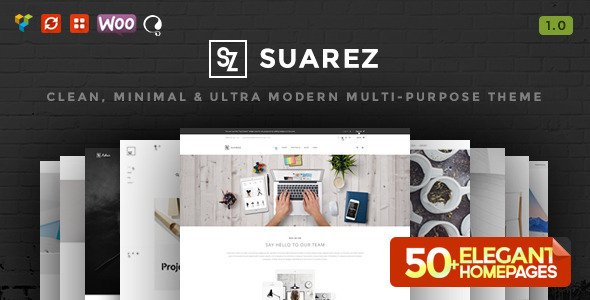
Stuck on your Suarez WordPress theme? Let's fix it.
No endless back-and-forth. Just send us the details and we'll get it done.
No obligation · Replies within 1 hour · Quote within 1 day
Setup · Customization · Bug fixes · WooCommerce integration
About Suarez WP Theme
Suarez is a WordPress theme by UnTheme built for creative professionals and portfolio-focused websites. It features a clean, minimal layout with strong typography and full-width image sections that let visual work take centre stage.
The theme is built on a block-based structure, making it compatible with the WordPress Site Editor. It supports custom colour palettes, flexible homepage sections, and a header that adapts well to both light and dark backgrounds.
Suarez is a good fit for photographers, designers, agencies, and small studios that want a polished site without heavy page builder dependencies. It loads fast out of the box and follows current WordPress coding standards, which helps with both performance and long-term maintainability.
Get matched with a Suarez developer in under one day
Tell us about your Suarez project. Small fixes, Suarez theme customization, or a full website build, whatever you need, we've got it covered.
We'll connect you to the right Suarez developers, define the scope, and get everything 100% clear.
You'll get one estimate, hire your preferred developer, and start collaborating.
Suarez is straightforward to set up, but getting it to behave exactly how you want takes WordPress knowledge. A developer who has worked with UnTheme builds understands the block template structure and where customisation is best done in CSS versus PHP.
Through Codeable, you get matched with vetted WordPress developers who can scope your Suarez project accurately and deliver without back-and-forth guesswork. Free estimate, no obligation.
Pros
- Block-based architecture means no page builder dependency
- Fast default load time with minimal bloat in the codebase
- Full-width image sections handle high-resolution portfolio work well
- Global styles in the Site Editor make colour and font changes quick
- Clean typography defaults that work well for both text-heavy and visual sites
Cons
- Limited built-in demo content makes initial setup slower for non-developers
- WooCommerce styling requires custom CSS as there are no dedicated shop templates
- Block pattern library is small compared to larger commercial themes
- No built-in mega menu support for sites with deep navigation structures
- Documentation from UnTheme is minimal, which complicates advanced customisation
Who is Suarez for?
Photographer Portfolio
Suarez handles full-bleed image galleries cleanly, making it a practical choice for photographers. The minimal interface keeps focus on the work. A developer can set up custom gallery post types, lightbox integration, and client-specific password-protected portfolio pages without the theme getting in the way.
Graphic Design Studio
Design studios need a site that reflects their craft without visual clutter. Suarez’s typographic baseline and whitespace defaults suit this well. Custom case study templates and a filterable project grid can be added by a developer to give the portfolio more structure and usability.
Freelance Creative Agency
Freelance agencies often need a site that covers portfolio, services, and contact in one place. Suarez can be extended with custom block patterns for each section. A developer can build out a services page template, integrate a contact form, and add a blog section without conflicts.
Architecture Firm
Architecture firms need large image areas and clean project layouts. Suarez handles this natively. Developers can add a custom project archive with filtering by building type or location, and set up a team page template that matches the site’s visual language.
Artist or Illustrator Site
Artists and illustrators benefit from Suarez’s image-first layout. The theme can be adapted to show series-based work, include a print shop via WooCommerce, and feature a bio section. A developer can set up the structure so the artist manages content themselves without breaking the layout.

Customizing Suarez
Suarez customisation typically starts in the WordPress Site Editor, where you can adjust global styles, fonts, and colours without touching code. Template parts like the header, footer, and single post layout can be edited directly in the block editor.
For deeper changes, a Suarez expert can build a child theme to lock in custom CSS, modify block patterns, or restructure page templates for specific use cases. Common requests include adding WooCommerce support, tweaking the portfolio grid layout, and integrating custom post types.
If you need the theme to behave differently from its defaults, working with a developer who knows Suarez saves time and avoids layout breakage during future theme updates.
Recommended plugins for Suarez
Suarez works well with standard WordPress plugins. WooCommerce can be added to turn a portfolio site into a shop. Contact Form 7 or WPForms slot in cleanly for enquiry pages.
For SEO, pairing Suarez with Rank Math or Yoast covers meta, schema, and sitemaps. If site speed is a priority, check our WordPress performance service for caching and image optimisation setup. For organic growth, our WordPress SEO service can be layered on top of the theme with no conflicts.
Not sure which plugins to use? This WordPress plugins directory covers the most popular options with reviews and setup guides.
Suarez common issues
Suarez theme header not displaying correctly on mobile
Mobile header issues in Suarez usually come from custom CSS overriding the theme’s responsive breakpoints, or from a plugin injecting styles that conflict with the header template part. Start by disabling plugins one at a time to isolate the conflict. If the issue is in the Site Editor header template, check for manually set pixel widths on inner blocks. A developer can audit and fix this through our WordPress bug fixing service.
Suarez WordPress theme not loading custom fonts
If custom fonts are not loading in Suarez, the most common causes are incorrect font enqueue in a child theme, a caching plugin serving a stale stylesheet, or a Content Security Policy blocking external font sources. Clear all caches first. If using Google Fonts via the Site Editor global styles, confirm the font is selected and saved at the global level, not just per block. Persistent issues may need a developer to review the enqueue setup.
Suarez theme WooCommerce shop page layout broken
Suarez does not ship with WooCommerce-specific templates, so shop pages inherit default WooCommerce styles that often conflict with the theme’s grid and spacing. The fix is to add a child theme with targeted CSS for WooCommerce elements, or create custom WooCommerce template overrides. Avoid editing the parent theme files directly as updates will overwrite changes. A developer can set this up cleanly and test across product, cart, and checkout pages.
Suarez theme Site Editor changes not saving
Site Editor changes failing to save in Suarez are typically a WordPress permissions issue, a file system write error, or a conflict with a security plugin blocking REST API requests. Check that your WordPress user role has the correct capabilities, and test with security plugins disabled. If the REST API is returning errors, that needs to be resolved at the server or plugin level before Site Editor changes will persist reliably.
Suarez FAQ
Yes. Suarez is a block theme built for the WordPress Site Editor. You can edit templates, template parts, and global styles directly in the editor without custom code. It uses the full-site editing architecture introduced in WordPress 5.9, so it works best on WordPress 6.0 or later.
Suarez is compatible with WooCommerce in the sense that the plugin will activate without errors. However, the theme has no dedicated shop, product, or checkout templates. You will need custom CSS or WooCommerce template overrides to get the shop pages looking consistent with the rest of the site. A developer can handle this cleanly.
Creating a child theme for Suarez involves setting up a new folder with a style.css that references the parent theme and a functions.php to enqueue styles. Because Suarez is a block theme, child theming also supports custom block templates and template parts. Most customisation can be done through the Site Editor, but a child theme is the right approach for CSS or PHP changes.
Suarez by UnTheme is available as a free theme through the WordPress theme directory. UnTheme may offer a pro version or premium extensions, but the core theme can be installed directly from the WordPress dashboard at no cost.
Migrating to Suarez from another theme means your existing page builder content or classic theme templates will not carry over automatically. You will need to rebuild pages using blocks. Content in the WordPress database, posts, and media will transfer fine. For a smooth migration, see our WordPress migration service.
Hire a Suarez WordPress Developer
Whether you need a full Suarez setup, a custom child theme, or specific layout changes, a specialist can get it done cleanly. All work is delivered through Codeable, so you are matched with a vetted developer within 24 hours.
Get a free estimate with no obligation to hire. Describe your project and receive an accurate quote before any work begins. 100% risk-free.
You'll need a free Codeable account so developers can ask questions and send their quotes.