Succulents WordPress Theme
by Select-Themes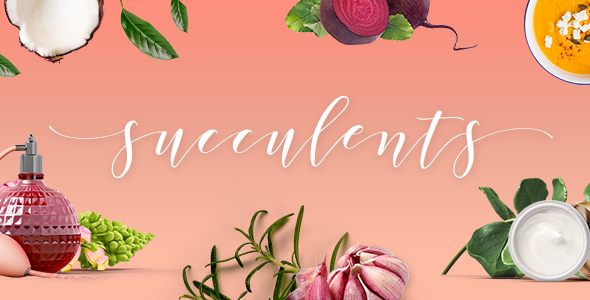
Stuck on your Succulents WordPress theme? Let's fix it.
No endless back-and-forth. Just send us the details and we'll get it done.
No obligation · Replies within 1 hour · Quote within 1 day
Setup · Customization · Bug fixes · WooCommerce integration
About Succulents WP Theme
Succulents is a WordPress theme by Select-Themes built for plant shops, botanical studios, and nature-inspired lifestyle brands. It pairs clean typography with organic visual elements to create a calm, editorial feel that works well for both product-focused and content-heavy sites.
The theme is built on a solid foundation with WooCommerce support, multiple homepage layouts, and a widget-ready sidebar structure. It is responsive out of the box and handles image-heavy layouts without heavy configuration. Whether you are selling plants online, running a gardening blog, or building a botanical brand site, Succulents gives you a structured starting point that does not require heavy customization to look polished.
Select-Themes is known for producing well-coded, documentation-rich themes with active support. Succulents follows that pattern.
Get matched with a Succulents developer in under one day
Tell us about your Succulents project. Small fixes, Succulents theme customization, or a full website build, whatever you need, we've got it covered.
We'll connect you to the right Succulents developers, define the scope, and get everything 100% clear.
You'll get one estimate, hire your preferred developer, and start collaborating.
Succulents looks straightforward until you need it to do something specific. Custom layouts, WooCommerce integration, mobile fixes, or plugin conflicts can eat hours without the right experience. FoxyConcept connects you with vetted Succulents developers through Codeable, a platform built exclusively for WordPress professionals. Every developer is screened, rated, and accountable. You get a real estimate before committing to anything. No guessing, no wasted budget. Just a developer who knows the theme and can deliver what your site actually needs.
Pros
- Clean, organic design that suits plant, botanical, and lifestyle brands without heavy styling work
- WooCommerce compatible out of the box, making it practical for small plant shops or product-focused sites
- Multiple homepage section layouts built in, reducing reliance on page builders for basic structure
- Select-Themes provides thorough documentation and responsive support for setup questions
- Responsive layout handles image-heavy content well without requiring manual mobile adjustments on most devices
Cons
- Limited layout flexibility without a page builder or custom CSS for non-standard page structures
- Typography and font options are narrow in the Customizer, requiring code edits for serious typographic control
- WooCommerce shop and product page styles are basic and usually need developer work to match the homepage aesthetic
- Not suited for large catalogs or complex filtering needs without additional plugin configuration
- Theme updates from Select-Themes can sometimes override custom CSS added directly to the theme files
Who is Succulents for?
Online Plant Shop
Succulents fits small to mid-size plant shops well. WooCommerce integration handles product listings, cart, and checkout. The clean visual style means product photography stays front and center without competing with loud design elements. A developer can tighten up product page layouts and add filtering to make browsing a larger catalog easier for customers.
Gardening Blog
The editorial feel of Succulents works well for gardening or plant care blogs. Post layouts are clean, sidebars are widget-ready, and the overall aesthetic matches the subject matter without forcing it. Pair it with a solid SEO plugin and good image compression and you have a blogging setup that is both functional and visually appropriate.
Botanical Studio or Florist
Florists and botanical studios need a site that shows off visual work without distraction. Succulents handles gallery-style image layouts and services pages cleanly. Contact forms, booking integrations, and portfolio sections can be added by a developer to turn the base theme into a proper client-facing studio site.
Wellness or Lifestyle Brand
Wellness brands that incorporate plants, natural products, or organic living content often need a calm, clean aesthetic. Succulents delivers that without heavy customization. It works for selling physical products, digital downloads, or simply building an audience around a lifestyle niche with blog content and email list integration.
Nursery or Garden Center
Local nurseries and garden centers need a site that handles location information, seasonal product availability, and basic e-commerce. Succulents gives you the visual foundation. A developer can add WooCommerce, local pickup options, a store hours widget, and Google Maps integration to make it fully functional for a brick-and-mortar business with an online presence.

Customizing Succulents
Succulents works with the WordPress Customizer for most visual changes, including colors, fonts, header layout, and logo placement. You can adjust the homepage sections, control sidebar visibility per page type, and switch between layout options without touching code.
For deeper work, a Succulents expert can go further. That includes custom post templates, WooCommerce styling adjustments, unique product page layouts, and integrating third-party plugins cleanly into the existing design. Typography overrides, spacing refinements, and mobile-specific layout fixes are common requests that fall outside what the Customizer handles natively.
If your site needs more than the out-of-the-box setup, working with a developer who knows the Succulents theme structure will save significant time and prevent styling conflicts from stacking up.
Recommended plugins for Succulents
Succulents pairs well with WooCommerce for plant or product sales, Yoast or Rank Math for on-page SEO, and contact form plugins like WPForms or Gravity Forms. For image performance, adding a caching layer and a CDN matters given how image-heavy botanical sites tend to be.
If you are building a subscription box service or a local plant nursery with delivery, WooCommerce Subscriptions and local pickup extensions slot in cleanly. For WordPress performance tuning or SEO optimisation specific to the Succulents theme, working with a specialist ensures these tools are configured correctly rather than just installed.
Not sure which plugins to use? This WordPress plugins directory covers the most popular options with reviews and setup guides.
Succulents common issues
Succulents theme header not displaying correctly on mobile
Mobile header issues in Succulents usually come from a conflict between the theme’s built-in responsive CSS and custom styles added via the Customizer or a child theme. Start by checking for any CSS in Appearance > Customize > Additional CSS that targets header elements. Deactivate plugins one at a time to rule out a caching or optimization plugin stripping styles. If the issue appeared after a theme update, compare your child theme CSS against the updated parent. A WordPress bug fixing specialist can isolate the exact cause quickly.
WooCommerce product pages look unstyled with Succulents theme
Succulents includes basic WooCommerce compatibility but does not ship with deep WooCommerce styling. Product pages often inherit generic WooCommerce styles that clash with the theme’s design. The fix involves writing targeted CSS for product page elements like the gallery, add-to-cart button, tabs, and related products. This should be done in a child theme to survive updates. For anything beyond styling, like layout restructuring or custom product templates, a developer familiar with both Succulents and WooCommerce is the right call.
Succulents theme homepage sections not showing after update
If homepage sections disappear after a theme update, the most common cause is a widget area reset or a change in how the theme registers homepage sections. Check Appearance > Widgets first to see if your content is still assigned to the right widget areas. If sections were built using theme-specific options rather than widgets, check the Customizer for any reset settings. Restoring from a recent backup is faster than rebuilding manually. Regular WordPress maintenance that includes pre-update backups prevents this situation entirely.
Custom fonts not loading properly in Succulents WordPress theme
Custom font issues in Succulents are usually caused by incorrect enqueuing, a caching plugin serving stale CSS, or a Content Security Policy blocking external font sources like Google Fonts. If you added fonts via the Customizer’s Additional CSS using a @import rule, switch to enqueuing them properly through a child theme’s functions.php file instead. Clear all caches after making changes. If you are loading fonts from a self-hosted source, check that file paths and MIME types are correct on your server.
Succulents FAQ
Succulents has WooCommerce compatibility built in, which means basic shop functionality works without extra configuration. However, product and shop page styling is minimal. For a polished storefront, you will need custom CSS or developer work to align WooCommerce elements with the rest of the theme’s design. It suits small shops well but is not optimized for large catalogs or complex e-commerce setups without additional development.
Succulents can technically be used with page builders like Elementor, but it is not designed around them. The theme has its own homepage structure and widget areas. Adding a page builder can create conflicts with existing layout logic, especially on the homepage. If you want to use Elementor, test on a staging site first and expect some CSS conflicts to resolve. A developer can set this up cleanly without breaking the existing theme structure.
Creating a child theme for Succulents follows the standard WordPress process. Create a new folder in wp-content/themes, add a style.css file with a Template header pointing to the Succulents parent theme, and create a functions.php that enqueues the parent stylesheet. Activate the child theme from Appearance > Themes. All customizations should go into the child theme to protect your changes from being overwritten when the parent theme updates.
Yes, you can migrate an existing site to the Succulents theme. The process involves installing and activating the theme, then rebuilding or remapping your content to fit its widget areas and page templates. Posts and pages transfer automatically, but layout work is manual. If your current site has a complex structure or a lot of page builder content, migration takes careful planning to avoid losing design work.
Select-Themes has an active support track record and continues to maintain its theme catalog. That said, support policies and update frequency can change. Check the theme’s page on the Select-Themes website or its ThemeForest listing for the latest update date and support status before purchasing or committing to a new project build on it. Themes with recent updates and active comment sections are generally safe long-term choices.
Hire a Succulents WordPress Developer
Need a Succulents developer who knows the theme inside out? Whether you are setting up a new site, fixing a layout issue, or extending functionality with WooCommerce or custom templates, FoxyConcept can match you with the right person fast. Post your project and get a free estimate within 24 hours, no commitment required. Get your free estimate here and see exactly what your project will cost before you hire anyone.
You'll need a free Codeable account so developers can ask questions and send their quotes.